1
Unpacking and Inspecting
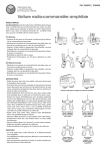
Unpack all items from the carton. Save the packing materials in case you need to move or ship the system in
the future.
4 Unit should not have any damage.
Caution
You must ship the unit in the original or equivalent packing
materials or your warranty may be invalidated.
Installing the Host Adapter
If your host computer system does not have native SCSI capability and the host adapter you are using is not
installed, please install it. Refer to the manual that came with your host adapter for specific directions.
Notes
• The AIT-70D is a Fast Wide SCSI device and is available in SE
and HVD configurations. Be sure that your host adapter is
Fast Wide SCSI capable.
• The AIT-100D is a Wide Ultra SCSI device and is available in
HVD or SE/LVD configurations. Be sure that your host
adapter is Wide Ultra SCSI capable.
• SE and HVD SCSI devices, are not compatible. Do not
attempt to connect both types of devices to the same SCSI
bus.
Caution
SE and HVD SCSI devices, are not compatible. Do not attempt to
connect both types of devices to the same SCSI bus.
When the host adapter card is installed return to this point of this manual.
8
Hardware Installation