1
Quantum|ATL 7100 Series Library Unpacking Instructions
Document 6241100-03, Ver. 3, Rel. 1
August 2001
Installation Procedures
0
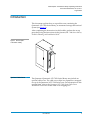
This section explains how to unpack the library’s internal packing
materials and prepare it for installation. The following are the major
steps in this procedure:
Removing the Internal
Packing Materials
0
•
Removing the internal packing materials
•
Storing the shipping materials
•
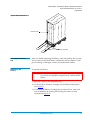
Leveling the library
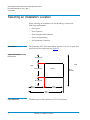
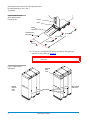
To remove the internal packing material from the library:
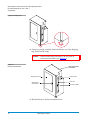
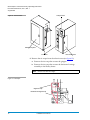
1 Remove the packing material from the load port door (see
figure 11):
a
Open the load port door.
b
Remove the foam sheet.
c
Close the load port door.
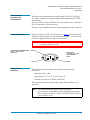
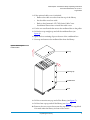
2 Remove the packing material from the drive access door (see
figure 11):
a
If necessary, unlock the drive access door.
b
Open the drive access door.
c
Remove the foam sheet.
d
Close the drive access door.
3 Remove the packing material from the front door by using the
procedure in step 2.
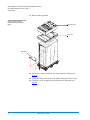
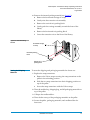
4 Remove the packing material from the storage array door:
a
If necessary, unlock the storage array door.
b
Open the storage array door.
c
Remove the foam sheet.
Installation Procedures
13