1
5 Web client operation
5.1 Network connection
Before web client operation, please check the following items:
Network speed dome network connection is right
DVR and PC network setup is right. Please refer to general-system settingnetwork setup
Use order ping ***.***.***.***(* network dome IP address) to check connection is
OK or not. Usually the return TTL value should be less than 255.
5.2 Login and logout
Open IE and input network speed dome address in the address column.
For example, if your dome IP is 10.1.27.200, then please input http:// 10.1.27.200 in
IE address column.
System pops up warning information to ask you whether install controls or not.
Please click “Yes” continue.
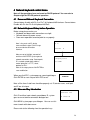
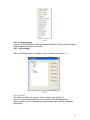
After installation, the image shows is shown as below. See figure 5-1.
Note: Default factory IP is 192.168.1.108 and default subnet mask is 255.255.255.0.
5-1
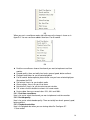
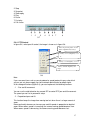
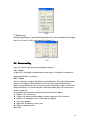
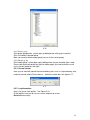
There are six function keys: login, logout, video, search, configuration and assistant.
See figure 5-2.
34