1
B – Command Line Interface
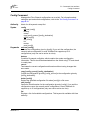
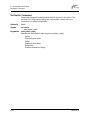
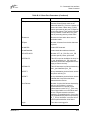
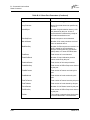
Zone Command
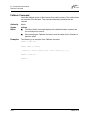
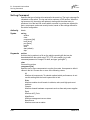
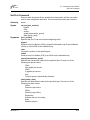
list
Displays a list of all zones and the zone sets of which they are members. This
keyword is valid for User authority and does not require a zoning edit session.
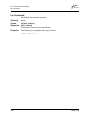
members [zone]
Displays all members of the zone given by [zone]. This keyword is available with
User authority and does not require a Zoning Edit session.
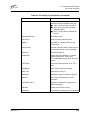
remove [zone] [members]
Removes the ports given by [members] from the zone given by [zone]. The
[members] can have one of the following formats:
■
Domain ID and port number pair (Domain ID, Port Number). Domain IDs and
port numbers are in decimal. Ports are numbered beginning with 0.
■
6-character device Fibre Channel address (hex)
■
16-character hexadecimal worldwide port name (WWPN) with the format
xx:xx:xx:xx:xx:xx:xx:xx.
■
Alias name
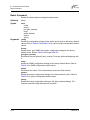
rename [zone_old] [zone_new]
Renames the zone given by [zone_old] to the zone given by [zone_new].
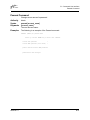
type [zone] [zone_type]
Specifies the zone type given by [zone_type] to be assigned to the zone name
given by [zone]. If you omit the [zone_type], the system displays the zone type for
the zone given by [zone]. [zone_type] keyword can be one of the following:
soft
Name server zone
hardacl
Access control list hard zone
hardvpf
Virtual private fabric hard zone
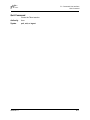
zonesets [zone]
Displays all zone sets of which the zone given by [zone] is a member. This
keyword is available with User authority and does not require a Zoning Edit
session.
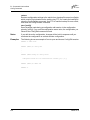
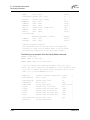
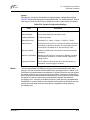
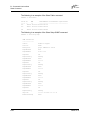
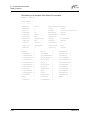
Examples
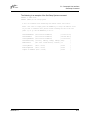
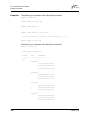
The following is an example of the Zone List command:
SANbox2 $> zone list
Zone
ZoneSet
------------------wwn_b0241f
zone_set_1
wwn_23bd31
59042-00 A
B-63