1
Safety instructions
IMPORTANT SAFETY INSTRUCTIONS
Read this manual before use and keep it handy for future reference.
Precautions
To maintain optimum performance:
Do not use the unit in extreme hot , cold, dusty or high humid places.
Do not use or keep the unit in following places.
In a high humid area, such as a bathroom or hypogeum.
In an area exposed to direct sunlight ( e.g. inside car where it becomes extreme hot ).
Near sources with strong magnetism, such as television, speaker or magnet.
In trembly places, such as on the car dashboard or shaky shelf.
For safety
Do not attempt to disassemble this unit.
Avoid pins or else objects getting inside the Unit.
Take care of it , do not throw the unit .
Attention : Do not listen with the earphones as following circs .
listen at moderate volume in case of hearing harm.
Do not wear the earphones while driving or cycling. It may cause traffic accident.
You should use it with extreme caution or temporary pause in latent accident
situation while walking, Jogging, etc.
If you hear soundless, do not turn the volume up too high because the music may
suddenly begin at high volume in case of hurting your ears or damaging the
headphone, turn the volume control to the lowest level before starting playing
back and turn it up slowly to the desired level.
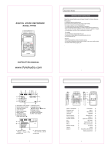
Location Of Indicators
LOCATION OF INDICATORS
A. Battery indicator
E. Repeat mode indicator( , )
B. Voice mode indicator
F. REC mode indicator
C. File number indicator
G. Recording time indicator
D. Duration indicator
Location Of Keys
LOCATION OF KEYS
USB Interface
Play/Pause key
Earphone Jack
Record key
Built-in Microphone
Stop key
Microphone Jack
Up key
Recording LED
Down key
LCD display
Hold switch
Volume+ key
Loudspeaker
Volume- key
Battery compartment
MODE key
The rope hole
Battery Installation
It will never affect files stored in the unit to replace batteries, if you shut down the unit
with normal operation.
Push to open the battery cover.
Insert 2pcs of “AAA” size batteries with
correct polarity.
Close the battery cover.
* Once the batteries are installed, this unit will turn on
automatically.
BATTERY INDICATORS
The batteries are high level.
The batteries are low level.
The batteries are exhausted, the “Lo” will show
on LCD, and need to charge it or replace.
BATTERY PRECAUTIONS
Follow these precautions when using batteries in this device:
1.Only use the battery with specified size and type.
2.Be sure to follow the correct polarity when installing the batteries as indicated
on the battery compartment. Reversed polarity may cause damage to the device.
3.Do not mix different types of batteries together (e.g.Alkaline and Carbon-zinc )
or old battery with fresh one.
4.If the device would not be used for a long period of time, remove batteries to
prevent damage or harm from possible battery leakage .
5.Do not try to recharge batteries without rechargeable function, or they will
overheat and rupture. ( Follow battery manufacturer’s directions.)
6.Never try to remove the batteries while using .
Basic Operation
To turn on/off the unit
Press and hold the PLAY/PAUSE key more than
2secs., and the red indicator will flash for one time,
the “
”, “
”, “
” will show on LCD one after
another, then enter into the Voice mode as right photo.
“
” means 4969MB(4GB) built-in memory in this unit.
Press PLAY/PAUSE key more than 2secs., and the
“
” shows on LCD, then the LCD goes out, the unit
is turned off.
HOLD function
Slide the HOLD switch up to set it on, then all keys lose function,
and the “
” will show for 2secs. when any key is pressed.
* It’s very useful function to avoid error operation while recording or
playing.
Slide the HOLD switch down to set it off, and it will recover all
keys function.
VOR and recording quality mode
Before recording, you can set the VOR function according as your demand. If it is
turned on and the detected volume doesn’t reach the VOR level value(set by system),
the recording will pause until it detects eligible volume, otherwise it will continue recording
soundless section in this file .
At Voice mode, you may press VOL+ or VOL- key back and forth to
set the VOR and recording quality mode.
VOR off VOR on
good recording
quality
better recording
quality. *It’ll occupy
bigger space than
LP mode.
Operation
Recording file
After simple function settings, you may press REC key
once to start a recording, then the recording LED
lights up, and the elapsed time shows on LCD.
* The file number is generated orderly.
* Whatever mode or setting state, it’ll start a recording if you
press REC key.
While recording, you may press REC or PLYA/PAUSE key
for a pause, and press it again to continue recording.
Finish recording, just press STOP key to stop recording and save
this recording file, then it’ll turn to Voice mode.
Note
* The first several minutes sound may not be recorded for activating the recorder .
* There are two ways for recording input (Internal Mic ,External Mic).
* It is seemly distance to be away 50mm from the sound source.
Playing the file
Select a desired file by UP or DOWN key, the file number
and duration of the recording file shows on LCD
Then press PLAY/PAUSE key to play, and you may press it
back and forth for a pause or continuous playing, then press
STOP key to stop it.
* In pause, the pause time and the quality of file(s) will blink in turn.
Ex.: “
” means that there are 16 recording files in this unit.
While playing, you may press UP or DOWN key to skip to
playing the previous or next recording file.
You may press VOL+ or VOL- key to adjust volume while playing.
“0” is minimum volume , “31” is maximum volume.
While playing, you may press and hold UP or DOWN key to run Fast
Rewind or Fast Forward .
* For private listening, connect an earphone to Earphone jack.
Operation
Playing back recording file repeatedly
There are three modes for playing back file. While playing, press
MODE key to goto setting menu, then press UP or DOWN key to
select Repeat mode.
Note:
Normal playing “
All repeat “
One repeat “
* Factory setting is “
” :Playing the current file just for one time.
” :Playing all recording files repeatedly.
” :Playing the current recording file repeatedly.
”.
Playing back a section within a file repeatedly
While playing, press MODE key twice to goto setting menu as right
photo, and the “A-” blinks, then press DOWN key once to set the
start “A” within 5secs.,and then the “B” blinks on LCD, it’s still playing,
then press DOWN key again to set the end “B” at the desired point, then
this A-B section will play repeatedly for 5 times.
After 5 times playing, it’ll skip to “A-” blink again, so you may set it again
as your desire, or you may press MODE key to cancel.
While “A-B” section playing, you may press MODE or DOWN key to
cancel and recover to initial playing state.
* While setting or playing the “A-B” section, you may always press UP
key to reset it, and the “A-” will blinks again.
Delete file(s)
At Voice mode, press UP or DOWN key to select desired file
to delete, then press and hold MODE key to skip to setting
menu.
Then the “
” will blinks on LCD, and you may press UP or
DOWN key to select “
” or “
”, and then press PLAY/
PAUSE key within 3secs. to confirm to delete current file or
all recording files.
* Once file(s) is deleted, it can not be recovered.
Download and upload files
Download and upload files
Connect the unit to a computer by USB cable .
Copy (recording) files to a removable disk or computer, or
copy music files to your recorder according as your demand.
After finishing your operation, disconnect the unit with your
PC by the Safety Remove Hardware procedure.
Specifications
SPECIFICATIONS
File Number
Max.99
Recording time
4GB
Recording
Playing
SP
LP
68H
272H
Format
WAV
Sample rate
8KHz
Format
WAV, WMA
Bit rate
SP 192kbps
SINR
LP 64Kbps
>=90dB
Frequency Response
20Hz - 20KHz
Memory ( SD or FLASH )
Build-in memory 4GB
Jacks
USB
USB V2.0 Socket
MICROPHONE
Ext. Mic ( D3.5mm ,Stereo)
EARPHONE
Earphone ( D3.5mm, Stereo )
USB JACK
MINI 5Pin
Loud speaker
Output power
Power supply
Power life
Recording
Playing
Size
Weight
16 ohms dynamic speaker
Speaker
100 mW(8ohm)
Earphone
10 mW(32ohm)
2 x AAA (LR6) Alkaline Battery
About 13.5h
About 3.5h (Earphone), 9h (Loudspeaker)
108 X 30 X 15 MM
29.7g
* Specifications are subject to change without notice.