1
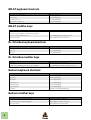
NN-XT keyboard shortcuts
Function
Key(s)
Remove zone(s) from key map.
[Delete] or [Backspace]
Select All Zones
[Command]/[Ctrl]+[A]
Copy selected Zone(s)
[Command]/[Ctrl]+[C]
Paste currently copied Zone(s)
[Command]/[Ctrl]+[V]
NN-XT modifier keys
Function
Key/Action
Audition sample. In sample column, at root pitch and unprocessed. In keyboard
column, at corresponding pitch and with processing applied.
[Option]/[Alt]+Click in sample column or keyboard column
Set root note of sample with edit focus.
[Command]/[Ctrl]+Click in keyboard column
Edit selected sample
[Option]/[Alt]+Click the Sample button
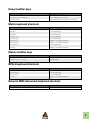
Dr. Octo Rex keyboard shortcuts
Function
Key(s)
Cut Loop.
[Command]/[Ctrl]+[X]
Copy Loop.
[Command]/[Ctrl]+[C]
Paste Loop.
[Command]/[Ctrl]+[V]
Dr. Octo Rex modifier keys
Function
Key/Action
Audition slice.
[Option]/[Alt]+Click slice in overview
Reset slice(s) to default parameter value in Slice Edit Mode
[Command]/[Ctrl]+ click/click and drag in overview.
Redrum keyboard shortcuts
Function
Key(s)
Cut Pattern.
[Command]/[Ctrl]+[X]
Copy Pattern.
[Command]/[Ctrl]+[C]
Paste pattern.
[Command]/[Ctrl]+[V]
Shift Pattern Left.
[Command]/[Ctrl]+[J]
Shift Pattern Right.
[Command]/[Ctrl]+[K]
Randomize Pattern.
[Command]/[Ctrl]+[R]
Alter Pattern.
[Shift]+[Command]/[Shift]+[Ctrl]+[P]
Redrum modifier keys
8
Function
Key/Action
Enter “Hard” note when programming Pattern.
[Shift]+Click Pattern Step button
Enter “Soft” note when programming Pattern.
[Option]/[Alt]+Click Pattern Step button
Edit selected sample
[Option]/[Alt]+Click a Sample button