1
LEARN
MORE
K100™ Bluetooth® In-car Speakerphone
TAKE A GOOD LOOK
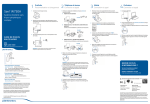
MULTI-FUNCTION BUTTON
• Power on or off (3- to 4-second
press)
• Take a call or end it (1 tap)
• Redial (2 taps)
• Transfer audio to or from phone
during call (3-second press)
• Reject a call (press and hold until
you hear a single tone)
• Initiate phone’s voice-dialing
(2-second press until second
tone is heard)
• Activate manual pairing (with
power off, press and hold until
LED flashes red/blue)
• Reconnect (1 tap)
• Enable/Disable Missed Call Indicator (1 tap)
LED
MICROPHONES
-
+
• Charging (solid red)
• Powering on or off (2 blue or red flashes)
• FM transmission (2 purple flashes)
• Missed call (1 purple flash)
• Pairing mode (red/blue flashes)
VOLUME WHEEL
• Increase volume (rotate clockwise)
• Decrease volume (rotate counterclockwise)
MUTE BUTTON
• Mute on or off (1 tap)
• Night mode: LED on or off
(2-second press until tone is heard)
MICRO USB CHARGING PORT
FM BUTTON
• FM transmit on or off (1 tap)
• Find FM channel (press and hold
until station option is announced)
• With micro USB or car charger:
2.5 hours (100% charge)
• Best performance when fully charged
Be safe! Please read the safety guide before using your new speakerphone.
CONNECT TO YOUR PHONE
“Pairing” is the process that
connects the speakerphone
to your phone. You can pair
more phones but can have
only one active connection
at a time.
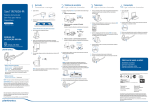
1. READY
2. SET
3. CONNECT
Activate the Bluetooth feature on
your phone, then use the phone’s
settings to add/search/discover
new Bluetooth devices.
First Time:
With speakerphone turned off,
activate Bluetooth pairing mode
by pressing and holding the Multifunction button to turn on speakerphone. The LED flashes red/blue
to indicate pairing mode.
Select “PLT_K100” from the list
of Bluetooth devices shown on
your phone.
iPhone: Settings > General >
Bluetooth > On
(starts the search for devices)
BlackBerry® smartphone: Settings/options > Bluetooth: On >
Search for devices
VIDEO TUTORIAL FOR USA:
www.plantronics.com/pairing
If the phone asks for a passcode,
enter four zeros (0000). You may
see **** on screen.
Some phones also ask to confirm
the connection after pairing.
The speakerphone LED will stop
flashing red/blue once your phone
is successfully paired/connected.
HEAR CALLS THROUGH YOUR CAR STEREO
You can listen to calls through
your car stereo speakers by
transferring the audio from
the speakerphone to one of
five FM channel options:
88.3MHz
Suggested placement
88.7MHz
89.1MHz
89.5MHz
89.9MHz
If your phone is A2DP-enabled
you can also hear streaming
audio like GPS instructions and
music through your car speakers.
We recommend that you transfer audio to an FM channel
before you start driving, and
that you make a routinely clear
channel a preset on your stereo.
1. READY
2. SET
Ensure that your phone and speakerphone are
powered on and connected.
Press the FM button to enter FM transmit
mode. The FM transmit channel will be announced.
3. CONNECT
Manually set your radio to the announced FM channel. You are now ready to transmit calls
and streaming audio like GPS directions from your phone to your car stereo.
If a radio station suddenly takes over the FM channel, tap the FM button to quickly redirect
the audio back through the speakerphone.
To find another FM channel, while FM is turned on, press and hold the FM button until another
channel option is announced, then tune your radio to the new channel.
LISTEN TO THE VOICE
This speakerphone announces various
status alerts when you power on/off,
run low on talk time, or lose/reconnect
the Bluetooth connection to your
phone.
WHAT YOU’LL HEAR
Power On
WHEN YOU’LL HEAR IT
After pressing the Multi-Function button for 3 to 4 seconds
Power Off
Battery Low
After pressing the Multi-Function button for 3 to 4 seconds
When you have less than an hour left before the battery
must be recharged
While the speakerphone and phone are trying to pair/connect
After the speakerphone and phone tried to pair but failed
When the phone and speakerphone lose the Bluetooth connection
After ending a call or when using the call back feature through
visual voice mail
After reaching the highest volume setting
After turning the speakerphone on or reconnecting a dropped
Bluetooth signal
After tapping the Mute button
From muted, after tapping the Mute button
After tapping the FM button, FM transmission turns on and the
voice announces the current station it is using
After pressing and holding the FM button, the voice announces
the channel it now uses
From on, after tapping the FM button to turn transmission off
Pairing
Pairing Incomplete
Lost Connection
Call Terminated
Volume Maximum
Connected
Mute On
Mute Off
FM ON Channel XX.X
FM Channel XX.X
FM Off
TIPS
Keep Your Eyes on the Road:
The controls are easy to find with your
fingertips without looking for them.
Before driving, reach up and familiarize
yourself with the controls so you can
keep your eyes on the road when a call
comes in.
•The notched Volume wheel is easy
to feel.
•The Multi-function button is inside
the wheel.
•The Mute button has a raised notch.
Turn the LED On or Off:
Avoid a Dead Battery:
For comfortable night driving, you
Remember to power off the speakercan turn the lights on or off by pressphone when you exit your car. If you
ing and holding the Mute button for
forget, the speakerphone will automat2 seconds until you hear a tone.
ically turn off after 90 minutes of not
having an active connection.
Listen to the Voice:
Protect Your Hearing:
This speakerphone says various status
You can adjust the volume faster by
alerts when you power on/off, lose/
turning the volume wheel faster. To
reconnect the Bluetooth connection
adjust the volume a small amount,
to your phone, or change FM channels.
turn the wheel slowly.
Sound Your Best:
Learn to Share:
Clip the speakerphone to your visor
When powering on, the speakerphone
where the two microphones, located
searches for the last connected phone.
on the top of the unit, can be closest
to your face so you can speak in a
If the last connected phone is not
normal tone of voice and be heard.
within range, or the Bluetooth feature is turned off on the phone, then
another phone within range that has
been previously paired with the speakerphone can be connected by tapping
the Multi-function button.
SPECIFICATIONS
Talk Time
Up to 17 hours
Standby Time
Up to 15 days
Operating Distance (Range)
Up to 33 feet from phone
Speakerphone Weight
92 grams
Speakerphone Dimensions
120 x 60 x 16.5mm (without clip)
Charge Connector
Micro USB connector
Battery Type
Rechargeable, non-replaceable Lithium-ion polymer
Charge Time (Maximum)
2.5 hours to full charge
Power Requirements
5V DC - 500mA
Bluetooth Version
2.1 with EDR and eSCO
Bluetooth Profiles
Hands-Free (HFP) 1.5, Headset (HSP) 1.1 and Advanced
Audio Distribution (A2DP)
Operating, Storage and
Charging Temperature
14°F - 122°F (-10°C - 50°C)
NEED MORE HELP?
Phone support in USA:
1-866-363-BLUE (2583)
1-year limited warranty details:
www.plantronics.com/warranty
© 2011 Plantronics, Inc. All Rights Reserved. Plantronics and K100 are trademarks
or registered trademarks of Plantronics, Inc. The Bluetooth word mark and logos are
owned by the Bluetooth SIG, Inc. and any use of such marks by Plantronics, Inc. is under
license. iPhone is a trademark of Apple Inc. registered in the U.S. and other countries.
Blackberry is owned by Research In Motion Limited and is registered in the United
States and may be pending or registered in other countries. Plantronics, Inc is not
endorsed, sponsored, affiliated with or otherwise authorized by Research In Motion
Limited. AM84444-01 (03/11)
Z109
N10687