1
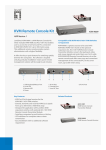
KVM-1600
16-Port KVM Switch
Key Feature
• Supports multi-platform: DOS, Win9x / NT/ 2000 / ME / XP,
Netware, Unix / Linux
• Supports iMac, Power Mac and Sun Microsystems with USB
port (requires USB-PS2 adapter)
PLANET's KVM switches are designed to give you control of multiple
computers using just one keyboard, video display and mouse. They provide
• Auto scan mode for monitoring PC
more table and rack space in addition to saving the cost of multiple
keyboards, mice and monitors. Switch between computers by just pressing a
button or the pre-defined hotkey on the keyboard. PLANET KVM switches
are the perfect choice for home, office, server farm, or testing sites where
• Plug and play system configuration
there is a need to manage multiple computers efficiently and easily.
PLANET's KVM switches utilize advanced microprocessor emulation to
intelligently manage each KVM port. This allows simultaneous boot-up of all
• No software required (easy PC selection via Push button, and
Hot key functions)
the attached computers. Caps Lock, Num Lock and Scroll Lock status can
also be saved for each computer. They support VGA, SVGA and MultiSync
monitors at up to 1920 x 1440 resolutions. Furthermore, in addition to
• 19” rack mount size design
computers with a PS/2 interface, iMAC, Power MAC and Sun Microsystems
with only a USB port can also be connected through PLANET's USB-PS2
adapter and thus be controlled by a PS/2 keyboard and mouse.
• Daisy chain up to 7 additional units to control up to 128
computers from single console
With KVM-1600's Daisy Chain function, up to eight units (banks) can be
daisy-chained together to control up to 128 PCs with a single console. Two
buttons on the front panel allow you to quickly and easily select the switch
(bank) and port. The on-screen display (OSD) feature of KVM-1600 provides
a friendly interface for naming and selecting a specific PC, and eight character
password protection and a search by computer name feature assists when
managing a large number of computers.
Data Sheet
1
• OSD (On Screen Display) supported - visualize computer
management
KVM-1600
Specification
Product
16-Port KVM Switch
Model
KVM-1600
Computer Port
Console Port
Daisy Chain Port
Max computer connection
Computer Port Connector
16
1
1
128 (by Daisy Chain 8 KVM-1600)
Keyboard: Mini DIN 6 pin Female
Mouse: Mini DIN 6 pin Female
Monitor: HDDB 15 pin Female
Keyboard: Mini DIN 6 pin Female
Mouse: Mini DIN 6 pin Female
Monitor: HDDB 15 pin Female
Yes
OSD, Hot Key, Push Button
5~99 sec.
PS/2
PS/2
Up to 1920 x 1440
200MHz
Metal
DC 9V ~ 12V, 1A
0~40 Degree C (32 to 104 Degree F)
-20~60 Degree C (-4~140 Degree F)
0~80% RH non-condensing
410 x 172 x 88 mm
4.1 kg
Console Port Connector
(Daisy Chain Port)
On Screen Display
PC Selection
Scan Interval
Key Emulation
Mouse Emulation
Video resolution
Bandwidth
Housing
Power Adapter
Operating Temperature
Storage Temperature
Humidity
Dimension (L x W x H)
Weight (kg)
Applications
Home, Office or Test Site Need to use multiple computers but lack space? Hate to move from computer to computer? Or just
want to save money on monitors, keyboards and mice? PLANET's KVM switch family is the most cost-effective and simple solution.
Multiple computers can be managed by a single monitor, keyboard and mouse directly. iMac, Power Mac and Sun systems can also
be supported by using PLANET's innovative USB-PS2 adapter. No software drivers or system configuration are required. Switching
among computers is achieved simply by pushing a button on the switch or a predefined hotkey on the keyboard or via the KVM1600's OSD function.
Server Farm Does your server farm contain rack upon rack of monitors, keyboards and mice that are all just gathering dust? You
can make better use of your rack space and save money on unnecessary equipment purchases by investing in PLANET's KVM
switches. They give you control of multiple computers using just one keyboard, video display and mouse to save precious rack
space. iMac, Power Mac and Sun's systems can also be supported by using PLANET's innovative USB-PS2 adapter. Furthermore, the
daisy-chain function and 19" rack mount design of KVM-1600 make it the best solution for user requires the ability of handling
multiple platforms, ease of installation, simple to use and expandability.
Computer 1 Computer 2
Computer 15 Computer 16
Daisy Chain up to 8 banks
KVM-1600
Daisy Chain up
KVM-1600
Computer 1 Computer 2
Computer 15 Computer 16
Ordering Information
KVM-1600
16-Port KVM Switch with OSD and Daisy Chain
Accessories
KVM-CB-1.8
1.8m KVM Cable
KVM-CB-3
3m KVM Cable
KVM-CB-5
5m KVM Cable
USB-PS2
USB to PS/2 Adapter
Data Sheet
2
PLANET Technology Corporation
11F, No. 96, Min Chuan Road, Hsin Tien, Taipei, Tawian R.O.C.
Tel: 886-2-2219-9518
Fax: 886-2-2219-9528
Email: [email protected]
www.planet.com.tw
VoIP Gateway: vip.planet.com.tw
02-06
C-KVM1600-1
PLANET reserves the right to change specifications without prior notice. All brand names and trademarks are property or
their respective owners. Copyright©2006 PLANET Technology Corp. All rights reserved.