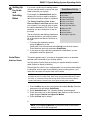
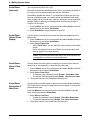
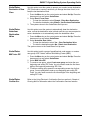
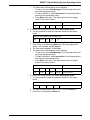
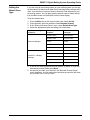
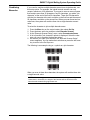
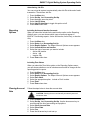
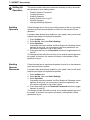
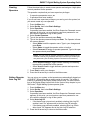
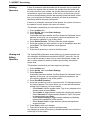
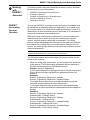
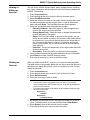
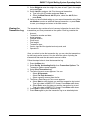
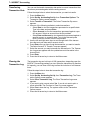
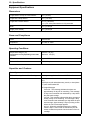
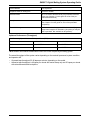
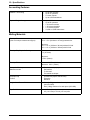
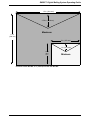
1
DM925™ DM Series™ Digital Mailing System Operator Guide US English Version SV62207 Rev. B ©2009 Pitney Bowes Inc. All rights reserved. This book may not be reproduced in whole or in part in any fashion or stored in a retrieval system of any type or transmitted by any means, electronically or mechanically, without the express, written permission of Pitney Bowes. We have made every reasonable effort to ensure the accuracy and usefulness of this manual; however, we cannot assume responsibility for errors or omissions or liability for the misuse or misapplication of our products. Due to our continuing program of product improvement, equipment and material specifications as well as performance features are subject to change without notice. Your postage meter may not have some of the features described in this book. AccuTrac, Ascent, DM925, DM Series, E-Z Seal, IntelliLink, WEIGH-ON-THE-WAY (W-O-W®) Postage By Phone, INVIEW and Pitney Bowes Supply Line are trademarks or registered trademarks of Pitney Bowes Inc. All other trademarks are trademarks or registered trademarks of the respective owners. Alerting Messages Various messages are used throughout this guide to alert you to potentially hazardous or error causing conditions. These messages are as follows: WARNING! Alerts you to conditions or practices that could cause serious injury. CAUTION: Alerts you to conditions or practices that could cause damage to the equipment or to the material being run. IMPORTANT: Alerts you to conditions or practices that could adversely affect equipment operation if instructions are not followed exactly. NOTE: Provides a comment or explanation of the associated topic. FCC Compliance This equipment has been tested and found to comply with the limits for a Class A digital device, pursuant to part 15 of the FCC rules. These limits are designed to provide reasonable protection against interference when the equipment is operated in a commercial environment. This equipment generates, uses, and can radiate radio frequency energy and, if not installed and used in accordance with the instruction manual, may cause interference to radio communications. Operation of this equipment in a residential area is likely to cause interference, in which case the user will be required to correct the interference at his own expense. Use only a shielded interface cable to operate this equipment with a scale or other peripheral device CAUTION: Changes or modifications to this equipment not expressly approved by the party responsible for compliance (Pitney Bowes) could void the user’s authority to operate the equipment. FCC Compliance of Modem This equipment complies with Part 68 of the FCC rules and the requirements adopted by the ACTA. On the bottom of the IntelliLink® Control Center is a label that contains, among other information, a product identifier in the format US:AAAEQ##TXXXX. If requested, this number must be provided to the telephone company. This equipment is designed to be connected to a Facility Interface Code 02LS2 network with RJ11C network interface. A plug and jack used to connect this equipment to the premises wiring and telephone network must comply with the applicable FCC Part 68 rules and requirements adopted by the ACTA. A compliant telephone cord and modular plug is provided with this product. It is designed to be connected to a compatible modular jack that is also compliant. See installation instructions for details. The ringer equivalence number (REN) is used to determine the number of devices that may be connected to a telephone line. Excessive RENs on a telephone line may result in the devices not ringing in response to an incoming call. In most but not all areas, the sum of RENs should not exceed five (5.0). To be certain of the number of devices that may be connected to a line, as determined by the total RENs, contact the local telephone company. The REN for this product is part of the product identifier that has the format US:AAAEQ##TXXXX. The digits represented by ## are the REN without a decimal point (for example 03 is a REN of 0.3). If this IntelliLink® Control Center causes harm to the telephone network, the telephone company will notify you in advance that temporary discontinuance of service may be required. But if advance notice isn’t practical, the telephone company will notify you as soon as possible. Also, you will be advised of your right to file a complaint with the FCC if you believe it is necessary. The telephone company may make changes in its facilities, equipment, operations, or procedures that could affect the operation of the equipment. If this happens the telephone company will provide advance notice in order for you to make necessary modifications to maintain uninterrupted service. If trouble is experienced with this IntelliLink® Control Center please contact the help desk for repair or warranty information. Refer to the Pitney Bowes Contact Information List in this guide for the number of the help desk. If the equipment is causing harm to the telephone network, the telephone company may request that you disconnect the equipment until the problem is resolved. This equipment is not intended to be repaired by the customer (user). Connection to party-line service is subject to state tariffs. Contact the state public utility commission, public service commission, or corporation commission for information. If the installation site has specially wired alarm equipment connected to the telephone line, ensure the installation of this IntelliLink® Control Center does not disable the alarm equipment. If you have questions about what will disable alarm equipment, consult your telephone company or a qualified installer. Table of Contents Pitney Bowes Contact Information List Chapter 1 - Read this First Chapter 2 - Meet the DM Series™ Digital Mailing System Chapter 3 - Mail in a Minute Chapter 4 - Running Mail Chapter 5 - Mailing System Setup Chapter 6 - Adding Postage Chapter 7 - INVIEW™ Accounting Chapter 8 - Reports Chapter 9 - Maintaining and Updating Chapter 10 - Troubleshooting Chapter 11 - Supplies and Options Chapter 12 - Specifications Appendix A - Glossary Index SV62207 Rev. B Pitney Bowes Contact Information List PB Web Sites • For frequently asked questions, go to: http://www.pb.com • To place requests for service or training, go to: http://www.pb.com and click on My Account. • To order PB supplies and accessories, go to: http://www.pb.com and click on Online Store. • To view and pay invoices online, go to: http://www.pb.com and click on My Account. • To view inventory, go to: http://www.pb.com and click on My Account. • To add postage to your Postage By Phone® Meter Payment System account, go to: http://www.pb.com and click on Add Postage to Your Meter. Our Help Desk For direct questions, call: 1.800.522.0020. Customer Service Representatives are available Monday through Friday, 8AM - 8:00PM EST. Postage By Phone® System To contact, call 1.800.243.7800 Pitney Bowes Supplies To order Pitney Bowes approved supplies, call our PB Supply Line™ at 1.800.243.7824. SV62207 Rev. B 1 • Read This First What’s in this Guide ............................................................................. 1-2 Other Information ................................................................................. 1-2 What You Need to Know ...................................................................... 1-3 Safety Requirements............................................................................ 1-3 Important Information About Powering Off Your DM Series™ Digital Mailing System ..................................................................................... 1-6 SV62207 Rev. B 1 • Read This First What’s in this Guide Chapter 1 - Read this First contains important information about USPS requirements and equipment and telephone safety precautions. Chapter 2 - Meet the DM Series™ Digital Mailing System gives an overview of the mailing system and the location of each control and machine feature. Please read this section carefully. It provides a foundation for the instructions in later sections of this book. Chapter 3 - Mail in a Minute explains the basics of running mail on your system. By following these instructions, you will be able to run mail quickly. Chapter 4 - Running Mail explains how to run mail in the different mail modes as well as when to use the various options. Chapter 5 - Mailing System Setup provides step-by-step instructions for customizing your mailing system to suit your needs. Chapter 6 - Adding Postage explains how to add postage funds to your postage meter (Postal Security Device) using the Pitney Bowes Postage By Phone® Meter Payment system. Chapter 7 - INVIEW™ Accounting explains how to use the INVIEW™ Accounting feature to track postage. Chapter 8 - Reports explains the different types of reports available and how to print them. Chapter 9 - Maintaining and Updating explains how to check the quality of the meter stamp and how to take care of the moistener and tape feeder. It also tells you how to add features and update postal rates and carriers. Chapter 10 - Troubleshooting contains a list of problems you may encounter while using your mailing system. Chapter 11 - Supplies and Options lists the supplies available for your system and how to order them. Chapter 12 - Specifications contains the specifications for the mailing system and mailing materials. Appendix A - Glossary defines mailing terms used throughout this operator guide. Other Information This section describes other sources of information available for the DM Series™ Digital Mailing System. • • 1-2 Quick Reference Cards - Much of the information contained in the Operator guide, such as how to set postage, process mail, or clear jams is summarized in the Quick Reference Card Set. The cards are located in a slot in the Stacker module of your system. Our Help Desk - For a list of the Pitney Bowes web sites, refer to the Pitney Bowes Contact Information List located at the front of this guide. SV62207 Rev. B DM925™ Digital Mailing System Operating Guide What You Need to Know Since your postage meter (Postal Security Device) is licensed by the United States Postal Service (USPS), you must follow a few basic requirements. USPS Requirements • • • • • Safety Requirements Mail must have the correct date and postage amount in the meter stamp. Metered mail must bear the ZIP Code location of the post office where the postage meter (Postal Security Device) is registered. If you move to another ZIP Code location, you must update the ZIP Code. You can do this by calling Postage by Phone®. Each time you refill your postage meter (Postal Security Device) through the modem or LAN, the Postage By Phone® Meter Payment System computer automatically performs a postal inspection. If the postage meter in your mailing machine has not detected a modemor LAN refill transaction at certain intervals, the message “Inspection Required” appears on the main screen of the IntelliLink® Control Center. (The system will then prompt you to connect to Pitney Bowes and perform an inspection.) The postage tape you use must meet USPS specifications. WARNING! Follow normal safety precautions for all office equipment whenever using your mailing system. Read all instructions before you attempt to operate the machine. Use the equipment only for its intended purpose. • • • • • • • • • • SV62207 Rev. B Use only Pitney Bowes approved supplies, in particular aerosol dusters. Improper storage and use of aerosol dusters or flammable aerosol dusters, can cause an explosive-like condition that could result in a personal injury and/or property damage. Never use aerosol dusters labeled flammable and always read instructions and safety precautions on the duster container label. Use the power cord supplied with the machine and plug it into a properly grounded wall outlet located near the machine and easily accessible. Failure to properly ground the machine can result in severe personal injury and/or fire. The power cord wall plug is the primary means of disconnecting the machine from the AC supply. Do not remove the power cord's ground pin and do not use a ground adapter. Make sure the area in front of the power outlet is free of obstruction. DO NOT route the power cord over sharp edges or trap it between pieces of furniture. Make sure there is no strain on it. To reduce the risk of fire or electrical shock, DO NOT attempt to remove covers or disassemble the equipment. The housing encloses hazardous parts. If any components are dropped or otherwise damaged, report such damage to your Pitney Bowes customer service representative. Keep fingers, long hair, jewelry, neck ties, and loose clothing away from moving parts at all times. When removing jammed material, avoid using too much force to prevent personal injury and damaging equipment. To prevent overheating do not cover system vent openings. 1- 3 1 • Read This First • • • • When lifting covers, wait for all parts to stop moving before placing hands near feeder path or printer. Do not remove covers as they enclose hazardous parts that should only be accessed by a Pitney Bowes Service Representative. Use only Pitney Bowes approved supplies, e.g., inks, tapes, and cleaners. Call the Pitney Bowes Supply Line™ listed in the Pitney Bowes Contact Information List at the front of this guide. Always follow the specific occupational safety and health standards prescribed for your workplace. NOTE: Your mailing system requires annual cleaning by a Pitney Bowes service representative. For continued safe operation, contact your local Pitney Bowes office for a scheduled cleaning If you use an AC adapter to power the meter when it is off the mailing machine base: • • • Use only the AC adapter designed specifically for the IntelliLink® Control Center. Third-party AC adapters may damage the IntelliLink® Control Center. To protect against electrical shock, plug the AC adapter into a properly grounded power outlet. Do not route the AC adapter cable over sharp edges or trap between furniture. CAUTION: In case of an ink spill, leaking ink or excessive ink accumulation, immediately power down and disconnect the power cord from the wall plug and call your local Pitney Bowes office for a cleaning. The IntelliLink® Control Center and its built-in postage meter (Postal Security Device) connect directly to analog telephone lines. For your protection we urge you to follow basic safety precautions to reduce the risk of fire, electric shock and injury to persons, as well as the following: • • • • • • • • 1-4 Never connect telephone wiring during a lightning storm. Disconnect the meter telephone line during a lightning storm. Avoid using a telephone or equipment that connects to a telephone line during an electrical storm; there may be a remote risk of electrical shock from lightning. Never install telephone jacks in wet locations. Do not use this product near water, for example, near a bath tub, wash bowl, kitchen sink or laundry tub, in a wet basement or near a swimming pool. Never touch non-insulated telephone wires or terminals unless the telephone line has been disconnected at the network interface. Use caution when installing or modifying telephone lines. Do not use the telephone or equipment connected to the telephone line in the vicinity of a gas leak SV62207 Rev. B DM925™ Digital Mailing System Operating Guide • • Do not connect your postage meter (Postal Security Device) to a digital phone line. The device’s built-in modem is designed to work with an analog phone line only. (Your fax machine is usually connected to an analog phone line.) If you do not know if your line is digital, call your phone provider for verification. Disconnect the telephone cord from the wall before removing the IntelliLink® Control Center. CAUTION: To reduce the risk of fire, use only the 26 AWG telecommunication line cord supplied separately. U7P0 Power Stacker WARNING! Follow normal safety precautions for all office equipment whenever using the Power Stacker. • • • • • • • • • • • • SV62207 Rev. B Use only Pitney Bowes approved supplies, in particular aerosol dusters. Improper storage and use of aerosol dusters or flammable aerosol dusters, can cause an explosive-like condition that could result in a personal injury and/or property damage. Never use aerosol dusters labeled flammable and always read instructions and safety precautions on the duster container label. To obtain Pitney Bowes supplies, please contact our Pitney Bowes Supply Line™. Material Safety Data Sheets can be obtained on the web or from our Pitney Bowes Supply Line™. Refer to the Pitney Bowes Contact Information List at the front of this guide for phone numbers and web site information. Use the power cord supplied with the machine and plug it into a properly grounded wall outlet located near the machine and easily accessible. Failure to properly ground the machine can result in severe personal injury and/or fire. Avoid touching moving parts or materials while the machine is in use. Keep hands, loose clothing, jewelry and long hair away from all moving parts. Do not remove covers. Covers enclose hazardous parts that should only be accessed by properly trained service personnel. Immediately report to Pitney Bowes Service any damaged or non-functioning components that renders the unit unsafe. Place the unit in an accessible location to allow for proper venting of the equipment and to facilitate servicing. The power cord wall plug is the primary means of disconnecting the machine from the AC supply. Do not use an adapter plug on the line cord or wall outlet. Do not remove the ground pin from the line cord. Avoid using wall outlets that are controlled by wall switches, or shared with other equipment. Do not route the power cord over sharp edges or trapped between furniture. Ensure there is no strain on the power cord where it becomes jammed between the equipment, walls or furniture. 1- 5 1 • Read This First • • • • Be certain the area in front of the wall receptacle into which the machine is plugged is free from obstruction. To prevent overheating, do not cover the vent openings. Read all instructions before attempting to operate the equipment. Use this equipment only for its intended purpose. If your stacker has an AC adapter to power the stacker: • • Use only the AC adapter designed specifically for the stacker and shown in Chapter 11, Supplies and Options. Third-party AC adapters may damage the stacker. To protect against electrical shock, plug the AC adapter power cord into a properly grounded wall outlet. Do not route the AC adapter cable over sharp edges or trap it between furniture. NOTE: Always follow the specific occupational safety and health standards for your workplace. Important Information About Powering Off Your DM Series™ Digital Mailing System Your DM Series™ Digital Mailing System is designed to remain powered on at all times. This is necessary so that the printer station can perform the required maintenance it needs to maintain peak performance. Your DM Series™ System has a power switch (for the location, refer to Chapter 2 of this guide) so that you can properly remove power to the system. If you need to power off your system, you must use the power switch. When you power off the system, the system immediately moves the printhead back to the capping station to keep the printhead from drying out. Powering off your system by any other means, such as a wall switch, a power strip, or unplugging from a wall outlet, will result in higher than normal ink consumption and could damage your mailing system. ON OFF NO NO NO YES 1-6 SV62207 Rev. B 2 • Meet the DM925™ Digital Mailing System Introducing the DM Series™ Mailing System .......................................2-2 Features and Benefits ..........................................................................2-2 Parts of the Mailing System..................................................................2-5 SV62207 Rev. B 2 • Meet the DM925™ Digital Mailing System Introducing the DM Series™ Mailing System The DM Series™ Digital Mailing System is an easy-to-use digital mailing system you can tailor to satisfy the unique requirements of your organization. This system: Features and Benefits The following section provides a summary of the main features and benefits of the DM Series™ Digital Mailing System. Postage Security Device Your mailing system is equipped with a Postal Security Device (PSD) that incorporates the latest technology approved by the United States Postal Service to secure funds. This technology eliminates the need to perform physical inspections of your postal security device. The PSD contains the funds and performs all calculations necessary to print meter stamps that comply with current USPS standards. The PSD is located in your mailing system's IntelliLink® Control Center. Easy-to-Use IntelliLink® Control Center The IntelliLink® Control Center is mounted on the top of your mailing system and features a large easy-to-read graphic display, function keys and alpha and numeric keypads. A series of messages and options appear in the display to prompt you through all of the setup and mailing operations. You use the function keys and keypads to respond to the system prompts and select your options. 2-2 • • • • • Automatically feeds a stack of mixed mail envelopes. Weighs envelopes, flats and packages (up to 1lb.) Moistens and seals the envelopes with flaps open or closed. Imprints the correct postage amount. Stacks the finished mail. SV62207 Rev. B DM925™ Digital Mailing System Operating Guide Variety of Communications Options Your DM Series™ Digital Mailing System comes with communications ports for data communications with Pitney Bowes support services and for interfacing to external devices such as a personal computer, an optional scale, or other peripherals. An internal modem with an external interface to analog telephone lines allows data communications with Pitney Bowes support services as well as external mail/parcel carriers. Communications with Pitney Bowes provides the following benefits: • • • • • Ability to Use Other Pitney Bowes Equipment SV62207 Rev. B Postage By Phone® Meter Payment System refills Remote postage inspections USPS Confirmation Services (Delivery Confirmation, Signature Confirmation, and electronic filing of Certified Mail) Ability to download graphic images (ads, inscriptions, and permits) Ability to download rate change and software updates You can use the following Pitney Bowes equipment with your mailing system: U7P0 Power Stacker. This provides a larger area for stacking imprinted envelopes. (Optional.) 2-3 2 • Meet the DM925™ Digital Mailing System Accounting and Reporting INVIEW™ Accounting INVIEW™ Accounting and reporting allows you to store postage costs for 100 accounts. You can run reports on single or multiple accounts and limit access to the accounts by password protecting them. For more information about INVIEW™ Accounting, refer to Chapter 7, INVIEW™ Accounting in this guide. Budget Manager You can also acquire the enhanced accounting package, Budget Manager. Budget Manager allows you to create more accounts with higher levels of detail. For more information on Budget Manager, refer to Budget Manager Operator Guide, SV60957. Business Manager You can connect your DM Series™ system directly to a Business Manager host PC and control all of your accounts, operators and postal transaction data through the Business Manager Administration module. For more information on Business Manager, refer to the help within the Business Manager application. Advertisements and Inscriptions Ads and inscriptions are messages you can include in the meter stamp. A number of standard advertisements and inscriptions are included with your mailing system. You can order customized ads and inscriptions by calling the Pitney Bowes Supply Line™ (refer to the Pitney Bowes Contact Information List at the front of this guide for the phone number). For information on ordering ads and inscriptions, refer to Chapter 11, Supplies and Options in this guide. Based ting Ra Shape Based Rating Shape When you order additional advertisements or inscriptions you receive an art card which you insert into a slot on the side of the IntelliLink® Control Center. Once installed, you can select an advertisement or inscription when you run mail. COMPLIANT Optional Permits 2-4 Shape based rates are USPS® rates that are based on the weight and dimensions (thickness, length, width) of the mail piece. All new DM Series™ mailing systems have been updated to support this rating structure. You can print a permit on a piece of mail instead of a meter stamp. A permit is a postal mark containing a permit number that provides you with special processing or discount rates. You get the permit(s) from the US Post Office and the permit artwork from Pitney Bowes. For information on ordering permits, refer to Chapter 11, Supplies and Options in this guide. SV62207 Rev. B DM925™ Digital Mailing System Operating Guide Parts of the Mailing System This section describes the parts of your DM925™ mailing system and includes: • • • • Mailing System Exterior The Mailing System Exterior The Mailing System Interior The IntelliLink® Control Center The Main Screen Refer to the diagram for the location of each component. 1 Back Stop - Holds large envelopes in place. 2 E-Z Seal® Moistener Cover - The fluid supply for moistening envelope flaps and tapes is located under this cover. 3 IntelliLink® Control Center - This contains the screen and keypad for communicating with the mailing machine and the built-in postage meter (Postal Security Device). 4 Main Cover - Protect moving parts and prevent foreign objects from entering the machine. The main cover protects the postage tape roll, the transport mechanism, and the print engine. 5 On/Off Switch - Turns the mailing system on and off. This is located on the lower left side of the feed deck. 6 Feeder Cover - This protects the feeder mechanism including the thickness adjustment knob and the sealer lever. 7 8 9 Feed Deck - This is where you load the mail. External Device Ports - Use these ports to connect to external devices like a power stacker or Flash Memory Drive. You access most of these connectors on the back of the mailing system, by removing the connections cover at the back of the IntelliLink® Control Center. For a detailed view, see inset. 10 Side Door - Open this door to inspect and clean the moistener brush, or adjust for wet or dry tape. 11 Wet/Dry Tape Lever - Move this lever down for dry tapes or pressure-sensitive tapes; move it up to wet gummed tapes. 12 SV62207 Rev. B Quick Reference Card Set - These are easy reference cards containing instructions for performing operations like how to set postage, process mail, or clear jams. The cards are located in a slot in the stacker module of your mailing system. Stacker - This is where mail is deposited after the postage is applied to the piece of mail. It is located on the right side of the machine. It may be a drop stacker, or an optional DJPS/DMPS or U7PS Power Stacker. 2-5 2 • Meet the DM925™ Digital Mailing System The Digital Mailing System Exterior 3 2 4 1 8 7 6 5 9 10 11 12 USB Ports (USB Network Adapter can be plugged in here) USB Network Adapter and LAN Cable Serial Port 2-6 USB Port for Flash Memory Drive (used with INVIEW™ Accounting) SV62207 Rev. B DM925™ Digital Mailing System Operating Guide Mailing System Interior Refer to the diagram for the location of each component. 1 Roll tape - The tape supply is located here. Print meter stamps on tape for pieces of mail that cannot go through the system. You can also print reports on tape. 2 Printer and Ink Cartridge - Produces the meter stamp on the mail piece or tape. 3 Transport Jam Lever - Lift this to clear jams on the transport section of the feed deck. 4 Mail Transport Deck - Transports envelopes of mixed thicknesses through the feeder path. 5 Feeder Jam Release Lever - Lift this to clear jams in the feeder section of the feed deck. 6 Thickness Adjustment Knob - Use this to adjust for the thickness of the envelopes. 7 E-Z Seal® Sealing Solution Moistener Bottles - Hold the E-Z Seal® Sealing Solution used to seal mail and tapes. 1 7 6 SV62207 Rev. B 5 4 2 3 2-7 2 • Meet the DM925™ Digital Mailing System The IntelliLink® Control Center This section describes all of the function keys on the IntelliLink Control Center, the control center Main Screen, and the connectors on the back of the control center used to connect it to the AC adapter and to internal and external phone lines. Function Keys 1 2 Lock Button - Locks the IntelliLink® Control Center. 3 Normal Preset Key - Returns you to the most commonly used setting. 4 Mode Key - Press to choose from a variety of mail processing modes. 5 Class Key - Enables you to select the correct class for your mailing (e.g., First Class, Priority, Media mail). 6 7 8 9 10 11 12 13 2-8 Five Screen Keys - The five keys directly to the left of the display screen allow you to select options displayed on the screen. Seal Key - Allows you to moisten and seal envelopes, with or without applying postage. You can also choose not to seal the envelopes at all. You can also choose not to seal the envelopes at all, adjust the wetness, or prime the moistener. Accounts Key - Press to set up and edit accounts. Custom Preset Key - Use this to choose frequently-used system key settings for running different jobs Menu Key - Press to view the following settings and options: • • • • • • • Meter Stamp Options Set pU Zero Scale Maintenance Turn Features On Confirmation Services Adjust Display Contrast Funds Key - Press to view the following settings and options: • Funds Available (in postage meter) • Funds Used • Total Pieces (of mail processed by your mail system) Reports Key - Offers a selection of different types of reports to run. Help Key - Gives detailed information about a screen you are viewing. Numeric Keys - Press numbered keys to enter postage amounts and weight. You can also use these keys to select numbered options appearing in the display. 14 Enter Key - Press to enter the information you have selected for the mailing system. 15 Arrow Keys - Moves you to new menus, or scrolls menus and selects options. SV62207 Rev. B DM925™ Digital Mailing System Operating Guide 16 17 Tape Key - Allows you to print postage tapes for packages or pieces of mail that are outside the limits specified for mailing materials. See Specifications in Chapter 12 of this guide for details. 18 Stop Key - Ends a mail or tape processing job in progress. 19 Clear Key - Clears an entry, or takes you back one screen. 20 SV62207 Rev. B Start Key - Begins processing mail with the options you have selected. Alpha Keyboard - Use to enter accounts and other setup information. This keyboard is under a cover that opens for access. 2-9 2 • Meet the DM925™ Digital Mailing System The Main Screen The content of the main screen depends upon the current mode of the machine. Main screens are the only screens that contain a meter stamp replica area and a main status area. The main screen enters a sleep mode after a certain period of inactivity. Pressing any key wakes up the system and shows the last screen on the display, or the one corresponding to the Normal Preset settings (refer to Define Presets in Chapter 5 in this guide for more information). 1 Advertisement Display - The optional message to be printed on the envelopes or tape (if selected). 2 Account - The optional account number or name charged with postage. 3 4 5 Main Status Area - Important information such as warnings or help or navigation tips. For example, if you select a class, a message appears in this area. Weight Display Area - The weight of the piece of mail. 6 Mode - The mode in which the piece of mail will be processed, or what the next required action will be. 7 Meter Stamp - The official USPS indicia printed on the envelope or tape. 8 2 - 10 Class - The class you selected for the piece of mail. Batch Count - The number of pieces of mail run in a job. SV62207 Rev. B DM925™ Digital Mailing System Operating Guide Connectors on the Back of the IntelliLink® Control Center • • Internal Analog Phone Line Connector - The IntelliLink® Control Center has an internal analog modem and can connect directly to an analog phone line. The term analog phone line refers to a RJ11C or RJ11W compatible (single line) telephone wall plug typically used for a residential phone or facsimile hookup. IntelliLink® Control Center AC Adapter Receptacle - The receptacle for the AC adapter is located on the back of the IntelliLink® Control Center. If you need to remove the control center from the mailing system base and move it to an analog telephone line, you plug the AC adapter into this receptacle. When the control center is connected to the mailing system base, access to the AC adapter is blocked as indicated by the dotted line in the picture below. Analog Phone Line Connector (on base) Use this to connect directly to an analog phone line IntelliLink® Control Center installed on a DM Series™ System base. Dotted line indicates AC Adapter Receptacle is covered by base SV62207 Rev. B 2 - 11 2 • Meet the DM925™ Digital Mailing System 2 - 12 SV62207 Rev. B 3 • Mail in a Minute Mail in a Minute .................................................................................... 3-2 Preparing Your Mail.............................................................................. 3-2 Running the Mail .................................................................................. 3-3 Printing Postage Tapes ........................................................................ 3-4 SV62207 Rev. B 3 • Mail in a Minute Mail in a Minute This chapter explains how to use the “Key In Postage” mode. It’s the quickest and easiest way to run a piece of mail or print a postage tape. Use this mode if: • You know the postage amount. • All envelopes are the same size. • You are printing postage on postcards. For instructions on other available modes for running your mail, refer to Determining the Correct Postage Mode section in Chapter 4 in this guide. For tips on feeling light weight or bulky pieces of mail, flats and postcards, or any mail that is easily damaged, refer the Tips on Feeding Mail section in Chapter 4 in this guide. Preparing Your Mail 1. Remove any onion skin/airmail type envelopes, Tyvek® envelopes, envelopes that are thicker than 5/8” or any pieces of mail that are outside the limits specified for mailing materials - see Specifications in Appendix C of this guide for details. Print the postage for this type of mail on tape. 2. Sort the mail by envelope size and weight. If you are using the accounting feature, sort by account as well. Shingle the envelopes so they are slanted slightly to the left as shown in the picture shown at right. 3. Place the stack of mail on the feed deck shown in the picture below. If you have AutoStart enabled, do NOT place the mail on the deck until have made all your selections and are ready to run mail.. Slot • • 3-2 Place the envelopes with open flaps in the slot. Any envelopes that are already closed are unaffected by the moistening process. Lift the back stop to its “up” position for larger mail. SV62207 Rev. B DM925™ Digital Mailing System Operating Guide 4. Set the sealer lever. Push lever to the right for sealing or to the left for postcards and mail you do not want sealed. Sealer Lever 5. Use the thickness adjustment Normal Mail Setting knob to adjust for envelope thickness. • For thicker pieces of mail (3/8” to 5/8”), or mail containing several inserts, use the thick mail setting. For most mail under 3/8", use the normal mail settings. • For large stacks of thin mail, such as single inserts or post Thick Mail cards, the thin mail setting Setting may be needed for better Thin Mail performance. Refer to the Setting figure on the right. To pick a setting, turn the knob to the arrow located on the feed cover. Make sure you have sufficient funds in your postage meter. If the message “Low Funds” appears on the screen, make sure you can complete the mail run with the funds you have. If you do not have enough funds, see Chapter 6, Adding Postage in this guide. uide and envelopes (about 1/16 inch clearance). 6. Running the Mail 1. Press the Mode key on the IntelliLink® Control Center. 2. Select Key In Postage. 3. Key in the correct postage value using the numeric keys on the control center, then press the Enter key. NOTE: The “Auto-On” feature allows you to process mail without pressing the start button after you place mail on the feed deck. The IntelliLink® Control Center will advise you of the mailing stage you are in. SV62207 Rev. B 3-3 3 • Mail in a Minute Printing Postage Tapes Print postage tapes for: • • • • • Packages Onion skin/airmail type envelopes Tyvek® envelopes Envelopes that are thicker than 3/4” Any pieces of mail that are outside the limits specified for mailing materials - see Specifications, Mailing Materials in Chapter 12 of this guide for details. To use this feature you must know the amount of postage you want to print. You can easily determine this using a scale. CAUTION: Use only fresh rolls of Pitney Bowes tape to avoid distortion or jams in the mechanism and possible loss of postage. To print a postage tape: 1. Press the Mode key on the IntelliLink® Control Center. 2. Select Key In Postage. 3. When the “Ready “ screen appears, use the numeric keypad to enter in the postage amount. 4. Press Enter to confirm the postage amount. 5. Locate the tape exit on the right side of the machine. 6. Move the “wet/dry” tape lever • down for dry tapes or pressure-sensitive tapes, • up for wetting gummed tapes. Dry Tape Setting Wet Tape Setting 7. Press the Tape key to print one tape. To print multiple tapes: • Enter the number of tapes you want to print using the number keys. • Press the Tape key. 8. The mailing system ejects dry tapes until the number you entered is reached. The machine won’t print another wet tape until you remove the previous one. This prevents tapes from sticking to each other. 9. Remove tapes from the tape exit on the right side of the machine. NOTE: The machine ejects dry tapes until the number you entered is reached. The machine will not print another wet tape until you remove the previous one. This prevents tapes from sticking to each other. 3-4 SV62207 Rev. B 4 • Running Mail Navigating Hints ................................................................................... 4-2 Applying Postage and Running Mail .................................................... 4-3 Determining the Correct Postage Mode ............................................... 4-4 Preparing Your Mail.............................................................................. 4-6 Selecting the Postage Mode and Running the Mail ........................... 4-10 Selecting or Deselecting an Account ................................................. 4-17 Selecting the Class, Carrier, Special Services or Options ................. 4-19 Selecting the Meter Stamp Options.................................................... 4-21 Using Electronic Confirmation Services ............................................. 4-23 Adding Postage or Changing the Date............................................... 4-33 Clearing the Batch Count ................................................................... 4-34 SV62207 Rev. B 4 • Running Mail Navigating Hints • • • • The maximum number of options displayed is 5. To view more options, press the down arrow key. You can select a numbered option either by pressing the screen key next to the option, or by pressing the corresponding number on the keyboard and then pressing the Enter key. To go back one screen or more, clear an entry, or return to the “Ready” screen, press the Clear key. Pressing the left arrow key returns you to the main screen. Other selection or navigation or help information appears at the bottom of the screen. Also, check for messages next to the arrow keys on the bottom right side of the screen. Select Mode 1. Key in Postage 2.Differntial Weighing Screen Options 3. Manual Weigh Entry 4. Attached Scale 5. Attached Scale - AutoTape Home 4-2 Arrow Keys and Help Information SV62207 Rev. B DM925™ Digital Mailing System Operating Guide Applying Postage and Running Mail To apply postage and run mail on the DM925™ mailing system, follow the procedures listed here. You must follow procedures 1 and 2 before you run mail through the system and apply postage. If you are using Accounting, you must also follow procedure 4. Follow the other procedures listed here as needed. For details on each procedure, refer to the section number listed here. 1 Determining the Correct Postage Mode. Deciding the appropriate mode for your specific mail run. 2 Preparing Your Mail. Getting your mail ready for the Digital Mailing System. 3 Selecting the Postage Mode and Running Mail. Choosing the mode for running your mail and tapes. Selecting or Deselecting an Account. Refer to this section if your system 4 uses accounting. Selecting the Class, Carrier, Special Services or Options. Refer to this 5 section if you need to specify a class or select a special service. Selecting Meter Stamp Options. This section describes how to change the 6 elements printed on your piece of mail. Using Electronic Confirmation Services. This section tells you how to use 7 preprinted barcode labels provided by Pitney Bowes to electronically process and submit records for USPS® Confirmation Services to the Pitney Bowes Data Center. Adding Postage or Changing the Date. This sections tells you how to add 8 more postage or change the date of your postage. Clearing the Batch Count. Refer to this section if you want to clear or reset 9 the number of pieces of mail processed by your system. SV62207 Rev. B 4-3 4 • Running Mail 1 Determining the Correct Postage Mode Feeding Mail or Printing Tape? 1. If your mail requires no application of postage, see Chart C on the following page to choose your mode. 2. If your mail requires postage, you must determine if you can print directly on your mail. You can feed mail if your pieces of mail are: • under 3/4 in. thick. • over 3.5 in. x 5 in. or under 13 in. x 15 in. • under 5.0 lbs. • not too thin (such as fliers, or Tyvek® envelopes) or too fragile (such as air mail and onion skin envelopes) to pass through the feeder. • Meet the other requirements for mail feeding listed in Chapter 12, Specifications in this guide. 3. If your mail meets the above requirements, select the appropriate mode from Chart A below. 4. If your mail does NOT meet the requirements for direct printing, you MUST print a postage tape. Select the applicable postage mode from Chart B on the following page. Chart A - Printing on Mail 4-4 If: Then use this mode: You know the amount of postage needed for your piece of mail. Key In Postage You do not know the weight of your piece of mail. Attached Scale The pieces of mail are different weights but fall within the guidelines listed above and in the Specifications in Chapter 12 in this guide. W-O-W® - Weigh-On-TheWay® (An option you may be able to purchase. Not available on all systems.) All pieces of mail are identical. Weight First Piece (only available with W-O-W®) Your pieces of mail vary in types, sizes, and/or weights. Differential Weighing (An option you may be able to purchase. Not available on all systems.) SV62207 Rev. B DM925™ Digital Mailing System Operating Guide Chart B - Postage Tape Mode If: Then use this mode: You know the amount of postage needed for your piece of mail. Key In Postage You do not know the weight of your piece of mail. Attached Scale (An option you may be able to purchase. Not available on all systems.) You have several pieces of mail and do not know their postage Attached Scale - AutoTape (An option you may be able to purchase. Not available on all systems.) You know the weight. Manual Weight Entry (An option you may be able to purchase. Not available on all systems.) Your pieces of mail vary in types, sizes and/or weights. Differential Weighing (An option you may be able to purchase. Not available on all systems.) Chart C - Mail Modes with NO Postage If: Then use this mode: You only want to seal the envelope and do NOT want to apply postage. Seal Only (No Printing) You want to print the date or time on incoming mail for record keeping. Time and Date Stamp (An option you may be able to purchase. Not available on all systems.) Chart D - Permit Mail SV62207 Rev. B If: Then use this mode: Your mail requires a permit. Print Permit (An option you may be able to purchase that requires a separate IntelliLink® Control Center. Not available on all systems.) 4-5 4 • Running Mail 2 Preparing Your Mail If you intend to run pieces of mail through your system, read About Running Mail below. If you are going to print postage tapes, read About Printing Postage Tapes in this section. Then, proceed to instructions for selecting the mode and running the job. Refer to Chapter 12, Specifications in this guide to make sure your mail is compatible with your mailing system. For tips on feeding light weight or bulky pieces of mail, flats and postcards, or any mail that is easily damaged, refer to “Tips on Feeding Mail” in this section. About Running Mail 1. Remove any onion skin/airmail type envelopes, Tyvek® envelopes, envelopes that are thicker than 5/8” or any pieces of mail that are outside the limits specified for mailing materials - see Specifications in Appendix C of this guide for details. Print the postage for this type of mail on tape. 2. Sort the mail by envelope size and weight. If you are using the accounting feature, sort by account as well. 3. Shingle the envelopes so they are slanted slightly to the left as shown in the picture shown at right. Place the stack of mail on the feed deck shown in the picture below. If you have AutoStart enabled, do NOT place the mail on the deck until have made all your selections and are ready to run mail.. Slot • 4-6 Place the envelopes with open flaps in the slot. Any envelopes that are already closed are unaffected by the moistening process. SV62207 Rev. B DM925™ Digital Mailing System Operating Guide 4. Lift the back stop to its “up” position for larger mail.Set the sealer lever. Push lever to the right for sealing or to the left for postcards and mail you do not want sealed. Sealer Lever 5. Use the thickness adjustment Normal Mail Setting knob to adjust for envelope thickness. • For thicker pieces of mail (3/8” to 5/8”), or mail containing several inserts, use the thick mail setting. For most mail under 3/8", use the normal mail settings. • For large stacks of thin mail, such as single inserts or post Thick Mail cards, the thin mail setting Setting may be needed for better Thin Mail performance. Refer to the Setting figure on the right. To pick a setting, turn the knob to the arrow located on the feed cover. 6. Make sure you have sufficient funds in your postage meter. If the message “Low Funds” appears on the screen, make sure you can complete the mail run with the funds you have. If you do not have enough funds, see Chapter 6, Adding Postage in this guide. uide and envelopes (about 1/16 inch clearance). SV62207 Rev. B 4-7 4 • Running Mail Tips on Feeding Mail • • • • • Presealed Envelopes: If you are using presealed envelopes, make sure you press the Seal key on the IntelliLink® Control Center and select Sealer off or the envelopes will jam. Pieces of mail that are 5/8" thick: If you are running pieces of mail that are each 5/8” thick, you must run them one piece at a time. Do not stack them on the feed deck and attempt to feed them automatically they will jam. Puffy mail: Be sure to compress all "puffy" mail before placing it on the feed deck. Portrait flats or light, easily damaged mail: You may want to reduce the speed at which the pieces of mail travel through the machine. To do this, press the Mode key, then press the right arrow key (speed) to change between normal and reduced speed. Any mail with the flap on the opposite side: For mail where the indicia is located on the side opposite of the flap (the flap is on the bottom of the mail piece), make sure the mail is completely sealed before processing the mail in the W-O-W® mode as shown below. if this is where you want the indicia ... make sure the mail is completely sealed when you feed Flap face-down and sealed • 4-8 Postcards: You may want to process postcards using the reduced speed mode. Remember to use the Key in Postage mode for postcards SV62207 Rev. B DM925™ Digital Mailing System Operating Guide About Printing Postage Tapes Print postage tapes for: • • • • • Packages Onion skin/airmail type envelopes Tyvek® envelopes Envelopes that are thicker than 3/4” Any pieces of mail that are outside the limits specified for mailing materials - see Chapter 12, Specifications in this guide for details. You can request up to 50 tapes at a time. The tapes exit into the stacker. The mailing system is designed to use a special pressure sensitive adhesive tape made exclusively for it. CAUTION: Use only fresh rolls of Pitney Bowes® tape to avoid distortion or jams in the mechanism and possible loss of postage. • • To print one tape, you simply press the Tape key instead of placing mail on the feed deck. To print more than one tape, use the numeric keys to type in the number of tapes you want, then press the Tape key. The tapes exit into the stacker on the right side of the mailing system. NOTE: Do not lift any of the covers on the mailing system while the tape is printing or the system will stop printing, cut and eject the tape. SV62207 Rev. B 4-9 4 • Running Mail 3 Selecting the Postage Mode and Running the Mail Once you decide the appropriate mode for running your mail job, you select the mode on your mailing system. To access the modes, press the Mode key on the IntelliLink® Control Center. The names of the modes as they appear on the screen are shown in the menu on the right. Depending on your model number, you may have all or only some of these options. For a detailed description of each mode, refer to the specific mode topic in this section. Follow the steps for your mode exactly. Select Mode Reduced Speed Key in Postage W-O-W® - Weigh on the Way Weigh First Piece Differential Weighing Manual Weight Entry Attached Scale Attached Scale - AutoTape Seal Only While your mailing system processes the mail, the screen: • • • • Mode Selection: Reduced Speed Displays the status of the current job. Instructs you, if necessary, to insert an envelope or to reboot your system (or displays an error message). Keeps a running count of processed mail. Displays errors, at which point the machine stops immediately. Reduced Speed Mode provides "Normal" or "Reduced" speed mode for mail that requires extra care during processing. This option can be saved in a custom preset. To use this mode: 1. Press the Mode key. 2. Press the right arrow key to toggle between "Normal" and "Reduced" speed. The current speed appears on the bottom left corner of the screen. Reduced Speed Mode will remain active unless it is changed by the operator, or the system defaults to ‘Normal’ as part of the Normal Preset. 4-10 SV62207 Rev. B DM925™ Digital Mailing System Operating Guide Mode Selection: Key in Postage Use this mode if you know what the correct amount of postage is for your mail and you intend to apply this postage to each piece. 1. Press the Mode key. 2. Select Key In Postage. 3. Key in the correct postage value using the numeric keys on the IntelliLink® Control Center, then press the Enter key. 4. If you are done, place the mail on the feed deck and press the Start key, otherwise go to step 4. 5. If you want to change the date, add or change an advertisement or inscription, press the Menu key and select Meter Stamp Options. For more information, refer to “Selecting the Meter Stamp Options” in this chapter. 6. When finished, place the stack of mail or piece of mail on the feed deck and press the Start key. 7. If you are using the optional Power Stacker, we recommend you remove your mail in manageable stacks and not allow the deck to fill completely. The system will halt the stacker if it is filled to its maximum capacity. Mode Selection: W-O-W® - WeighOn-The-Way® The W-O-W® feature increases your productivity by weighing the piece of mail and applying the correct postage as it travels through the mailing machine. WARNING! Do not lean on or disturb the system while it is processing mail in this mode. It will affect the amount of postage applied to the mail piece. To run mail in the W-O-W® mode: 1. Press the Mode key. 2. Select W-O-W® - Weigh on the Way. 3. Press the Class key and select the class. For more information, refer to “Selecting the Class, Carrier, Special Services or Options” in this chapter. 4. Press the Seal key and select your sealing option. Set the seal lever. 5. Place the stack of mail on the feed deck. 6. Press the Start key. 7. If you are using the optional Power Stacker, we recommend you remove your mail in manageable stacks and not allow the deck to fill completely. The system will halt the stacker if it is filled to its maximum capacity. SV62207 Rev. B 4-11 4 • Running Mail Mode Selection: Weigh First Piece This feature is available only on systems that have the optional Weigh-On-The-Way® (W-O-W®) module installed. In this mode, the machine weighs the first mail piece and processes the remaining mail at the same postage rate. WARNING! Do not lean on or disturb the system while it is processing mail in this mode. It will affect the amount of postage applied to the mail piece. To run mail in this mode: 1. Press the Mode key. 2. Select Weigh First Piece. 3. Press the Class key and select the class. For more information, refer to Selecting the Class, Carrier, Special Services or Options in this chapter. 4. Press the Seal key and select your sealing option. Set the seal lever. 5. Place the stack of mail on the feed deck. 6. Press the Start key. 7. If you are using the optional Power Stacker, we recommend you remove your mail in manageable stacks and not allow the deck to fill completely. The system will halt the stacker if it is filled to its maximum capacity. Mode Selection: Differential Weighing This option is available on your system if it has an attached external scale. This option allows you to place all of the mail on the scale at once, then remove each piece, one at a time and run it through the system. The system calculates the postage for each piece of mail you remove from the scale and applies the postage to the piece as it goes through the mailing system. For larger pieces of mail (large envelopes or packages), you can use differential weighing to have the system automatically print a tape every time you remove a piece of mail from the scale. Before using differential weighing: • • Make sure each piece of mail weighs at least as much as the amount specified as the differential trip weight during the installation of your mailing system. Refer to the Set Up the Scale/Select Rates: Diff Weigh Trip Weight section in Chapter 5 in this guide. Make sure the stack of mail is less than the capacity of the scale. If "overweight" appears on the display, remove pieces of mail until the message disappears. To use differential weighing: 1. Remove all pieces of mail from the scale. 2. Set the scale to zero by pressing the Menu key, then selecting Zero Scale. 3. Press the Mode key. 4-12 SV62207 Rev. B DM925™ Digital Mailing System Operating Guide 4. Select Differential Weighing. The system prompts you to place the mail on the scale. CAUTION: Make sure you center the mail on the scale and check to be sure it is not touching any other surface or object. 5. Place the mail on the scale. • If you have previously selected a class, the system displays the following prompt at the top of the screen: Print tapes automatically On or Off. - If you select On, then when you remove each piece of mail, the system automatically prints a tape. - If you select Off, you remove the first piece of mail and place it on the feed deck. The system automatically feeds the mail. • If you have not previously selected a class, you are prompted to select one now. For more information, refer to “Selecting the Class, Carrier, Special Services or Options” in this chapter. 6. Begin removing mail from the scale. Please note the following: • Remove each piece of mail in a single continuous motion. • If you mistakenly remove more than one piece of mail, put all of the pieces of mail back on the scale. If you only put one piece back on, the system does not print the correct postage. 7. When you remove the last piece of mail from the scale, the system asks you if you want to print postage. This is in case the last piece you remove from the scale is the container for the mail. 8. If you are using the optional Power Stacker, we recommend you remove your mail in manageable stacks and not allow the deck to fill completely. The system will halt the stacker if it is filled to its maximum capacity. Mode Selection: Manual Weight Entry To perform manual weight entry: 1. 2. 3. 4. Press the Mode key. Select Manual Weight Entry. Type in the number of pounds and press Enter. If the weight of your mail is less than 1 lb, press the right arrow key to go to the ounces field. 5. Type in the number of ounces and press Enter. Press the Class key if required and select the class. For more information, refer to “Selecting the Class, Carrier, Special Services or Options” in this chapter. NOTE: If the weight you enter is invalid for the class, you are prompted to select another class. 6. 7. 8. 9. SV62207 Rev. B If this is a package, press the Tape key, otherwise go to step 7. Place the piece of mail on the feed deck. Press the Start key. If you are using the optional Power Stacker, we recommend you remove your mail in manageable stacks and not allow the deck to fill completely. The system will halt the stacker if it is filled to its maximum capacity. 4-13 4 • Running Mail Mode Selection: Attached Scale If the attached scale is particularly sensitive, run this mode with the Autoscale feature set to Off. This will prevent the system from automatically reverting to Attached Scale mode when W-O-W® mode is in use. Use this option If the AutoScale feature is set to Off. See Set Up Scales/ Rates: AutoScale in Chapter 5 in this guide. 1. Press the Mode key. 2. Select Attached Scale. The “Attached Scale Mode” screen appears. 3. Place the piece of mail on the scale. CAUTION: Make sure you center the mail on the scale and check to be sure it is not touching any other surface or object. 4. If the class displayed in this screen is incorrect, press the Class key and select the class. For more information, refer to “Selecting the Class, Carrier, Special Services or Options” in this chapter. 5. If this is a package, press the Tape key, otherwise go to step 6. 6. Place the piece of mail on the feed deck. 7. Press the Start key. Mode Selection: Attached Scale AutoTape Use this option if you want the system to automatically weigh and print a tape as soon as you place a piece of mail on the scale. Before using this weighing option: Make sure each piece of mail weights at least as much as the amount specified as the differential trip weight during the installation of your mailing system. For more information, refer to the Set Up the Scale/Select Rates: Diff Weigh Trip Weight section in Chapter 5 in this guide. 1. Set the scale to zero by pressing the Menu key, then selecting Zero Scale. 2. Press the Mode key. 3. Select Attached Scale - AutoTape. 4. The “Print Tape Automatically” screen appears. 5. Place each piece, one at a time on the scale. CAUTION: • Make sure you center the mail on the scale and check to be sure it is not touching any other surface or object. • Do not lean on or touch the scale since the system will interpret this as a piece of mail and will deduct postage. The system prints a tape every time you place another piece of mail on the scale. 4-14 SV62207 Rev. B DM925™ Digital Mailing System Operating Guide Mode Selection: Print Permit This feature may be offered as an optional feature and is not available on all Pitney Bowes solutions. Please contact your local account representative to determine if this option is accessible on your system. Refer to Ordering Permits for Your Mailing System in Chapter 12 in this guide for information on ordering permits. A permit is a special postal mark used instead of the usual meter stamp imprint. You can file for a permit with the USPS. These permits provide you with special processing or discount rates. Use permits when: • • • You are processing standard mail. You want to apply prepaid postage to an enclosed reply envelope. You have a special rate agreement with the post office. To select a Print Permit: 1. 2. 3. 4. 5. 6. Mode Selection: Seal Menu From the IntelliLink® Control Center, press the Mode key. Select Print Permit. The “Print Permit Selection” screen appears. Select the permit you want and press Enter. Place the mail on the feed deck. Press the Start key. If you are using the optional DJPS/DMPS Power Stacker, we recommend you remove your mail in manageable stacks and not allow the deck to fill completely. The system will halt the stacker if it is filled to its maximum capacity. Seal Only Mode allows you to seal envelopes without applying postage. If you are running INVIEW™ Accounting, and you select Seal Only Mode, you will be prompted to select an account to track the pieces against. When you view or print an accounting report, “Seal Only” will appear in the Class column if the pieces were processed in Seal Only mode. 1. 2. 3. 4. 5. 6. SV62207 Rev. B Press the Seal key. Select Seal Only - No Printing. Set the sealer lever. Place the mail on the feed deck. Press the Start key. If you are using the optional Power Stacker, we recommend you remove your mail in manageable stacks and not allow the deck to fill completely. The system will halt the stacker if it is filled to its maximum capacity. 4-15 4 • Running Mail Mode Selection: Time and Date Stamping Time Date Stamping mode allows you to print the current time and date, along with the word “Received” on incoming mail. NOTE: If you are using INIVEW™ Accounting, Time and Date Stamping mode has additional attributes. Refer to “Selecting an Account in Time Date Stamping Mode” in Chapter 7 for more information. The time and date will remain the same during a single transaction (whether you process a single envelope or 100 envelopes.) The system will update the date and time during the mail run. NOTE: The mailing system may operate at a slightly slower speed during this process. 1. Press the Mode key. 2. Select Time and Date Stamping. 3. Turn the piece of mail over, so the meter stamp is facing down. Then, place the envelope on the feed deck with the flap facing up. 4. Press the Start key. The Time/Date stamp prints on the envelope. A sample Time/Date stamp is shown below. Date prints here (MMM DD YYYY) Time prints here 5. Press the Start key. The Time/Date stamp prints on the envelope. 4-16 SV62207 Rev. B DM925™ Digital Mailing System Operating Guide 4 Selecting or Deselecting an Account Selecting an Account If you use Accounting, you must select an account. If you are using Budget Manager or Business Manager refer to the operator guide or help system provided with those applications. You can select an account manually by scrolling through the entire list of accounts on your system. If you know part of the account name or the speed code, you can use the account name search or the speed code search to locate the account you want to use. If you know only part of the account name or the speed code, you can use the account name or speed code search to narrow down the list of accounts to those that most closely match the search criteria you entered. NOTES: • You can use the left arrow key to toggle between the account name and speed code search methods on the Select Account screen. • When you select an account by name or by speed code, the search setting remains in effect even after you leave the Select Account screen. The next time you select an account, the last search method you used will be active. Selecting an Account Manually Follow the steps below to select an account: 1. Press the Account screen key. The Select Account screen appears listing all of your accounts. 2. Select the Account you want to use to charge postage. Use the down arrow key to scroll through the Account list, then press the screen key that corresponds with the account name. 3. If the Account password is enabled, the Enter Account Password screen appears. If the Account password is not enabled, go to step 4. a. Type in the password. b. Press Enter. 4. The system returns to the Main screen. The name of the account you selected appears in the Account field. Selecting an Account by Name The account name search allows you to type in the account name, or part of the account name, to narrow down your search. Follow the steps below to select an account by name: 1. Press the Account screen key. The Select Account screen appears listing all of your accounts. 2. If necessary, press the left arrow key to toggle the search by account name method. 3. Type in the first few characters of the account name. The list on the screen will show all the account names that start with the characters you have entered. SV62207 Rev. B 4-17 4 • Running Mail 4. Select the account you want to use: • Press Enter to select the account that most closely matches the characters you searched on; or • If a list of account names appear on the screen, press the screen key that corresponds with the account you want to use. The system returns to the Main screen, and the name of the account appears in the Account field. 5. If the account password is enabled, the Enter Account Password screen appears. If the account password is not enabled, go to step 4. a. Type in the password. b. Press Enter. Selecting an Account by Speed Code The speed code search allows you to type in the speed code, or part of the speed code, to narrow your search. Follow the steps below to select an account by speed code: 1. Press the Account screen key. The Select Account screen appears listing all of your accounts. 2. If necessary, press the left arrow key to toggle the search by account name method. 3. Type in the speed code, or the first few numbers of the speed code. The screen will show the account names that correspond with the speed code you typed. 4. Select the account you want to use: • Press Enter to select the account that most closely matches the characters you searched on; or • If a list of account names appear on the screen, press the screen key that corresponds with the account you want to use. The system returns to the Main screen, and the name of the account appears in the Account field. 4. If the account password is enabled, the Enter Account Password screen appears. If the account password is not enabled, go to step 4. a. Type in the password. b. Press Enter. Deselecting an Account 4-18 1. Press the Accounts key. 2. Select 0. None from the top of the list. 3. “Account: None” now appears in the main screen. SV62207 Rev. B DM925™ Digital Mailing System Operating Guide 5 Selecting the Class, Carrier, Special Services or Options Each carrier has its own set of classes and each class has its own set of special services. When you select a class or carrier, only those options available for that selection display in the main screen. NOTE: When selecting a class/carrier: • If your system has been set up to retain the class on each piece of mail weighed then the class that appears in the main screen will be the one you selected last. • If you turn off and then turn on the power to your system, or if your system has been set up to clear the class on each piece of mail weighed, it will clear the class. In this case, you need to select a new class. • If you place a piece of mail on the scale, or enter a weight manually, the system automatically prompts you to select a new class if the new weight requires a different class. 1. Press the Class key. A list of available classes appears in the screen. 2. Select the class and press Enter. 3. If a ZIP Code or Zone is required, you are prompted to enter it. Press Enter to accept it. For more information, refer to “Selecting ZIP Codes and Zones” in this section. 4. If a country is required, you are prompted to select it. Press Enter to accept. For more information, refer to Selecting a Country in this section. 5. If special services are available with the class you select, they are displayed. 6. Even if you do not want any special services, press the Enter key to confirm the class. 7. Press the Tape key to print a postage tape. To apply postage to a piece of mail, place it on the feed deck and press the Start key. 8. If you are using the optional Power Stacker, we recommend you remove your mail in manageable stacks and not allow the deck to fill completely. The system will halt the stacker if it is filled to its maximum capacity. Selecting ZIP Codes and Zones If your postal rate or special service requires a ZIP Code or Zone, you are prompted to enter it. The system prompts you for either the ZIP Code or Zone (for details, see Setting Up the Scale/Rates: ZIP/Zone prompt section in Chapter 5 of this guide). 1. When you select a class, you may be prompted to enter the ZIP Code or Zone: • To access the Intra-BMC Package Services Parcel Post rates, enter only the first 3 digits of the ZIP Code. • To access the Inter-BMC Package Services Parcel Post rates, enter all 5 digits of the ZIP Code. 2. Press Enter. SV62207 Rev. B 4-19 4 • Running Mail Selecting a Country If your class requires you to select another country: Selecting a Smart Class™ 1. Press the Class key. 2. Press the right arrow key (ll Rates). 3. You are prompted to "Select Rate". Select the name of the custom carrier you created, for example, Carrier 1. 4. You are prompted to "Select Class". Select the name of the Smart Class™ you created, for example, Smart Class 1. 5. The name of the Smart Class™ appears in the main display along with the first weight break class: 1. A list of countries appears in the display. You can scroll through the countries: • Using the up/down arrows; • By typing in the first few letters of the country until you get a match; or • By typing in the numeric code for that country. 2. Select the country you want. Class: Smart Class 1 1st Class Auto Letter 5 Digit 6. For more information on creating a Smart Class™, refer to Setting up the Optional Smart Class™ Feature in Chapter 5 in this guide. 4-20 SV62207 Rev. B DM925™ Digital Mailing System Operating Guide 6 Selecting the Meter Stamp Options The Meter Stamp Options selection allows Meter Stamp Options you to change the elements printed on your piece of mail or tape. Date Ad/Message You access the Meter Stamp options by pressing the Menu key on the IntelliLink® Inscription Control Center and then selecting Meter Print Position Stamp Options. Multiple Tapes The list of options that display depends on Custom Messaging the model number of your mailing system. All of the possible options, shown in the menu on the right, are described in this section. Meter Stamp Options: Date 1. Press the Menu key. 2. Select Meter Stamp Options. 3. Select the Date option. Depending on your previous selections, a combination of the following selections appears. • Don’t Print Date • Print only Month and Year • Advance Date (see NOTE) 4. Make your selection and follow the prompts on the main screen. Press Enter when complete. NOTE: If you select Advance Date and choose to store it in a preset, refer to How to Store Advance Date in a Custom Preset in Chapter 5 in this guide. Meter Stamp Options: Advertisement You can have a variety of advertisements appear on your mail. To add more advertisements, refer to Performing Updates or Adding Features in Chapter 9 in this guide. Press the Menu key. Select Meter Stamp Options. Select the Ad/Message option. Use the down arrow key to scroll through the advertisements. Press the screen key that is next to the advertisement you want. The advertisement then appears next to the meter stamp. The advertisements provided with your system are shown here. 1. 2. 3. 4. 5. Address Service Requested Return Service Requested Seasons Greetings United States Flag SV62207 Rev. B Recycle Happy Thanksgiving Please Open Immediately Urgent 4-21 4 • Running Mail Meter Stamp Options: Inscription You can have a variety of inscriptions appear on your piece of mail. For a list of the inscriptions provided with your mailing system, refer to Chapter 11, Supplies and Options in this guide. To add more inscriptions, refer to Performing Updates or Adding Features in Chapter 9 in this guide. 1. 2. 3. 4. 5. Press the Menu key. Select Meter Stamp Options. Select the Inscription option. Use the down arrow key to scroll through the inscriptions. Press the screen key that is next to the inscription you want. The inscription then appears next to the meter stamp. The inscriptions provided with your system are shown here. Presorted First Class Presorted Standard Non Profit Organization Standard Par Avion Meter Stamp Options: Print Position Meter Stamp Options: Multiple Tapes Meter Stamp Options: Custom Messaging 4-22 Air Mail Printed Matter First Class Priority Mail Presorted This selection allows you to move the print position of the meter stamp away from the right edge of the envelope. 1. 2. 3. 4. Press the Menu key. Select Meter Stamp Options. Select the Print Position option. Use the left and right arrow keys to switch between the possible positions (1 - 5 where 1 is the position closest to the right edge). This provides an alternate method for printing multiple tapes. 1. 2. 3. 4. 5. Press the Menu key. Select Meter Stamp Options. Select the Multiple Tapes option. Enter the number of tapes you want to print. Press Enter. This selection allows you to add a custom message adjacent to the meter stamp. For more information about custom messaging, refer to Chapter 5. 1. 2. 3. 4. 5. Press the Menu key. Select Meter Stamp Options, then select Text Entries. Select the custom message you want to print on the envelope. Press Enter when done. Press the left arrow key to return to the Main screen. SV62207 Rev. B DM925™ Digital Mailing System Operating Guide Using Electronic Confirmation Services 7 The United States Post Office (USPS) provides three types of confirmation services: • • • Delivery Confirmation - shows you when the postal carrier delivered the mail. Signature Confirmation - shows you who signed for the mail. Certified Mail - provides you with proof that you mailed the item. Each of these services has its own barcode labels. Using preprinted barcode labels provided by Pitney Bowes, you can electronically process and submit records for the three types of USPS Confirmation Services to the Pitney Bowes Data Center. Overview Postage Calculation for Confirmation Services As soon as you weigh your piece of mail and select the class and service, your mailing system automatically calculates the postage. NOTE: When using these services, you cannot type in the postage manually. You can however use manual weight entry. Discounts for Confirmation Services • • When you use any of these services with your mailing system and send the barcodes electronically over the phone line, you get a discount on the cost of the service. In some cases, like adding Electronic Delivery Confirmation to a Priority letter, you only pay the postage required for Priority mail. NOTE: Your discounts are valid only if you use the barcode labels provided by Pitney Bowes and send the records electronically. Sending Your Records to Pitney Bowes Your system stores up to 100 of your barcode records and automatically connects to Pitney Bowes and uploads these records either at the scheduled time you specified during set up, or whenever you have processed the maximum number of pieces of mail on the system. NOTE: In order to automatically upload your records, your system must have a full-time LAN or dedicated analog phone line connection. Tracking Information on the Internet • • SV62207 Rev. B After 24 hours you can track your mail on the internet using your Pitney Bowes Postage By Phone® Meter Payment System account number and the barcode number. Refer to the Contact Information List at the front of this guide for more information. You can also track your mail by going to the Postal Service’s web site at www.usps.com. 4-23 4 • Running Mail Adding Services or Making Changes • • • Using Confirmation Services Before Printing Postage If you already have postage on the mail and then decide you want to add a service, follow the instructions here for Adding Confirmation Services After Printing Postage. If you need to add more postage to cover the confirmation services, refer to the section, Add Postage and/or Change the Date in this chapter. If you realize you have put the wrong barcode on a piece of mail or package, you can change it as long as you have not sent the records to Pitney Bowes. Follow the instructions here for Editing, Deleting or Sending Confirmation Services Records. USPS Confirmation Services are available when you are in the Attached Scale mode, or Manual Weight Entry mode. Refer to “Selecting the Postage Mode and Running the Mail” in this chapter for more information. The following procedure is based on using a Priority class and the E-Del Con service. Your procedure may vary slightly depending on your class and service. 1. 2. 3. 4. 5. 6. 7. 8. 9. Place the piece of mail or package on the scale. Press the Class key. Select the class, for example, Priority. Select the service, for example, E-Del Con. As soon as you select the service, a check mark appears in front of it. Press the Enter key. At this point, you are prompted to enter the 5-digit destination ZIP Code. Use the numeric keyboard to enter the code. Press the Enter key and the “Barcode” screen appears. If this is the first time you are entering a confirmation service, the screen is blank and you need to enter the entire barcode value. If you have a barcode scanner, you can scan in the number. a. If you have used the confirmation service before, the next barcode value (in the series of barcode labels) appears, minus the last digit. b. If you have used all of the labels in a series of barcode labels, make sure you start with the top label with the lowest last 4-digits and not the bottom label with the highest last 4-digits. If you have a barcode scanner, you can scan in the number. If you are using a barcode scanner and have set up your system to automatically enter the barcode value (see Setting Auto-Enter in Chapter 5 in this guide), go to step 10. If you type in the barcode value, enter the last digit of the number from the label you will use. Then press the Enter key to accept the barcode value and the system returns to the main screen (“Attached Scale Mode” appears). NOTE: Make sure the barcode on the label matches the barcode value you just entered in the system. 10. Press the Tape key to print a tape. To print postage on a piece of mail, place it on the feeder and press the Start key. 11. You are prompted to apply the barcode label to the package. Apply the barcode to the package. 4-24 SV62207 Rev. B DM925™ Digital Mailing System Operating Guide 12. Press the Enter key. The “Enter another package?” screen appears. Follow the screen prompts to process more pieces of mail for confirmation services. Adding Confirmation Services After Printing Postage If you have already applied postage to a piece of mail and you now want to add a confirmation service to it, follow the procedure here. This procedure is based on using a Priority class and the E-Del Con service. Your procedure may vary slightly depending on your class and service. 1. 2. 3. 4. 5. Place the piece of mail or package on the scale. Press the Menu key. Press the down arrow key and then select Confirmation Services. Select Add Record. The “Select Class” screen appears. Select the class, for example Priority Mail. The “Select Service” screen appears. 6. Select the service, for example, E-Del Con. Press the Enter key. 7. At this point, you are prompted to enter the 5-digit destination ZIP Code. Use the numeric keyboard to enter the code. 8. Press the Enter key and the “Barcode” screen appears. • If this is the first time you are entering a confirmation service, the screen is blank and you need to enter the entire barcode value. If you have a barcode scanner, you can scan in the number. • If you have used the confirmation service before, the next barcode value (in the series of barcode labels) appears, minus the last digit. • If you have used all of the labels in a series of barcode labels, make sure you start with the top label with the lowest last 4-digits and not the bottom label with the highest last 4-digits. If you have a barcode scanner, you can scan in the number. • If you are using a barcode scanner and have set up your system to automatically enter the barcode value (see Setting Auto-Enter in Chapter 5 in this guide), go to step 9. • If you type in the barcode value, enter the last digit of the number from the label you will use. Then press the Enter key. Once you have entered or accepted the displayed barcode value, you get a screen that summarizes the information you are sending. NOTE: If you have selected a confirmation service that is not free, the postage amount appearing in the summary will be greater than the amount of postage you have already applied. If this is the case, you must add more postage after you have applied the barcode. Refer to the Add Postage section in this chapter. 9. Press the screen key for OK and the system stores the confirmation information. You are prompted to apply the barcode label to the package. 10. Press the Enter key. The “Enter another package?” screen appears. Follow the screen prompts to process more pieces of mail for confirmation services. SV62207 Rev. B 4-25 4 • Running Mail Editing, Deleting or Sending Confirmation Services Records Using Electronic Return Receipt (ERR) This procedure tells you how to edit, delete or send confirmation services records once you have entered them into your system. Your system can store up to 100 of your barcode records before sending them to Pitney Bowes. 1. Press the Menu key. 2. Press the down arrow key and then select Confirmation Services. 3. Select the appropriate option: • To edit an existing record, select Edit records. You can edit either the ZIP Code or barcode entry. To modify the class or service, you need to delete the record and add it as a new record. • To delete a record, select Mark record for deletion (you cannot delete a record once you have sent it to Pitney Bowes). • To send all of the confirmation service records now, select Send records. 4. As soon as the system sends all of your records, you can select to print a receipt on a tape or an envelope, or you can skip printing a receipt altogether. ERR is the electronic version of the Return Receipt, and is a complimentary service to the E-Certified Mail service offered on the DM Series system. When the user selects E-Certified, and E-Return Receipt, they will be able to track their Certified Mail and Return Receipts over the Internet, including both www.pb.com and www.usps.com. NOTE: These electronic services for Certified Mail and Return Receipt are fully approved by the USPS. Processing Certified Mail electronically through the DM Series™ mailing system enables you to track delivery over the Internet. When this E-Certified Mail is processed with E-Return Receipt, the mailer receives a significant benefit by processing through the mailing system. • • • First, the E-Return Receipt is processed at a discount from the normal “Green Card” for Return Receipt. Secondly, the Green Card is substituted by an electronic PDF document that includes the delivery information and recipient signature. This eliminates the hard copy Green Cards that often get lost or misfiled. And most importantly, the electronic information is stored for 7 years, allowing electronic access to the records at no additional charge. Installation/Setup IMPORTANT: Perform the following steps in the order given. 1. Verify that services are enabled: a. Press Existing Features. b. Press Confirmation Services. 4-26 SV62207 Rev. B DM925™ Digital Mailing System Operating Guide c. Verify that the services are enabled. The list of services that appears may look like the sample shown at the right. 2. If you have not already done so, enter the Mailer ID/D-U-N-S® number. This number must be manually entered the first time on the Mailer ID/ DUNS prompt screen after ERR is enabled. Confirmation Services Delivery Confirmation: Enabled Signature Confirmation: Enabled E-Certified: Enabled E-Return Receipt: Enabled E-Ret Receipt w/Ref #: Enabled NOTE: The Mailer ID/D-U-N-S® number is a unique nine-digit identification sequence that identifies businesses by geographical location. The intent is to identify both the mailer and unique location of the mailer. a. Press the Menu button. b. Select Set Up, then Basic Settings. c. Select My Mailer ID/DUNS Number. d. Type in the Mailer ID/ DUNS number. e. Press Enter when done. f. Press the left arrow key to return to the Main screen. 3. Verify the barcode scanner is set up and functional. With the auto-enter feature set to "ON" you can save some keystrokes as you step through a Confirmation Services transaction. 4. Verify the printer is set up and functional. Setup Options 1. Press the Menu button. 2. Select Confirmation Services. 3. Press the right arrow key to go to Set Up CFM Svcs. You are now in the Confirmation Services Setup screen. Each option is explained below. • Apply Label Prompt - If this option is on, the system automatically prompts the operator to apply the barcode label to each Confirmation Services mail piece. • Upload Records Prompt - When on, this option prompts the operator to upload records after each Confirmation Services piece of mail is run. • Receipt Prompt - When on, this option prompts the operator to print receipts after uploading records. • Postal Manifest Prompt - When on, this option prompts the operator to print the manifest report after uploading records. • DelCon Customer Reference - If this option is on, and Delivery Confirmation is selected, the system will prompt the operator to enter a customer reference number. • SigCon Customer Reference - If this option is on, and Signature Confirmation is selected, the system will prompt the operator to enter a customer reference number. • E-Certified Customer Ref - If this option is on, and E-Certified is selected, the system will prompt the operator to enter a customer reference number. SV62207 Rev. B 4-27 4 • Running Mail • • BPOD for SigCon - If this option is on, and Signature Confirmation is selected, the system will include your Mailer ID/ D-U-N-S® Number for bulk signature retrieval. Records Warning - This option allows the operator to enter the number at which the system will warn that only a few more Confirmation Services mail pieces can be processed: 0 records remaining. Processing Electronic Return Receipt 1. Weigh the envelope/package. Place the mail piece on the attached scale or process using the mailing machine in the W-O-W® mode. 2. Select class: Select the class of mail, for example, First Class or Priority Mail. 3. Select services: a. Select E-Certified as the service for mail. b. Select E-Ret Receipt. c. Press Enter. 4. Enter the destination ZIP Code: a. Scan or manually type the 5-digit destination ZIP Code. b. Press Enter. (This step is not required if the system is set to autoenter.) 5. Enter the USPS tracking barcode number. NOTES: • You will not be prompted to enter the Customer Reference Number if you scanned a combined barcode when entering the destination ZIP Code. • If you use labels supplied by Pitney Bowes, be sure to use the correct label for the selected service, in this case E-Certified (dark green) labels. If the control panel display shows the next number in the barcode sequence, enter the last digit to accept it as long as it matches the number on your next label; or scan or manually type in the 22-digit barcode number from the label you’re using. • If the control panel does not show the next number in the barcode sequence, it shows the next number in the barcode sequence MINUS the check digit (last digit). You must enter the check digit. 6. Apply the barcode: a. Apply the 22-digit barcode label to your mail piece if it is not already pre-printed on the mail piece. NOTE: 22-digit barcode labels for tracking E-Certified Mail must begin with “9171” in order to be tracked correctly per USPS guidelines. b. Press Enter. (This step is not required if the system is set to autoenter.) 7. Print postage: • Press Start to print the postage on the envelope, or • Press Tape to print a tape. The control center returns to the Main screen. 8. For multiple mail pieces: a. Press the ZIP key. b. Type in the ZIP Code. c. Press Enter. d. Start processing the next mail piece. 4-28 SV62207 Rev. B DM925™ Digital Mailing System Operating Guide 9. Repeat steps 1-8 as necessary. 10. Transfer Files: a. Connect the control center to the Pitney Bowes Data Center. b. Upload your records no later than the end of every day. To do this, press Menu and select Confirmation Services. 11. The display automatically prompts you to print receipts or reports after you upload records, provided this feature is enabled in the customer setting menu (the default for this option is enabled). Use the Reports key to select and print receipts and, optionally, a report of all tracking information processed through the control panel. Processing Electronic Return Receipt with a Customer Reference Number The Pitney Bowes solution for Electronic Return Receipt (ERR) may include the option to use a Reference Number that can tie the USPS Tracking Number to an internal tracking number your organization assigns to a client or matter. By using this Reference Number, you’ll be able to look up tracking numbers on the Internet, and relate that piece of mail to a specific client. Pitney Bowes provides a Reference Label Application to support you with processing mail using the Reference Number. This includes the ability to print a barcode label (in the standard 3 of 9 format) that can be applied to the mail piece for customer reference tracking for Electronic Return Receipt. The label includes the 5-digit destination ZIP Code required by the USPS, which eliminates the steps required to enter this information manually into the DM Series™ mailing system. The Reference Number can be up to 14 alphanumeric characters in length. This information can be easily scanned into the mailing machine during mail processing, saving valuable time in entering the data manually. Also, you can access delivery information from www.pb.com at “My Account.” Using this site, you can search records using your unique customer reference number or the USPS tracking number from the Green Label. 1. Weigh the envelope/package. Place the mail piece on the attached scale or process using the mailing machine in the W-O-W® mode. 2. Select the class of mail, for example, First Class or Priority Mail. 3. Select services: a. Select E-Certified as the service for mail. b. Select E-Ret Receipt. c. Press Enter. 4. Enter the destination ZIP Code: a. Scan or manually type the 5-digit destination ZIP Code. b. Press Enter. (This step is not required if the system is set to autoenter.) SV62207 Rev. B 4-29 4 • Running Mail 5. Enter the USPS tracking barcode number. NOTES: • You will not be prompted to enter the Customer Reference Number if your barcode includes the reference number. • If you use labels supplied by Pitney Bowes, be sure to use the correct label for the selected service, in this case E-Certified (dark green) labels. If the control panel display shows the next number in the barcode sequence, enter the last digit to accept it as long as it matches the number on your next label; or scan or manually type in the 22-digit barcode number from the label you’re using. • If the control panel does not show the next number in the barcode sequence, it shows the next number in the barcode sequence MINUS the check digit (last digit). You must enter the check digit. 6. Apply the barcode: a. Apply the 22-digit barcode label to your mail piece if it is not already pre-printed on the mail piece. NOTE: 22-digit barcode labels for tracking E-Certified Mail must begin with “9171” in order to be tracked correctly per USPS guidelines. b. Press Enter. (This step is not required if the system is set to autoenter. 7. Enter the customer reference number. a. Scan or manually type your own unique reference number for this mail piece. This can be a Client Number, Summons Number, Policy or Claim Number, or Invoice Number. You will not be prompted for this number if you scanned a combined barcode that includes the customer reference number and destination ZIP Code. b. Press Enter. 8. Print postage: • Press Start to print the postage on the envelope, or • Press Tape to print a tape. The control center returns to the Main screen. 9. For multiple mail pieces: a. Press the ZIP key. b. Type in the ZIP Code. c. Press Enter. d. Start processing the next mail piece. 10. Repeat steps 1-9 as necessary. 11. Transfer Files: a. Connect the control center to the Pitney Bowes Data Center. b. Upload your records no later than the end of every day. To do this, press Menu and select Confirmation Services. 12. The display automatically prompts you to print receipts or reports after you upload records, provided this feature is enabled in the customer setting menu (the default for this option is enabled). Use the Reports key to select and print receipts and, optionally, a report of all tracking information processed through the control panel. 4-30 SV62207 Rev. B DM925™ Digital Mailing System Operating Guide Customer Reference Number (ERR) The Pitney Bowes solution for Electronic Return Receipt (ERR) may include the option to use a Reference Number that can tie the USPS Tracking Number to an internal tracking number your organization assigns to a client or matter. By using this Reference Number, you’ll be able to look up tracking numbers on the Internet, and relate that piece of mail to a specific client. Pitney Bowes provides a Reference Label Application to support you with processing mail using the Reference Number. This includes the ability to print a barcode label (in the standard 3 of 9 format) that can be applied to the mail piece for customer reference tracking for Electronic Return Receipt. The label includes the 5-digit destination ZIP Code required by the USPS, which eliminates the steps required to enter this information manually into the DM Series™ mailing system. The Reference Number can be up to 14 alphanumeric characters in length. This information can be easily scanned into the mailing machine during mail processing, saving valuable time in entering the data manually. Also, you can access delivery information from www.pb.com at “My Account.” Using this site, you can search records using your unique customer reference number or the USPS tracking number from the Green Label. Processing Electronic Return Receipt with a Customer Reference Number 1. Weigh the envelope/package. Place the mail piece on the attached scale or process using the mailing machine in the W-O-W® mode. 2. Select class: Select the class of mail, for example, First Class or Priority Mail. 3. Select services: a. Select E-Certified as the service for mail. b. Select E-Ret Receipt. c. Press Enter. 4. Enter the destination ZIP Code: a. Scan or manually type the 5-digit destination ZIP Code. b. Press Enter. (This step is not required if the system is set to autoenter.) 5. Enter the USPS tracking barcode number. NOTES: • You will not be prompted to enter the Customer Reference Number if you scanned a combined barcode when entering the destination ZIP Code. • If you use labels supplied by Pitney Bowes, be sure to use the correct label for the selected service, in this case E-Certified (dark green) labels. If the control panel display shows the next number in the barcode sequence, enter the last digit to accept it as long as it matches the number on your next label; or scan or manually type in the 22-digit barcode number from the label you’re using. • If the control panel does not show the next number in the barcode sequence, it shows the next number in the barcode sequence MINUS the check digit (last digit). You must enter the check digit. SV62207 Rev. B 4-31 4 • Running Mail 6. Apply the barcode: a. Apply the 22-digit barcode label to your mail piece if it is not already pre-printed on the mail piece. NOTE: 22 -digit barcode labels for tracking E-Certified Mail must begin with “9171” in order to be tracked correctly per USPS guidelines. b. Press Enter. (This step is not required if the system is set to autoenter.) 7. Enter the customer reference number. a. Scan or manually type your own unique reference number for this mail piece. This can be a Client Number, Summons Number, Policy or Claim Number, or Invoice Number. You will not be prompted for this number if you scanned a combined barcode that includes the customer reference number and destination ZIP Code. b. Press Enter. 8. Print postage: • Press Start to print the postage on the envelope, or • Press Tape to print a tape. The control center returns to the Main screen. 9. For multiple mail pieces: a. Select ZIP. b. Type in the ZIP Code. c. Press Enter. d. Start processing the next mail piece. 10. Repeat steps 1-9 as necessary. 11. Transfer Files: a. Connect the control center to the Pitney Bowes Data Center using your telephone line. b. Upload your records no later than the end of every day. To do this, press the Menu key and select Confirmation Services. 12. The display automatically prompts you to print receipts or reports after you upload records, provided this feature is enabled in the customer setting menu (the default for this option is enabled). Use the Reports key to select and print receipts and, optionally, a report of all tracking information processed through the control panel. 4-32 SV62207 Rev. B DM925™ Digital Mailing System Operating Guide Off-Line Electronic Return Receipt (ERR) Off-line ERR allows you to process Certified Mail™ with Electronic Return Receipt using applications other than Pitnew Bowes’ electronic Certified Mail solution. If you already have a Certified Mail solution, or acquire one outside of Pitney Bowes, you can use the Off-line ERR feature to process your Certified Mail and Electronic Return Receipt without entering or scanning the tracking number into the meter. The appropriate fees for Certified Mail and ERR will be applied to the mailpiece automatically. You then refer to your service provider’s application to track the mail and obtain the electronic return receipt. Follow the steps below to select the Off-line ERR feature: 1. 2. 3. 4. 5. 6. 8 Adding Postage or Changing the Date On the main screen, select Class. The Select Class menu opens. Select 1stCl Letter. Select Letter. Select Certified. Select Offline eRR. Press Enter. The system returns to the main screen. If you do not have the correct postage or date on a piece of mail, you can add more postage or change the date directly on a piece of mail. If you prefer, you can print the corrections on at a tape instead and then apply it to the piece of mail. Adding More Postage 1. If you are printing more postage on an envelope and if the envelope is sealed, press the seal key and select Sealer Off. If you are printing on a tape, go to step 3. 2. Turn the piece of mail around 180 degrees so that the meter stamp is in the lower left corner as shown here. Then, place the envelope on the feed deck with the flap facing down. 00 30 00 30 00 30 3. To add more postage, press the Mode key and select Key In Postage. 4. Enter the additional amount using the numeric keys and press Enter. Press the Start key. If you are printing a tape, press the Tape key. The additional postage prints on the envelope as shown below. 00 07 00 30 5. If you print a tape, apply the tape to the envelope below the existing meter stamp. SV62207 Rev. B 4-33 4 • Running Mail Changing the Date 1. If you are printing the date correction on an envelope and if the envelope is sealed, press the Seal key and select Sealer Off. If you are printing on a tape, go to step 3. 2. Turn the piece of mail around 180 degrees so that the meter stamp is in the lower left corner as shown here. Then, place the envelope on the feed deck with the flap facing down. 00 37 00 30 00 37 3. Press the Mode key and select Key In Postage. 4. Enter the 00.00 for the postage value using the numeric keys and press Enter. 5. Press the Menu key and then select Meter Stamp Options. 6. Select the Date option and make the appropriate selection. 7. Follow the prompts on the main screen. Press Enter when complete. 8. Press the Start key. If you are printing a tape, press the Tape key. The date correction prints on the envelope as shown below. 00 00 JULY 03,2002 00 37 9. If you print a tape, apply the tape to the envelope below the existing meter stamp. 9 Clearing the Batch Count If you keep track of the number of pieces of mail you process for each job or mail run, you may want to clear the batch count at the end of a run or just before starting a new run. The batch count appears on the display in the lower right corner. To clear the batch count: 1. 2. 3. 4. Press the Funds key. The “View Funds” screen appears. Press the right arrow key to clear the batch count. If you have specified that a supervisor password must be entered to clear the batch count, you are prompted to enter the password now. 5. Enter the password and press the Enter key. 4-34 SV62207 Rev. B 5 • Mailing System Setup Navigating Hints ................................................................................... 5-2 Overview of Mailing System Set Up ..................................................... 5-3 Setting the Display Language .............................................................. 5-4 Adjusting Display Contrast ................................................................... 5-4 Adjusting the Feeder Deck Sensor ...................................................... 5-4 Setting the Date and Time of Day ........................................................ 5-5 Setting Up a Supervisor Password ...................................................... 5-6 Setting Up a Lock Code ....................................................................... 5-6 Setting Up the Scale and Selecting Rates ........................................... 5-7 Setting Up Postage By Phone® Meter Payment System................... 5-14 Configuring High/Low Funds Warning................................................ 5-17 Configuring Low Ink Warning ............................................................. 5-17 Configuring System Timeouts ............................................................ 5-18 Defining Presets ................................................................................. 5-20 Creating Custom Messages ............................................................... 5-24 Taking the Meter Out of Service......................................................... 5-27 Adding an Optional Printer ................................................................. 5-27 Configuring the Optional Barcode Scanner........................................ 5-28 SV62207 Rev. B 5 • Mailing System Setup Navigating Hints • • • • The maximum number of options displayed is 5. To view more options, press the down arrow key. You can select a numbered option either by pressing the screen key next to the option, or by pressing the corresponding number on the keyboard and then pressing the Enter key. To go back one screen or more, clear an entry, or return to the “Ready” screen, press the Clear key. Pressing the left arrow key returns you to the main screen. Other selection or navigation or help information appears at the bottom of the screen. Also, check for messages next to the arrow keys on the bottom right side of the screen. Select Mode 1. Meter Stamp Options 2. Set Up Screen Options 3. Zero Scale 4. Rate Details 5. Maintenance Home More Options 5-2 Arrow Keys and Help Information SV62207 Rev. B DM925™ Digital Mailing System Operating Guide Overview of Mailing System Set Up Follow the other procedures listed here as needed. For details on each procedure, refer to the section number listed here. 1 Set the Display Language. 2 Adjusting the Display Contrast. 3 Adjusting the Feed Deck Sensor 4 Setting the Date and Time of Day. 5 Selecting Autostart 6 Setting up a Supervisor Password. 4 7 Setting up a Lock Code. 8 Setting up the Scale and Selecting Rates. 9 Setting up Postage By Phone®. 10 Configuring High and Low Funds Warnings. 11 Configuring Low Ink Warnings. 12 Configuring System Timeouts. 13 Defining Presets. 14 Creating Custom Messages. 15 Taking the Meter Out of Service. 16 Setting up the Optional Printer. 17 Configuring the Optional Barcode Scanner. SV62207 Rev. B 5-3 5 • Mailing System Setup 1 Setting the Display Language Depending on the model of your mailing system, you may be able to set the display to any of the following languages: • • English Espanol To change the language of the display: 1. 2. 3. 4. Press the Menu key. Select Set Up, or press 1 and the Enter key. Select Change Language, or press 4 and the Enter key. Select the language you want to appear in the display. • Press 1 for English. • Press 2 for Espanol. 5. Press the Enter key. 2 Adjusting Display Contrast You can adjust the contrast of your display and set the volume (1D00 only) of the speaker on your mailing system. To adjust the contrast level of your display: 1. Press the Menu Key. 2. Press the down arrow key and then select Adjust Display Contrast, or press ? and the Enter key 3. Use the left or right arrow keys on the control center to select the contrast (1 - 9) you want. The screen updates to the new setting. 4. Press the Enter key to save this setting. 3 Adjusting the Feeder Deck Sensor 5-4 The feeder deck sensitivity adjustments improve mail piece sensing capabilities on DM925™ mailing systems, eliminating the need to press down on the hopper mail stack to activate the feeder. 1. Press the Menu Key. 2. Press the down arrow key and then select Adjust Feeder Deck Sensor. • Press the right arrow key to view specific instructions about sensitivity adjustments. • Select Increase by 1 to increase the sensitivity of the Hopper Sensor. • Select Decrease by 1 to decrease the sensitivity of the Hopper Sensor. • Select Return to Factory Default to set the Hopper Sensor to the default setting. 3. Press the Enter when done. SV62207 Rev. B DM925™ Digital Mailing System Operating Guide 4 Setting the Date and Time of Day If your mail is picked up at a certain time each day, you can set your system to advance the date at the mail pickup time. NOTE: The date on the meter stamp should correspond to the date when your mail goes to the post office. If you enter an invalid time or date, the system beeps and the screen displays the message: “Invalid Time”. To adjust the time and enter date advance: 1. 2. 3. 4. Press the Menu key. Select Set Up. Press the down arrow and select Time of Day. Select the option you want to set: • Current Time - if you select this option, enter the actual time. Use the right arrow key to toggle between AM and PM. You do not need to enter the colon (:) between hours and minutes. Press Enter to accept the time. To return to the main screen, press the left arrow key. • Date will advance after - if you select this option, enter the time when you want the date to advance. As soon as your system reaches the time you set, it automatically advances the date 24 hours and prints that date on your postage. EXAMPLE: If your mail goes to the Post Office at 3:00 PM each day, then set the date advance to "3:00 PM". Any mail processed after 3:00 PM will have the date for the following day printed on it. This ensures that the date printed on the mail piece corresponds with the date it is brought to the Post Office. • Press Enter to accept the time. To return to the main screen, press the left arrow key. Daylight Saving - if you select this option, you will be able to turn the Daylight Saving mode on or off. Select Turn off, or Turn on. To exit the Daylight Saving mode, press the left arrow key. NOTE: Turn Daylight Savings Time on in the Spring and off in the Fall. 5 Selecting Autostart You can select to have the feeding process begin automatically as soon as you place mail on the feed deck. You will not have to press Start. To set the system to autostart: 1. Press the Menu key. 2. Select Set Up and then Basic Settings. 3. Select AutoStart. Select On or Off. SV62207 Rev. B 5-5 5 • Mailing System Setup 6 Setting Up a Supervisor Password Creating a Supervisor Password You can limit access to the following operations by creating a supervisor password. • • Adding Postage (Refill) Clearing Batch Information (the number of pieces of mail your system processes) • Setting up Scale/Rates • Accounting Set Up Whenever you perform any of these operations, the system prompts you for the password. 1. 2. 3. 4. Press the Menu key. Select Set Up, then select Basic Settings. Select Supervisor Set Up. Enter the current password if prompted. Select Edit (or Add) Supervisor Password to create or change an existing password. The system prompts you to enter the password and then confirm it. NOTE: Passwords are case-sensitive and must be at least 4 characters or digits long. Password Protecting an Operation 7 Setting Up a Lock Code 1. 2. 3. 4. Press the Menu key. Select Set Up, then select Basic Settings. Press the down arrow and select Supervisor Set Up. Select the option that corresponds to the operation you want to password protect. The options are: a. Refill - select this to require a password for adding postage. b. Clear Batch - select this to require a password before you can clear the batch count information from the system. The batch count corresponds to the number of pieces of mail processed by the system. c. Scale/Rates Setup - select this to require a password before you can modify any of the Scale/Rates features. d. Text Entry Setup - select this to require a password before you can create or modify a custom text message. e. Accounting Setup - select this to password protect account editing and setup. Use the Lock Code option to enter a four- digit password to prevent unauthorized use of your postage meter. 1. Press the Menu key. 2. Select Set Up, then select Basic Settings. 3. Select Lock Code and two options are displayed: a. Lock Code - On/Off b. Change Lock Code If this is the first time you are setting up a lock code, “Off” appears next to the Lock Code selection. 4. Select Lock Code and enter a four digit code. Press Enter and the system prompts you to confirm it. As soon as you confirm the code, “On” appears next to the Lock Code selection. 5. Press the Clear key or the left arrow to exit and set the lock code. 6. To activate the system lock, press the Lock button on the IntelliLink® Control Center. 5-6 SV62207 Rev. B DM925™ Digital Mailing System Operating Guide 8 Setting Up the Scale and Selecting Rates If you have a scale on your mailing system, you can use this section to set up how your scale works with your system. Scale/Rates Set Up Attached Scale Autoscale Carrier/Class Disp Class if new Piece The Class if new Piece, Dest. if new Dest. if new Piece Piece and Dest. if new Class options allow Dest. if new Class you to specify if you want to clear or retain Autoclear Dest Value the class or destination (ZIP Code or Zone) BMC Intra ZIP whenever you put a new piece of mail on Confirm Svc the scale. Smart Classes The list of options that displays depends on Auto Rate Large Env For example, the Attached Scale option allows you to set your scale to accommodate for environments subject to vibrations. the model number of your mailing system. All of the options are listed in the menu on the right. 1. To access the scale/rates options, press the Menu key on the IntelliLink® Control Center and select Set Up from the main screen. Press the down arrow key and select Scale/Rates. 2. If you have set up a supervisor password for Scale/Rates, you are prompted to enter the password. Scale/Rates: Attached Scale This option appears only if you have an integrated scale or an attached external scale connected to your mailing system. Use this option to select how much time your system allows the scale to settle (Normal or Adjust for Motion). Select Adjust for motion if your mailing system is in an environment subject to vibrations, such as near air-conditioning vents or closing doors. If you select this, the scale will require more time to settle. NOTE: If this is the first time you are using an attached scale, you may be prompted to enter a location code. Refer to the documentation that arrived with the scale, or contact the Pitney Bowes Help Desk. Refer to the Pitney Bowes Contact Information List at the front of this guide for the phone number. 1. Press the Menu key on the control center and select Set Up. Press the down arrow key and select Scale/Rates. 2. Select Attached Scale. The “Vibration Setting” screen displays. 3. Press the screen key for the Attached Scale selection in this screen to toggle between Normal and Adjust for Motion. 4. Press the Enter key to accept. 5. NOTE: Select Return to Maximum If you want to reset to the default settings for the W-O-W® weight limit. SV62207 Rev. B 5-7 5 • Mailing System Setup Scale/Rates: Autoscale You can set AutoScale to On or Off. Select On to enable the AutoScale feature. When a mail piece is placed on the scale it will automatically weigh and rate the mail piece. Select Off to disable this feature. If you disable this feature and your system has an attached scale, you need to select the Attached Scale mode when running mail if you want your system to weigh the mail and calculate postage. Refer to Selecting the Postage Mode and Running the Mail in Chapter 4 of this guide. 1. Press the Menu key on the control center and select Set Up. Press the down arrow key and select Scale/Rates. 2. Select AutoScale to toggle between On and Off. Scale/Rates: Carrier/Class Display Use this option to control how the carrier and class are displayed on the Main screen. 1. Press the Menu key on the control center and select Set Up. Press the down arrow key and select Scale/Rates. 2. Select Carrier/Class Disp. • Select Class Only if you only want the class to display on the Main screen. • Select Concatenate Carrier and Class if you want the carrier and class to display on the main screen. I NOTE: If you select this option the carrier and class name will be concatenated, or broken out onto multiple lines. Scale/Rates: Class if New Piece Use this option to set the system to prompt you to select a new class for each piece of mail weighed or to keep the last class used. Scale/Rates: Destination if New Piece Use this option to set the system to prompt you to select a new destination (ZIP, Zone code or country) for each piece of mail weighed, or to keep the last destination used. 1. Press the Menu key on the control center and select Set Up. Press the down arrow key and select Scale/Rates. 2. Select Class if new Piece. • To clear the class information select Prompt: Select New Class. • To retain the class information select Retain: Use Previous Class. 3. The system returns to the Scale/Rates Set Up menu. Press the Menu key on the control center and select Set Up. Press the down arrow key and select Scale/Rates. 1. Select Dest. if new Piece. • To clear the destination select Prompt: Enter New Destination. • To retain the destination select Retain: Use Class Destination. 2. The system returns to the Scale/Rates Set Up menu. 5-8 SV62207 Rev. B DM925™ Digital Mailing System Operating Guide Scale/Rates: Destination if New Class Use this option to set the system to prompt you to select a new destination (ZIP, Zone code or country) each time you change the class of mail, or to keep the last destination used. 1. Press the Menu key on the control center and select Set Up. Press the down arrow key and select Scale/Rates. 2. Select Dest. if new Class. • To clear the destination select Prompt: Enter New Destination. • To retain the destination select Retain: Use Previous Destination. 3. The system returns to the Scale/Rates Set Up menu. Scale/Rates: Autoclear Destination Value Scale/Rates: BMC Intra ZIP Use this option to set the system to automatically clear the destination value, so that the destination value is blank each time you are prompted to enter a destination or to automatically retain the destination value. 1. Press the Menu key on the control center and select Set Up. Press the down arrow key and select Scale/Rates. 2. Select Autoclear Dest. Value. • To clear the destination select Yes: Clear Destination Value. • To retain the destination select No: Retain Last Destination. The system returns to the Scale/Rates Set Up menu. Use this option to edit a group of predefined zip code ranges, or create a new group of ZIP Codes, within a Bulk Mailing Center (BMC). 1. Press the Menu key on the control center and select Set Up. Press the down arrow key and select Scale/Rates. 2. Select BMC Intra ZIP. 3. To create a new group, select Create new group and enter the new beginning and ending ZIP Code. You only need to enter the first three digits of the beginning and ending ZIP Code. 4. To edit an existing group press the corresponding screen key for that group. You are prompted to enter a new beginning and ending ZIP Code. You only need to enter the first three digits of the beginning and ending ZIP Code. Scale/Rates: Confirm Svc SV62207 Rev. B Refer to the Using Electronic Confirmation Services section in Chapter 4, Running Mail for information about the Confirmation Services features. 5-9 5 • Mailing System Setup Scale/Rates: Smart Classes The Smart Class™ capability of the DM Series™ mailing system software has been enhanced to provide fully automatic printing of postal inscriptions or postal endorsements. With the Smart Class™ feature, you are able to set the W-O-W® (Weigh-On-The-Way®) in an automatic mode to allow changes in Class based on the weight of the mail-piece. (Example: Automatically switch between Presort Classes depending on the weight of mailpieces.) Now, the system can also automatically switch between Postal Inscriptions (i.e. PRESORT) or Postal Endorsement (i.e. MEDIA MAIL, ADDRESS SERVICE REQUESTED) that you choose for each weight break. Two steps are required to use this feature. First, you must select an advertisement and/or inscription while setting up the Smart Class™ template. Second, you must turn “on” the printing capability of printing Auto Inscriptions. See Setting Up a Smart Class™ with an Auto Inscription in this section for more information. Creating a Smart Class™ with an Auto Inscription The following example shows how to set 3 different weight breaks. The weight breaks will use the following three classes. For weight break: Use Class: 0.0 oz to 3.0 oz 1st Class Automation Letter 5 Digit 3.0 oz to 13.0 oz 1st Class Non-Automation Presort 13.0 oz to 1.0 lb. Priority 1. Press the Menu key. 2. Select Set Up, then press the down arrow and select Scales/Rates. 3. Press the down arrow (depending on your system you may have to press it twice) and select Smart Classes. 4. Select Create. 5. Select the appropriate Carrier, in this example, USPS Domestic. a. You are prompted to enter the maximum weight for this weight break: Enter the max weight for this weight break 0 lb. 0.0 oz to __lb. __oz b. To set the first weight break, use the numeric keys and enter 0 for lb. Press the Enter key. Enter 3 for oz and press the Enter key. c. Select the appropriate class, in this example, 1st Class Auto. d. Select the appropriate subclass. In this example, select Letter, then select 5-Digit. e. The Fees screen appears. Press Enter. 5-10 SV62207 Rev. B DM925™ Digital Mailing System Operating Guide f. The Select Auto Ad/Inscriptions screen appears: • To add an ad, select Ads/Messages. Scroll through the list and select the appropriate option. • To add an inscription, select Inscriptions. Scroll through the list and select the appropriate option. • Press Enter when done. The display shows the first weight break for this Smart Class™: Weight 0 lb. Class/+Fees 0.0 oz — 0 lb. 3.0 oz 1stAuto...r 5 Dig 6. To set the next weight break point, select Add Another Class. a. You are prompted to enter the maximum weight for this weight break: Enter the max weight for this weight break 0 lb. 3.0 oz to __lb. __oz b. For the second weight break, enter 0 for lb. Press the Enter key. c. Enter 13 for oz and press the Enter key. Select the appropriate class, in this example, 1st Cls Presort. d. The Fees screen appears. Press Enter. e. The Select Auto Ad/Inscriptions screen appears: • To add an ad, select Ads/Messages. Scroll through the list and select the appropriate option. • To add an inscription, select Inscriptions. Scroll through the list and select the appropriate option. • Press Enter when done. The display shows the first weight break for this Smart Class™. Weight Class/+Fees 0 lb. 0.0 oz — 0 lb. 3.0 oz 1stAuto...r 5 Dig 0 lb. 3.0 oz — 0 lb. 13.0 oz 1st Cls Presort 7. To set the next weight break point, select Add Another Class. a. You are prompted to enter the maximum weight for this weight break: Enter the max weight for this weight break 0 lb. 13.0 oz to __lb. __oz b. For the third weight break, enter 1 for lb. Press the Enter key. c. Enter 0 for oz and press the Enter key. SV62207 Rev. B 5-11 5 • Mailing System Setup d. Select the appropriate class, in this example Priority Mail. The Fees screen appears. Press Enter. The Select Auto Ad/Inscriptions screen appears: • To add an ad, select Ads/Messages. Scroll through the list and select the appropriate option. • To add an inscription, select Inscriptions. Scroll through the list and select the appropriate option. • Press Enter when done. The display shows the first weight break for this Smart Class™. Since we did not create a fourth weight break it is listed as None. Weight Class/+Fees 0 lb. 0.0 oz — 0 lb. 3.0 oz 1stAuto...r 5 Dig 0 lb. 3.0 oz — 0 lb. 13.0 oz 1st Cls Presort 0 lb. 13.0 oz — 1 lb. 0.0 oz Priority Mail — 0 lb. 0 lb. 0.0 oz 0.0 oz None 8. Press the Enter key again and "Select Custom Carrier" appears in the display. You are presented with a list of available custom carriers for grouping your Smart Classes. 9. Select one that is listed as "Available". You can have up to a maximum of 4 custom carriers. 10. Next, you are prompted to enter a "Carrier Name". Enter a name (up to 15 letters and/or numbers) for your Smart Class grouping, for example, Carrier 1. Press the Enter key. 11. You are now prompted to enter the "Smart Class™ Name". This will be the class name for the Smart Class™ you have created. Enter the name (up to 15 letters and/or numbers), for example, Smart Class 1, and press the Enter key. 12. To exit, press the left arrow key. The main display appears. You can now begin to use this Smart Class™. To use a Smart Class™, refer to Selecting a Smart Class™ in Chapter 4 of the operator guide for your mailing system. Setting Up a Smart Class™ with an Auto Inscription 1. Press the Menu key. 2. Select Set Up and press the down arrow key. 3. Select Auto Ad/Inscription Setup to toggle printing: • "On" means the ad and/or inscription will print when a Smart Class™ is used. • "Off" means the ad and/or inscription will not print when a Smart Class™ is used. 4. Follow the prompts to save your changes. 5-12 SV62207 Rev. B DM925™ Digital Mailing System Operating Guide Modifying a Smart Class™ with an Auto Inscription 1. Press the Menu key. 2. Select Set Up, then press the down arrow and select Scales/Rates. 3. Press the down arrow (depending on your system you may have to press it twice) and select Smart Classes. 4. Select View. 5. Select the Smart Class™ you wish to edit. 6. Select View Detail. 7. Select Modify Auto Ad/Inscription. 8. The Select Auto Ad/Inscriptions screen appears: • To add an ad, select Ads/Messages. Scroll through the menu screens and select the appropriate option. • To add an inscription, select Inscriptions. Scroll through the menu screens and select the appropriate option. • Press Enter when done. Scales/Rates: Auto Rate Large Envelope SV62207 Rev. B Use this option to automatically post large envelopes using the Flat category when using Shape Based Rating. 1. Press the Menu key. 2. Select Set Up, then press the down arrow and select Scales/Rates. 3. Press the down arrow (depending on your system you may have to press it twice) and select Auto Rate Large Env. • If you want to post large envelopes using the Flat category, select Yes, Post as Flat. • If you do not want to post large envelopes using the Flat category, select No, Display Error. 4. The system returns to the Scale/Rates Set Up menu. 5-13 5 • Mailing System Setup 9 Setting Up Postage By Phone® Meter Payment System This section describes how to set up Postage By Phone® Meter Payment System on your mailing system. It also includes advanced phone setup instructions for modifying individual phone connection parameters (user ID and password and server IP address). To access the Postage By Phone® System setup options, press the Menu key on the IntelliLink® Control Center, select Set Up from the main screen, and then select Phone/Network Set Up. Phone/Network Set Up PBP Account # Dialing Prefix PB Phone # My Phone # Modem Type LAN Firewall Settings Network Settings Remote PCRefill All of the possible options are listed on the menu at the right. Phone/Network Set Up: PBP Account # Your Pitney Bowes representative uses this to set up your Postage By Phone® Meter Payment System account when installing your mailing system. Your account number is supplied by Pitney Bowes when you order your system. Do not change this unless you are directed to do so by Pitney Bowes. Phone/Network Set Up: Dialing Prefix If you need to dial a number in order to reach an outside line, use this option to enter that prefix number. Phone/Network Set Up: PB Phone # Use this option to enter the Pitney Bowes phone number that you use to add postage to your postage meter. 5-14 1. Press the Menu key on the control center. Select Set Up from the main screen, then select Phone/Network Set Up. 2. Select Dialing Prefix. 3. Use the numeric keypad to enter the number you need to dial to reach an outside line, for example, 9. To enter a symbol hold down the Symbol key and at the same time press the key for the symbol (for example, the # or * keys). 4. Press the Enter key. 1. Press the Menu key on the control center. Select Set Up from the main screen, then select Phone/Network Set Up. 2. Select PB Phone #. This number is supplied by your Pitney Bowes representative. 3. Use the numeric keypad to enter the phone number you need to dial to connect to Pitney Bowes to add postage, or select Reset to Factory Phone Number to change back to the number present when the system was delivered. 4. Press the Enter key. SV62207 Rev. B DM925™ Digital Mailing System Operating Guide Phone/Network Set Up: My Phone # Use this option to enter your local phone number (the number to which your mailing system is connected). 1. Press the Menu key on the control center. Select Set Up from the main screen, then select Phone/Network Set Up. 2. Select My Phone #. 3. Use the numeric keypad to enter your local phone number. Be sure and include the area code with your number. Also, use only digits and do not include spaces or dashes. 4. Press the Enter key. Phone/Network Set Up: Modem Type Use this option to select the modem type: USB, Serial, or Internal. Phone/Network Set Up: Use LAN Firewall Settings This option allows you to modify individual LAN firewall settings. SV62207 Rev. B 1. Press the Menu key on the control center. Select Set Up from the main screen, then select Phone/Network Set Up. 2. Select Modem Type and the "Select Modem Type" screen appears. 3. Select the appropriate modem type (USB, Serial, Internal or Use LAN). The Phone/Network Set Up screen reappears. 4. In order for this change to take effect you must restart your system. Use the On/Off switch located on the base of your machine to restart your system (see Mailing System Exterior section in Chapter 2 of this guide for the location of the On/Off switch). 1. Press the Menu key on the control center. Select Set Up from the main screen, then select Phone/Network Set Up. 2. Select LAN Firewall Settings. The "LAN Firewall Settings" screen appears and displays the following options: • Ping • Trust • Default Settings 3. Select Ping to toggle between Enable/Disable. 4. Select Trust. The “LAN Firewall Trusted Host Settings” screen appears. and displays the following options: • Trust ll A • Trust None • Trust Hosts Only Select the appropriate option. 5. Select Default Settings to revert to the default LAN firewall settings for the system. 5-15 5 • Mailing System Setup Phone/Network Set Up: Network Settings This option allows you to modify individual phone connection parameters. CAUTION: Changing these parameters may result in errors when trying to contact Pitney Bowes. Contact your Pitney Bowes representative or call the Help Desk if you are not sure. Refer to the Pitney Bowes Contact Information List at the front of this guide for the phone number. 1. Press the Menu key on the control center. Select Set Up from the main screen, then select Phone/Network Set Up. 2. Select Network Settings. The "Network Set Up" screen appears and displays the following options: • Distributor Parameters • Mailing System Network Settings 3. If you select Distributor Parameters, the system displays the following connection parameters: • Global Account & User Id • Global Password • ANI/LCZ Server IP • ANI/LCZ Server Port # • Primary DNS Server • Secondary DNS Server • Distributor URL • Backup Data Center URL 4. If you select Mailing System Network Settings, the system displays the following options. • Get IP Address • IP Address • Subnet Mask • Default Gateway • MAC Address (you cannot modify this) 5. Select the parameter you want to edit and make the changes. 6. Press Enter when complete. Phone/Network Set Up: Remote PC Refill This option is available only on systems that have the optional Remote Refill feature installed. Use this option to turn the Remote PC Refill feature on or off. NOTE: Once you select this option, the system will restart. 1. Press the Menu key on the control center. Select Set Up from the main screen, then select Phone/Network Set Up. 2. If necessary, press the down arrow key and select Remote PC Refill to toggle this option on or off. 3. The mailing system must restart in order for the change to take effect. The system will restart automatically; however, you can select OK, restart now to expedite the process. 5-16 SV62207 Rev. B DM925™ Digital Mailing System Operating Guide 10 Configuring High/Low Funds Warning Setting the Low Funds Warning Value Use this option to set a value at which the mailing system warns you that the funds remaining in the meter are getting low. NOTE: This option does not appear if the Automated Meter Refill feature is turned on. 1. Press the Menu key on the control center, select Set Up from the main screen, and then select Basic Settings. 2. Select Low Funds Warning. 3. Enter the low value warning amount using the numeric keyboard. 4. Press the Enter key. Setting the High Value Warning for Key In Postage 11 Configuring Low Ink Warning Use this option to set a value at which the mailing system warns you that you have entered a postage value that is more than the amount you are setting here. This feature prevents you from accidentally printing a postage amount that is more than you need. 1. Press the Menu key on the control center, select Set Up from the main screen, and then select Basic Settings. 2. Select High Value Warning. 3. Enter the high value warning amount ($0 - $99.99) using the numeric keypad. 4. Press the Enter key. 5. Confirm that the high value warning amount that appears in the displayed is correct. Press the key corresponding to the option you want. Use this option to specify how you want the system to notify you when you are running low on ink. 1st Low Ink Warning 1. 2. 3. 4. 2nd Low Ink Warming SV62207 Rev. B Press the Menu key on the control center, and select Set Up. Select Basic Settings. Press the down arrow key and select 1st Low Ink Warning. Press the screen key corresponding to the option you want. You can choose to have the system notify you when there is less than a 5-day supply of ink, or you can choose to ignore the warning. Repeat the above for 1.5 day notification. 5-17 5 • Mailing System Setup 12 Configuring System Timeouts This section describes how to set various system timeouts for your mailing system. 1. To access the system timeouts, press the Menu key on the control center, and select Set Up. 2. Select Basic Settings and then Timeouts to get all of the timeout options. The timeout options are listed on the right. All of these options are described in the following sections. Timeouts Display Sleep System Sleep Normal Preset Timer Feeding Timeout Transaction Timeout Standby Mode: Least Power Usage In order to reach the lowest level of power consumption, the mailing system can be manually switched "Off" while still plugged into the wall. Toggle the "On/Off" switch to "Off" when not using the mailing system for an extended period of time. When switched back "On" expect some delay for a normal reboot to assure that the entire system is ready to go. Timeouts: Display Sleep This option allows you to specify how long the system can remain inactive before the display turns off. You can set the timeout for 1 - 30 minutes, in 1 minute increments. The default timeout is 5 minutes. The display turns on again when you press any key on the control center or if you place mail in the feeder or on the scale (either integrated or attached external scale). 1. 2. 3. 4. 5. Timeouts: Sleep Press the Menu key and select Set Up. Select Basic Settings and then Timeouts. Select Display Sleep. Enter the number of minutes (1-30) using the numeric keyboard. Press the Enter key. The "sleep" mode will save money, and help protect the environment. Use this option to specify how long the system remains inactive before it goes into "sleep". You can set this timeout for 40 - 240 minutes, in 1 minute increments. The default timeout is 10 minutes. The system goes into display sleep before it goes into system sleep. The system wakes up again when you press any key on the control center or if you place mail in the feeder or on the scale (either integrated or attached external scale). Press the Menu key and select Set Up. Select Basic Settings and then Timeouts. Select System Sleep. Enter the number of minutes (40 - 240 minutes) using the numeric keypad. 5. Press the Enter key. 1. 2. 3. 4. 5-18 SV62207 Rev. B DM925™ Digital Mailing System Operating Guide Timeouts: Normal Preset Timer The normal preset timer option allows you to specify how much time you want to allow the system to remain idle before it returns to the Normal Preset settings (refer to Define Preset section in this chapter for more information on Normal Presets). You can set this timeout for 0 - 1440 minutes, in 1 minute increments. The default timeout is 30 minutes. Press the Menu key and select Set Up. Select Basic Settings and then Timeouts. Select Normal Preset Timer. To set the timer, enter the number of minutes (0-1440) using the numeric keyboard. 5. If you want the system to stay at the last settings used, select Never reset to Normal Preset. 6. Press the Enter key. 1. 2. 3. 4. Timeouts: Feeding Timeout Use this option to specify how much time to allow before the feeder stops after the last envelope is processed. You can set this timeout for 5 - 90 seconds, in 1 second increments. The default timeout is 5 seconds. This reduces the wear on your machine and acts as a safety measure if you leave the machine unattended. 1. 2. 3. 4. Press the Menu key and select Set Up. Select Basic Settings and then Timeouts. Select Feeding Timeout. Enter the number of seconds (0 - 90) using the numeric keyboard, or press the screen key corresponding to Turn Rollers off Immediately, or Run Until Stop key is Pressed. 5. If you entered the number of seconds, press the Enter key. Timeouts: Transaction Timeout This option is available only if your mailing machine is connected to the AccuTrac™ Mail Accounting system. Use this option if you routinely batch your mail runs. This option allows you to specify how much time to allow the system to remain idle before it ends the current accounting transaction. You can set this timeout for 10 - 65520, in 1 second increments. The default timeout is 14,400 seconds. 1. 2. 3. 4. 5. SV62207 Rev. B Press the Menu key and select Set Up. Select Basic Settings and then Timeouts. Select Transaction Timer. Enter the number of seconds (10 - 65520) using the numeric keyboard. Press the Enter key. 5-19 5 • Mailing System Setup 13 Defining Presets You can define up to 50 sets (0-49) of preset mailing system values, with each set having different values for such items as the account name, postage value, class, carrier, a special service, a mode such as Attached Scale or Differential weighing, and the like. You can use these presets for different mailing jobs. The 0 preset is the normal preset and the one you use to store your most commonly used system values. These are the values your system will use whenever you restart your machine. After a certain period of inactivity, or when you power up, the system restores the normal preset settings. After you define all of your presets, you can invoke the normal preset values simply by pressing the Normal Preset key. To select any of the other presets, press the Custom Preset key and select the preset you want for the particular mailing operation. Defining Normal Preset Values Follow the steps below to define the Normal Preset values. NOTE: First Class, 1 oz as the default factory setting for the Normal Preset. 1. Enter the values you use most often to run a mail job, for example, the weighing mode, the postage value, class and carrier etc. NOTE: Proceed as if you were actually running a job. Select the mode and class and service etc. By doing this, you are entering the values that you will use for the normal preset. Refer to Chapter 4, Running Mail in this guide for more information on selecting mode and class. 2. Press the Custom Presets key. A list of presets, starting with “0 Normal” appears. Do not press any of the screen keys corresponding to these presets. 3. Press the right arrow key. 4. Press the screen key for Store Current Setting to Preset. 5. Select the normal preset by pressing the key for 0. Normal. 6. If you have selected Key in Postage mode, the system will prompt you to choose a class for the preset. Choosing a class will ensure your preset values are automatically updated when postage rates change. • Press the Select Class screen key, then follow the prompts to select a weighing and class options. The system will return to the Main screen. Return to step 2 to set the Normal Preset. OR • Press the down arrow key to continue setting the preset without selecting a class. 7. The "View Preset" screen appears and displays all of the values you defined in this session. Press the Enter key to return to the main screen. 5-20 SV62207 Rev. B DM925™ Digital Mailing System Operating Guide Defining Custom Preset Values Defining Custom Preset Values When creating a custom preset, the mailing system will prompt you to select a class of mail if you are using Key In Postage Mode. Selecting a class will ensure your preset values are updated automatically when postage rates change. NOTE: You can elect to save the custom preset without a selecting a class, but your preset values will not update automatically when postage rates change. 1. Enter the values for the mail job (for example, the weighing mode, the postage value, class and carrier etc.) that correspond to the values you want to be able to call up in the future by selecting a custom preset key. For example, you may want to define a set of conditions so that the envelopes are sealed only (no postage applied). NOTE: Proceed as if you were actually running a job. Select the mode and class and service etc. By doing this, you are entering the values that you will use for the normal preset. Refer to Chapter 4, Running Mail in this guide for more information on selecting mode and class. Press the Custom Presets key. Press the right arrow key. Select Store Current Setting to Preset. A list of presets, starting with “0 Normal” appears. Select one of the presets that has not been defined yet. These presets are named “Available”. To change an existing preset, refer to Editing Custom Preset Values in this section. 6. If you have selected Key in Postage mode, the system will prompt you to choose a class for the preset. Choosing a class will ensure your preset values are automatically updated when postage rates change. • Press the Select Class screen key, then follow the prompts to select a weighing and class options. The system will return to the Main screen. Return to step to set the Custom Preset. OR • Press the down arrow key to continue setting the custom preset without selecting a class. 7. The system prompts you to “Enter New Preset Name”. Type in the name using the alphanumeric keys. 8. Press the Enter key. The "View Preset" screen appears and displays all of the values you defined in this session. 9. To use these values in the future, simply press the Custom Presets Key and select the screen key corresponding to this preset name. 10. Press the Enter key to return to the main screen. 2. 3. 4. 5. SV62207 Rev. B 5-21 5 • Mailing System Setup Store Advance Date in a Custom Preset This feature may be offered as a standard or optional feature and is not available on all Pitney Bowes solutions. Please contact your local account representative to determine if this option is accessible on your system. In order to store an Advance Date setting in a custom preset, you need to first turn on this feature. For information on setting an advance date, refer to Meter Stamp Options: Date section in Chapter 4 in this guide. To enable this feature: 1. Press the Custom Presets key. 2. Press the right arrow key and the "Set Up Preset" screen opens. 3. Select Date Advance. The following message appears: "If set on, presets stored when the date is not advanced will return the system to today's date." • Select On to turn on this feature and store the date advance. • Select Off if you want to turn off the feature. 4. Refer to the examples on the next page for more information on how storing the Advance Date in custom presets works. NOTE: If you create a custom preset with the Advance Date feature turned off and you recall this preset, the current date setting is not affected. Example 1 - If today is Wednesday and you set the advance date for 2 days* and store this advance in a custom preset, then: • • if you recall the preset on the same day (Wednesday) it will print Friday's date on your postage. if you recall the preset on the next day (Thursday) it will print Saturday's date on your postage. * To set advance date, press the Menu button, select Meter Stamp Options, then select Advance Date. Example 2 - If you have previously set up your system so that it automatically advances the date at 3 PM*, and you created a custom preset with the Advance Date set to zero (that is, you did not advance the date), then: • • if you recall the preset before 3 PM it will print today's date on your postage. if you recall the preset after 3 PM it will print tomorrow's date on your postage. * To automatically advance the date (by 24 hours), press Menu button, select Set Up, press the down arrow key, then select Date will advance after. Example 3 - If you have previously set up your system so that it automatically advances the date at 3 PM, and you create a custom preset that advances the date by 2 days, then: • • 5-22 if you recall the preset before 3 PM, the system will set the date two days ahead. if you recall the preset after 3 PM, the system will still set the date two days ahead. SV62207 Rev. B DM925™ Digital Mailing System Operating Guide Editing Custom Preset Values To edit an existing custom preset, you define its new values and then overwrite the old values. 1. Enter the new values for the mail job that correspond to the custom preset you want to change or edit. 2. Press the Custom Presets key. 3. Press the right arrow key (Set up Presets appears next to the right arrow key). 4. Press the screen key for Store Current Setting to Preset. 5. The system prompts you to “Select Preset to Replace”. Press the screen key next to the name of the preset you want to edit. 6. Press the Enter key to view the preset values. Press Enter again to return to the main screen. Viewing, Renaming, or Deleting Presets 1. Press the Custom Presets key. 2. A list of presets, starting with 0 Normal appears. Select the appropriate preset. 0 - 4 presets are displayed on the screen. To view the other preset names, press the down arrow key. 3. Press the right arrow key (Set up Presets appears next to the right arrow key). 4. The following options appear: • Store Current Setting to Preset • View Preset • Rename Preset • Delete Preset Select the screen key corresponding to the option you want. Follow the screen prompts. SV62207 Rev. B 5-23 5 • Mailing System Setup 14 Creating Custom Messages Custom Messaging enables you to enter text at the Control Center which can print directly on envelopes as they pass through the mailing system. Custom messages can be saved in the memory of the system, and recalled whenever appropriate to print. In the Control Center, this feature is shown as “Text Entries.” IMPORTANT: You should be familiar with the USPS regulations and standards relating to custom message printing and envelope usage for guidance concerning appropriate content, format, and other usage considerations Sample: ACME Corporation Finance Department Bldg 3, Floor 4 201 Aberdeen Parkway Charlotte NC 28255 Specifications • • • • • • • • • • Print up to five lines of information. Print a maximum of 20 characters per line (including spaces). Fixed font (Lucida Console, 10 Point). UPPER CASE and lower case available. Special characters available (as outlined on the keypad). Save up to five custom messages in memory. Custom messages can be saved in the Normal or Custom Presets. Uses full QWERTY keypad standard on all DM Series™ mailing systems. Custom messages always print to the left of the postage, and left of any advertisements and inscriptions. Operating speed is reduced slightly to accommodate printing operation. The Custom Messaging capability of your DM Series™ mailing system has several applications. Use it for all outgoing mail that does not have a preprinted custom message such as Business Reply Mail. Even if you use a pre-printed custom message on outgoing mail, this capability can be used to define a department or section of your organization for “return mail.” By implementing this as a process, undeliverable mail can bypass the Mail Center, and be returned directly to the department that generated the mailing. IMPORTANT: Custom Messaging requires an envelope at least 6 3/4" long to print effectively. See Envelope Guidance in this section regarding testing of your envelopes before running. 5-24 SV62207 Rev. B DM925™ Digital Mailing System Operating Guide Postal Rules and Guidance IMPORTANT: Any custom message printed by the DM Series™ system must follow USPS guidelines as published in the Domestic Mail Manual (DMM). Creating a Custom Message for the First Time 1. 2. 3. 4. 5. Press the Menu key. Select Set Up, then select Text Entry Set Up. Select Create. Select a line of text to enter. Type in the text and press Enter. Repeat step 4 until all lines of text have been entered. You can enter up to five lines of text. 6. Press Enter when done. The Enter Text Entry Name screen appears. 7. Type in a name for the custom message and press Enter. 8. Press the left arrow key to return to the Main screen. Adding Additional Custom Messages The system can hold up to five custom messages at a time. To add additional custom messages to the system: 1. Press the Menu key. 2. Select Meter Stamp Options, then select Text Entries. 3. Follow steps 3 through 8 in Creating a Custom Message, above, to add and save the address information. TIP: Print a sample piece of mail to see ensure the custom message prints as desired on the envelope. Selecting/Deselecting a Custom Message 1. Press the Menu key. 2. Select Meter Stamp Options, then select Text Entries. 3. Select the custom message you want to print on the envelope. If you do not wish to print a custom message at this time, select Don't Print Text Entry. 4. Press Enter when done. 5. Press the left arrow key to return to the Main screen. Viewing a Custom Message Press the Menu key. Select Meter Stamp Options, then select Text Entries. Press the right arrow key, then select View. Select the appropriate custom message. The custom message appears on the screen. 5. Press Enter when done. 6. Press the left arrow key to return to the Main screen. 1. 2. 3. 4. SV62207 Rev. B 5-25 5 • Mailing System Setup Editing a Custom Message 1. 2. 3. 4. 5. 6. 7. 8. 9. Press the Menu key. Select Meter Stamp Options, then select Text Entries. Press the right arrow key, the select Edit. Select the appropriate custom message. Select a line of text to edit. a. Press Clear to clear the existing entry, or press the left arrow key. b. Make any necessary changes to the text. c. Press Enter when done. Repeat step 5 until you have edited the appropriate lines of text. Press Enter. The Edit Text Entry Name screen appears. If necessary, edit the name of the custom message. Press Enter when done. Press the left arrow key to return to the Main screen. Deleting a Custom Message 1. 2. 3. 4. 5. 6. Press the Menu key. Select Meter Stamp Option, then select Text Entries. Press the right arrow key, then select Delete. Select a custom message to delete. Select Yes. The custom message is deleted from the list. Press the left arrow key to return to the Main screen. Envelope Guidance NOTE: Always run a test print (at $0.00 postage) before using Custom Messaging to ensure proper placement on an envelope. Custom Messaging prints a custom message or other information directly to the left of your postage meter imprint and any Postal Endorsements or Inscriptions on the envelope. This message does not print on the left margin of the envelope, nor does your mailing system allow for placement of the custom message on your envelope. Therefore, before printing a mailrun using this feature, you should always process a Test Print with ZERO POSTAGE to ensure that the full message is properly positioned on the envelope. Drop Shipment Endorsement NOTE: In most cases, the Drop Shipment Authorization is printed using an Endorsement purchased from the Pitney Bowes Online Store. The Custom Messaging feature of the DM Series™ may satisfy USPS requirements for Drop Shipment endorsements on your mailings. However, the application and endorsement format must be authorized locally by the USPS. Under current Postal guidelines, the local business mail entry management of the USPS must approve the application or endorsement format for mail deposited as “Drop Shipment Authorization.” Contact the USPS directly for further guidance. 5-26 SV62207 Rev. B DM925™ Digital Mailing System Operating Guide 15 Taking the Meter Out of Service 16 Adding an Optional Printer Call your Pitney Bowes representative if you need to return the postage meter (contained in the IntelliLink® Control Center) to Pitney Bowes. When instructed, follow the procedure here. 1. Press the Menu key and select Set Up. 2. Select Take Meter Out of Service. 3. Select Transfer Funds from Meter. This transfers the funds from your meter back to your account. 4. The system transfers the funds and displays the amount transferred. To print this amount on an envelope, place an envelope on the feed deck and press the Start key. To print on a tape, simply press the Tape key. You can connect a Pitney Bowes USB printer to your mailing system. To add this optional external printer, all you need to do is plug the USB connector from the printer into one of the two USB connectors on the mailing system. Your mailing system recognizes the printer as soon as you plug it into the base. The dual USB ports are located on the base as shown here. USB Ports SV62207 Rev. B 5-27 5 • Mailing System Setup 17 Configuring the Optional Barcode Scanner If you have a barcode scanner attached to your mailing system, you can configure it to scan: • account names, • account codes (Business Manager only), • speed codes (INVIEW™, Budget Manager only), • Custom and Normal Presets, • Job IDs, or • ZIP Codes if you are in the INVIEW™, Budget Manager or Business Manager accounting systems. NOTE: You can use a barcode scanner to scan in barcodes for USPS Special Services regardless of the accounting system you are using. USPS Special Services do not require any set up operations here. Refer to the appropriate topic in this section: • • • • 5-28 If you are using an accounting system on your mailing system you can set the default scan type so that your system recognizes your particular accounting application when it scans the barcode. Refer to Setting the Default Scan Type. If you are attempting to scan barcodes that were defined for other accounting systems and those accounts contain a prefix, you can set up your system to recognize that prefix when it scans in the barcode. Refer to Adding Barcode Prefixes. If you need to combine multiple barcode scans into a single barcode, refer to Combining Barcodes. If you want your system to require an operator to press the Enter key to accept each barcode value after it is scanned and displayed on the IntelliLink® Control Center screen, refer to Setting Auto-Enter. SV62207 Rev. B DM925™ Digital Mailing System Operating Guide Setting the Default Scan Type If you are using an accounting system on your mailing system you can set up the scanner so that it knows what field is scanning without using a prefix code. Your selection of Account Name or Account Code depends on your accounting system. You can then scan the account code or name directly from the Main screen on IntelliLink® Control Center display. To set the default value: 1. 2. 3. 4. Press the Menu key on the control center, then select Set Up. Press the down arrow key and then select Barcode Scanner. At the "Barcode Scanner Setup" menu, select Default Scan Type. Select the appropriate option according to the table here: If your accounting system is: Business Manager INVIEW™ or Budget Manager And the barcode contains: Select this default scan type: Account Name Account Name Account Code Account Code Preset Preset Job ID 1 Job ID 1 Job ID 2 Job ID 2 Account Name Account Name Account Code Account Code Preset Preset Job ID 1 Job ID 1 Job ID 2 Job ID 2 5. If you do not want any default account system, or preset, or if you will be scanning multiple fields select None. 6. As soon as you make your selection, the "Barcode Scanner Setup" menu reappears. You can make other selections or press the left arrow key to return to the "Set Up" menu. SV62207 Rev. B 5-29 5 • Mailing System Setup Adding Barcode Prefixes If you are going to scan multiple fields, you will need to create barcodes that contain a 1 or 2 digit prefix. This prefix identifies the field you are scanning. You may use this if you are transferring accounts from a different accounting system like the Paragon®, or from a set of pre-printed barcode labels that have a prefix as part of the barcode. You can then scan these barcodes when the Main screen displays IntelliLink® Control Center. To set the prefix value: 1. 2. 3. 4. 5. Press the Menu key on the control center, then select Set Up. Press the down arrow key and then select Barcode Scanner. At the "Barcode Scanner Setup" menu, select Barcode Prefixes. Select the Prefix Size and then select 1 or 2 whichever is appropriate. Select the appropriate barcode prefix option according to the table here: If your accounting system is: Business Manager INVIEW™ or Budget Manager And the barcode contains: Select this barcode prefix option: a prefix and Account Name Account Name Prefix a prefix and Account Code Account Code Prefix a prefix and Job ID 1 Job ID 1 Prefix a prefix and Job ID 2 Job ID 2 Prefix a prefix and Account Name Account Name Prefix a prefix and Speed Code Speed Code Prefix a prefix and Job ID 1 Job ID 1 Prefix a prefix and Job ID 2 Job ID 2 Prefix 6. When you select the barcode prefix, the default value for that option appears on the screen. To enter a new value, press the Clear key to remove the default, then type in the prefix character(s). NOTE: Barcode prefixes are case-sensitive. 7. Press the Enter key. 8. As soon as you make your selection, the "Barcode Scanner Setup" menu reappears. You can make other selections or press the left arrow key to return to the Set Up menu. 5-30 SV62207 Rev. B DM925™ Digital Mailing System Operating Guide Combining Barcodes If you need to combine multiple barcode scans into a single barcode, use this setup option. For example, the typical barcode scanner can only accept a maximum of 30 characters. If you want to scan an account name that contains more than 30 characters, say 50 characters, you add a "join character" at the end of the first 30 characters. These first 30 characters with the join character at the end, would be on the first line and the second 20 characters would be on the second line. When you scan these two barcode lines, the system will combine them into a single barcode account value. To select the character to join multiple barcode scans: Press the Menu key on the control center, then select Set Up. Press the down arrow key and then select Barcode Scanner. At the "Barcode Scanner Setup" menu, select Concatenate Scans. A list of possible "join character" options is displayed. Select the character you use to combine the barcode values. 5. As soon as you make your selection, the "Barcode Scanner Setup" menu reappears. You can make other selections or press the left arrow key to return to the Set Up menu. 1. 2. 3. 4. The following is an example using a + symbol as a join character. When you scan in these three barcodes, the system will combine them into a single barcode value. NOTE: When creating your own barcodes, create them in uppercase. If you create them in lowercase, the length of the barcode will be twice that of the same barcode created using uppercase text. SV62207 Rev. B 5-31 5 • Mailing System Setup Setting Auto-Enter You can set up your system so that after it scans in a barcode value and displays it on the IntelliLink® Control Center screen, it requires you to press the Enter key to accept that value. You can do this if you want to be sure that an operator verifies that the correct barcode has been scanned. By default, the system will automatically enter the value as soon as it scans in the barcode. To require you to press Enter to accept each scan: 1. 2. 3. 4. 5-32 Press the Menu key on the control center, then select Set Up. Press the down arrow key and then select Barcode Scanner. At the "Barcode Scanner Setup" menu, select Auto-enter. Select Off to disable the Auto-enter. This will now require you to manually press the Enter key after each scan. SV62207 Rev. B 6 • Adding Postage Postage By Phone® Meter Payment System ...................................... 6-2 Your Postage Meter ............................................................................. 6-2 Connection Alternatives ....................................................................... 6-3 USPS Rekey Requirements ................................................................. 6-3 Managing Your Postage Funds ............................................................ 6-4 Connecting Your Postage Meter to an Analog Phone Line .................. 6-5 Checking Available Funds in Your Postage Meter ............................... 6-6 Checking Your Postage By Phone® Meter Payment System Account Balance ................................................................................................ 6-6 Adding Postage .................................................................................... 6-7 Postage Pass - Automated Postage Refill ........................................... 6-7 SV62207 Rev. B 6 • Adding Postage Postage By Phone® Meter Payment System Postage By Phone® Meter Payment System is a Pitney Bowes service that you use to add postage to your meter. You can access the Postage By Phone® System 24 hours a day, 7 days a week through your IntelliLink® Control Center. For more information, refer to the Postage By Phone® System materials furnished with your system. If you need assistance with Postage By Phone® System: If you need assistance, have your account number ready and call the Postage By Phone® System number. Refer to the Pitney Bowes Contact Information List at the front of this guide for the phone number. Your Postage Meter The postage meter on your mailing system is a Postal Security Device (PSD) that incorporates the latest technology approved by the United States Postal Service to secure funds. This technology eliminates the need to perform physical inspections thereby making the system easier and more convenient to use. The PSD contains the funds and performs all of the calculations necessary to print meter stamps that comply with the latest USPS standards. The United States Postal Service (USPS) licenses your meter and requires a modem inspection of the meter. Periodically, your IntelliLink® Control Center will be required to connect to Postage By Phone® as a means of inspecting the PSD (Postal Security Device) and validating information in your Control Center. To ensure that your operations are not interrupted, the time periods for the Data Center Connection are pre-established in your system, and will give adequate warning to you when this connection may be required: The message “Data Center Contact Required” will first be shown approximately 21 days after your last connection. The Control Center will allow you to either “Connect Now” or “Later.” By selecting “Later”, you enter a grace period that lasts approximately 7 days. • The “Data Center Contact Required” message will appear each day for 7 days (when you power-up your system), and will only disappear after a successful connection. This may also appear on the main screen in reverse-type with the “Connect to Data Center” message. • On the 28th day after your last successful connection, your Control Center will display a message, “You will not be able to print postage until this process is completed.” Please connect to the Postage By Phone® Data Center to continue your operations. • Follow the prompts on your Control Center or perform a Balance Inquiry to make a successful connection. After a successful connection, your screen will indicate “Data Center Contact Complete.” To improve overall productivity, Pitney Bowes recommends that you establish a “constant connection,” where a LAN connection or phone line is connected to your Control Center (direct or wireless), or you use an approved alternative connection. See the Connection Alternatives – Review section of this guide for more details. • 6-2 SV62207 Rev. B DM925™ Digital Mailing System Operating Guide Connection Alternatives Your mailing system connects to the Pitney Bowes using one of four methods: • • • • Constant (High Speed) Connection - using your organization’s Local Area Network and approved connection device Direct Analog Connection – requiring a direct, constant connection. (The phone line comes out of the wall, and plugs in directly to the back of the Control Center.) Shared Analog Connection - the phone line comes out of the wall, but may be used for a fax machine. The phone line is either detached from the fax machine and used for the Pitney Bowes connection, or a splitter is installed to facilitate a connection to this shared line. Wireless Analog Connection - using an approved wireless device. (A remote receiver is attached at the phone line coming out of the wall, and a transmitter is attached to the back of the Control Center. All data is transferred without a physical connection of the phone line.). IMPORTANT: Please contact your Pitney Bowes account representative to determine which connection options are available to you. USPS Rekey Requirements The United States Postal Service (USPS) also requires, for security reasons, that the meter keys expire after 3-6 years. Meter keys are cryptographic codes that your system uses to protect your funds during printing and when connecting to your account. When the meter keys expire, the system reports that a rekey operation is required. To rekey your meter, perform a refill. This upgrades the keys. If you do not perform a refill within three months (90 days) of the rekey message, the system locks the meter and does not allow you to print postage. You may still perform a refill to upgrade the keys and resume operation. SV62207 Rev. B 6-3 6 • Adding Postage Managing Your Postage Funds Refer to the appropriate section listed here for checking funds and account balances and adding postage when using the Postage By Phone® Meter Payment System. 1 Connecting Your Postage Meter to a Local Area Network (LAN) Refer to this section if you are using your organization’s Local Area Network and an approved connection device. This is the recommended method. 2 Connecting Your Postage Meter to an Analog Phone Line. Refer to this section to see how to connect your postage meter to an analog line. This shows the recommended connections for when the analog line is close to your mailing system, and when you have to remove the IntelliLink® Control Center and take it to a remote location. 3 Checking Available Funds in Your Meter. Follow this procedure to see if you have sufficient funds in your meter. 4 Checking Your Postage By Phone® System Account Balance. Follow this procedure to see how many funds are in your account. 5 Adding the Postage. Follow this procedure to add postage from your Postage By Phone® System account to your postage meter. 6 1 Connecting Your Postage Meter to a LAN Automated Postage Refill. Follow this procedure to set up automatic postage refills on your postage meter. Adding postage funds to your system is fast, easy, and convenient. Connect to the internet (and to Pitney Bowes) using your organization’s Local Area Network (LAN). NOTE: If a LAN connection is not available, you can connect via analog phone line. Refer to 2, Connecting Your Postage Meter to an Analog Line Phone Line in this chapter for more information. Plug one end of the Ethernet cable (supplied) into the internet source and the other end into the USB adapter. Plug the USB adapter into one of the available USB ports on your DM Series™ system as shown here. USB Ports (USB network adapter can be plugged in here) USB Network Adapter and LAN Cable Visit www.pb.com/constantconnection for more information. 6-4 SV62207 Rev. B DM925™ Digital Mailing System Operating Guide 2 Connecting Your Postage Meter to an Analog Phone Line Which connector do I use? Internal Analog Phone Line Connector - Use the internal analog modem to connect directly to an analog phone line. If your mailing system is not located near an analog phone line and you need to remove the control center when you perform feature updates or add postage, refer to Connecting Your Postage Meter to a Remote Analog Line in this section. Internal Analog Phone Line Connector Use this to connect directly to an analog phone line Connecting Your Mailing System to a Remote Analog Phone Line If you need to connect to an analog phone line that is not located near your mailing system, you can remove the IntelliLink® Control Center and move it to a location near the analog phone line. At the remote location, plug one end of the AC Adapter (P/N 1C85005) into the back of the control center and the other end into an AC outlet. To remove the control center and move it to another location: 1. 2. 3. 4. 5. Turn off the power to the mailing system. Pull the blue lever at the right of the control center towards you. Slide the control center forward to remove it. Take the control center to where the analog phone line is. Connect the telephone cord (AWG 26) from the internal analog connector to the analog telephone line. 6. Connect the A/C Adapter (P/N 1C85005) to the back of the control center and plug it into an AC outlet. 7. Add or check your postage funds as described inChecking Your Postage By Phone® Meter Payment System Account Balance in this chapter. 8. Unplug the telephone cord and the A/C Adapter. 9. Reinstall the IntelliLink® Control Center by sliding it into the docking station on top of the mailing system until you hear it AC Adapter Internal click into place. Plug analog line 10. Turn the power back on. SV62207 Rev. B 6-5 6 • Adding Postage 3 Checking Available Funds in Your Postage Meter If you are not sure if you have enough money to run mail or print tapes, you should check the amount of money (funds) in your postage meter. To check available funds in your meter: 1. Press the Funds key. The amount of funds available in your postage meter displays at the top of the screen. 2. To print a funds report on an envelope, place an envelope on the feed deck and press the Start key. To print on a tape, simply press the Tape key. The system returns to the mailing screen. If you do not have enough postage funds in your meter, check your Postage By Phone® Meter Payment System account balance (see Checking Your Postage By Phone® Meter Payment System Account Balance in this chapter). If there are enough funds in your account, move funds to your postage meter (see Adding Postage in this chapter). 4 Checking Your Postage By Phone® Meter Payment System Account Balance 6-6 Before adding postage to your meter, you should check the funds available through the Postage By Phone® System. Remember, with your new mailing system it is no longer necessary to prepay for postage. Your mailing system is designed to save you time and make adding postage to your meter even more convenient. Although you can still prepay, you can take advantage of the full meter capabilities and add postage now and be billed later. Please allow up to seven days for your check to post if you plan to add postage to your meter using pre-paid funds. To check your account balance: 1. Press the Funds key. 2. Select Get Postage by Phone® Balance. The system dials Pitney Bowes to connect to your account. When the connection is made, the system displays your Postage By Phone® System balance. 3. Select Done to return to the main screen. SV62207 Rev. B DM925™ Digital Mailing System Operating Guide 5 Adding Postage To add postage from your Postage By Phone® System account to your postage meter, follow these steps. 1. Press the Funds key. 2. Select Quick Refill, or Other Refill Amount. 3. If you have set up a supervisor password, you are prompted to enter the password now. Enter the password and press the Enter key. 4. If you select Quick Refill, the system adds the same amount it did the last time you added postage. 5. If you select Other Refill Amount, use the number keys and enter in the amount you want to add (up to $1000). Use whole dollars only; do not key in cents. Your meter automatically adds two decimal places. 6. Press the Enter key. The system dials Pitney Bowes to connect to your account and begins to add the postage to your meter. 7. The system notifies you when it finishes adding your postage and displays the message “Refill Complete”. The system prompts you to download an available update or: • Press Tape to Print Tape • Press Start to Print an Envelope • Don’t Print Receipt 8. Select the appropriate option. NOTE: To view or print a statement showing the details of the last five times you added postage to your meter, press the Reports key on the control center and select Last 5 Refills. Refer to Chapter 8, Reports in this guide for details of all system reports. 6 Postage Pass Automated Postage Refill With this feature, you determine the amount of postage you want transferred to your meter during each refill and you choose the dollar amount at which you want a refill to occur. When the postage balance in the meter drops to the amount you’ve set as the low funds value, the meter automatically downloads the amount you preset. Your meter is always ready for use. IMPORTANT: This feature requires a constant connection via one of three methods: • direct analog phone line, • wireless connection using an analog device (see below), or • LAN connection using an approved Ethernet device. When this feature is enabled, your system will automatically initiate contact with Pitney Bowes to refill your meter according to the values you establish in the system. Your mailing system will only initiate a refill when the system powers down (Sleep Mode), wakes up (if it was turned off), or if your postage meter runs low on funds. Your system will not initiate a refill during a transaction, or in-between transactions. This ensures that your normal operations will not be interrupted. When your system automatically connects, it will also check to see if any other tasks are necessary during the same connection. This includes uploads of tracking records, electronic postal inspection, or other functions performed during the refill. If an update is required, you will be prompted to do so at that time. SV62207 Rev. B 6-7 6 • Adding Postage Recommended Funds Values When the Postage Pass - Automated Postage Refill capability is enabled, your mailing system will make recommendations for both Auto Refill Amounts and the Low Funds Warning. • • The Auto Refill Amount is the dollar value of the reset when you refill for postage. Recommended Minimum Default $2000 - $8000 $1000 $5000 The Low Funds Value is the dollar amount that becomes the trigger for the Auto Refill. When your postage meter reaches this level, the Auto Refill capability will be initiated (the next time your system powers down.) Recommended Minimum Default $1000 - $4000 $ 50 $2500 Setting the Auto Refill Amount 1. Press the Menu key. 2. Select Set Up then select Basic Settings. The Basic Settings screen appears. 3. Press the down arrow key and select Auto Refill Amount. 4. Press the Clear key and then enter your desired refill amount. 5. Press Enter when done. Setting the Low Funds Value 1. Press the Menu key. 2. Select Set Up then select Basic Settings. The Basic Settings screen appears. 3. Press the down arrow key and select Low Funds Value. 4. Press the Clear key and then enter the amount you want to activate the automatic refill. 5. Press Enter when done. Enabling/ Disabling Automated Postage Refill To disable or enable the automated postage refill feature: 6-8 1. Press the Menu key. 2. Select Basic Settings. 3. Press the down arrow key and select Automatic Refill. • Select On, enable automatic refill to enable the automatic refill. A connectivity alert message will appear indicating that the meter must be physically connected through a phone line or LAN. Select OK to continue. • Select Off to disable the automatic refill. SV62207 Rev. B 7 • INVIEW™ Accounting Navigating Hints ................................................................................... 7-2 Overview of Accounting ....................................................................... 7-3 Before You Begin ................................................................................. 7-3 Using the INVIEW™ Accounting Setup Procedures ............................ 7-4 Setting Up the Mailing System for INVIEW™ Accounting.................... 7-4 Setting Up Operators ......................................................................... 7-10 Working with INVIEW™ Accounts...................................................... 7-13 Running Mail ...................................................................................... 7-16 Transaction Options ........................................................................... 7-18 INVIEW™ Accounting Reports........................................................... 7-23 Resync with Host PC ......................................................................... 7-34 SV62207 Rev. B 7 • INVIEW™ Accounting Navigating Hints • You can access all of the INVIEW™Accounting features by pressing the Accounts key on the IntelliLink® Control Center. The system displays the account names in the format shown here: Select Account 0. None 2. Account Name> <subacct>-<sub-subacct> 3. Account Name> Screen Options <subacct>-<sub-subacct> 4. <Account Name> <subacct>-<sub-subacct> 5. <Account Name> <subacct>-<sub-subacct> Enter Account Number: Name Set Up Accounts More Options • • • • 7-2 Arrow Keys and Help Information To enter the INVIEW™account set up mode, press the right arrow key on the control center as indicated by the help information on the bottom on the right side of the main screen. The maximum number of options displayed is 5. To view more options, press the down arrow key. You can select a numbered option either by pressing the screen key next to the option, or by pressing the corresponding number on the keyboard and then pressing the Enter key. Pressing the left arrow key returns you to the main screen. SV62207 Rev. B DM925™ Digital Mailing System Operating Guide Overview of Accounting The information in this chapter describes how to set up the INVIEW™ Accounting package provided with your mailing system. If you purchased the enhanced accounting package, Budget Manager, or if your system is connected to an AccuTrac™ Mail Accounting Software SA system, or is part of the Business Manager system, refer to the documentation provided with these applications. • • • For the Budget Manager, refer to SV60957. For the AccuTrac™ Mail Accounting System SA, refer to SV60514. For Business Manager, refer to the help file provided with the application. For information on your system’s accounting features, or if this is the first time you are setting up accounts and would like some examples of accounting structures and hierarchy see Working with INVIEW™ Accounts in this chapter. To begin using the account setup procedures, go to Using the INVIEW™ Accounting Setup Procedures on the next page. Before You Begin Make sure the flash memory drive required to run INVIEW™ Accounting is installed on the IntelliLink® Control Center on your DM Series™ system as shown in the picture here. If the flash memory is not installed, contact your Pitney Bowes service representative. Flash memory drive on the IntelliLink® Control Center SV62207 Rev. B 7-3 7 • INVIEW™ Accounting Using the INVIEW™ Accounting Setup Procedures 1 Setting Up the Mailing System for INVIEW™ Accounting Setting the Accounting Period The following is a list of all the account setup procedures. For details on each procedure, refer to the section number listed here. 1 Setting Up the Mailing System for INVIEW™ Accounting. 2 Setting Up Operators. 3 Working with Accounts. 4 1 Running Mail. 5 Transaction Options. 6 Reporting. This section contains the basic setup instructions necessary to run INVIEW™ Accounting on your mailing system. Depending on your requirements, you may need to follow all or only some of the setup procedures listed here. • • • • • • • • • • Setting the Accounting Period Setting Up a Global Surcharge or Discount Selecting an Accounting Type Setting the INVIEW™ Accounting Owner Turning INVIEW™ Account Passwords On or Off Turning Weight Breaks On or Off Setting a Station ID Selecting Job ID Requirements Reporting Options Clearing Account Data When you enter the start date for the fiscal year, the system automatically determines the end date. (For example, if January 1, 2008 is the beginning of your fiscal year, the system sets the end date as December 31, 2008.) Once the fiscal year is set, you will need to select the number of accounting periods. You can select one of the predefined accounting periods (none, annual, twice yearly, quarterly, or monthly) or you can define up to two custom account periods. Follow the steps below to set your fiscal year and select the type of accounting period you will use: 1. Press the Menu key. 2. Select Set Up, Accounting Set Up, then Accounting Period. The Accounting Periods screen appears. 3. Select Fiscal Year Start. 7-4 SV62207 Rev. B DM925™ Digital Mailing System Operating Guide a. Type in the start date of your fiscal year. NOTES: • You can enter a start d2ate that is within the current year. For example, if today's date is 1/0/2009, you can enter a start date back to 1/20/2008. When you enter the year, be sure to enter the full 4-digit year (e.g., 2008 or 2009). • Once you run a transaction you cannot change the start date of the fiscal year until you clear the accounting data, or the fiscal year ends. b. Press Enter to save the date. The Accounting Periods screen reappears. 4. Select Number of Periods. a. Select the number periods for your fiscal year. Use the down arrow key to scroll through the list, if necessary. b. b.If you select one of the preset periods, press Enter to return to the Accounting Set Up menu, then press the left arrow key to exit the set up. c. If you select Custom period, the Custom Period screen appears. Go to step 5. 5. You can set up two custom periods. The start date for both periods is the date you activate the custom periods. You cannot change the start date. a. Select End Date 1 to set the end date for the first custom period. Key in the date and press Enter. b. Select End Date 2 and set the end date for the second custom period. The end date for the second period must always be the same as, or after the end date for the first period. Press Enter. 6. Press the left arrow key to exit set up. NOTES for Custom Periods: • For custom periods only, you can extend the end dates at any time during the period. The end date for custom period 2 must always be the same as custom period 1, or after custom period 1. • Once the end date is reached, you must clear the account data, extend the end date, or both. You will be prompted to print the data before it is cleared. • When the period expires, you will not be allowed to run mail until you either clear the data or extend the period. SV62207 Rev. B 7-5 7 • INVIEW™ Accounting Setting Up a Global Surcharge or Discount When you select the surcharge method from the Set Up menu, you are setting a global surcharge, or a surcharge that applies to each transaction (or batch) processed by INVIEW™ Accounting, unless a batch surcharge overrides it. You can apply a global surcharge per piece of mail, per transaction, and/or per transaction percentage. • • • A per piece of mail surcharge is calculated by multiplying the number of pieces processed by the surcharge setting. The per piece surcharge can be set anywhere from -1.00 to 1.00. A per transaction surcharge is applied to each batch (or transaction) run on the system. The per transaction surcharge can be set anywhere from -50.00 to 50.00. A per transaction percentage surcharge is calculated multiplying the postage cost of the entire batch by the percent transaction setting. The per transaction percentage can be set anywhere from -100% to 100%. NOTE: The dollar amount enter can be either positive or a negative. A negative amount indicates a discount will be applied to the postage amount for the transaction. A positive amount indicates a surcharge will be applied to the postage amount for a transaction. If you want to apply a batch surcharge, or a surcharge that is customized for a specific transaction, see Running Mail, Entering a Surcharge in this chapter. Follow the steps below to set a global surcharge or discount: 1. Press the Menu key. 2. Select Set Up, then Accounting Set Up. The Setup Accounting screen appears. 3. Select Global Surcharge. 4. To add a add a surcharge or discount per piece: a. Select Per Piece. b. Type in the surcharge or discount amount you wish to use for each individual piece of mail. c. If necessary, select Change to Discount to apply a discount. d. Press Enter. 5. To add a surcharge or discount per transaction: a. Select Per Transaction. b. Type in the surcharge or discount amount you wish to use for each individual piece of mail. c. If necessary, select Change to Discount to apply a discount. d. Press Enter. 6. To add a surcharge or discount per transaction percentage: a. Select Per Transaction Percentage. b. Type in the surcharge or discount percentage you wish to use for each individual piece of mail. c. If necessary, select Change to Discount to apply a discount. d. Press Enter. 7. Press Enter. The Enter Surcharge Value screen appears. 8. Press Enter. 7-6 SV62207 Rev. B DM925™ Digital Mailing System Operating Guide Selecting an Accounting Type Follow the procedure below to select an accounting type, or to disable the accounting feature on your mailing system. 1. Press the Accounts key. 2. Press the right arrow key to enter the “Set up Account” screen. 3. Press the down arrow key to press the down arrow key and select Accounting. NOTE: The type of accounting currently set for your system is displayed next to the Accounting selection. 4. Depending on the option(s) you purchased, you can select from the following options: • To disable the current accounting, select Off. • To enable INVIEW™ accounting provided with your system, select InView. • If you have purchased Business Manager, select Business Manager. • If you have purchased Budget Manager, select Budget Manager. • If you have an AccuTrac SA connected to your system, select AccuTrac. CAUTION: If you switch from one accounting system to another, you will lose all of the data in the original accounting system. Setting the INVIEW™ Accounting Owner SV62207 Rev. B Follow the steps below to enter information about the owner of the INVIEW™ Accounting system. 1. Press the Menu key. 2. Select Set Up, then select Accounting Set Up. 3. Use the down arrow key to scroll through the menu options, then select Owner. 4. Select Name. Type in the owner’s name and press Enter. 5. Select Address 1. Type in the address information (e.g. the street address) and press Enter. 6. Select Address 2. Type in any additional address information and press Enter. 7. Press Enter to save the owner information. 8. Press the left arrow key to exit setup and return to the Main screen. 7-7 7 • INVIEW™ Accounting Turning INVIEW™ Account Passwords On or Off By turning passwords on, you can protect each account from unauthorized access. NOTE: Before you can turn account password protection on or off, you need enable the supervisor password protection feature. Refer to Setting up a Supervisor Password in Chapter 4 of this guide for more information. To turn account passwords on or off: 1. Press the Menu key. 2. Select Set Up, then select Accounting Set Up. 3. Use the down arrow key to scroll through the menu options, then select Account Passwords to toggle the feature On or Off. Turning Weight Breaks On or Off Follow the steps below to turn weight breaks on or off. Setting a Station ID The Station ID is printed on accounting reports to identify the mailing system where the reports were generated. This feature is useful when you have several different mailing systems that generate reports. 1. Press the Menu key. 2. Select Set Up, then select Accounting Set Up. 3. Use the down arrow key to scroll through the menu options, then select Weight Breaks to toggle the feature On or Off. Station IDs are numeric and must be two characters in length. Follow the step below to set a Station ID: 1. Press the Menu key. 2. Select Set Up, then select Accounting Set Up. 3. Use the down arrow key to scroll through the menu options, then select Set Station ID. 4. Type in the Station ID and press Enter. 5. Press the left arrow key to return to the Main screen. Selecting Job ID Requirements The DM Series™ mailing system has the ability to track mail runs using Job IDs. Job ID tracking is commonly used for tracking expenses of projects accessed by multiple departments within the organization like client jobs or grants. These entries can be scanned or entered manually by the operator before processing a mail run. Requiring Job IDs You can set up the system to require Job IDs in order to process mail. To require Job IDs: 1. 2. 3. 4. 5. 6. 7-8 Press the Menu key. Select Set Up, then Accounting Set Up. Press the down arrow key twice. Select Job ID Setup. Select Job ID Required to toggle this option on/off. Press Enter when done. SV62207 Rev. B DM925™ Digital Mailing System Operating Guide Autoclearing Job IDs You can set up the system to automatically clear Job IDs at the end of each transaction. To autoclear Job IDs: 1. 2. 3. 4. 5. 6. Reporting Options Press the Menu key. Select Set Up, then Accounting Set Up. Press the down arrow key twice. Select Job ID Setup. Select Job ID Autoclear to toggle this option on/off. Press Enter when done. Including Active and Inactive Accounts When you select the Include Active and Inactive option on the Reporting Options menu, you can choose which types of accounts appear in INVIEW™ Accounting reports: Active and Inactive, Active Only, or Inactive Only. Press the Menu key. Select Setup, then Accounting Set Up. Select Report Options. The Report Account Options screen appears. Select Include Active and Inactive. Select the type of accounts you want to include: • Active and Inactive • Active nly O • Inactive Only 6. Press Enter when done. 1. 2. 3. 4. 5. Including Zero Values When you select the Zero Value option on the Reporting Options menu, you can choose whether or not to include accounts with no charges for the reporting period in reports. 1. 2. 3. 4. 5. 6. 7. Clearing Account Data Press the Menu key. Select Setup, then Accounting Set Up. Select Report Options. The Report Account Options screen appears. Select Zero Value. Select the appropriate option: Include or Don't Include. Press Enter. Press Enter when done. Follow the steps below to clear the account data. CAUTION: Clearing the account data will permanently erase all transaction data. 1. Press the Menu key. 2. Select Set Up, then Accounting Set Up. Use the down arrow key to scroll through the list of accounting set up options. 3. Select Clear Account Data. 4. Select Clear Data. 5. Select Yes. 6. Press the left arrow key to exit set up. SV62207 Rev. B 7-9 7 • INVIEW™ Accounting 2 Setting Up Operators This section contains the basic instructions necessary to set up and maintain operators on your mailing system. • • • • • • Enabling Operators Enabling Operator Passwords Creating Operators Enabling Operators Setting Operator Auto Log Off Deleting Operators Viewing and Editing Operators Follow the steps here to set up your mailing system so that you can assign operators and require each operator to enter his or her operator ID and password. If operators have already been enabled on your system, then you will need supervisor privileges to complete this operation. 1. Press the Menu key. 2. Select Set Up, then select Basic Settings. 3. Select Operators. If operators have been enabled, the Enter Supervisor Password screen appears. At this point, you must enter a supervisor password to continue with the operation or log off the system. 4. Press the screen key for the Operators selection to toggle between On and Off. This change will take effect the next time you or another operator logs onto the system. At that time, the system will require a valid operator ID and password to log on. Enabling Operator Passwords Follow the steps here to require each operator to enter his or her password when they log onto the system. If operators have already been enabled on your system, then you will need supervisor privileges to complete this operation. 1. Press the Menu key. 2. Select Set Up, then select Basic Settings. 3. Select Operators. If operators have been enabled, the Enter Supervisor Password screen appears. At this point, you must enter a supervisor password to continue with the operation or log off the system. 4. Press the screen key for the Operators Passwords selection to toggle between On and Off. This change will take effect the next time you or another operator logs on to the system. At that time, the system will require a valid operator ID and password to log on. 7-10 SV62207 Rev. B DM925™ Digital Mailing System Operating Guide Creating Operators Follow the steps below to create a new operator and assign a 4-digit alphanumeric password for the operator. This operation requires that you have supervisor privileges: • If supervisor passwords are on; or • If operators have been enabled. If you do not have supervisor privileges, you can log on to the system, but you cannot create any new operators. 1. Press the Menu key. 2. Select Set Up, then select Basic Settings. 3. Select Operators. If operators have been enabled, the Enter Supervisor Password screen appears. At this point, you must enter a supervisor password to continue with the operation or log off the system. 4. Select Create Operators. 5. Type in the operator name and press Enter. 6. Type in the operator password and press Enter. The Operator Information screen appears. • Select Name to edit the operator name. Type in your changes and press Enter. • Select Status to toggle the operator active or inactive. • Select Password to assign an operator password. Type in the operator password and press Enter. NOTE: You can create an operator password if operator passwords are disabled. However, the password cannot be used until you enable operator passwords. (See Enabling Operator Passwords in this section.) Select Report Printing to toggle between enabling and disabling report printing capabilities for the operator. • Select Access Level to toggle between operator and supervisor access privileges. 7. Press Enter to save your changes. 8. Press the left arrow key to return to the Main screen. • Setting Operator Auto Log Off You can set up your system so that operators are automatically logged out of INVIEW™ Accounting after a certain period of inactivity. The period of inactivity is defined by the Display Sleep timeout value. For more information on the Display Sleep timeout refer to the System Setup chapter in your DM Series™ Digital Mailing System operator guide. 1. Press the Menu key. 2. Select Set Up, then select Basic Settings. 3. Select Operators. If operators have been enabled, the Enter Supervisor Password screen appears. At this point, you must enter a supervisor password to continue with the operation or log off the system. 4. Select Auto Log Off. • If the feature was not previously enabled, selecting Auto Log Off enables it and "On" appears next to the Auto Log Off selection. • If the feature was previously enabled, selecting Auto Log Off disables it and "Off" appears next to the Auto Log Off selection. 5. Press the left arrow key to return to the Main screen. SV62207 Rev. B 7-11 7 • INVIEW™ Accounting Deleting Operators If there is transaction data associated with an operator and you delete the operator, the system does not remove the operator from the system until the end of the fiscal year. Instead, the operator becomes inactive, and will not be able to log on to the system. At the end of your fiscal year, you will receive a prompt indicating that the last reporting period has ended. At that time, you must select the inactive operator(s) you want to permanently delete and redefine the yearly fiscal period. If there is no information connected to the operator, the system will remove the operator from the system at the time you delete it. This operation requires that you have supervisor privileges. 1. Press the Menu key. 2. Select Set Up, then select Basic Settings. 3. Select Operators. If operators have been enabled, the Enter Supervisor Password screen appears. At this point, you must enter a supervisor password to continue with the operation or log off the system. 4. Select Delete Operator. The Select Operator screen appears. 5. Select the operator you wish to delete, or type in the operator name and press Enter. The Delete Operator screen appears. 6. Select Yes. 7. Press the left arrow key to return to the Main screen. Viewing and Editing Operators The Viewing/Editing Operators screen allows you to access operator-specific information that has been entered into INVIEW™ accounts. You can view or edit the operator’s name; lock or unlock the operator; enable, disable, or edit a password; enable or disable report printing; and edit the access level. This operation requires that you have supervisor privileges. 1. Press the Menu key. 2. Select Set Up, then select Basic Settings. 3. Select Operators. If operators have been enabled, the Enter Supervisor Password screen appears. At this point, you must enter a supervisor password to continue with the operation or log off the system. 4. Select View/Edit Operators. 5. Select the operator you wish to view and/or edit. The Operator Information screen appears. This screen allows you to view and edit the basic settings for the operator you have selected. • Select Name to edit the operator name. Type in your changes to the operator name and press Enter. • Select Status to toggle between locking and unlocking the operator. • Select Password to edit the operator password. Type in the operator password and press Enter. • Select Report Printing to toggle between enabling and disabling report printing capabilities for the operator. • Select Access Level to toggle between operator and supervisor access privileges. 6. Press Enter to save your changes. 7. Press the left arrow key to return to the Main screen. Any changes you make will be seen by the edited operator the next time he or she logs on to the system. 7-12 SV62207 Rev. B DM925™ Digital Mailing System Operating Guide 3 Working with INVIEW™ Accounts INVIEW™ Accounting Account Structure This section contains the basic instructions necessary to set up and maintain accounts on your mailing system. • • • • • INVIEW™ Accounting Account Structure Creating an Account Creating an Subaccount or Subsubaccount Viewing or Editing an Account Deleting an Account You can use INVIEW™ Accounting to track and account for postage used by departments or individuals within your organization. Your system is set up to accept a total of 74 characters for single level accounts, a total of 73 characters for an account and sub account, and a total of 72 characters for an account, subaccount, and subsubaccount. When accounts are linked (account-subaccount, or account-subaccountsubsubaccount) they become a set and are treated as one separate account, with one account number and one password. The existing account number and password are rolled down to the subaccount when the first subaccount is created. When you create another subaccount to this account, you create another linked set of accounts with a different account number and password. NOTE: Only the lowest level of the account hierarchy is chargeable. This means that transactions can only be posted to that account. The following examples demonstrate some of the ways in which you can structure your accounts. • • SV62207 Rev. B When you create a top level account, you can charge funds and pieces to that account. This is the working (chargeable) account because at this point it does not have any subordinate accounts: Example: Account - Engineering If you create subaccounts for the original account, they become the end links in the account chain and identify the departments where you charge to: Examples: Account - Engineering, Subaccount - Software Account - Engineering, Subaccount - Industrial Design The original account now serves as an administrative account that owns and contains totals for the lower subaccounts. If you create subsubaccounts for subaccounts, the subsubaccounts become the end links and identify the departments that are charged for postage. Examples: Account - Engineering, Subaccount - Software, Subsubaccount - Software Testing Account - Engineering, Subaccount - Software, Subsubaccount - Software Design Account - Engineering, Subaccount - Industrial Design, Subsubaccount - Graphics and Layout Account - Engineering, Subaccount - Industrial Design, Subsubaccount - User Friendly Testing 7-13 7 • INVIEW™ Accounting Creating an Account Follow the steps below to create an account: 1. Press the Accounts key. 2. Press the right arrow key to enter the Set Up Accounts screen. NOTE: If this is the first account on the system, skip to step 3. 3. Select Create Account. 4. Select Create a New Account. The system prompts you to enter an account name. NOTE: When naming your accounts, the total number of characters you can use for the name is 74. This means that if you intend to add sub and subsub accounts to this top level account name, the sum of the characters for all three accounts levels cannot be greater than 74. 5. Type in the name using the keyboard or numeric keypad and press Enter. The Account Information screen appears. 6. Select the appropriate option and follow the prompts. • Name: Select this option to edit the name of an account. • Speed Code: A speed code is a number that uniquely identifies an account. You can use it as a short cut to identify accounts with long names. As soon as you enter the name of your account, the system automatically assigns a speed code to your account. Select this option to change the speed code number assigned by the system. • Password: The account password is a four digit number that you can assign to limit access to an account. As soon as you enter the name of your account, the system will request that you enter the account password if it is enabled. Select this option to assign, change or disable the password if necessary. When you are running mail, passwords must be globally enabled. • Create Another Account: Select this option to add another account, subaccount or subsubaccount to the system. • Add Subaccount to: Select this option to add a subaccount to your new account. • Description: This option allows you to type in a brief description of the account. 7. When you are done, press the right arrow key to save your account information. If you press the Clear key or the left arrow key during this process the system will ask you if you want to save your changes. Creating an Subaccount or Subsubaccount Any data charged to the existing account will be transferred to the subaccount or subsubaccount you create. 1. 2. 3. 4. 5. 6. 7. 8. 9. 7-14 Press the Accounts key. Press the right arrow key to enter the Set Up Accounts screen. Select Create Account or SubAccount. Select Add to an Existing Account to enter the Select Account screen. The system displays a list of all the existing accounts. Select the appropriate account or subaccount. If necessary, press the down arrow to scroll through the list. Type in the name of the new subaccount or subsubaccount and press Enter. The Account Information screen appears. Select the appropriate option and follow the prompts. When you are done, press Enter to save the account information. Press the left arrow key to exit set up. SV62207 Rev. B DM925™ Digital Mailing System Operating Guide Viewing or Editing an Account Deleting an Account You can view or edit the account name, status, budget amount, spending limit, owner information and description for all of the accounts entered into INVIEW™ Accounting. Press the Accounts key. Press the right arrow key to enter the Set Up Accounts screen. Select View/Edit Accounts. Select the account you want to view and/or edit by pressing the screen key that corresponds with the account name, or type in the account name and press Enter. The View/Edit Accounts screen appears. 5. Select the appropriate option and follow the prompts. • Edit Account Name: Select this option to make changes to the name of the account you have selected. • Change Speed Code: Select this option to change the speed code number assigned by the system. • Status: Once you have added an account to the system, you can set the account active or inactive. Active status is the default setting for all accounts. If you have an account that you no longer wish to use, you can set the status to inactive. The inactive account will remain on the system, but you will not be able to process transactions against it. • Password: The account password is a four digit number that limits access to an account. • Description: Select this option to edit the account description. 6. Once you have finished viewing and/or editing the account information, press Enter to exit the View/Edit Accounts screen. 7. Press the left arrow key to return to the Main screen. 1. 2. 3. 4. When you delete an INVIEW™ account, you remove its data completely. That data is then unrecoverable. Make sure you do not need the account’s data before you delete the account. Once you delete an account, its data cannot be retrieved. 1. 2. 3. 4. Press the Accounts key. Press the right arrow key to enter the “Set Up Account” screen. Select Delete Account. Select the account you want to delete. NOTES: • You can only select a chargeable account to delete. The selected account, subaccount and/or subsub-account, along with its postage and pieces of mail is deleted. • The subaccounts appear in the display as two separate accounts under the main account title: Engineering Software Engineering Industrial Design 5. As soon as you select an account, the system prompts you to print a report. To keep a record or your account data, select Print Report. 6. Select Delete to remove the account from the system. 7. Press the left arrow key to return to the main screen. SV62207 Rev. B 7-15 7 • INVIEW™ Accounting 4 Running Mail This section describes unique features available when running mail with INVIEW™ Accounting. Refer to the Running Mail chapter in this guide for complete directions on how to run mail. • • • • Selecting an Account in Time Date Stamping Mode Selecting an Account in Time Date Stamping Mode Selecting an Account in Seal Only Mode Entering a Batch Surcharge Selecting a Job ID Time Date Stamping mode allows you to print the current time and date, along with the word “Received” on incoming mail. When using Budget Manager or Business Manager accounting, you can select an account to charge back to, apply a surcharge and/or select Job ID to apply the time date stamp to. The time and date will remain the same during a single transaction (whether you process a single envelope or 100 envelopes.) The system will update the date and time during the mail run. NOTE: The mailing system may operate at a slightly slower speed during this process. 1. Press the Mode key. 2. Select Time and Date Stamping. 3. Select Acct if you want to apply the time date stamp to a specific account. Once you have made your selection, the system returns to the Time Date Stamp Mode screen. 4. Select Surcharge if you want to apply a batch surcharge (a surcharge that applies only to this transaction). You can apply a surcharge per piece of mail, per transaction, and/or per transaction percentage. a. Select the appropriate surcharge option and enter the surcharge amount. b. Press Enter. The system returns to the Time Date Stamp Mode screen. 5. Select Job ID if you want to add a Job ID to the transaction. • If you know the Job ID, type in the Job ID number and press Enter. • If you want to see a list of recently used Job IDs, select Most Recent Job ID, then select the Job ID. (You can use the down arrow key to scroll through the list.) Once you have made your selection, the system returns to the Time Date Stamp Mode screen. 6. Turn the piece of mail over, so the meter stamp is facing down. Then, place the envelope on the feed deck with the flap facing up. 7. Press the Start key. The Time/Date stamp prints on the envelope. A sample Time/Date stamp is shown below. Date prints here (MM DD YYYY) Time prints here 7-16 SV62207 Rev. B DM925™ Digital Mailing System Operating Guide Selecting an Account in Seal Only Mode Seal Only Mode allows you to seal envelopes without applying postage. If you are running INVIEW™ Accounting, and you select Seal Only Mode, you will be prompted to select an account to track the pieces against. Entering a Batch Surcharge When you select the surcharge method from the Main screen, you are setting a batch surcharge, or a surcharge that will be applied only to the current transaction being processed. When you view or print an accounting report, “Seal Only” will appear in the Class column if the pieces were processed in Seal Only mode. Setting a batch surcharge will override your global surcharge settings, but only for the current transaction. Once the transaction is complete, the system will revert to the global surcharge settings for the system. You can apply a batch surcharge per piece of mail, per transaction, and/or per transaction percentage. If you want to set up a global surcharge, or a surcharge that will be applied to each and every transaction processed by the INVIEW™ Accounting system, see Setting Up Accounting, Selecting a Surcharge Mode in this chapter. To enter a batch surcharge: 1. At the Main screen, press the down arrow key. 2. Select Surcharge. The Batch Surcharge screen appears. 3. To clear the existing batch surcharge settings, select Clear Surcharges. The per piece, surcharge per transaction, and per transaction percentage surcharges are set to 0. 4. To add a surcharge per piece: a. Select Per Piece. b. Type in the surcharge amount you wish to use for each individual piece of mail and press Enter. 5. To add a surcharge per transaction: a. Select Per Transaction. b. Type in the surcharge amount you wish to use for each transaction and press Enter. 6. To add a surcharge per transaction percentage: a. Select Per Transaction Percentage. b. Type in the percentage amount you wish to use and press Enter. 7. Press Enter to save your changes. SV62207 Rev. B 7-17 7 • INVIEW™ Accounting Selecting a Job ID The Job ID field allows you to identify specific tasks within an account. Assigning a Job ID to a transaction allows you to track the amount of money you spend on postage, as well as how frequently you process a given transaction. Follow the steps below to add a Job ID to a transaction: 1. From the Main screen, press the down arrow key. 2. Select Job ID. The Job ID screen appears. • If you know the Job ID, type in the Job ID number and press Enter. • If you want to see a list of recently used Job IDs, select Most Recent Job ID, then select the Job ID. (You can use the down arrow key to scroll through the list.) 3. The system returns to the Main screen once you have made your Job ID selection. 4 Transaction Options This section tells you how to create manual transactions and view transactional data using INVIEW™ Accounting. • • • • • • • Entering Manual Transaction 7-18 Entering Manual Transaction Viewing the Transaction Log Transferring Transaction Data Clearing the Transaction Log Setting the Condition for the Log Full Warning Defining the Action to Take When the Log is Full Printing Transaction Receipts Follow the steps below to create a manual transaction. 1. Press the Menu key. 2. Select Manual Transaction. The Manual Transaction screen appears. The options you choose to use will vary depending upon your manual transaction needs. 3. Select Account to choose an account from the available accounts on your system to run the manual transaction against. Use one of the following methods to select an account: • Manually scroll through the account list, then press the screen key that corresponds with the account name; or • Press the left arrow key to toggle the speed code search, type in the speed code, and press Enter; or • Press the left arrow key to toggle the account name search, type in the account name, and press Enter. 4. Select Class to set the postage class. Follow the prompts to select the appropriate carrier, class and special service options. 5. Select Actual Postage to set the actual postage amount for a piece of mail. Type in the actual postage amount for a piece of mail and press Enter. 6. Select Charged Amount to set the postage amount that you will be charging for each piece of mail. (This is the actual postage amount plus any surcharges you may want to add.) Type in the charged postage amount for a piece of mail and press Enter. 7. Select Piece Count to set the number of pieces of mail you want to process. Type in the number of pieces you want to mail and press Enter. SV62207 Rev. B DM925™ Digital Mailing System Operating Guide 8. Select Weight to enter the weight of a piece of mail. Type in the weight and press Enter. 9. Select Job ID to assign a Job ID to the manual transaction. a. Type in the Job ID number and press Enter; or b. Select the Most Recent Job ID option, select the Job ID, then press Enter. 10. Once you have finished setting up your manual transaction select Create Another to enter an additional manual transaction, or press Enter to save your changes and return to the Main screen. Viewing the Transaction Log The transaction log contains a list of summary information for each of the transactions you have processed on the system. Each log contains the: • • • • • • • • • Account; Transaction number and date; Actual postage; Charged amount; Piece count; Total weight; Transaction type; Carrier, class and fee (special services) used; and Operator ID. Once you select to view the transaction log, you can view the transactions by date range and/or account. You also have the option of printing the transactions that meet the date and/or account criteria. Follow the steps below to view the transaction log: 1. Press the Menu key. 2. Select Set Up, Accounting Set Up, then Transaction Options. The Transaction Options screen appears. 3. Select View Transaction Log. 4. The Select Account screen appears. You can: • Select All Accounts, • Select For Each Account. or • Select a specific account from the list. 5. The Enter a Date Range to Print screen appears. a. Select Start to enter the date you want the transaction log to start. Type in the date in MMDDYYYY format. Press Enter when done. b. Select End to enter the date you want the transaction log to end. Type in the date in MMDDYYYY format. Press Enter when done. 6. Press Enter to preview the transaction log. 7. Press Enter again to print the transaction log to an attached printer. SV62207 Rev. B 7-19 7 • INVIEW™ Accounting Transferring Transaction Data You can use the transfer transaction data option to correct transactions that have been processed against with the wrong account. Follow the steps below to select the transaction you want to transfer: 1. Press the Menu key. 2. Select Set Up, Accounting Set Up, then Transaction Options. The Transaction Options screen appears. 3. Select Transfer a Transaction. The Select Transaction By screen appears. 4. Use one of the following methods to select transactions: • Select Date to view the transactions processed on a specific date. Type in the date and press Enter. • Select Account to view the transactions processed against a specific account. Select an account from the list provided. • Select Date and Account to view transactions processed against a specific account on a specific date. Type in the date and press Enter. Select an account from the list provided. 5. Use the left and right arrow keys to sort through each of the transactions that met your date and/or account criteria. 6. Press Enter once you have found the transaction you want to transfer. The Select Account To Transfer To screen appears. 7. Select the account you want to transfer the transaction to. The Transaction Log screen appears with the updated account information in the Account field. 8. Press Enter. 9. Press the left arrow key to return to the Main screen. Clearing the Transaction Log The transaction log can hold up to 4,000 transactions, depending upon the INVIEW™ Accounting package you use. When the transaction log reaches full capacity, you can clear out the log to allow the inclusion of new transactions. Follow the steps below to clear the transaction log: 1. Press the Menu key. 2. Select Set Up, Accounting Set Up, then Transaction Log. The Transaction Options screen appears. 3. Select Clear Transaction Log. The Clear Transaction Log screen appears. 4. If you want to print a report select Yes. If you do not want to print a report select No. The Continue to Clear Log screen appears. 5. Select Yes to clear the log. The system returns to the Transaction Options screen. 6. Press the left arrow key to return to the Main screen. 7-20 SV62207 Rev. B DM925™ Digital Mailing System Operating Guide Setting the Condition for the Log Full Warning You can set the “log full warning” to notify you when the transaction log is filled to a certain percentage. The default setting is 90%, which means that when the transaction log is 90% full, you will receive a warning. The lowest setting you can use is 80%. The highest setting you can use is 100%. Follow the steps below to set the log full warning: 1. Press the Menu key. 2. Select Set Up, Accounting Set Up, then Transaction Log. The Transaction Options screen appears. 3. Select Log Full Warning. 4. Type in the percentage you want use (from 80 to 100) and press Enter. The system returns to the Transaction Option menu. 5. Press the left arrow key to return to the Main screen. Defining the Action to Take When the Log is Full The Action When Full option allows you to select the action you want the system to take when the transaction log is full. You can choose to stop processing mail, to continue processing mail with accounting disabled, or to process mail and overwrite the transaction log. Follow the steps below to select the action to take when the log is full: 1. Press the Menu key. 2. Select Set Up, Accounting Set Up, then Transaction Log. The Transaction Options screen appears. 3. Select Action When Full:. The Select Action screen appears. 4. Select the action you want the system to take. The system returns to the Transaction Options menu. 5. Press the left arrow key to return to the Main screen. SV62207 Rev. B 7-21 7 • INVIEW™ Accounting Printing Transaction Receipts The Receipt Printing option allows you to select the action you want the system to take at the end of each transaction. You can choose to print a short form receipt, to print a long form receipt, or to turn receipt printing off. You must have an external (attached) printer or a receipt printer connected to your system in order to print transaction receipts. Follow the steps below to print transaction receipts: 1. Press the Menu key. 2. Select Set Up, Accounting Set Up, then Transaction Log. The Transaction Options screen appears. 3. Select Receipt Printing. The Receipt Printing screen appears. 4. Select the appropriate option: • Short Form - The receipt includes the date, time, station, serial number, operator, account, Job ID 1, carrier, class, total pieces, surcharge and charge. • Long Form - This receipt includes the date, time, station, serial number, operator, account, Job ID 1, carrier, class, total pieces, surcharge, charge, start/end ascending register, start/end descending register, start/end piece count. • Off. ------------------------------------------------------ ------------------------------------------------------ Transaction Receipt Date: 2008/07/23 Time: 16:31 Station: 0 Serial No. : 0123450 Transaction Receipt Date: 2008/07/23 Time: 16:31 Station: 0 Serial No. : 0123450 Operator: Joe Operator: Joe Account: Bridgeport Job ID : Black Account: Bridgeport Job ID : Black Batch Information Batch Information Carrier : 50-USPS Domestic Carrier : 50-USPS Domestic Class : 124-Express Mail PO-Addresses Class : 124-Express Mail PO-Addresses Surcharge : 0.240 Total Surcharge : 0.240 Total Pieces : 24 Charge : 2.640 Pieces : 24 Charge : 2.640 Meter Information ------------------------------------------------------ Short Form Receipt Start Ascending Register : End Ascending Register : 21.010 23.410 Start Descending Register : End Descending Register : 9979.000 9976.600 Start Piece Count : 97 End Piece Count : 121 ------------------------------------------------------ Long Form Receipt 7-22 SV62207 Rev. B DM925™ Digital Mailing System Operating Guide 5 INVIEW™ Accounting Reports This section tells you how to view, print and create reports unique to the INVIEW™ Accounting system. With INVIEW™ Accounting, you have the ability to create a broader range of accounting reports. The following is a list of INVIEW™ Accounting reports: • • • • • • • • • • • • • Report Printing Queue Report Macros Custom Reports Transaction Log Report Weight Break Account/Class Report Weight Break Carrier/Class Report Weight Break Job ID/Class Report Account Summary Report Quick Profile Report Accounting Setup Report Account List Report Account Speed Code List Report Operator List Report Refer to the Reporting chapter in this guide for additional reporting information. Printing Reports You can print accounting reports using an external (attached) printer if one is connected to your system. NOTE: You must enable report printing for an operator in order for that operator to print a report. Setting Up Operators, Viewing and Editing Operators in this section for more information. Follow the steps below to print a report: 1. Press the Reports key. 2. Select the report you want to print. Follow the prompts, if any, that may appear. 3. Press Enter to print the report to the attached printer. 4. Press the left arrow key to return to the main screen. SV62207 Rev. B 7-23 7 • INVIEW™ Accounting Report Printing Queue The Report Print Queue will function with most reports, except for the Confirmation Services reports. (A warning message will appear if you attempt to print a Confirmation Services report when there are reports in the queue.) If a series of reports are scheduled to print, the Reports Queue option will appear on the main report screen. 1. Press the Reports key. 2. If necessary, press the down arrow key and select Reports Queue. Once selected, this option will list information about the report that is currently printing, as well as a list of the reports that are remaining in the queue. NOTE: You can cancel reports out of the queue. If the printer runs out of paper, the “Check external printer” message will appear on the main screen. Report Macros Report macros allow you to print up to five reports at once. For example, you can print up to five reports related to the same account, or the same report for up to five different accounts. Creating a Report Macro Follow the steps below to create a report macro. 1. Press the Reports key 2. Select Accounting Reports and then Report Macros. 3. Press the right arrow key to enter the Set Up menu. The Set Up Report Macro screen appears. 4. Select Create Macro. 5. Type in the macro name and press Enter. 6. Select a report to add to the macro. Use the down arrow key to scroll through the list of reports, if necessary. 7. Select an account to include in the report and press Enter. Depending upon your selection, you may be prompted to enter a date range. Select: • Select Current Day to print the report for the current day. • Select Current Week to print the report for the current week. • Select Current Month to print the report for the current month. • Select N days back from today to print the report for a set number of days. Enter the number of days back, up to 364, that you want to print the report for. Press Enter when done. 8. Press Enter to save the report and account information. 9. Repeat steps 6 to 8 to add additional reports to the macro. You can add reports to the macro until all "Available" options are used. 10. Press Enter to save the macro. 7-24 SV62207 Rev. B DM925™ Digital Mailing System Operating Guide Using a Report Macro to Print Reports You can print report macros using an external (attached) printer if one is connected to your system. Follow the steps below to print a report macro: 1. 2. 3. 4. 5. Press the Reports key Select Accounting Reports and then Report Macros. Select the report macro you want to print. Press Enter to print the report macro. Press Enter to return to the main screen. Viewing and Editing Report Macros 1. Press the Reports key 2. Select Accounting Reports and then Report Macros. 3. Press the right arrow key to enter the Set Up menu. The Set Up Report Macro screen appears. 4. Select View/Edit Macro. 5. Select the macro you want to view or edit. 6. The Edit Macro name screen appears. • If you want to rename the report macro, use the left arrow key to delete letters in the macro name, or press the Clear key to clear the name. Type in the new macro name and press Enter. • If you want to keep the existing macro name, press Enter. 7. To replace a report in the macro, press the screen key that corresponds with the report you want to replace. Follow the prompts and select the appropriate report options. If there are "Available" options, you can add reports to them as well. 8. Press Enter to save your changes. Deleting a Report Macro Follow the step below to delete a report macro from the system. 1. Press the Reports key 2. Select Accounting Reports and then Report Macros. 3. Press the right arrow key to enter the Set Up menu. The Set Up Report Macro screen appears. 4. Select Delete Macro. 5. Select the macro you want to delete. 6. The Delete Macro screen appears. Select Yes to delete the macro. SV62207 Rev. B 7-25 7 • INVIEW™ Accounting Custom Reports You can design your own report formats using the Custom Reports Report Generation feature. This tool allows you to select the report format you want (summary or detailed) as well as select the fields of information you want to appear on the report. A detailed report outputs specific information about each transaction processed by the system. If you select the detailed report format you will be able to include any, or all, of the following data in your report: • • • • • • • • • • • • • • Transaction ID; Date of Transaction; Time; Account; Carrier; Class/Fee; Job ID 1; Operator; Total Weight; Pieces; Postage; Surcharge; Total Charge; and Transaction Type. A summary report groups transaction information together by time period. If you select the summary report format you will be able to include any, or all, of the following data in your report: • • • • • • • • • • • Account; Carrier Class/Fee Pieces; Postage; Surcharge; Total Charge; Year to Date Pieces; Year to Date Postage; Year to Date Surcharge; and Year to Date Total Charge. Custom Report Tips: • • • • • 7-26 “Available” options on the Select Custom Report screen indicate open spaces where you can create a new custom report. When selecting data to include in the report: “Selected” appears next to the data name to indicate that it will be used in the report. Each data selection you make will appear as a column in the report. The “Spaces Used” counter on the bottom of the screen indicates how much space you have left in the report. You will receive a “Not Enough Space Left” warning if you select data that exceeds the amount of space the report can take up on the printed page. SV62207 Rev. B DM925™ Digital Mailing System Operating Guide Creating a Custom Report Follow the steps below to create a custom report. 1. 2. 3. 4. 5. 6. 7. Press the Reports key. Select Accounting Reports, then Custom Reports. Select the first Available option on the list. Select Create Report. Type in the report name and press Enter. Select the appropriate report format. Press the screen keys that correspond with the data you want to include in your report. 8. Press Enter when you are done selecting data. 9. If you selected any data that can be grouped, the Select Data to Group By screen appears. Select the appropriate option(s) and press Enter. 10. If you selected any data that can be subtotaled, the Select Data to subtotal screen appears. a. Press the screen keys that correspond with the data you want to subtotal in your report. b. Press Enter once you are done selecting data. 11. If you selected accounts to be grouped or subtotaled, the Accounts to Include screen appears. • Select Prompt for an Individual Account... to require an operator to select an account before printing the report. • Select Include All Accounts to include all accounts when printing the report. 12. Press Enter to save the custom report. Viewing and Editing a Custom Report Follow the steps below to view and/or edit a custom report. 1. 2. 3. 4. 5. Press the Reports key. Select Accounting Reports, Press the right arrow key. The Set Up Custom Reports screen appears. Select View/Edit Report. Select the custom report you want to view or edit. The Edit Report Name screen appears. 6. Use the left arrow key to backspace, or press the Clear key to delete the existing name. Type in the new report name and press Enter. 7. The Select Data to Include screen appears. Select or deselect the appropriate options. 8. If you selected any data that can be subtotaled, the Select Data to subtotal screen appears. a. Press the screen keys that correspond with the data you want to subtotal in your report. b. Press Enter once you are done selecting data. 9. If you selected accounts to be grouped or subtotaled, the Accounts to Include screen appears. • Select Prompt for an Individual Account... to require an operator to select an account before printing the report. • Select Include All Accounts to include all accounts when printing the report. 10. Press Enter to save the custom report. SV62207 Rev. B 7-27 7 • INVIEW™ Accounting Deleting a Custom Report Follow the steps below to delete a custom report from the system: 1. 2. 3. 4. 5. 6. 7. Transaction Log Report Press the Reports key. Select Accounting Reports, Press the right arrow key. The Set Up Custom Reports screen appears. Select Delete Report. Select the custom report you want to delete. Select Yes. Press the left arrow key to return to the Main screen. The Transaction Log report lists the transaction ID, account, pieces, postage, surcharge, and total amount charged for each transaction during the time period specified on the report. 1 JAN 5 2008 3:02P A Page: Date: Time: Station: Pitney Bowes Incorporated 1 Elmcroft Road Stamford, CT 06296 Transactions for JAN 1 2008 to JAN 5 2008 Trans ID Account 1 Shelton Pieces Postage 9 5.400 Total Trans Type 0.00 5.400 I Surcharge 2 Stamford 24 13.070 0.00 13.070 I 3 Newtown 3 11.550 0.00 11.550 I ================================================================= Grand Total: 7-28 43 34.450 0.00 34.450 SV62207 Rev. B DM925™ Digital Mailing System Operating Guide Weight Break Account/Class Report The Weight Break Account/Class report contains a summary of the pieces and postage for each weight break by specific account or all accounts showing the carrier/class used. Weight Break Account/Class for Jan 4 2008 to Jan 4 2008 Weight Break Account Carrier Class NE Cities - Hartford USPS Dom 1st Cls Regular Units Pieces 1.0 2.0 3.0 oz oz oz 3 3 3 9 9 9 1.110 1.800 .490 5.400 5.400 5.400 1.0 2.0 3.0 oz oz oz 4 4 4 1 1 1 1.408 .308 3.044 6.760 6.760 6.760 Subtotal: Subtotal: Subtotal NE Cities - New Haven USPS Dom 1st Cls Presort Postage Subtotal: Subtotal: Subtotal: ============================================================================ Grand Total: Weight Break Carrier/Class Report 5 12.160 The Weight Break Carrier/Class report contains a summary of the pieces and postage for each weight break by carrier and class. Weight Break Carrier/Class for Jan 4 2008 to Jan 4 2008 Carrier Class Weight Break Units 0.0 oz 61 61 61 104.170 104.170 104.170 Seal Only Subtotal: 0.0 oz 5 5 5 0.000 0.000 0.000 1st Cls Presort 1.0 2.0 3.0 oz oz oz 0.0 1.0 2.0 3.0 oz oz oz oz 4 4 4 1 6 30 30 30 96 108 1.408 .308 3.044 6.760 3.330 38.50 44.700 51.600 138.150 144.910 Subtotal: Subtotal: 1st Cls Regular Subtotal: Subtotal: Postage No Class Subtotal: Subtotal: USPS Dom Pieces =============================================================== Grand Total: SV62207 Rev. B 194 49.080 7-29 7 • INVIEW™ Accounting Weight Break Job ID/Class Report The Weight Break Job ID/Class report contains a summary of the pieces and postage for each weight break by specific Job ID, showing the carrier and class used. Weight Break Job ID-1/Class for Jan 4 2008 to Jan 4 2008 Job ID Carrier Weight Break Class Black Units No Class Subtotal: 0.0 oz Seal Only Subtotal: 0.0 oz Ist Cls Regular 1.0 .0 3.0 oz oz oz 0.0 1.0 .0 3.0 oz oz oz oz Pieces Postage 5 5 5 5 5 5 1 1 1 3 3 53 96.50 96.50 96.50 0.000 0.000 0.000 0.40 0.600 0.830 1.800 1.800 98.050 6 8 8 8 30 30 30 3.330 18.170 19.650 1.490 6.640 6.640 6.640 Subtotal: Subtotal: USPS Dom Subtotal: Subtotal: Subtotal: Green USPS Dom 1st Cls Regular Subtotal: Subtotal: Subtotal: =========================================================================== Grand Total: Account Summary Report 83 160.690 The Account Summary Report lists a summary of pieces, postage and surcharges for an account or all accounts that have been charged for the time period specified for the report. If this report is for a single account it can be viewed on the screen. Pitney Bowes Incorporated 1 Elmcroft Road Stamford, CT 06296 Page: Date: Time: Station: 1 JAN 5 2008 3:02P 2A Account Summary - JAN 1 2008 to JAN 30 2008 Account Pieces Postage Surcharge Total 8 31.030 0.00 31.030 31.030 0.00 31.030 PB Stamford WHQ Subtotal: 8 ================================================================= Grand Total: 7-30 8 31.030 0.00 31.030 SV62207 Rev. B DM925™ Digital Mailing System Operating Guide Quick Profile Report The Quick Profile report lists the summary of pieces, postage and surcharges for all of the INVIEW™ accounts. You can view the Quick Profile reports on the IntelliLink® Control Center before printing them. Quick Profile Report Period: JAN 01 2008 - JAN 08 2008 Pieces: 677 Postage: $393.836 Surcharge: $8.65 Total: Accounting Setup Report $4.486 The Accounting Set Up report lists the INVIEW™ Accounting options and settings. Accounting Setup Configuration Item Accounting PCN #### Number of Accounts 13 Accounting Periods 1 Account Passwords Enable Default Spend Limit Basis 90% Spend Limit Enable Operators Enable Passwords Enable Global Surcharge Method 0 Per Piece Surcharge +0.000000 Per Transaction +0.000000 Percentage Surcharge Per Piece Surcharge Limit 0% 1.000000 Per Transaction Limit 50.000000 Transaction Warning 90% Transaction Full Action Alert Operator Owner Name Pitney Bowes Owner Address SV62207 Rev. B Value 35 Waterview Drive, Shelton CT 06484 Version 19x 7-31 7 • INVIEW™ Accounting Account List Report The Account List report lists the accounts that have been defined in the system with speed codes. The accounts are sorted by account name, then by subaccount and subsubaccount. Account List & Status Account Account Status Password Required Connecticut Enable No Bridgeport Enable No Hartford Enable No New Haven Enable No Enable No Danbury Enable No DMT Enable No Newtown Enable No PB Account Speed Code List Report Account Description The Account Speed Code List Report lists the accounts that have been defined in the system and the account status. The report is sorted by account speed code. Account speed codes refer to chargeable accounts. Account Speed Code List Speed Account Code 1 Shelton 2 Stamford 3 Connecticut - Hartford 4 Connecticut - New Haven Description 5 Connecticut - Bridgeport 6 PB-Shelton-7WV 7 PB-Shelton-35WV 8 PB-Stamford-Main Plant 9 PB Newtown-Distribution 10 7-32 PB Newtown-RMA SV62207 Rev. B DM925™ Digital Mailing System Operating Guide Operator List Report The Operator List report lists the operators on the accounting system. This report contains the operator name, ID, status (enabled/disabled), and whether or not report printing is enabled (Y/N). Operator List Operator Name SV62207 Rev. B Op ID Status Reports Enabled Privilege Joe 5 Active Yes Lynn 4 Active Yes Mark 1 Active Yes Supervisor Mike 2 Active Yes Supervisor Rushi 3 Active Yes 7-33 7 • INVIEW™ Accounting Resync with Host PC If you are using Business Manager accounting, the Resync with Host feature removes transaction from the mailing system and resets accounts, operators and the Job ID 1 list with the default settings on the Business Manager Host PC. If necessary, you can manually resync the accounting information on the mailing system to the settings on the Host PC. 1. Press the Accounts key. 2. Select ReSync with Host. The Resync with Host screen displays with the following warning message: “This action removes transactions! Accounts, Operators and the Job ID 1 will be reset to the settings on the Host.” 3. Select Yes to continue. The following message displays: ”Download In Progress. Accounting information is being downloaded from Host.” The main screen will reappear once the download is complete. 7-34 SV62207 Rev. B 8 • Reports Introduction .......................................................................................... 8-2 Viewing a Report .................................................................................. 8-2 Printing a Report .................................................................................. 8-2 Single Account Report ......................................................................... 8-3 Multi-Account Summary Report ........................................................... 8-4 Last Five Refills Report ........................................................................ 8-6 USPS Confirmation Services Report (System Printer Required) ......... 8-7 Account List Report (External Printer Required) .................................. 8-8 Funds Report ....................................................................................... 8-8 System Set Up Report ......................................................................... 8-9 Error Report ....................................................................................... 8-10 Job Report.......................................................................................... 8-11 Data Capture Report (Non-US Use Only) .......................................... 8-12 Electronic Return Receipt Report....................................................... 8-12 Installed/Pending Rates Report ......................................................... 8-13 Last Rates Downloaded Report ......................................................... 8-13 View Download Log Report................................................................ 8-13 SV62207 Rev. B 8 • Reports Introduction Creating a report is quick and easy on your mailing system. With the capability to print out reports on roll tape or envelopes using the internal mailing system printer, you can easily keep an accurate record of all your mailing activities. NOTE: The accounting reports described in this chapter are for the INVIEW™ accounting package provided with your DM Series™ Digital Mailing System. If you are using another optional accounting package (for example, Budget Manager), refer to the documentation provided with that application. For some reports, you need an external or attached printer. For instructions on how to set up an attached printer, refer to Chapter 5 - Mailing System Setup, Set Up Optional Printer, in this guide. Each report is described in the following sections. Each section shows you the display on the screen and the information that prints out. Viewing a Report 1. Press the Reports key. 2. Select the report you want to view. The report appears in the main display. Printing a Report You may print reports using the internal mailing system printer, or an attached external printer if one is connected to your system. 1. Press the Reports key. 2. Select the report you want to print. The report appears in the main display. Press Enter. 3. Depending on your particular system, select one of the bulleted options below. • If your system can only print using the internal mailing system printer: press the Start or Tape key to print on an envelope or tape. • If you have an external printer and your report can only print to an external printer, the system asks you to press Enter. • If you have an external printer and your report can print to an external printer or the internal printer, the system prompts you to “Select a Printer.” If you want to use the attached external printer, select Attached Printer and press Enter. If you want to use the system printer, select Mailing Machine. Press the Start or Tape key to print on an envelope or tape. Report Print Queue The Report Print Queue will function with most standard reports, except for the Confirmation Services reports. (A warning message will appear if you attempt to print a Confirmation Services report when there are reports in the queue.) If a series of reports are scheduled to print, the Reports Queue option will appear on the main report screen. 1. Press the Reports key. 2. If necessary, press the down arrow key and select Reports Queue. Once selected, this option will list information about the report that is currently printing, as well as a list of the reports that are remaining in the queue. NOTE: You can cancel reports out of the queue. If the printer runs out of paper, the “Check external printer” message will appear on the main screen. 8-2 SV62207 Rev. B DM925™ Series Digital Mailing System Operating Guide Single Account Report The Single Account Report gives the total pieces of mail and the postage for a selected account. After you select Single Account Report the last account used is displayed. To view another account, press the screen key for Select Another Account. If you have re-powered the system since the last time you processed mail, the "Select Account" screen displays. Use this screen to choose a specific account for the report. Accounts can be printed even if they are inactive. Screen Display Single Account Report <Account name> <Subacct> <Sub-Subacct> Account Number Pieces Postage <Account Number> <Account Piece Count> <Account Value Total> > Select Another Account Printed Report The Single Account Report prints on one envelope or a strip of tape. Information contained in the report: • • • • • • • SV62207 Rev. B Date report is printed. Time report printed. Meter Stamp Serial Number: identifies the meter which printed the report. Account Number: Number of each account that has used postage. Pieces: Total of pieces processed for the account. Postage: Total postage amount charged to the account. Station ID: a user-defined number to identify the meter. 8-3 8 • Reports Multi-Account Summary Report Internal Printer Version The Multi-Account Summary supplies the total pieces and postage for all enabled accounts. You can view and print the Multi-Account Summary report sorted by account number, as well as by account name. When viewing this report, press the left arrow key to toggle between the account name and account number sorting options. This report can be printed on an envelope with the internal printer. Screen Display Multi-Account Summary Account Pieces Postage <Account Number> <Account Piece Count> <Postage Value Total> <Account Number> <Account Piece Count> <Postage Value Total> <Account Number> <Account Piece Count> <Postage Value Total> <Account Number> <Account Piece Count> <Postage Value Total> Printed Report • • • • • • • • Date report is printed. Time report is printed. Meter Stamp Serial Number: identifies the meter which printed the report. Account Number: Number of each account that has used postage. Pieces: Total of pieces run for account. Postage: Total postage value for account; no sub total is provided for subaccounts or sub-subaccounts. Station ID: a user-defined number to identify the meter. Page numbers. NOTE: The account name only appears on the report when you print the report on an external printer. 8-4 SV62207 Rev. B DM925™ Series Digital Mailing System Operating Guide External Printer Version This version of the Multi-Account Summary can only be printed on an attached external printer. Account numbers are only assigned to the lowest level of the account hierarchy or transaction level. Account numbers will only appear if the account does not have subaccounts. If the account has subaccounts or subsubaccounts, account numbers will only be displayed for the lowest level account. The piece and postage totals for accounts with subaccounts displays as “Subtotal.” Screen Display Account Summary Account Pieces Postage <Account name> <Account Piece Count> <Postage Value Total> <Account name> <Account Piece Count> <Postage Value Total> Printed Report The Multi-Account Summary prints out on an attached printer. This report provides the following information: • • • • • • • • • • • • SV62207 Rev. B Meter stamp number. Date report is printed. Time report is printed. Page number. Station ID: a user-defined number to identify the meter. Number assigned to an account, subaccount, or sub-subaccount. Name of the account, subaccount, or sub-subaccount. Total of Items of mail for account, subaccount, or sub-subaccount. Amount of funds used in account. Total of funds used for each level of accounts. The grand total of pieces of mail. The grand total of the funds used. 8-5 8 • Reports Last Five Refills Report The Last Five Refills Report lists the last five refills for any enabled account and prints the information on a single envelope or strip of tape. The refills are displayed in chronological order. Screen Display Last 5 Refills Report Date Time Amount <Date> <Time> <Refill Amount> <Date> <Time> <Refill Amount> <Date> <Time> <Refill Amount> <Date> <Time> <Refill Amount> PbP Account: <Account> Printed Report The Refill Statement provides the following information: • • • • • • • 8-6 Date of Refill. Time of Refill. Refill Amount: Amount of the last five refills for this particular account. Account No: Postage By Phone® Meter Payment System account number. Meter Stamp Serial Number: identifies the meter which printed the report. Date Printed. Page number of report. SV62207 Rev. B DM925™ Series Digital Mailing System Operating Guide USPS Confirmation Services Report (System Printer Required) The Confirmation Services Report provides details for Confirmation Services pieces processed and uploaded via IntelliLink® Control Center. It prints the information on an envelope or strip of tape. When you select Confirmation Services from the "Select Report" screen, you can choose one of the following options: • • • View or print a specific record - You can scroll through the uploaded records one at at time. You can print to a tape or envelope. Print receipts for last batch sent - If a tape is loaded, the system prints the receipts. Print summary to attached printer - You must have an external printer attached. Screen Display Barcode: Confirmation Services Report Service: Postage: Class: ZIP: Date Uploaded: > Print tapes for last group sent Printed Report: System Printer • • • • • • • The report provides the following information about a piece of mail: Barcode or package identification code. Destination ZIP Code of the package. The Postage by Phone® Meter Payment System account number. Meter Serial number. Date and time record was uploaded via IntelliLink® Control Center. A fill-in space where the customer can write in the recipient and delivery address. Printed Report: Attached Printer The external printer version of the USPS Services Report provides the following information for each package: • • • • • • SV62207 Rev. B Package identification barcode. Amount of postage used. Class of mail for the package. Type of Special Service used. Destination ZIP Code. Date package was uploaded via IntelliLink® Control Center. 8-7 8 • Reports Account List Report (External Printer Required) The Account List Report lists the names and numbers of all accounts that are set up in your mailing machine. Screen Display Account List Number Name <Account Number> <Account Name> <Account Number> <Account Name> <Account Number> <subaccount> <Account Number> <subsubaccount> Printed Report This report prints a list of all your accounts and the account numbers. Funds Report The Funds Report gives a summary of the funds used and available in the meter, total pieces run, batch pieces and value. It prints on one envelope or tape. Screen Display Funds Report Funds Used: <Funds Used> Funds Available: <Funds Available> Total Pieces: <Total Pieces> Control Sum: <Control Sum> Batch Count: <Batch Count> Batch Value: <Batch Value> Printed Report The Funds Report provides the following information: • • • • • • • • • • 8-8 Date report is printed. Time report is printed. Meter Stamp Serial Number. Used: Postage funds currently spent. Available: Postage funds still available for processing. Control Sum: The total of used funds and available funds. Total Pieces: Total of pieces imprinted with postage. Batch Value: Postage spent for this batch. Batch Count: Number of pieces in the batch. Postage By Phone® Meter Payment System serial number. SV62207 Rev. B DM925™ Series Digital Mailing System Operating Guide System Set Up Report The System Setup Report is an extensive report that gives you comprehensive information about your total mailing system. You can only print the entire system set up. However, the entire report must be printed on an attached printer. It provides information on: • • • • • • • • • • • • SV62207 Rev. B Serial Numbers: Meter, IntelliLink® Control Center, Meter Stamps, Base, and Postal Security Device. Software Versions: IntelliLink® Control Center, Postal Security Device, Scale Software, Rates Module. Downloaded Features: Features, Rates, Software, Scale Capacity, Number of Uploaded Records. Funds and Piece Information: Funds Used, Funds Available, Control Sum, Total Pieces, Batch Value, Batch Count. Warning Values: High Value, Low Funds, Maximum Settable Value. Time Settings: Time Zone Offset, Daylight Time Offset, Daylight Savings, Clock Drift Adjustment, Date Advance Time. Advertisements: Advertisement ID and Name. Inscriptions: Inscription ID and Name. Accounting Set Up: Accounting Feature on/off, System, Passwords, Number of Accounts. Modem Set Up: Dial Out Prefix, Dial Method, Local Number, Pitney Bowes Number, PBP Account, Initialization String. Scale Settings: Adjustment for Motion, AutoScale, Trip Weight, Units, Origin, Location Code, AutoClear, Clear Zone If New Class, ZIP/Zone Prompt, BMC Intra ZIP, Add ZIPs to Zone ), Discount Code, Min. Confirmation Service, Scale Capacity. Presets. 8-9 8 • Reports Error Report This feature may be offered as a standard or optional feature and is not available on all Pitney Bowes solutions. Please contact your local account representative to determine if this option is accessible on your system. The Error Report lists the last ten errors in chronological order with the most recent error at the top. It prints on an envelope or tape strip. Screen Display Error Report Date Time Location Error ID <Date> <Time> <Location> <Error Code> <Date> <Time> <Location> <Error Code> <Date> <Time> <Location> <Error Code> <Date> <Time> <Location> <Error Code> Printed Report The Error Report gives the following information: • • • Date report printed. Time report printed. Meter Stamp Serial Number. The Error Report lists the following information for each error: • • • • • 8-10 Error Date. Error Time. Error Identification. Locaiton: Where in the system the error occurred. Page Numbers. SV62207 Rev. B DM925™ Series Digital Mailing System Operating Guide Job Report This feature may be offered as a standard or optional feature and is not available on all Pitney Bowes solutions. Please contact your local account representative to determine if this option is accessible on your system. The Job Report summarizes a job that is processed in a mode that did not dispense funds. It can be printed on an envelope or tape. Screen Display Job Report <Account Name> <SubAccount> <Sub-SubAccount> Account Number <Account Number> Pieces <Account Piece Count> Job: <Mode> Printed Report The Job Report gives the following information: • • • • • • • • SV62207 Rev. B Time: date printed report printed. Meter Stamp Serial Number: identifies the meter which printed the report. Station ID: A user-defined number to identify the meter. Pieces: Total of pieces processed for the account. Postage: Total postage amount charged to the account. Job: mode of operation. Account Number: Number of each account that has used postage. Account Name: Name of each account that has used postage. 8-11 8 • Reports Data Capture Report (Non-US Use Only) The Data Capture Short Report provides information on the data that is transferred from the mailing system through Pitney Bowes Data Center to the Post Office. Electronic Return Receipt Report This report can be used as a firm mailing book (Form 3877) for proof of mailing for Certified Mail. A USPS clerk can round date stamp this form which can be generated after processing a batch of Certified Mail with eReturn Receipt. The Data Capture Report prints on an envelope or tape. Verify with your local postmaster this facsimile will be accepted in place of the actual USPS Form 3877. USPS Form 3877 Facsimile Mixed Special Services Customer DUNS Number: 082133393 USPS Article Number Destination Zip Code Software Version: 15.01.01 9171082133393111643017 24560 0.37 9171082133393111643024 14569 0.37 9171082133393111643031 42569 0.37 9171082133393111643048 76490 0.37 9171082133393111643055 07654 0.37 9171082133393111643062 56470 0.37 9171082133393111643079 12564 0.37 9171082133393111643086 76542 0.37 9114082133393000155138 65746 0.37 Special Service Type C RR C RR C RR C RR C RR C RR C RR C RR DC 9134082133393000494330 12564 0.37 SC Page Totals Cumulative Totals 3.70 3.70 10 10 Postage Special Service Fee 2.30 1.30 2.30 1.30 2.30 1.30 2.30 1.30 2.30 1.30 2.30 1.30 2.30 1.30 2.30 1.30 0.13 1.30 30.23 30.23 Other Fees Total Charge Customer Reference DDDDDGGGGG1245 3.97 0.12 00000CVG124565 4.09 0000CV02462208 3.97 0000CV02462209 3.97 0.12 DDDDDGGGGG1246 4.09 0000CV04491460 3.97 00000CVG124566 3.97 00000CVG124567 3.97 0.50 1.67 0.24 0.24 34.17 34.17 Postal Service Certification Total Number of Pieces Received:____________ _________________________________ Signature of Receiving Employee USPS Form 3877(Facsimile) 8-12 Round Stamp:_________________ Date: MM/DD/YYYY Page 1 of 1 SV62207 Rev. B DM925™ Series Digital Mailing System Operating Guide Installed/ Pending Rates Report This report displays only on the screen. Use the up and down arrow keys to scroll through all the rate files loaded on the system. Last Rates Downloaded Report This report displays only on the screen. Use this report to confirm whether you have downloaded the newest rate files prior to a Rate Change. Rate: Description (name) File Name Part Number Version Service level Effective date Active or Inactive Screen Display Last Rates Downloaded Description View Download Log Report SV62207 Rev. B Effective USPS International Rates E.01 2009/01/18 USPS Domestic Rates S.01 2009/01/18 This report displays only on the screen. Use the up and down arrow keys to scroll through the list of history of files that have been downloaded. 8-13 8 • Reports This page intentionally left blank. 8-14 SV62207 Rev. B 9 • Maintaining and Updating Items to Keep On Hand ........................................................................9-2 Cleaning the Exterior ............................................................................9-2 Tape Maintenance ................................................................................9-3 E-Z Seal® Sealing Solution Maintenance ............................................9-4 Printer Maintenance .............................................................................9-5 Replacing the Ink Cartridge ..................................................................9-7 Changing the Printhead........................................................................9-9 Changing the Wiper Blade Assembly ................................................. 9-11 Performing Updates or Adding Features ............................................9-12 SV62207 Rev. B 9 • Maintaining and Updating Items to Keep On Hand The following is a list of items you should keep on hand: • • • Ink Cartridge Tape Roll E-Z Seal® Sealing Solution Refer to Chapter 11, Supplies and Options for details on how to order these items. Cleaning the Exterior To clean the outside of your mailing system, wipe it off with a soft dry cloth. Do not use harsh chemical cleaners. If necessary, use only Windex® or soapy water. You may clean the display screen on the IntelliLink® Control Center with a mild glass cleaner and soft cloth. CAUTION: Do not pour or spray cleaner directly on the display screen or machine. Spray on the cloth and wipe the screen with the dampened cloth. 9-2 SV62207 Rev. B DM925™ Digital Mailing System Operating Guide Tape Maintenance Tape maintenance consists of installing a new tape roll. The digital mailing system uses gummed oradhesive tape. A red stripe appears along its edge approximately 36 inches from the end to indicate a low tape condition. Replace the tape when the stripe appears. To order new tape, refer to Chapter 11, Supplies and Options in this guide. CAUTION: If you do not use Pitney Bowes supplied tape, you will not be able to determine when the tape is running out and this may cause a jam. The red stripe on the tape notifies you that you are running low on tape. There is also a black stripe that tells the machine when it is out of tape. When the system detects the black stripe on the tape it stops the machine. At this point there is still a small amount of tape on the roll. You can install a new roll before the system actually runs out of tape, or if the system runs out of tape and the message “Out of Tape” appears on the display. Installing a New Tape Roll 1. Open the main cover. 2. Remove the old tape core. 3. Push the feed lever to the left and remove any tape scraps from the feeding area. Release the lever. 4. Tear of the end of the new roll tape to leave a straight edge. 5. Drop the new roll tape into the well with gummed or adhesive surface facing down. Make sure the leading tape edge comes up from under the roll and to the right as shown in the picture below. 6. Push the feed lever to the left and hold while inserting the lead edge of tape into the gap between the roller and the track. 7. Release the feed lever. 8. Close the cover. The tape advances to the proper position. Feed Lever SV62207 Rev. B 9-3 9 • Maintaining and Updating E-Z Seal® Sealing Solution Maintenance Your mailing system displays a message telling you when your E-Z Seal® Solution is running low. When you receive this message, your system can still seal approximately 50 envelopes. Filling the Moistener Bottle 1. Open the moistener cover and lift out the flap moistener bottle.. 2. Remove the cap from the bottle. 3. Add enough E-Z Seal® to bring the level up to the bottom of the fill cap. 4. Replace and tighten the cap and return the bottle to its original position. 5. Close the main cover. Cleaning the Moistener Brush 9-4 CAUTION: • Pitney Bowes recommends using E-Z Seal® Solution because it helps keep your moistener tank clean and improves sealing efficiency. To order E-Z Seal® Solution, refer to Chapter 11, Supplies and Options in this guide. • Do not overfill the E-Z Seal® bottle. • Make sure you do not spill any solution in the tape well. If the tape gets wet, it can warp and cause a jam. 1. Move the tape lever to the up position and open the side door. 2. Pull the brush mechanism forward and hold as shown at right (A). 3. Remove the bruse case as shown in the illustration at right (B). 4. Rinse the brush under cold water, separating the bristles to remove excess glue and deposits. Moistener Cover Moistener Bottle " ! SV62207 Rev. B DM925™ Digital Mailing System Operating Guide 5. Place the brush in the case, two or three teeth away from the bottom. The shorter bristles should be against the solid side of the holder. 6. Return the case to the brush mechanism and close the side door 7. Return tape lever to the required position. • Wet Tape–Lever up • Dry Tape– Lever down Two to three teeth away from bottom Short Bristles Replacing the Moistener Brush Follow steps 1 through 7 of Cleaning the Moistener Brush, but DO NOT perform step 4. Printer Maintenance The printer components, consisting of the printer nozzle, ink cartridge and printhead, require minimum maintenance to ensure clean, clear meter imprints on your mail. If the print quality deteriorates and you cannot improve it with the procedures in this chapter, contact the Pitney Bowes Help Desk. Refer to the Pitney Bowes Contact Information List at the front of this guide for the phone number. SV62207 Rev. B 9-5 9 • Maintaining and Updating Cleaning the Printhead Nozzles If you notice the meter stamp is not printing completely and there are white lines going through it, you will need to perform printer maintenance. First, clean the printer nozzle. Printing a Test Pattern You can print a test pattern to check the quality of the meter imprint without spending any of your postage funds. 1. Press the Menu key. 2. Select Maintenance. 3. Select Clean Printer Nozzle. The print engine performs a cleaning cycle on the nozzles. 4. Select Print Test Pattern from the Maintenance menu to make sure the print nozzles are cleaned and the meter stamp is of high quality. For more information, see Printing a Test Pattern in this chapter. To print a test pattern: 1. From the IntelliLink® Control Center, press the Menu key. 2. Select Maintenance. 3. Select Print Test Pattern. The “Print Test Pattern” screen appears and prompts you to “Press Tape or print an envelope”. 4. Load an envelope on the feed deck and press Start, or press Tape to print on a tape. 5. Once the test pattern prints, the system asks you if the test pattern printed correctly. • If the test pattern looks like the sample shown here, press the Yes, Lines are unbroken screen key. Go to step 10. Good Quality Test Pattern • If the test pattern has missing or incomplete lines as shown here, press No, clean the print nozzle screen key. Go to step 7. Poor Quality Test Pattern 6. The “Cleaning Print Nozzle” screen displays until the cleaning operation completes. 7. Once the cleaning operation completes, the “Print Test Pattern” screen appears again. 8. Repeat steps 5 and 6 again. If the print pattern still has broken or missing lines, you may need to replace the ink cartridge (see Replacing the Ink Cartridge) or printhead (see Changing the Printhead). If the test pattern is ok, go to the next step. 9. Press the left arrow key to return to the postage screen. 9-6 SV62207 Rev. B DM925™ Digital Mailing System Operating Guide Replacing the Ink Cartridge “Low Ink - Order Ink” appears on the IntelliLink® Control Center main screen when there is only enough ink for approximately 10 days of mailing. You can choose to ignore this warning - refer to the Configuring Low Ink Warning section in Chapter 5 in this guide. Your actual ink usage will vary depending on whether you routinely print advertisements or inscriptions and how may pieces of mail you print per day. “Low Ink” displays approximately two days before the ink runs out. You can print about another 300 meter stamps or leave the mailing system running for six days without printing. If you do not have a replacement cartridge, order one now. Refer to Supplies and Options, Chapter 1 in this guide. “Out of Ink” displays when there is no more ink left in the cartridge and your mailing system stops printing. In order to resume printing you must change the ink cartridge. WARNING! Use Pitney Bowes ink cartridges to ensure best printer performance. Other ink cartridges may cause: poor print quality, rejected/returned mail and uncovered service expenses. WARNING! The ink in the cartridge may be harmful if swallowed. Keep new and used cartridges out of reach of children. Discard empty cartridges immediately. WARNING! Do not remove the ink cartridge if the printhead is not installed. If the ink cartridge and printhead are removed at the same time, ink from theprint supply line will flow down the tube and squirt from the needle in the ink cartridge holder out into the printer and system interior. WARNING! Make sure there is enough room to fully lift the main cover without bumping the IntelliLink® Control Center. To replace the ink cartridge: 1. Lift up the main cover and locate the ink cartridge lid. SV62207 Rev. B Tab Ink Cartridge Lid 9-7 9 • Maintaining and Updating 2. Push the tab on the front of the cartridge lid. Lift the lid up and push toward the back of the machine. 3. Remove the old ink cartridge by lifting it straight up. 4. 5. 6. 7. 9-8 Insert the new cartridge with the grooved side facing you. Close the ink cartridge lid and push down until it locks into place. Close the main cover. Print a test pattern to verify that you have installed the ink cartridge correctly (see Printing a Test Pattern in this chapter). SV62207 Rev. B DM925™ Digital Mailing System Operating Guide Changing the Printhead If you have cleaned the printer nozzle and changed the print cartridge and the meter stamp is still not satisfactory, replace the printhead. CAUTION: Do NOT attempt to clean the printhead. Instructions for replacing the printhead are included with each replacement and are repeated here for your convenience. 1. 2. 3. 4. Press the Menu key. Select Maintenance. Select Replace Printhead. Open the main cover Printhead Latch and locate the printhead latch. 5. Push the printhead tab to the left. While continuing to press the printhead tab to the left, pull the assembly forward as shown here. SV62207 Rev. B 9-9 9 • Maintaining and Updating This exposes the printhead cover. Printhead Cover 6. Grasp the printhead cover and pull as shown here. Printhead Standoff 7. Grasp the printhead stand-off and lift the printhead up and out. 8. Discard the old printhead. 9. Locate the new printhead and remove the protective cover. 10. Install the new printhead in the printhead slot. 11. Close the printhead cover and push the printhead latch back until you hear it click into place. 12. Close the main cover. 9 - 10 SV62207 Rev. B DM925™ Digital Mailing System Operating Guide Changing the Wiper Blade Assembly When you change the printhead, you must also replace the wiper blade assembly. Instructions for replacing the wiper blade assembly are included with each replacement and are repeated here for your convenience. 1. From the IntelliLink® Control Center, press the Menu key. 2. Select Maintenance. 3. Select Replace Wiper Blade Assembly. The “Preparing Wiper Blade” screen appears. During this time, the system moves the printhead assembly back so that you can access the wiper blade assembly. 4. Lift the main cover and locate the wiper blade assembly. 5. Locate the small black lever behind and next to the wiper assembly. Wiper blade assembly 6. Push the lever to the rear of the machine to release the wiper. SV62207 Rev. B 9 - 11 9 • Maintaining and Updating 7. Slide the assembly to the left and lift it out. 8. Remove the new wiper blade assembly from the package. 9. Place the new wiper blade directly into the wiper blade slot with the shaft end to the right. Slide the wiper blade to the right until it clicks into place. 9. Close the main cover. Performing Updates or Adding Features Your IntelliLink® Control Center can remotely turn on features or download graphic files to print on envelopes. To activate a new feature, feature upgrade, or to download an envelope advertisement or inscription, you will be instructed by a Pitney Bowes representative to connect to the IntelliLink® infrastructure. NOTE: You must first purchase a new feature and graphic before downloading it remotely. Ensure your system is connected to a LAN or phone line as you do when refilling postage. To initiate this process, simply follow the steps to “Get Update Now.” 1. Press the Menu key. 2. Select Set Up, then press the down arrow key and select Updates and Add-Ons. 3. Select Check for Updates. The Requesting Update... screen appears. 4. Once the system has connected with Pitney Bowes, the Software Update Available screen appears. Select Get Update Now. NOTE: You have 15 seconds to select this option. If you do not select the option within 15 seconds, the system will proceed with download process. When the download process is complete, the system will return to the Main screen. Advertisements and inscriptions are added to the memory of your system, and will be listed on the display under Meter Stamp Options. New features and feature upgrades will be resident in the software capabilities of your system, and can be selected from appropriate menus. 9 - 12 SV62207 Rev. B 10 • Troubleshooting How to Troubleshoot your Mailing System ......................................... 10-2 Width Sensor Warnings...................................................................... 10-2 Hopper Sensitivity Adjustments.......................................................... 10-2 Ink Waste Tray Full Warning .............................................................. 10-3 Envelope Sealing Problems ............................................................... 10-4 Envelope Feeding Problems .............................................................. 10-5 Tape Feeding Problems ..................................................................... 10-7 IntelliLink® Control Center Problems ............................................... 10-11 Weigh-On-The-Way® Problems....................................................... 10-12 Printing Problems............................................................................. 10-13 Postage Refill Problems ................................................................... 10-15 Getting Help ..................................................................................... 10-16 SV62207 Rev. B 10 • Troubleshooting How to Troubleshoot your Mailing System This chapter contains a list of problems you may encounter while using your DM Series™ System. Width Sensor Warnings When mail is run in W-O-W® mode, the width sensor(s) used for Oversize and Dimensional Rating are tested automatically. If the system detects a problem with the sensor(s), the following warning message displays on the IntelliLink® Control Center, indicating that the Width Sensor is not functional: Review the problems and if you are unable to find a solution, call the Help Desk or you can schedule a request for service at our web site. Refer to the Pitney Bowes Contact Information List at the front of this guide for the phone number of the Help Desk and the web site addresses. “The sensor that checks mail width is not operational. Disable width sensor and continue weighing mail?” • Select Yes, Disable Width Sensor to disable the sensor and continue processing mail in W-O-W® mode without Oversize detection. • Select No, Select Another Mode to select another mode such as Key In Postage or Seal Only to process other mail types until a service representative arrives. Contact the Help Desk if you receive a width sensor warning on your mailing system. Hopper Sensitivity Adjustments 10-2 The Hopper Sensitivity adjustments improve mail piece sensing capabilities on the mailing system, eliminating the need to press down on the hopper mail stack to activate the feeder. 1. Press the Menu key. 2. Press the down arrow key and select Adjust Feeder Deck Sensor. • Press the right arrow key to view specific instructions about sensitivity adjustments. • Select Increase by 1 to increase the sensitivity of the Hopper Sensor. • Select Return to Factory Default to set the Hopper Sensor to the default setting. 3. Press Enter when done. SV62207 Rev. B DM925™ Digital Mailing System Operating Guide Ink Waste Tray Full Warning The Ink Waste Tray Full Warning appears when you power up or exit sleep mode on the mailing system. It indicates that the ink waste tray is approaching maximum capacity. Contact your customer service representative to schedule replacement of the ink waste tray. WARNING! Failure to replace full inkwaste tray will result in ink leakage, causing system damage. INK WASTE TRAY FULL WARNING Ink Waste Tray is near full. Ink leakage may occur. Please contact service. OK Error: Waste Tray Full-Call Srvc Select OK to return to the main screen. While you can continue to process mail, the “Waste Tray Wrng-Call Servc” message will appear in the main status area of the main screen until the ink waste tray is replaced. The ink waste tray must replaced to prevent system damage. The Ink Waste Tray Full Alert indicates that the ink waste tray has reached maximum capacity and must be replaced. If the Ink Waste Tray Full Alert appears, and you have not already done so, contact your customer service representative to schedule replacement of the ink waste tray. INK WASTE TRAY FULL ALERT CONTACT SERVICE IMMEDIATELY. Failure to replace full ink waste tray will result in ink leakage, causing system damage. OK Error: Waste Tray Full-Call Srvc SV62207 Rev. B 10-3 10 • Troubleshooting Envelope Sealing Problems Description Possible Causes Solution Envelope(s) not sealing or not sealing properly No E-Z Seal® Sealing Solution in the bottle, or bottle is placed incorrectly. Remove the E-Z Seal® solution bottle and refill or reposition the bottle. Refer to the E-Z Seal® Maintenance section in Chapter 10 of this guide. Moistener brush is dirty or worn. Replace or clean the moistener brush. Refer to the Cleaning or Replacing the Moistener Brush section in Chapter 10 of this guide. Envelopes are not positioned on the feed deck correctly.. • Envelope(s) not sealing properly Envelope flap dimensions are not within the acceptable range. Open the envelope flaps and place in slot between feed deck and rear wall.. Place open envelope flaps in slot Use envelopes with flap depths between 1" and 3 7/8" (5.4 mm and 98.4 mm). Flap Depth Seal Only mode is not working. Sealing solution is leaking. 10-4 Moistening bottle is out of E-Z Seal® Sealing Solution. Refill moistening bottle with E-Z Seal® Sealing Solution. Envelopes not correctly placed in slot. Make sure envelope flaps are placed behind the feed deck into slot. Solution bottle cap not secured tightly. Tighten the solution bottle cap. Solution was poured directly into the tank or there is a leak in the solution tubing. Call the help desk. Refer to the Pitney Bowes Contact Information List in this guide for more information. SV62207 Rev. B DM925™ Digital Mailing System Operating Guide Envelope Feeding Problems Description Possible Causes Solution More than one envelope is feeding. Too many envelopes are on the feed deck; envelopes are not stacked properly on the feed deck. • • • Envelopes are too thick/thin for feeder adjustment, or thickness adjustment knob is set improperly. OR Thickness adjustment knob is set too wide. Remove some of the envelope and test with a smaller stack. Slant the envelopes slightly to the left (shingled). Put thinner envelopes on top of thicker envelopes in feeder. Adjust the thickness adjustment knob to correspond to the envelope thickness. • For thicker pieces of mail (3/8” to 5/8”), or mail containing several inserts, use the thick mail setting. For most mail under 3/8", use the normal mail settings. • For large stacks of thin mail, such as single inserts or post cards, the thin mail setting may be needed for better performance. . Normal Mail Setting Thick Mail Setting Thin Mail Setting Backstop is too close and is forcing mail into the feeder. SV62207 Rev. B Readjust backstop and restack mail. 10-5 10 • Troubleshooting Envelope Feeding Problems Description Possible Causes Solution Envelope(s) getting jammed • Refer to the Specifications section in this guide for the acceptable envelope dimensions. • Envelopes dimensions are outside the acceptable range (piece of mail is too thick, pieces of mail are incorrect size, etc.) for mailing system. Feeder adjustment is set too high. To clear a jam in the feeder area: 1. LIft the feeder cover. 2. Lift the feeder roller jam release levers and remove the piece of mail. Jam Release Levers To clear a jam in the transport area: 1. Lift the main cover. 2. Pull the transport jam release lever to the left until the assembly lifts up. Transport Jam Release Lever Transport assembly lifts up. 3. Remove the piece of mail. 4. Push the transport deck back to its original position until it snaps into place. If condition persists adjust the thickness adjustment knob for less tension (see procedure in this chapter). 10-6 SV62207 Rev. B DM925™ Digital Mailing System Operating Guide Tape Feeding Problems Description Possible Causes Solution Tape jamming in the cutter. Tape pieces or paper slivers are blocking the knife path. Clear pieces from the knife path. If problem continues, call for service. Tape is catching on moistening brush. Remove tape brush and reset in its holder to an appropriate lenght. To adjust brush, move to the left. Tape jamming. SV62207 Rev. B Pressure sensitive tape only: Adhesive is extending beyond tape backing. When loading pressure sensitive tape, be sure entire tape edge at feed roller is covered with protective backing. Leading edge of tape roll is torn or folded under the tape roller. Remove tape from under roller. Cut tape for straight edge. Reinsert tape leading edge under roller and ensure it is not crimped or folded. Jam is on tape roller. Remove tape from roller, clear materials from roller path and reinsert tape. Tape track is dirty or clogged. Adhesive is on track. Call the Help Desk for help clearing the tape track. Refer to the Pitney Bowes Contact Information List in the guide for more information. 10-7 10 • Troubleshooting Tape Feeding Problems Description Possible Causes Solution Tape does not remove easily. Tape is sticking to dried glue on moistening brush. Remove brush and clean under cold water. Refer to the Moistener Maintenance section in Chapter 10, Maintaining and Updating for more information. Tape error messages display, but tape is feeding and exiting. Internal problem. Turn power off and back on. If problem persists, call for service. Gummed tape is not wet. Tape is inserted upside down. Remove roll tape and install tape as shown in the Tape Maintenance section in Chapter 10, Maintaining and Updating. Wet/dry tape lever is set to dry position. Move wet/dry lever up to the wet position. (Lever down is dry position.) No solution in bottle. Refill the moistener bottle. Moistener Cover Moistener Bottle 10-8 SV62207 Rev. B DM925™ Digital Mailing System Operating Guide Tape Feeding Problems Description Possible Causes Solution Gummed tape is not wet. (continued) Brush not out far enough to reach tape. 1. Open the side cover door. 2. Tilt out brush holder with one hand and hold.. " ! 3. Remove the brush. 4. Pull out brush and readjust to longer length. 5. Reinstall brush and release holder to return original position SV62207 Rev. B Valve in moistener bottle cap is not working. Call the Help Desk. Refer to the Pitney Bowes Contact Information List in the guide for more information Low E-Z Seal® Sealing Solution message is not working. Call the Help Desk. Refer to the Pitney Bowes Contact Information List in the guide for more information 10-9 10 • Troubleshooting Tape Feeding Problems Description Possible Causes Solution Adhesive tape gets wet. Wet/dry lever set into wet position. Set wet/dry lever down to dry position. Moistener brush is set too high. Remove tape brush and reset at a lower position in its holder. To adjust brush, move to the left. 10-10 SV62207 Rev. B DM925™ Digital Mailing System Operating Guide IntelliLink® Control Center Problems Description Possible Causes Solution IntelliLink® Control Center does not respond when removed from system. No power is going to IntelliLink® Control Center. • Unable to access display, or keyboard does not respond. The system is currently in the maintenance mode. Allow system to complete maintenance operation. Display is hard to read. Adjust the display contrast. Adjust the display contrast; refer to Adjusting the Display Contrast section in Chapter 5. Blank screen. IntelliLink® Control Center is not locked into place properly. Remove the IntelliLink® Control Center and reposition it. 1. Slide release lever forward to release IntelliLink® Control Center. 2. Slide IntelliLink® Control Center back into place until you hear it click. Cannot set postage amount. Postage amount entered at the IntelliLink® Control Center equals or exceeds the high value warning limit. A high value warning displays. • • Mailing system did not recognize IntelliLink® Control Center when turned on. Turn the mailing system off. Wait 30 seconds and turn it on again to re-initialize the IntelliLink® Control Center. The IntelliLink® Control Center is locked due to required inspection. Do a zero-value refill to fulfill inspection requirements. Insufficient funds. Download funds from the Postage By Phone® Meter Payment System. See Chapter 6, Adding Postage. IntelliLink® Control Center or mailing system is not functioning properly. Call for service. Wrong Postage By Phone® Meter Payment System telephone number entered in set up. To enter correct telephone number: 1. Press Setup key. 2. Select Phone Setup. 3. Select Refill Phone Number. 4. Enter correct number: 1.800.590.4857. Refill amount exceeds the funds in the account. 1. Press the Funds key to obtain a balance of your account 2. Select Get Postage By Phone Balance. Modem refill fails with Intellilink® Control Center on or off mailing system. SV62207 Rev. B Make sure the AC adapter is plugged into the back of the control center. • Test the outlet to make sure it has power. If the problem persists, call the Help Desk. Refer to the Pitney Bowes Contact Information List in this guide. Press Enter to accept the high value, OR Enter lower postage amount. 10-11 10 • Troubleshooting IntelliLink® Control Center Problems Description Possible Causes Solution Wrong ad or inscription, yet appears in menu list. Mailing system is reset to factory default mode. 1. 2. 3. 4. 5. Select desired graphic. Push the Menu key. Select Meter Stamp Options. Select Advertisements or Inscriptions. Change the Normal Preset Timeout. See Chapter 5, Mailing System Setup for more information. Weigh-On-The-Way® Problems Description Possible Causes Solution No postage was printed on the piece of mail. • Select a new class. Press Start to continue. • Mail is too heavy for selected class, OR Mail is too light for selected class. Negative weight or calibration error. W-O-W® scale not at zero weight. Press the Menu key and select Zero Scale. If not resolved, call for service. Invalid weight. Weight is invalid for selected class. Select a new class. Press Start to continue. Unstable weight. Scale cannot define weight. Be sure system is steady. Make sure there is not air movement over and around the system. W-O-W® won’t display zero. • Vibration interference occurred on the table. Something is touching weighing area or machine exit. Wind current over platform from fan, air duct. Tapping mail on machine cover. Press the Menu key and select Zero W-O-W®. Vibration interference occurred on the table. Something is touching weighing area or machine exit. Wind current over platform from fan, air duct. Press the Menu key and select Zero Scale. • • • Scale won’t display zero. • • • Re-zero failed. 10-12 Scale cannot define zero weight. Call for service. SV62207 Rev. B DM925™ Digital Mailing System Operating Guide Printing Problems Description Possible Causes Solution No postage is printing. The Postage Mode is set to Seal Only. From the IntelliLink® Control Center, press the Mode key and select the appropriate postage mode option displayed on the screen. Refer to the Selecting the Postage Mode section in Chapter 4 in this guide. Postal Inspection is required. Your mailing system performs an automatic postal inspection every time you do a refill. If you have not done a refill in the last 10 days, you will not be able to print postage. Add postage. If you do not need to add postage at this time, simply log onto the Pitney Bowes Data Center and check for updates. The system will automatically perform a meter inspection. Your postal rate or special service requires a ZIP Code or Zone. Enter the ZIP Code or Zone. Refer to the Entering ZIP Codes and Zones section in Chapter 4 in this guide. Envelope is skewing on the feed deck. • • Meter imprint is out of alignment. Check for objects in the mail path. Adjust the thickness adjustment knob to correspond to the envelope thickness. For thicker pieces of mail (3/8” to 5/8”), or mail containing several inserts, use the thick mail setting. For mail containing only single inserts, or for postcards, use the normal mail setting. Normal Mail Setting Thick Mail Setting Thin Mail Setting • SV62207 Rev. B Adjust the side guide, if this option is installed. 10-13 10 • Troubleshooting Printing Problems Description Possible Causes Solution Meter imprint is streaked or incomplete; poor print quality: The printer nozzle requires maintenance. Clean the printer nozzle and run a test print as described in Chapter 10 in this guide. You need to change the printhead. If you have already cleaned the printer nozzle and this fails to correct the problem, you need to change the printhead. Refer to the Changing the Printhead section in Chapter 10. Meter imprint smudges after changing printhead. Envelope or tape is contacting the printhead. • Low ink warning does not display, but system does not print. • The ink nozzle may be clogged. Ink supply system drained back into cartridge. Defective printhead. • • • Clean print nozzle several times. Print test pattern. If print quality does not improve call for service Paper in transport. Transport sensor may be blocked, or dust is present on sensor. • Lift the cover and remove the piece of mail from the mail path. Clean dust off of sensor. • • Misfeed. • • • Skew occurred. • • • 10-14 Piece of mail may have fed incorrectly into system. Thickness adjustment knob is at incorrect setting. Piece of mail may have been slanted or tilted. Thickness adjustment knob is at incorrect setting. Light mail/postcard selection knob is at incorrect setting. • • • • • Reinstall the printhead. Be sure it is properly seated in position. Check the mail path for foreign objects or dust and remove, if present. Adjust the setting of the thickness adjustment knob. Check all mail in the stacker to make sure postage has printed. If meter stamp is missing, run a piece of mail through again. Check all mail in the stacker to make sure postage has printed. Adjust the setting of the light mail/postcard selection knob. SV62207 Rev. B DM925™ Digital Mailing System Operating Guide Postage Refill Problems Description Possible Causes Solution Refill operation fails when IntelliLink® Control Center is on or off the mailing system Phone line is not connected to an analog line or is loose. Reconnect the phone line to the back of the IntelliLink® Control Center. Phone cord is damaged. Check phone cord for damage (cuts or crimps) and replace if necessary. Problem with the phone line. Test the main phone outlet and repair if necessary. You are using the wrong Postage By Phone® Meter Payment System telephone number. Contact the Help Desk for correct number. Refer to the Pitney Bowes Contact Information List in this guide for the phone number of the Help Desk. The Help Desk may also provide you with a local number to use for Postage By Phone® System. To change the Postage By Phone® System number, refer to Phone/Network Set Up: PB Phone # section in Chapter 5 of this guide. Refill amount exceeds the funds in your account. Check your account balance. Refer to the section Checking Your Postage By Phone® Meter Payment System Account in Chapter 6 of this guide. Internal problem with the IntelliLink® Control Center. Contact the Help Desk for correct number. Refer to the Pitney Bowes Contact Information List in this guide for the phone number of the Help Desk. SV62207 Rev. B 10-15 10 • Troubleshooting Getting Help There may be times when you need help to solve a problem, or you may want more information about how your mailing system works. Pitney Bowes provides several information resources. See Chapter 1, Read This First for a description of these resources. If you are unable to find a solution for your problem, you can visit the our web site or call for service. Refer to the Pitney Bowes Contact Information List at the front of this guide for all contact phone numbers and web addresses. Before you call make sure you have the following information which is located under the main cover on the inside rear panel of the system: • • Your product name: DM925™ Digital Mailing System and model number. Your serial number. Also be ready to explain: • • • • 10-16 The nature of your problem. What happens and when does it happen. The error message displayed (if there was one). The steps you have already taken to solve the problem and the results. SV62207 Rev. B 11 • Supplies and Options Ordering Supplies............................................................................... 11-2 Ordering a Pitney Bowes Supply Catalog .......................................... 11-2 Printhead Kit and Wiper Blade Replacement ..................................... 11-2 USPS Confirmation Services Labels .................................................. 11-3 Accessories You Can Order ............................................................... 11-3 SV62207 Rev. B 11 • Supplies and Options Ordering Supplies You can order supplies through the Pitney Bowes Supply Line™, or you can order from the Pitney Bowes web site. Refer to the Pitney Bowes Contact Information List at the front of this guide for the Pitney Bowes Supply Line™ phone number and the web site addresses. The Pitney Bowes web site features a wide assortment of genuine Pitney Bowes supplies at attractive prices. You can take advantage of special quantity pricing and online discounts. Ordering a Pitney Bowes Supply Catalog You can order a Pitney Bowes Supply Line™ Catalog. Refer to the Pitney Bowes Contact Information List at the front of this guide for the Pitney Bowes Supply Line™ phone number. Consumables You Can Order Ink Cartridge Ink Cartridge, 1-pack 767-8 WARNING! Use Pitney Bowes ink cartridges to ensure best printer performance. Other ink cartridges may cause: poor print quality, rejected/returned mail and uncovered service expenses. Pressure Sensitive Tape 5” - Box of 3 rolls 627-8 4” - Box of 3 rolls 610-7 Gummed Tape 5” - Box of 6 rolls 627-2 E-Z Seal® Sealing Solution Printhead Kit and Wiper Blade Replacement 11 - 2 (4) 8oz Envelope Moistening Bottles 603-1 (4) 10oz Tape Moistening Bottles 603-2 (4) Half Gallon Bottles, refill 608-0 Printhead and Wiper Blade Replacement Kit (includes 1 printhead and wiper blades) 771-1 Wiper Blade Replacement, 1 per box 771-2 SV62207 Rev. B DM925™ Digital Mailing System Operating Guide USPS Confirmation Services Labels Accessories You Can Order Delivery Confirmation Labels: 639-6 Signature Confirmation Labels: 639-9 E-Certified Labels 639-5 USPS Confirmation Services Request Book: 640-7 Advertisements and Inscriptions A number of advertisements and inscriptions are included with your mailing machine. Call the Pitney Bowes Supply Line™ for a catalog at or visit our web site: • • SV62207 Rev. B to order additional advertisements or inscriptions, or to get information about customized advertisements or inscriptions. 11 - 3 11 • Supplies and Options This page is intentionally left blank. 11 - 4 SV62207 Rev. B 12 • Specifications Equipment Specifications ....................................................................... 12-2 Accounting Features .............................................................................. 12-4 Mailing Materials .................................................................................... 12-4 SV62207 Rev. B 12 • Specifications Equipment Specifications Dimensions. Length without a Drop or Power Stacker 45 in. (114cm) Length with a Drop Stacker 52 in. (131.9cm) Length with a Power Stacker 74.5 in. (189.23cm) 91 in. (231.14cm) when stacker is fully extended Width 22 in. (55.9cm)2 Height (cover closed) 19 in. (48.3cm)2 Power and Compliance Power 100-240 VAC Compliance UL 1950, UL listed Operating Conditions Temperature Range F (C)* *Temperature will vary depending on the material used Minimum: 40 (04) Maximum: 109 (43) BTUs per hour Approx. 1270 Printhead Life 1,000,000 cycles Capacities and Features Feeder Type Automatic EZ Seal® Sealing Solution Fluid Sensing Warning message for low fluid level of EZ Seal® Ink Capacity 45,000 pieces with no advertisements, permits, or inscriptions 30,000 pieces with advertisements, permits, or inscriptions 1.5 years shelf/installed life Ink Usage Messages • Order Ink - This message indicates that there are approximately 10 days of ink remaining. This message is drop count controlled and calculated by a chip within the print head carriage. • Low Ink - This message indicates that there are approximately 2 days of ink remaining. This message is drop count controlled and calculated by a chip within the print head carriage. Approximately 5 days of printing remain before the Ink Out message appears. • Ink Out - When this message appears, the mailing machine stops. This function is controlled by the S2 sensor needles that protrude into the bottom of the ink cartridge. 12-2 SV62207 Rev. B DM925™ Digital Mailing System Operating Guide Internal Modem 33.6 Kbytes/sec Telephone Cord for Analog Line 26 AWG or smaller Advertisements Up to 10 custom advertisements plus preloaded advertisements (see Chapter 12 in this guide for a list of the preloaded advertisements). Inscriptions Up to 20 custom inscriptions plus preloaded inscriptions (see Chapter 12 in this guide for a list of the preloaded inscriptions). Permit Mail Image Maximum number of images is 3. Maximum identifying image name length is 15 characters. (An option you may be able to purchase. Not available on all systems.). Optimum Performance (Throughput) Mail Processing Speed Maximum Pieces per Minute (PPM) Model* In W-O-W® Mode In Non-W-O-W® Mode DV00 up to 120 PPM up to 250 PPM DV01 N/A up to 250 PPM * Model numbers are on labels located under the main cover on the real panel of your mailing system. The actual throughput of the system varies depending on the material processed, system condition, and operator skill. • • Gummed tape throughput 35-40 tapes per minute, depending on the model. Adhesive tape throughput is 40 tapes per minute with meter stamp only and 35 tapes per minute with advertisements and inscriptions. SV62207 Rev. B 12-3 12 • Specifications Accounting Features INVIEW™ Accounting • • • • Up to 100 accounts Up to 15 operators 2 custom reports Up to 4,000 transactions Optional Budget Manager • • • • • • Up to 3000 accounts Up to 50 operators 1-32 custom carriers 1-50 custom class/fee 1-15 custom reports 10,000 to 15,000 tranactions Mailing Materials Envelope Dimensions (refer to envelope measurement figure) Minimum 3.5 in. x 5 in. (88.9mm x 127mm) postcard size. Maximum 13 in. x 15 in. (330mm x 381mm) without W-O-W 13 in. x 13 in. (330mm x 330mm) with W-O-W Envelope Flap Depth for Sealing Minimum 1 in. (25.4mm) Maximum 3-7/8 in. (98mm) Envelope Thickness Minimum 0.007 in. (0.18mm) Maximum: 3/4 in. (18mm) Acceptable Envelope Materials Include • • • • Standard envelope paper Self-mailers Tri-fold mail Pre-sealed envelopes Envelope Flap Profiles • • • Commercial (square and baronial) Executive Monarch Weight of the Piece of Mail • • 5 lbs. (2.27kg) maximum for each piece (Non W-O-W®) 2lbs. (.90kg) maximum for each piece (W-O-W®) • • 1 1/17 in. (36mm) wide 4.5 (114.3 mm) or 5 inch (127 mm) rolls Tape Roll Width 12-4 SV62207 Rev. B DM925™ Digital Mailing System Operating Guide 15 in. (381 mm)* 3 7/8 in. (98.4mm) Maximum 13 in. (330 mm) 5 in. (127 mm) 1 in. (25.4 mm) 3.5 in. (88.1 mm) Minimum *maximum without W-O-W®; 13 in. (330mm) maximum with W-O-W® SV62207 Rev. B 12-5 12 • Specifications This page intentionally left blank. 12-6 SV62207 Rev. B A • Glossary Glossary SV62207 Rev. B A • Glossary Accounting A feature of the mailing system that allows you to charge postage to individual accounts. AccuTrac™ Mail Accounting System A Pitney Bowes mail accounting system software application that allows you to record postage transactions to track costs so you can charge these costs to accounts or customers. Advertisement Advertisements contain messages and graphics you can print next to the meter stamp. Alpha Keyboard The part of the keyboard used to enter accounts and other set up information. Alphanumeric Text Text consisting of alphabetic and numerical symbols that can include punctuation marks and other conventional symbols. Arrow keys The keys you can use to move to new menus, scroll through menus, and select options. Art Card Slot This slot is on the right side of the IntelliLink® Control Center on the mailing machine and accepts the plug-in art card . The art card contains ads, inscriptions, and permits. Barcode A series of vertical bars and spaces that represent a correct ZIP code for the delivery address on a piece of mail. Budget Manager This is an optional enhanced accounting package you can acquire for your DM Series™ Digital Mailing System. It allows you to create and more accounts with higher levels of detail. Business Manager Business Manager is an enterprise accounting system that allows you to capture and manage postal transactions from the several different Pitney Bowes meters, mailing machines, and mailing systems. You can manage all systems from a single host PC that is running the Business Manager application. Calibrate The action performed which sets the scale at zero in order to assure accuracy. Carrier The service that delivers your mail such as the USPS or Federal Express. Certified Mail Certified Mail is a service offered by the United States Postal Service® for a fee in addition to postage. Sending Certified Mail provides a delivery record that the Postal Service maintains for a period of two years. For additional Certified Mail options, see Return Receipts or Restricted Delivery in this glossary. Certified Mail Rates Please refer to the USPS web site at www.usps.com for rates. Class Key Enables you to select the correct class for your mailing (e.g. First Class, Priority, Express Flat Rate). Clear Key Press to clear an entry or if no data has been entered press to take you to the previous screen. A-2 SV62207 Rev. B DM925™ Digital Mailing System Operating Guide Communications Port Place to connect an optional Pitney Bowes scale, printer, or a PC. Control Center The IntelliLink® Control Center is the module mounted on top of the mailing machine that contains the graphic display, function keys, alpha, and numeric keys and the Postal Security Device (PSD). Data Exchange Importing account information to a program on your PC. Delivery Confirmation Delivery Confirmation is a service offered by the United States Postal Service® that allows you to verify the date and time of delivery of your mail or, if the delivery was unsuccessful, the date and time of the delivery attempt. The service is currently available for Priority Mail and Package Services, which includes Parcel Select, Parcel Post, Bound Printed Matter, Special Standard Mail and Library Mail. You may combine Delivery Confirmation with other services such as COD, insured mail, registered mail, parcel airlift (PAL) or special handling. There is no charge for Delivery Confirmation when you ship by Priority Mail and provide an electronic file to the Postal Service. There is a per piece charge when you ship Package Services using the electronic option. To get the latest fees, go to www.usps.com and search for "Delivery Confirmation". Differential Weighing The weighing mode that allows you to put all of the mail on the scale, then remove each piece one at time. As you remove each piece, the system calculates the weight and prints postage (either on envelopes or tapes). This saves time by eliminating the need to place each piece individually on the scale. Error Message An indication that notifies the operator of a disabling event (i.e, out of ink). External Device Port A plug on the machine that allows you to connect an optional external device, such as a scale or a PC. E-Z Seal® Sealing Solution The envelope moistening solution you can order from the Pitney Bowes Supply Line™. Feed Deck The area of the mailing machine where you feed the envelopes. FIM (Facing Identification Mark) A series of five or six vertical bars used by automated postal equipment to identify, orient, and separate reply mail. Funds The amount of money in your Postage meter (Postal Security Device PSD). Funds Key Press to get information about funds used in a job, add funds to your meter, enter new refill amounts or get Postage By Phone® Meter Payment System balance. High Value Warning A warning that you have entered a postage value above the value that you have entered into the system as your maximum allowable amount. This feature prevents you from accidentally printing more postage than you need. Indicia See Meter Imprint. SV62207 Rev. B A-3 A • Glossary Ink Cartridge Cartridge containing the ink used to produce the meter stamp. Inscription An optional message, such as “First Class” or “Non-Profit,” that prints vertically to the immediate left of the postage imprint. Inspection A meter check required by the USPS. Insufficient Funds A warning message that alerts you when you attempt to use more postage than is currently in your Postage Meter (Postal Security Device - PSD). IntelliLink® Control Center See Control Center. Jam Release Lever Relieves the tension along the feeder path. Lock Code A code that locks the mailing system with a four digit password preventing unauthorized use of your meter. Low Funds Warning You may set your machine to warn you when your funds go below a specified amount. Menu Key Press to view the main settings and options available. Meter See Postal Security Device. Meter Imprint (or Meter Stamp) Postage stamp printed directly on a piece of mail or tape using a meter device in place of traditional glue or adhesive affixed stamps. This type of postage requires a special form of indicia called an “information based indicia” (IBI). The US Postal Service’s IBI Program (IBIP) is the program that makes printing of postage by a meter device possible. Mixed Mail Mail consisting of varying lengths and widths. Mode Key Press to choose from a variety of mail processing modes. Modem That part of the mailing system that dials the Pitney Bowes Postage By Phone® Meter Payment System center and transfers information over the phone. Numeric Keys The part of the IntelliLink® Control Center that you use to enter amounts and numbers. Password See Supervisor Password. Permit A permit is a special postal mark used instead of the usual meter stamp imprint. You open a permit account at the Post Office. These permits provide you with special processing or discount rates. Postage by Phone® System The Pitney Bowes system that allows you to purchase postage over the phone line. Postage Meter See Postal Security Device. A-4 SV62207 Rev. B DM925™ Digital Mailing System Operating Guide Postal Security Device (PSD) The PSD contains the funds and performs all of the calculations necessary to print meter stamps that comply with the latest USPS standards. The PSD is contained in the DM Series™ Digital Mailing System IntelliLink® Control Center. Postage Tape Tape on which reports or meter stamps are printed when a piece of mail is too large or small, or too fragile to run through the mailing system. Presets A combination of mailing system settings you create and name so that you can call them up as a named preset thereby eliminating the need to enter each setting whenever you use this combination of settings. Printer Nozzle The mechanism in the print engine that sprays the ink onto the envelope or tape. Prompt A displayed message requesting you to respond to a choice, condition, or action. Quick Refill This refill repeats the same amounts of the previous refill. Rate update Changing of the postal rates by the USPS. Reports Key This key allows you to view a or select a report to print. Return Receipts A return receipt for Certified Mail serves as a legal document proving the date and time when the recipient took possession of the piece of mail. You fill out a return receipt postcard and the Postal Service sends the green return receipt postcard back to you, the sender. Restricted Delivery Restricted Delivery for Certified Mail requires your USPS carrier to deliver only to the person you specified. This person must sign for the mail. Screen Keys The five keys directly to the left of the display screen that allow you to select options from the menus displayed on the screen. Seal Key Press if you want to seal your envelopes without applying postage. Shape Based Rating Shape based rates are USPS® rates that are based on the weight and dimensions (thickness, length, width) of the mail piece. All new DM Series™ mailing systems have been updated to support this rating structure. Shingle A way to arrange pieces of mail in stepped positions for feeding, so that the mail is accepted one at a time. Side Guide The moveable guide at the front of the feed deck used to stabilize the envelope position when feeding it. Signature Confirmation A signature proof of delivery service which provides mailers with the signature and text name of the recipient, along with the date, time, and ZIP Code that is provided with Delivery Confirmation. Actual signatures can be easily obtained from the USPS via fax or mail. This service meets the needs of mailers who require a signature for high-value shipments, legal requirements, or who are specifically concerned with avoiding fraud. For security purposes, digital signatures are not publicly displayed on the web site. SV62207 Rev. B A-5 A • Glossary Signature Confirmation may be combined with special services. To get the latest fees, go to www.usps.com and search for "Signature Confirmation". Sleep Timer The mode that the mailing system automatically enters after a certain period of inactivity. Stacker The holder at the end of the feeder path where mail is deposited. Two types of stackers are available: tabletop drop-stacker and power-stacker. Supervisor Password Code that restricts access to certain mailing system operations. Tape Exit Location where the tape comes out of the right side of the mailing system. Test Pattern The pattern printed during a test to show the clarity of the meter imprint. Thickness Adjustment Knob Adjusts the tension to accommodate the thickness of the pieces of mail you are feeding. Tyvek® A plastic material used for envelopes. USPS The Unites States Postal Service. Weigh-On-The-Way® (W-O-W®) A mail weighing mode that weighs mixed mail as it passes along the feed deck and applies the appropriate postage. Wiper Blade Part of the printing assembly that wipes excess ink off the printhead. ZIP Code A ZIP Code is a numeric code used by the USPS to identify general and specific geographic areas in the United States. ZIP+4 Code A 9-digit numeric code incorporating the original 5-digit ZIP Code, a hyphen, and 4 additional digits. The first 5 digits identify the delivery office. The 4-digit add-on identifies specific delivery segments. A-6 SV62207 Rev. B Index A AC adapter connector location 6-5 Accessories description 2-4 ordering 2-4, 11-2 Account speed code list report 7-32 Accounting set up report 7-31 Accounts checking Postage By Phone balance 6-6 deselecting 4-17 Accounts (INVIEW™) account structure 7-13 clearing account data 7-9 creating accounts 7-14 adding a subaccount 7-14 adding a subsubaccount 7-14 deleting an account 7-15 enabling operator passwords 7-10 enabling operators 7-10 reporting options including active/inactive accounts 7-9 including zero values 7-9 reports 7-23 account list 7-32 account speed code list 7-32 account summary 7-30 accounting set up 7-31 custom 7-26 operator list 7-33 quick profile 7-31 report macros 7-24 report print queue 7-24 transaction log 7-28 weight break account/class 7-29 weight break carrier/class 7-29 weight break job ID/class 7-30 selecting an account to print postage 4-17 by name 4-17 by speed code 4-18 selecting Job ID requirements 7-8 setting the station ID 7-8 turning weight breaks on/off 7-8 using Seal Only mode 7-17 using Time Date Stamping mode 7-16 viewing or editing an account 7-15 Accounts key location 2-8 Adding funds to your postage meter 6-7 Advance Date storing in a custom preset 4-21, 5-22 Advertisements selecting 4-21 Alpha keyboard SV62207 Rev. B description and location 2-9 Analog phone line connection 6-5 Arrow keys description and location 2-8 on the main screen 4-2, 5-2 Attached scale when to use 4-5 Attached scale - autotape mode how to use 4-14 Attached scale mode when to use 4-4, 4-14 Auto Refill Amount 6-8 B Barcode scanner configuring 5-28 Barcodes using for USPS Confirmation Services 4-24 Batch count clearing or resetting 4-34 location on main screen 2-10 Batch surcharge 7-6, 7-17 Budget Manager description 2-4 Business Manager description 2-4 C Catalog ordering a Pitney Bowes Supply catalog 11-2 Class selecting a Smart Class 4-20 selecting class, carrier, special services 4-19 Class key description and location 2-8 Cleaning exterior of the mailing machine 9-2 moistener brush 9-4 Clear key description and location 2-9 Communications options 2-3 Connectors on IntelliLink Control Center 2-11 Correcting postage 4-33 Correcting the postage date 4-34 Cover feeder 2-6 printer 2-6 Custom presets key description and location 2-8 how to define preset values 5-21, 5-23 Index D H Date advancing the date 5-5 changing postage date 4-34 selecting date options 4-21 setting date options 5-5 Daylight saving setting up 5-5 Deleting operators 7-12 Dialing prefix 5-14 Differential weighing how to use 4-12 when to use 4-5 Discounts 7-6 Display adjust the contrast 5-4 DJPS/DMPS Power Stacker 2-5, 4-15 Help Postage By Phone 6-2 High funds warning description 5-17 setting up 5-17 E Editing operators 7-12 Enabling operator passwords 7-10 report printing 7-11 Enter key description and location 2-8 Error report 8-10 E-Z Seal® adding more solution 9-4 ordering 11-2 F Features adding new features 9-12 Flash Memory Drive 2-6, 7-3 Funds setting the high value warning 5-17 setting the low value warning 5-17 Funds key adding postage 6-7 check Postage By Phone 6-6 checking available funds 6-6 clear batch number 4-34 description and location 2-8 Funds report 8-8 G Global discounts 7-6 Global surcharges 7-6 I Ink cartridge location 2-7 ordering 11-2 replacing 9-7 Inscriptions included with the system 4-22 selecting 4-22 Inspections required by USPS 6-2 IntelliLink Control Center (ICC) definition 2-2 keys 2-8 location 2-5 J Jam lever feeder 2-7 Jams clearing enve lope jams in the feed module 10-6 clearing jams in the WOW™ module 10-6 clearing tape jams 10-7 Job ID autoclearing at end of transaction 7-9 requiring to run mail 7-8 selecting 7-18 K Keep track marker 2-10 Key in postage mode how to use 3-3, 4-11 when to use 4-4 L LAN Firewall Settings 5-15 Language options 5-4 select 5-4 Loading a tape roll 9-3 Lock button description and location 2-8 Low Funds Value 6-7, 6-8 Low funds warning SV62207 Rev. B Index description 5-17 setting up 5-17 M Mail preparation 3-2 quick setup and start 3-2 selecting the postage mode 4-10 tips for feeding mail 4-8 Mailing system description of components 2-5 Main cover 2-5 Maintenance cleaning the exterior 9-2 moistener cleaning/replacing the brush 9-4 printing a test pattern 9-5 replacing the E-Z Seal 9-4 replacing the ink cartridge 9-7 replacing the printhead 9-9 replacing the tape 9-3 replacing the wiper blade assembly 9-11 Manual transactions 7-18 Menu key description and location 2-8 using to change elements on mail 4-21 Meter stamp change the elements of 4-21 on the main screen 2-10 Meter, see Postage meter Mode key description and location 2-8 using to select postage mode 4-10 when running mail 3-3 Modem setting up 5-14 Moistener brush assembly cleaning/replacing the brush 9-4 N Navigating hints running mail 4-2 setting up the mailing system 5-2 Normal preset key description and location 2-8 how to set up 5-20 Normal preset timeout 5-19 O On/off switch description and location 2-5 Operator passwords 7-10 SV62207 Rev. B Operators access level 7-11 activating/deactivating 7-11 deleting 7-12 editing 7-12 enabling 7-10 operator list report 7-33 viewing 7-12 Ordering E-Z Seal 11-2 Ordering supplies 11-2 ink cartridges 11-2 tape 11-2 P Password protecting mail operations 5-6 setting up supervisor 5-6 turning on/off for operators 7-10 Per piece surcharge 7-6, 7-17 Per transaction percentage surcharge 7-6, 7-17 Per transaction surcharge 7-6, 7-17 Permit defined 2-4 selecting 4-15 Pitney Bowes Supply Line™ 2-4 Postage By Phone checking funds in account 6-6 checking funds in postage meter 6-6 setting up your account 5-14 Postage date changing 4-34 Postage funds adding to postage meter 6-7 checking account 6-6 Postage meter adding funds 6-7 connecting to remote analog line 6-5 removing from service 5-27 USPS inspections 6-2 Postage modes attached scale 4-5 attached scale - autotape 4-5 differential weighing 4-4, 4-5, 4-11, 4-12 key in postage 4-5, 4-11 seal only 4-5, 4-15 time and date stamp 4-5 weigh first piece 4-12 Postage tape printing 3-4 specifications 12-4 when to use 3-4, 4-9 Postal Security Device 6-2 Index Power stacker optional DJPS 4-15 optional DJPS or U7PS 2-5 Power Stacker (optional) 2-3, 4-11, 4-12, 4-19 Presets custom presets 5-21, 5-23 normal preset 5-20 Printer adding optional attached 5-27 attached (external) 8-2 location 2-7 location of USB connector 5-27 maintenance 9-5 printing a test pattern 9-6 Printhead ordering a replacement 11-2 replacing 9-9 Printing transaction receipts 7-22 Printing postage on envelopes 3-3 on tapes 3-4 Q Quick Profile Report 7-31 R Reduced speed mode how/when to use 4-8 Report Print Queue 8-2 Reports account list 8-7, 8-8 custom 7-27 data capture 8-12 data capture (non US only) 8-12 error 8-10 funds 8-8 installed or pending rates 8-13 job 8-11 last 5 refills 8-6 last rates downloaded 8-13 multi-account summary 8-4 operator list 7-33 quick profile 7-31 single account 8-3 system setup 8-9 USPS confirmation services 8-7 weight break carrier/class 7-29 Reports key description and location 2-8 S Safety requirements 1-3 Safety requirements for power stackers 1-5 Scales password protecting setup 5-6 procedures for setting up 5-7 weighing problems 10-12 Screen keys description 2-8 Seal key when running mail 4-8 Seal Only mode using with INVIEW™ accounting 7-17 Seal only mode how to use 4-15 Shape Based Rating 2-4, A-5 Smart Class selecting 4-20 setting up 5-10 Specifications accounting features and options 12-4 dimensions and weight 12-2 envelope size 12-4 mailing system features and capabilities 12-4 width of tape rolls 12-4 Speed codes speed code list report 7-32 Standby mode 5-18 Supplies ordering 11-2 Surcharges batch 7-17 global 7-6 per piece 7-6 per transaction 7-6 per transaction percentage 7-6 T Tape installing 9-3 lever, wet/dry 2-5 ordering 11-2 roll 2-7 specifications 12-4 Thickness adjustment knob location 2-7 Time and Date Stamping Mode 4-16 Time Date Stamping Mode using with INVIEW™ accounting 7-16 Timeouts display sleep 5-18 feeding timeout 5-19 normal preset timer 5-19 SV62207 Rev. B Index system sleep 5-18 transaction timeout 5-19 Transactions action to take when the log is full 7-21 clearing the transaction log 7-20 entering manual 7-18 printing transaction receipts 7-22 transferring account data 7-20 transferring transaction data 7-20 viewing the transaction log 7-19 Troubleshooting display problems 10-12 weighing problems 10-12 U Updates performing 9-12 USPS Confirmation Services ordering labels 11-3 using barcodes 4-24 W Weigh First Piece using 4-12 Weighing mail using Weigh First Piece 4-12 using WEIGH-ON-THE-WAY® 4-12 Weighing problems 10-12 WEIGH-ON-THE-WAY® using 4-12 Weight on the main screen 2-10 Weight breaks turning on/off 7-8 Wiper blade ordering a replacement 11-2 Z Zone entering 4-19 SV62207 Rev. B Index SV62207 Rev. B 1 Elmcroft Road Stamford, Connecticut 06926-0700 www.pb.com For Service or Supplies PB Form SV62207 Rev. B 4/09 © 2009 Pitney Bowes Inc. All Rights Reserved *sv62207revB*