1
DVR-330_RL.book 74 ページ 2005年3月1日 火曜日 午後10時47分
11
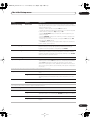
The Initial Setup menu
Additional information about the TV system
settings
External input
Auto
3.58 NTSC
This recorder is compatible with PAL, SECAM, 3.58 NTSC
and PAL-60 TV systems. The Input Line System and Input
Colour System settings determine how the recorder
treats incoming video signals from an external input or
the built-in TV tuner.
PAL–60
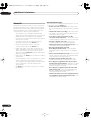
• If, when the Input Line System setting is changed, the
screen goes blank (due to incompatibility with your
TV), you can switch back by pressing and holding the
front panel STOP button then pressing OPEN/
CLOSE (also front panel) while the recorder is
stopped.
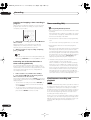
Additional information about component
video output
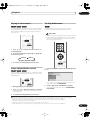
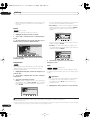
If you switch the Component Video Out setting to
Progressive when using a TV that is not compatible
with progressive-scan video, you will not be able to see
anything displayed on your TV. If this happens, press and
hold the STOP button on the front panel, then press
PLAY. This will set the recorder’s video output back to
Interlace.
• When you switch the Input Line System setting the
Copy List is erased. If you switch the setting using the
STOP button and OPEN/CLOSE buttons as
described above, there is no confirmation, so please
use with care.
Compatibility of this unit with progressive-scan TVs
Consumers should note that not all high-definition television sets
are fully compatible with this product and may cause artifacts to
be displayed in the picture. In case of 525 progressive scan
picture problems, it is recommended that the user switch the
connection to the ‘standard definition’ output (Interlace). If there
are questions regarding our TV set compatibility with this model,
please contact our customer service center.
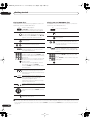
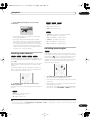
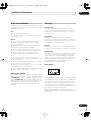
This recorder is compatible with the following Pioneer displays
and monitors
• You can’t mix recordings of different TV line systems
on the same disc.
• When you change this setting, the Input Colour
System setting also changes (see below).
Plasma display
• PDP-503HDG, PDP-433HDG, PDP-504HDG, PDP-434HDG
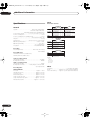
About NTSC on PAL TV
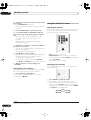
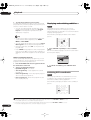
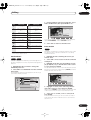
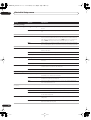
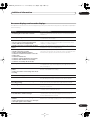
Depending on the Input Line System setting and the
NTSC on PAL TV setting, the signal format output when
the recorder is stopped varies as shown in the table
below.
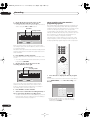
Input Line System
NTSC on PAL
TV
Output when
stopped
625 System
Off
PAL
On
PAL
Off
NTSC
On
PAL–60
525 System
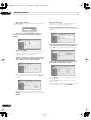
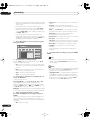
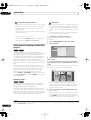
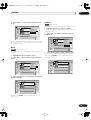
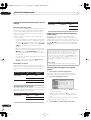
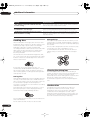
Selecting other languages for language
options
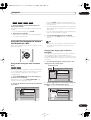
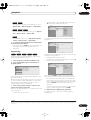
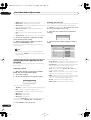
1 Select ‘Other’ from the language list.
This option appears in the settings for DVD Menu
Language, Audio Language, and Subtitle Language.
2
Select the language you want.
Initial Setup
Basic
DVD Menu Language
OSD Language
Tuner
Audio In
Audio Language
Language
Subtitle Language
Number
Auto Language
Audio Out
DVD Menu Language
Language
Language
Subtitle Display
Video In/Out
About the input colour system
English
0
5
1
4
Recording
Playback
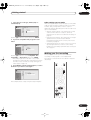
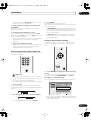
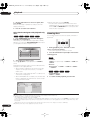
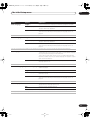
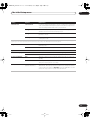
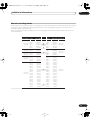
The available options of the Input Colour System setting
depend on the Input Line System setting. The table below
shows the different options available.
Input Line System
Built-in tuner
External input
625 System
Auto
Auto
PAL
PAL
SECAM
SECAM
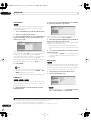
• Select by language name: Use the / buttons to
change the language.
• Select by code number: Press then use the
number buttons to enter the four-digit language
code.
See Language code list on page 82 for a list of available
languages and corresponding codes.
3
En
Built-in tuner
3.58 NTSC
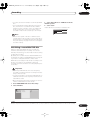
About the input line system
Please note the following points when changing the
input line system:
74
Input Line System
525 System
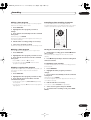
Press ENTER to confirm and exit the screen.