Transcript
Philips Portable DVD Player PET727
English
Quick Start Guide
1
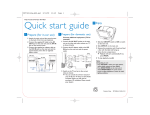
Charge the built-in battery
3
1 Switch the ON/OFF slide selector to the OFF position.
2 Connect the supplied AC adaptor to the DC IN 12V socket on the
DVD Player and to the AC outlet.
Play discs
1 Lift the display panel.
2 Switch the OPEN slide selector to the right to open the disc
compartment.
• (For the first time) Remove the protective card.
3 Insert a disc with the printed side facing up.
4 Push the lid down to close the disc compartment.
The red charge indicator turns on. It takes about 4 hours to fully
charge the battery.
When the battery is fully charged, the red charge indicator turns off.
Tip
– You can only charge the battery when the temperature is between 0°C
and 35°C.
– When headphones are connected to the DVD Player, the fully charged
battery lasts about 2.5 hours.
2
4
Disc starts to play automatically. If not, press OK or 2; .
If a menu appears, select an item and then press OK to start play.
Connect a TV
On the DVD Player,
1 Connect the black end of the supplied AV cable to the AV OUT
socket.
On the TV,
1 Connect the white end to the left audio input socket and the red
end to the right audio input socket.
2 Connect the yellow end to the video input socket.
Install remote control battery
TV
1 Open the battery compartment.
2 Insert 1 CR2025 battery with correct polarity (+/-) as indicated.
3 Close the battery compartment.
AUDIO IN
VIDEO IN
CR2025
CR2025
1
PET 727_94_QSG_EN.indd
2
1
PET727_58_QSG_V1.0
2009-9-17
20:19:49