1
MCM 760
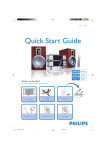
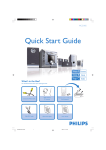
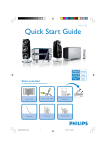
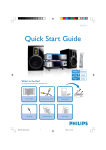
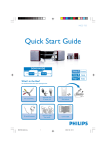
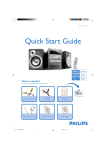
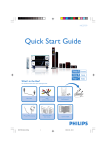
Quick Start Guide
Step A Install
Step B Prepare
Step C
What’s in the Box?
You should find these items upon opening the box.
STANDBY
CD
TUNER
REPEAT
TAPE
PROGRAM
TAPE A /B
AUX
SHUFFLE
DISPLAY/CLOCK
VOL
PRESET
ALBUM
USB REC
USB DEL
TAPE REC
INC. SURR
DIM
SLEEP/TIMER
SNOOZE
TIMER ON/OFF
BASS
TREBLE
USB
FM wire antenna
AM antenna
MUTE
Remote control and
2 x AAbattery
PRO
Quic
k St
art
User Man
ual
Guid
e
AC power cord
MCM760 QSG_-37-Eng
1
Quick start guide
User manual
2/16/2006, 19:07
Enjoy
Install
STANDBY- ON
ECO POWER
USB RECORD
TAPE RECORD
PROGRAM
OPEN / CLOSE
WMA-MP3-CD/CD-R/CD-RW COMPATIBLE
To deactivate the *Demonstration Mode
iR
*The Demonstration Mode displays various features of MCM760.
USB DIRECT
VOLUME
PRESET
1
BASS
Press and hold Ç on the set until DEMO OFF appears
ALBUM
2
3
4
Connect the cable of the left speaker to L +/- (red and black) and the cable
of the right speaker to R +/- (red and black)
Extend the wire antenna and fit it to FM ANTENNA
a. Assemble the loop antenna
b. Fit the plug of the loop antenna to AM ANTENNA
Connect the AC power cord to the wall socket
MCM760 QSG_-37-Eng
2
STOP / DEMO
OPEN CLOSE
Rear connections
1
TREBLE
PLAY / PAUSE
2/16/2006, 19:08
Install
Tuner: Plug & Play
Plug & Play allows you to store all available radio stations automatically (up to 40 stations).
1 Connect the set to the power supply
STANDBY- ON
ECO POWER
USB RECORD
➜ AUTO INSTALL – PRESS PLAY appears
TAPE RECORD
PROGRAM
OPEN/CLOSE
WMA-MP3-CD/CD-R/CD-RW COMPATIBLE
iR
2
USB DIRECT
VOLUME
PRESET
Press ÉÅ on the set to start installation
➜ INSTALL TUNER AUTO appears
➜ After all stations are stored, the last preset station will then be played
TREBLE
PLAY/PAUSE
BASS
ALBUM
STOP/DEMO
OPEN CLOSE
3
Press the í or ë buttons once or more until the desired preset station is displayed
Prepare
Setting the clock
STANDBY
1
CD
On the remote control, press and hold DISPLAY/CLOCK until the clock time starts
flashing
TUNER
REPEAT
TAPE
PROGRAM
TAPE A /B
2
AUX
SHUFFLE
DISPLAY/CLOCK
VOL
Press PROGRAM repeatedly to change between 12-hour and 24-hour clock mode
PRESET
3
Press à or á repeatedly to set the hour
ALBUM
TAPE REC
4
5
6
USB REC
USB DEL
SNOOZE
Notes for remote control:
Press ÉÅ to change to minutes setting, then press à or á repeatedly to set the minutes – First, select the source you wish to
control by pressing one of the source
select keys on the remote control (DISC
or TUNER, for example).
– Then select the desired function
Press DISPLAY/CLOCK again to store the setting
( 2;, í, ë for example).
To view the clock time,
a. During playback, press DISPLAY/CLOCK on the remote control
b. In ECO POWER mode (power-saving mode), press and hold STANDBY-ON/ ECO
POWER y to switch the set to standby mode
Helpful hints:
- To learn how to set the timer, see the chapter Timer in the User Manual.
- In standby mode, pressing DISPLAY/CLOCK button will switch the system to ECO POWER mode.
MCM760 QSG_-37-Eng
3
2/16/2006, 19:08
Enjoy
Playing discs
With this system, you can play all pre-recorded audio CDs (CDDA), all finalized audio CD-Rs
and CD-RWs, MP3/WMA-CDs (CD-Rs/CD-RWs with MP3/WMA files)
1
Press CD to select CD source
OPEN/
CLOSE
2
STANDBY-ON
ECO POWER
USB RECORD
Press OPEN/CLOSEç to open the CD compartment
TAPE RECORD
PROGRAM
OPEN/CLOSE
MP3-CD / CD-R / CD-RW COMPATIBLE
MICRO SYSTEM
MCM760 MICRO SYSTEM
WMA-MP3-CD/CD-R/CD-RW COMPATIBLE
iR
3 Insert a disc with the printed side facing up. Press OPEN/CLOSEç again to close the
CD
TUNER
USB
compartment
STANDBY
CD
4
TAPE/AUX
TUNER
REPEAT
Press ÉÅ to start playback
TAPE
PROGRAM
TAPE A /B
AUX
SHUFFLE
DISPLAY/CLOCK
VOL
5
PRESET
To stop playback, press STOPÇ
Playing a USB mass storage device
STANDBY-ON
ECO POWER
USB RECORD
With the Hi-Fi system, you can use USB flash memory (USB 2.0 or USB1.1),
USB flash players (USB 2.0 or USB1.1), memory cards (requires an additional card reader to
work with this Hi-Fi system).
TAPE/AUX
USB
TUNER
VOLUME
PRESET
TREBLE
PLAY/PAUSE
BASS
2
BASS
Press USB to select USB source
USB
3
Play the USB’s audio files as you do with the albums/tracks on a CD
MCM760 QSG_-37-Eng
4
2/16/2006, 19:08
OPEN/CLOSE
iR
CD
on MCM760
PROGRAM
WMA-MP3-CD/CD-R/CD-RW COMPATIBLE
1
Insert the USB device’s USB plug into the socket
TAPE RECORD
TREBLE
MUTE
Enjoy
Recording to a USB mass storage device
STANDBY-ON
ECO POWER
USB RECORD
With MCM760, you can record your favorite CD music to a USB mass storage device.
Carry your favorite songs wherever you go.
TAPE RECORD
PROGRAM
OPEN/CLOSE
WMA-MP3-CD/CD-R/CD-RW COMPATIBLE
1
iR
Insert the USB device’s USB plug into the socket
on MCM760
CD
TAPE/AUX
USB
TUNER
VOLUME
2
PRESET
TREBLE
PLAY/PAUSE
BASS
Press CD to select CD source
3
Insert a disc with the printed side facing up. Press OPEN/CLOSEç again to close the
compartment
OPEN/
CLOSE
STANDBY-ON
ECO POWER
USB RECORD
TAPE RECORD
PROGRAM
OPEN/CLOSE
MP3-CD / CD-R / CD-RW COMPATIBLE
4
5
MICRO SYSTEM
MCM760 MICRO SYSTEM
Press í or ëonce or repeatedly until the desired track number appears in the display
or
Program your desired tracks (see User Manual, CD: Programming tracks)
- Make sure you press Ç after finishing programming
WMA-MP3-CD/CD-R/CD-RW COMPATIBLE
iR
CD
TAPE/AUX
USB
STANDBY
CD
TUNER
REPEAT
Press USB RECORD once or more to select your recording options:
RECORD TRACK– record the selected track to the USB mass storage device
RECORD ALL– record the whole disc/program to the USB mass storage device
TUNER
TAPE
PROGRAM
TAPE A /B
AUX
SHUFFLE
DISPLAY/CLOCK
VOL
PRESET
6
Press Çto stop recording
ALBUM
TAPE REC
INC. SURR
To find your recorded tracks
You can find and playback the ripped tracks in the album _PHILIPS
1
Press USB to select USB source
2
Press à / á and í / ëto select the desired album _PHILIPS and tracks
➜ The audio CD files have been converted to MP3 format and named as
TRXXXXXX.MP3
➜ For MP3/WMA files, the track information are retained
Helpful hints:
- MCM760 only supports the filenames in English.
- Only the completely ripped MP3/WMA file can be found and played by MCM760.
MCM760 QSG_-37-Eng
5
2/16/2006, 19:08
USB REC
USB DEL
DIM
SLEEP/TIMER
SNOOZE
TIMER ON/OFF
Enjoy
Playing a tape
ALBUM
1
STOP / DEMO
OPEN CLOSE
Press TAPE/AUX once or more to select TAPE (or TAPE on the remote control)
2
3
4
Press OPEN/ CLOSE 0 to open the tape deck door
Insert a recorded tape and close the tape deck door
➜ Load the tape with the open side downward and full spool to the left
PressÉÅ to start playback
STANDBY
CD
5
TUNER
REPEAT
Press TAPE A/B on the remote control repeatedly to select the different playback modes
å : plays one side of the tape
∂ : plays both sides once
∫ : plays both sides repeatedly (up to 10 times)
TAPE
PROGRAM
TAPE A /B
AUX
SHUFFLE
DISPLAY/CLOCK
VOL
PRESET
Recording to a tape
1
ALBUM
STOP / DEMO
Press TAPE/AUX once or more to select TAPE (or TAPE on the remote control)
OPEN CLOSE
2
Load a recordable tape into the tape deck.
3
Press TAPE A/B on the remote control repeatedly to select a recording mode:
for recording on one side only
➜ ∂ for recording on both sides
➜å
4
Select the recording source: CD, TUNER, USB or AUX
STANDBY-ON
ECO POWER
USB RECORD
5
Start playback of the selected source
TAPE RECORD
PROGRAM
OPEN/CLOSE
WMA-MP3-CD/CD-R/CD-RW COMPATIBLE
iR
6 Press TAPE RECORD
➜ REC starts flashing
USB DIRECT
VOLUME
PRESET
TREBLE
PLAY/PAUSE
BASS
7
ALBUM
STOP/DEMO
To stop recording, pressÇon the set
OPEN CLOSE
2005 C Koninklijie Philips Electronics N.V. All rights reserved.
PHILIPS CONSUMER ELECTRONICS NORTH AMERICA
P.O. Box 671539, Marietta, GA. 30006-0026
http://www.philips.com
MCM760 QSG_-37-Eng
6
PDCC-AL-0607
2/16/2006, 19:08