1
MCD 708
Quick Start Guide
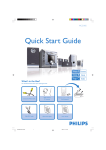
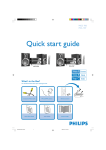
What’s in the Box?
You should find these items upon opening the box.
Composite video and audio
cables
(yellow, white, red)
Control Cable
Quic
2
1
k St
art
Remote control with two
AAA batteries
User Man
ual
Guid
e
FM and MW antennas
MCD708 QUG_Eng
1
Quick start guide
User manual
2005.9.6, 15:48
1
Connect the speaker cables.
2
Connect the MW and FM antennas.
Tips
3
– See the User Manual for other TV
connection options.
– For connecting to a Progressive Scan
TV, refer to the user manual for proper
connections and detailed setup.
Connect the control cable.
4
Connect the composite video and audio cables to a TV.
5
Connect the power cords of the system and TV.
AC power
FM antenna
5
2
MW antenna
4
Speaker
(right)
Speaker
(left)
OOFER
LINE OUT
1
3
SUB WOOFER
1
Setting up the TV
1
Press SOURCE (DISC on the remote) to select disc source.
2
Turn on the TV and set it to the correct Video In channel.
MCD708 QUG_Eng
2
2005.9.6, 15:48
2
Setting the clock
1
In standby mode, press and hold CLOCK on the remote.
2
When the hour digits flash, turn VOLUME-/+ on the system or press VOLUME+/- on the
remote to set the hours.
3
Press CLOCK again and the minute digits flash. Then turn VOLUME-/+ on the system or
press VOLUME+/- on the remote to set the minutes.
4
Press CLOCK again to confirm the time setting.
Setting DVD menu options
IMPORTANT!
If the progressive scan feature is activated but the connected TV does not support
progressive signals or the cables are not connected accordingly, see the user
manual for proper progressive scan setup or deactivate the progressive scan
feature as below:
1) Turn off your TV progressive scan mode or turn on to interlaced mode.
2) Press SYSTEM on the remote to exit the system menu and then DISC to exit
progressive scan.
DIVX(R) VOD
Tip
See chapters "Preparations" and "DVD Menu Options" in the User
Manual for detailed descriptions.
MCD708 QUG_Eng
3
2005.9.6, 15:48
Playing a disc
1
Press OPEN •CLOSEç (ç on the remote) to open the disc tray and load in a disc,
then press the same button again to close the disc tray.
2
OPEN•CLOSE
Load in a disc with the label side facing up.
3
Playback will start automatically. If not pressÉÅ.
4
To stop playback, press PRESET-/9 (9 on the remote).
Programming and tuning to radio stations
1
Press SOURCE (TUNER on the remote) to select tuner source.
2
Press PROG on the remote for more than two seconds to program all available stations in
order of waveband.
3
Press PRESET+/- (CH +/- (¡ / ™) on the remote) until the desired preset station is
displayed.
Tip
Detailed playback features and
additional functions are described in the
accompany owner's manual.
Notes for remote control:
– First, select the source you wish to control by
pressing one of the source select keys on the remote
control (DISC or TUNER, for example).
– Then select the desired function ( 2;, í, ë for
example).
2005 C Koninklijie Philips Electronics
N.V. All rights reserved.
http://www.philips.com
MCD708 QUG_Eng
4
PDCC-JS/JW-0535
2005.9.6, 15:48
GB