1
MCD295
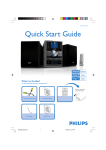
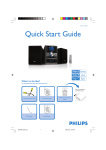
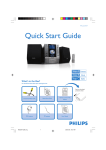
Quick Start Guide
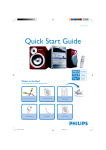
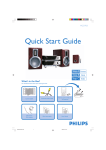
What’s in the Box?
You should find these items upon opening the box.
Quic
1
k St
art
Guid
e
Composite Video Cable
Quick Start Guide
Remote control with two
AA batteries
PRO
2
User Man
ual
MW antenna
MCD295 QUG_Eng
FM antenna
1
User Manual
2005.12.27, 16:37
1
Connect the speaker cables.
2
Connect the MW antenna.
Tip
See the User Manual for other TV
connection options.
3
Connect the composite video cable to a TV.
4
Connect the power cords of the system and TV.
4
FM wire
antenna
AC power cord
MW loop
antenna
2
33
Speaker
(right)
Speaker
(left)
1
AC power cord
Setting up the TV
1
Press SOURCE (DISC on the remote) to select disc source.
2
Turn on the TV and set it to the correct Video In channel.
MCD295 QUG_Eng
2
2005.12.27, 16:37
4
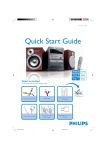
Setting the clock
1
In standby mode, press and hold CLOCK/RDS on the system.
2
When the hour digits flash, turn the VOLUME control on the front panel or press
VOLUME +/- on the remote to set the hours.
3
Press CLOCK/RDS again and the minute digits flash. Then turn the VOLUME control on
the front panel or press VOLUME +/- on the remote to set the minutes.
4
Press CLOCK/RDS again to confirm the time setting.
Setting system menu options
Tip
See chapters "Preparations" and "System Menu Options" in the User
Manual for detailed descriptions.
MCD295 QUG_Eng
3
2005.12.27, 16:37
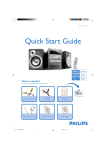
Playing a disc
1
Press OPEN•CLOSE3 to open the disc tray and load in a disc, then press the same
button again to close the disc tray.
➜ Make sure the label side of the disc is facing up.
2
Playback will start automatically. If not press PLAY/PAUSEÉÅ.
3
To stop playback, press STOP 9.
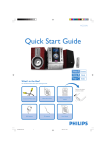
Programming and tuning to radio stations
1
Press SOURCE (TUNER on the remote) to select tuner source.
2
Press PROGRAM for more than two seconds to program all available stations in order of
waveband.
3
Press PRESETí/ë until the desired preset station is displayed.
Tip
Detailed playback features and additional functions are described in the
accompany owner's manual.
2005 C Koninklijie Philips Electronics
N.V. All rights reserved.
http://www.philips.com
MCD295 QUG_Eng
4
PDCC-JS/JW-0553
2005.12.27, 16:37
GB