1
Philips362-V2_GB_4311 255 63391.book Page 1 Mardi, 5. juillet 2005 2:42 14
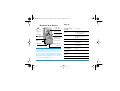
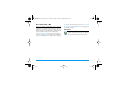
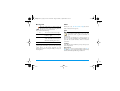
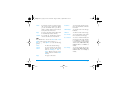
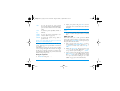
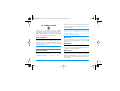
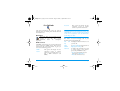
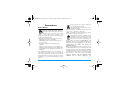
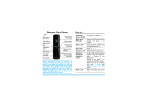
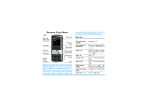
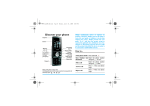
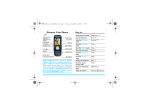
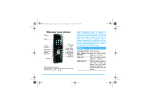
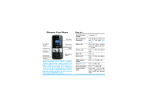
Discover Your Phone
Back of the
phone:
camera lens
65,000 colour
main screen
Navigation
and , keys
Left softkey
Right softkey
Pick up key
Hang up, cancel
and on/off key
Alphanumeric
keypad
Microphone
Charger /headset
connector
Philips continuously strives to improve its products.
Therefore, Philips reserves the rights to revise this user
guide or withdraw it at any time without prior notice.
Philips provides this user guide "as is" and does not
accept, except as required by applicable law, liability for
any error, omission or discrepancy between this user
guide and the product described. The device is meant to
be connected to GSM/GPRS networks.
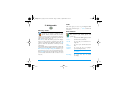
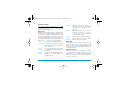
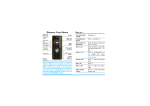
How to...
Switch the phone
On/Off
Long press ) .
Enter your PIN
code
Enter your PIN code using
the keypad and press OK or
L to confirm.
Make a call
Enter the phone number on
the keypad and press (
to dial.
End a call
Press ) .
Answer a call
Press (
phone rings.
when
your
Reject a call
Press )
phone rings.
when
your
Activate/deactivate
the loudspeaker
Long press
call.
Lock /Unlock
the keypad
Long press # .
Activate the Silent
mode
Long press 6 .
Activate the flash
Long press 5 .
( during a
Philips362-V2_GB_4311 255 63391.book Page 2 Mardi, 5. juillet 2005 2:42 14
Access QuickCall
Press + in idle mode.
Access the Names list
Press - in idle mode.
Access the Sound
Album
Press > in idle mode.
Access the Picture
album
Press < in idle mode.
Access the Call list
Press ( in idle mode.
The Call list displays alls calls
missed, dialled and received.
Access the
Main Menu
Press OK or
idle mode.
Go to previous menu
Press R
available.
Quickly return
to idle
Press ).
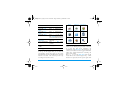
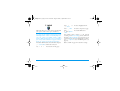
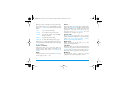
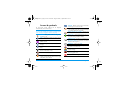
Business
Multimedia
Entertainment
page 10
page 16
page 20
Operator
Messages
Settings
page 22
page 25
page 38
Camera
Contacts
Call Info
page 47
page 52
page 56
L Menu in
Back
when
Softkeys
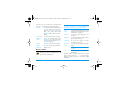
The left and right soft keys - L and R - located
at the top of the keypad allow you to select the
corresponding options that appear on the screen
immediately above them, including during calls. The
functions associated with these keys will vary
according to the current context.
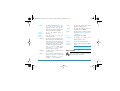
Main Menu
The Main Menu gives you access to all the different
features of your mobile phone presented in the form
of a grid. The table above summarises the
arrangement of the Main Menu, the meanings of the
various icons found there, and the page in this manual
where more detailed information concerning the
subject can be found.
Press , to access the Main Menu when in idle
mode, then use the central navigation key - which
directions are represented in the present guide with
Philips362-V2_GB_4311 255 63391.book Page 3 Mardi, 5. juillet 2005 2:42 14
the + , - , < or > signs - to browse the
icons and lists. When navigating in a list, a scroll bar
located on the right hand side of the screen shows
your current position in the list. Within lists, press
, to access the options related to the selected
item, press select R Back to go back one level.
How to use this manual
The current manual is structured as follows:
Discover
your phone
The current section. Presents an
overview of your mobile phone and
information on the most commonly
used features.
Chapter 1:
Getting
started
Information on how to set up your
mobile phone for the first time:
installation of the SIM card, battery,
etc.
Chapter 2:
Calling
Information on how to make and
receive calls.
Chapter 3:
Text entry
Information on how to enter text
using the numeric keypad.
Chapters 4
to 12
These chapters treat each element of
the Main Menu one at a time.
Other
sections
After Chapter 12 appear the sections
for Icons & Symbols, Precautions,
Philips authentic accessories, SAR
information
(if
available
at
publication, otherwise included as a
separate document), and finally the
Declaration of Conformity.
Philips362-V2_GB_4311 255 63391.book Page i Mardi, 5. juillet 2005 2:42 14
Table of contents
1. Getting Started ............................................1
2.
3.
4.
Inserting the SIM card ......................................1
Switching on the phone ...................................2
Charging the battery ........................................3
Setting Hotkeys .................................................3
Calling ................................................................4
Make a call ..........................................................4
Answer and end a call ......................................4
Adjust the earpiece volume ............................4
Call handsfree ....................................................5
Options during a call ........................................5
Quickcall .............................................................6
Handling multiple calls .....................................6
Text Entry ......................................................9
T9® text input ...................................................9
Basic text input ............................................... 10
Business ......................................................... 11
Calculator ........................................................ 11
Money converter ........................................... 11
Organiser ......................................................... 11
World clock .................................................... 12
Sound recording ............................................. 13
5.
6.
Alarm clock ..................................................... 14
Infrared ............................................................. 14
Auto Switch On / Off ................................... 16
Services + ........................................................ 16
Multimedia ................................................... 17
Memory status ................................................ 17
Links .................................................................. 17
Sound album ................................................... 17
Picture album .................................................. 18
Demo mode .................................................... 19
TV slideshow .................................................. 20
Entertainment ........................................... 21
WAP ................................................................. 21
Brick game ....................................................... 24
In-Fusio ............................................................. 24
Flash .................................................................. 24
Java .................................................................... 24
WAP ............................................................... 26
7.
8. Messages ....................................................... 27
Settings ............................................................. 27
Create message .............................................. 31
Inbox ................................................................. 34
i
Philips362-V2_GB_4311 255 63391.book Page ii Mardi, 5. juillet 2005 2:42 14
9. Settings .......................................................... 39
Time and date ................................................. 39
Autonomy ........................................................ 39
Security ............................................................. 39
Profiles .............................................................. 41
Sounds .............................................................. 41
Display .............................................................. 42
Network .......................................................... 43
Shortcuts .......................................................... 45
Language ........................................................... 46
10. Camera ....................................................... 47
How to... .......................................................... 47
Camera menu ................................................. 49
Help ................................................................... 51
11. Address book ......................................... 52
Copy to phone ............................................... 52
Contacts select ............................................... 52
Delete all .......................................................... 52
QuickCall ......................................................... 52
Names list ........................................................ 52
Add a contact ................................................. 55
Service numbers ............................................. 55
Status ................................................................ 55
12. Call Info ...................................................... 56
Counters .......................................................... 56
Settings ............................................................. 57
Call list .............................................................. 58
Icons & symbols ............................................ 59
Troubleshooting ........................................... 60
Philips Authentic Accessories .............. 62
Precautions ....................................................... 64
SAR Information - EU (RTTE) ............. 69
SAR Information - International
(ICNIRP) ............................................................ 70
Philips362-V2_GB_4311 255 63391.book Page 1 Mardi, 5. juillet 2005 2:42 14
1. Getting Started
Please read the safety instructions in the "Precautions"
section before use.
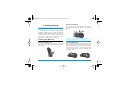
Remove the battery
To remove the battery, press the inner clips outwards,
then remove the battery by pulling it up from the
bottom.
To use your phone, you must insert a valid SIM card
supplied by a GSM operator or retailer. The SIM card
contains your subscription information, your mobile
telephone number, and a memory in which you can
store phone numbers and messages (for more
information, see “Address book” on page 52).
Inserting the SIM card
You may lose all your personal settings if you remove
the battery when the phone is switched on.
Remove the back cover
Insert the SIM card
To insert the SIM card, you must first remove the
back cover. Press on the clips and then lift the cover as
shown below.
Getting Started
Slide the SIM card holder to unlock it. Remove the
SIM card from its protective holder and place it in the
space provided, making sure that the clipped corner of
the card is in the correct corner and that the gold
contacts are facing down. Slide the card holder into
the locked position.
1
Philips362-V2_GB_4311 255 63391.book Page 2 Mardi, 5. juillet 2005 2:42 14
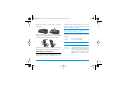
Replace the battery as shown below, connectors
downwards.
preconfigured and communicated to you by your
operator or retailer. For more information on PIN
codes, see “Display” on page 42.
If you enter an incorrect PIN code three times, your
SIM card will be blocked. To unblock it, you must
request the PUK code from your operator.
Replace the back cover as shown below: hook the
housing into the hindge on the top of the phone, then
press the bottom down until the latch catches.
When you switch on your mobile phone with your
new SIM for the first time, you will be asked for the
following:
Set date
To set the current date.
Set time
To set the current time.
See “Settings” on page 39 for details on these three
items.
Remove the protective film covering the screen, the
camera and the infrared lenses before using the phone.
Switching on the phone
To switch on the phone, long-press the ) key.
Enter the PIN code if required. A PIN code is a 4- to
8-digit secret code for your SIM card. It is
2
Copy SIM
names into
the phone?
If your phone detects any names and
telephone numbers in the SIM card
phonebook, you will be asked if you
want to copy them into the onboard
phone book. If you wish to copy the
numbers, press Yes, otherwise press
No.
Getting Started
Philips362-V2_GB_4311 255 63391.book Page 3 Mardi, 5. juillet 2005 2:42 14
Charging the battery
Your phone is powered by a rechargeable battery. A
new battery is partially charged and a sound alert will
warn you when the battery reaches low, if the battery
alert in On (see “Sounds alerts” on page 42).
Once the battery and battery cover are back in place
you can charge the phone. Pull away the protective
rubber cap covering the charger connector (it is
attached to the phone so that you cannot lose it). Plug
in the connector as shown below. Then plug the other
end into a main AC power socket.
The battery symbol indicates the state of charge.
During charging, the charge indicators will scroll; it
takes around 2.5 hours to fully recharge your mobile
phone. When all the scroll bars are steady the battery
is fully charged. You can then disconnect the charger.
Depending on the network and condition of use, talk
time goes up to 6 hours and stand-by time up to 400
hours.
Keeping the charger plugged to the mobile when the
battery is fully charged will not damage the battery.
The only way to turn off the charger is to unplug it,
so use an easily accessible AC power socket. You can
connect the charger to an IT supply (Belgium only).
Setting Hotkeys
You can configure the numeric keys 2 to 9 (except 5,
which is locked, used for the flash) to access your
favourite features simply by long-pressing on the
numeric key. A number of hotkey shortcuts are preconfigured. For more information, see “Shortcuts” on
page 45.
Getting Started
3
Philips362-V2_GB_4311 255 63391.book Page 4 Mardi, 5. juillet 2005 2:42 14
2. Calling
Make a call
From the idle screen
1.
In idle mode, enter the phone number using the
keypad. To correct an error, press R <C.
2. Press ( to dial.
3. Press ) or R End call to hang up.
For an international call, long press * to enter the
"+" sign for the international prefix.
Using the phonebook
Press - in idle mode to access the menu, then
, or L Select to access the list.
2. Select a contact in the list. If you are using the
onboard phonebook and the selected contact
features more than one number, the number
identified as the default will automatically be
selected. To select a different number,
press<or > (see “Address book” on page 52
for more information).
3. Press (: the selected number is dialled.
4. Press ) or R End call to hang up.
1.
4
Answer and end a call
When receiving a call, the number of the caller may be
displayed, depending on whether or not the person
calling has chosen to display his or her ID. If the
number is stored in the selected phonebook, then the
corresponding name is displayed instead of the
number.
• Answer the call: press (.
• Reject the call: press ). If you have activated Call
forward (see page 57), the call is diverted to a
number or voice mail.
• Mute the ringer: press R Mute (this only
switches the sound and the vibra alert off without
rejecting/accepting the call).
• Hang up: press ).
The phone will not ring if in Silent mode (see page 42).
If you have selected Any Key Answer, you can accept a
call by pressing any key except ) (see page 57).
Adjust the earpiece volume
During a call, press the + or - navigation key to
increase or decrease the volume.
Calling
Philips362-V2_GB_4311 255 63391.book Page 5 Mardi, 5. juillet 2005 2:42 14
Call handsfree
Record dialogue
For your own comfort and safety, ensure you move the
phone away from your ear when calling handsfree,
especially when increasing the volume.
In most countries, recording telephone conversations is
subject to legislation. We advise you to notify the caller
if you intend to record your conversation and only do
so if they agree.
1.
2.
In idle mode, enter the phone number using the
keypad or select a contact in the phonebook.
Press , or L Options then select Call
handsfree and press,or L Select.
If you are already on the phone, long press ( to
switch to handsfree mode and back.
Options during a call
During a call, press , or L Options to access the
following options.
Activate h/free
This option allows you to use your mobile phone’s
hands-free option.
Mute / Unmute
Allows you to mute or unmute the microphone so
that your caller cannot hear you.
Calling
To record a conversation during a call, select Record
dialogue and press OK. Press OK again or L Save to
end the recording: an edit window allows you to
assign a name to the recording, which is then available
in Multimedia > Sound album > Recordings, and also in
Business > Sound records.
Depending on memory capacity (see “Memory
status” on page 17), the number and length of
recordings will vary.
If you select Mute and then Record dialogue, only the
caller’s voice is recorded.
Other options during a call
Press L Options to be able to perform the following
tasks while a call is ongoing: you can access and
consult the Names list or Call list, hang up by selecting
End call, change the Equaliser settings, send or read
SMS, or consult and manage events of the Organiser.
5
Philips362-V2_GB_4311 255 63391.book Page 6 Mardi, 5. juillet 2005 2:42 14
The Notepad allows you to note down a number. You
can then store it in the phonebook, call it, or send a
message to this number.
Quickcall
To access the Quickcall feature, press + when in idle
mode. It allows you to set your four most frequently
dialled numbers. You can then quickly call one of
them by selecting the corresponding icon or picture
on the screen.
This feature is also available from the main menu, in
Settings > Shortcuts > QuickCall.
Setting a Quickcall contact
1.
2.
In idle mode, press+to access the Quickcall
screen. Select a thumbnail to configure and press
, or L Set.
Select a name in the contacts list, and press OK
again to access the Picture album and select a
picture. Proceed the same way for each
thumbnail.
Calling a Quickcall contact
To make a call, press+when in idle mode, then
select the thumbnail of your choice and press (.
6
To reconfigure a thumbnail, select it and press , to
Replace the name and/or picture.
If a picture is already associated with a contact, it is
displayed in the Quickcall screen. Changing the
picture in one of the menus will also update it in the
other.
Handling multiple calls
The ability to handle two or more calls at one time
and to make conference calls is dependent on your
operator and/or subscription.
Making a second call
You can make a second call during an active call or
with a call on hold. While on the phone, dial a
number (or select a contact in the phonebook) and
press (. The first call is put on hold (the number is
displayed on the bottom of the screen) and the second
number is dialled. You can then press OK to access the
options among which are:
• Switch calls to toggle between calls (you can also
press<or>to switch calls).
• Transfer to connect the two calls. You are disconnected when the transfer is completed.
• Conference to introduce the caller into a conference call.
Calling
Philips362-V2_GB_4311 255 63391.book Page 7 Mardi, 5. juillet 2005 2:42 14
Answering a second call
When you receive a second call while being already in
communication, the phone emits a beep alert and the
screen displays Call waiting. You can then:
Press(
To answer the call (the first one is
put on hold).
Press)
To reject the call.
Press,or
LOptions
To open the options list. You can
select End call to end the current
call, then answer the incoming call.
To receive a second call, you must have deactivated the
Call forward for voice calls (see page 57) and activated
the Call waiting (see page 57).
Answering a third call
If you are in a call and have one call on hold, you can
also receive a third call. To do so, you must either end
Calling
one of the calls or introduce the new caller to a
conference.
Press )
To reject the call.
Press,or
LOptions
To open the options list. You can
select Accept to answer the
incoming call, or End call to end the
current call, then answer the
incoming call.
This service is limited to two current communications
(one active and one on hold).
Conference call
Subscription dependent.
A conference call is activated by making several
outgoing calls or from a multiple call context. It
allows you to speak with up to five people at the same
time.
1. Make a first call with someone, then a second
one (see above).
2. Press , or Options and select Conference.
Repeat the process until five members are
connected.
3. Select Remove party to disconnect a member of
the conference, or select Private call to have a
7
Philips362-V2_GB_4311 255 63391.book Page 8 Mardi, 5. juillet 2005 2:42 14
private call with this member only (other
members are put on hold).
4. Press ) to disconnect all calls at once.
If there is an incoming call during the conference call
and there are less than five members, you can accept
this new call and add this member to the Conference
call (if five members are already connected, you can
answer the call, but not add it to the conference).
8
Calling
Philips362-V2_GB_4311 255 63391.book Page 9 Mardi, 5. juillet 2005 2:42 14
3. Text Entry
Text can be entered in editing screens in two different
ways: by using T9® Predictive Text Input or basic text
input. The techniques for using these two methods
are discussed below.
T9® text input
>
1
,
Press any of the three keys to insert the
selected word followed by a space.
R
Short press to backspace, long press to
clear all text.
0
To shift letter case: Standard, lower or
UPPERCASE letters.
#
To view the table of symbols and
punctuation. Then press L >> or <
and > to browse the 3 available tables.
*
To shift mode from T9® to basic text
input to numeric.
T9® Predictive Text Input is an
intelligent editing mode for entering text
on a mobile phone. It allows you to enter
Tegic Euro. Pat. text more quickly by anticipating the
App. 0842463
word you want to enter based on the
keys you have pushed. You press once on the key
corresponding to each letter needed to spell a word
and T9® suggests a word based on your keystrokes. If
several words are available, the first word in the list is
displayed and highlighted. Press +/- or L to
browse the list and press OK to insert the word.
Example: how to enter the word "home":
How to use it?
Dictionary
Letters and symbols represented by each key are as
follows:
2 to 9 To key in letters.
L 1>2>3 To browse the list of candidate words.
or +/-
Text Entry
1.
2.
3.
Press 4 6 6 3. The screen displays
the first word of a list: Good.
Press+or Lto scroll and select Home.
Press , or > to confirm selection of the
word Home.
If the word you want to enter is not in the T9®
dictionary, you can add it to the database. Press
L1>2>3 to scroll to the bottom of the list until you
reach the entry represented by a series of highlighted
underscores (_ _ _ _ _).
9
Philips362-V2_GB_4311 255 63391.book Page 10 Mardi, 5. juillet 2005 2:42 14
Press R Spell to open a basic text editing screen.
Enter the new word without spaces using the methods
described below and press L OK when done. You
are then returned to the message you were composing
and the new word is inserted.
Language
You can switch input language while writing a
message by long-pressing the # key. The available
languages will depend on where you purchased your
mobile phone.
Basic text input
Press * to switch from T9® to basic text input.
This method requires multiple key presses to reach the
desired character: the letter "h" is the second letter on
the 4 key, so you must press it twice to enter "h".
Short press R Cancel to clear one entry, long press
to clear all text.
Short press
1
1
2
abc2àäåæç
2
3
def3éèDF
3
4
ghi4Gì
4
5
jkl5L
5
6
mno6ñòö
6
7
p qrs 7 bPQ S
7
8
tuv8üù
8
9
wxyz9øWXY
9
0
To shift letter case: Standard,
lower or UPPERCASE letters.
0
#
To
open
symbols
and Changes the
punctuation mode. Then press language
L or < and > to browse used for text
edition
the 3 available tables.
*
To shift mode: T9 ®, basic or
numeric.
Example: how to enter the word "home":
Press 4, 4 (GHI) 6, 6, 6 (MNO), 6
(MNO), 3, 3 (DEF). Press , when the
message is completed.
Letters, numbers and symbols are located on each key
as described opposite.
10
Long press
space 1. , @ / : ; " ’ ! ¡ ? ¿ # + - * =
%<>()&£$¥€
Also shifts
mode
Text Entry
Philips362-V2_GB_4311 255 63391.book Page 11 Mardi, 5. juillet 2005 2:42 14
4. Business
This menu contains features and options designed to
help you keep you organised and informed while on
the move.
Calculator
Your phone has a built-in calculator that you
can use to perform basic calculations.
Numbers are entered with the keypad and
operators with the navigation keys as indicated in the
table below:
Addition
Press>or the * key.
Subtraction
Press<or the * key twice.
Multiplication
Press+or the * key 3 times.
Division
Press-or the * key 4 times.
Equals
Press , or #.
An icon at the top of the screen indicates which
navigation keys to use for entering operators.
Business
Press and hold 0 to get the decimal point.
Calculator accuracy is to 2 decimal places and is
rounded up to the higher decimal figure.
Money converter
This menu allows you to convert a sum from
one currency into another using the exchange
rate of your choice. You can convert from
Local to Foreign or vice versa. Enter a rate in the
Exchange rate field and an amount in either the Local
or Foreign fields: the sum is calculated automatically.
Organiser
This menu allows to create, store and manage
events in your organiser. When the organiser
alert is On (see “Sounds alerts” on page 42), a
beep alerts you when an event is due.
The organiser shares the mobile memory capacity with
other features (phonebook, picture album, sound,
etc.). To check the memory available in your phone,
select Multimedia > Memory status.
Creating a new event
1.
In Events, select <New>, then the type of event
to create (Holiday, Meeting, To Do).
11
Philips362-V2_GB_4311 255 63391.book Page 12 Mardi, 5. juillet 2005 2:42 14
2.
3.
Enter the starting and ending date and time of
the event and name it (e.g. "Meeting with
Smith").
Set a reminder and a frequency: alerts will be
triggered at the chosen time.
The reminder only applies to Meeting and To Do
events. It will be updated when changing time zones
(see “World clock” below).
Deleting old events
This menu allows you to delete past events. Enter the
starting date (past or future) from which all previous
events will be deleted and press OK twice to delete all
events preceding this date.
To delete all events set in your organiser, enter a
starting date several years ahead (e.g. 31st of
December 2010) to make sure all events preceding this
date are deleted at once.
Managing events
Select an event in the list and press OK or L Options
to access the options described below.
Delete
12
Change
To change the selected event.
Send by
infrared
To transmit the selected event to
another infrared-compatible device.
Change
sound
To change the sound associated with
the alarm type of the selected event.
Changing a repeating event modifies all instances of
this event.
Events views
Events stored in your organiser can be displayed in
Day view, Week view and Month view. Select a view
format and press OK, then use<or >to display
the previous or next day, week or month.
World clock
This menu allows you to set and display both
the local time and the time in the foreign time
zone of your choice. Note that if you choose
to display the local and foreign time on your home
screen, the image you selected as your wallpaper will
no longer be displayed there, but will be replaced with
the standard World clock wallpaper.
To delete the selected event.
Business
Philips362-V2_GB_4311 255 63391.book Page 13 Mardi, 5. juillet 2005 2:42 14
Local settings
Foreign settings
Set time
Allows you to set the time by
pressing the appropriate keys.
Foreign time
zone
Move+or-to select the time
zone of your choice.
Own time zone
Move+or-to select the
time zone corresponding to your
area.
Daylight
saving
Allows you to set the daylight saving
option On or Off for a foreign time
zone.
Daylight saving
Allows you to set the daylight
saving option On or Off for the
local time zone.
Alarms, reminders, programmed events are time zone
independent! If you set an alarm or an event at
9:00 AM in time zone A, it will still ring or be due at
9:00 AM if you change to time zone B.
World clock
Activate this option if you want to display both the
local time and the time of another time zone on the
idle screen. Press+or-to set the option On or
Off. When On, you can display the zone of your choice
via the menu Switch local / foreign.
Switch local / foreign
To display local to foreign zone and vice-versa.
Business
Sound recording
This menu allows you to make recordings of
up to 12 minutes in length, depending on the
memory status (see “Memory status” on
page 17).
Select <New> to begin the recording. The window
Sound recording appears along with a progress bar.
When you are finished, press L Save to stop
recording. You can then either enter a name for the
new sound file or accept the default name proposed by
pressing OK. You then return to the list of available
options applying to the new recording.
13
Philips362-V2_GB_4311 255 63391.book Page 14 Mardi, 5. juillet 2005 2:42 14
Press R Back to access the list of all recordings.
When you select a sound file, it is played
automatically in a loop. Press OK to access the
options. You can Play recording, Rename or Delete it,
Set as ringer, As SMS/MMS ringer or As reminder. You
can also send it by Email, IrDA or MMS.
A flashing warning sign indicates that your recording
will soon reach the maximum authorized length. If
you do not stop recording, a red envelope icon informs
you that your recording is too long to be sent via MMS.
Alarm clock
Your mobile phone has a built-in alarm clock
with a snooze feature. You can set up to three
separate alarms and choose whether or not
the alarm should repeat. To set an alarm, follow the
steps below:
1. Select an alarm and set it On.
2. Then enter the time and press OK.
3. Then select the frequency: Once, Every day, On
weekdays.
4. Finally, select the type of alarm: the Buzzer or a
melody from the sounds album and press OK.
Repeat above steps to set other alarms.
14
The alarm clock will ring even if your mobile phone is
switched off and/or the ringer volume is set to Silent.
When the alarm rings, press any key to stop it (except
if the snooze mode is on, see below).
Snooze mode
This menu allows you to set the snooze mode On or
Off. When the alarm rings and the snooze mode is On:
• press any key (except R Stop) to stop the ringing temporarily. The alarm will ring again
around 7 minutes later.
• press R Stop to stop the ringing and the alarm
repetition.
The snooze mode is automatically deactivated after 9
alarm repetitions.
The snooze mode setting applies to all the alarms you
have set.
Infrared
Your mobile phone has an infrared port that
allows you to send or receive data to or from
other infrared-compliant devices (e.g.
another mobile phone, a computer, a PDA, etc.)
through a wireless link.
Business
Philips362-V2_GB_4311 255 63391.book Page 15 Mardi, 5. juillet 2005 2:42 14
Files that are copyright protected cannot be sent.
When connecting with a PC, make sure you have
activated its infrared option.
Position of devices
Before transmitting data between two devices, they
must be correctly positioned in relation to one
another. Make sure that:
• the infrared ports are facing each other,
• they are at a less than 50 cm away from each other.
• nothing obstructs the infrared beam.
Sending data
To send data via infrared from your mobile phone,
you must first select the item to be sent: when
selecting a picture, a sound, a name or an event, a submenu then gives you access to the Send via infrared
option.
As soon as your phone finds another infrared
compliant device to communicate with, the sending
automatically takes place. Messages are displayed on
the screen for you to follow the process.
Receiving data
When you select Receive your phone is ready to
receive an item via infrared and waits for the another
infrared device to send it. As with sending data,
messages are displayed on the screen and allow you to
follow the process.
Receiving is cancelled if your phone isn’t contacted by
another device before the time out is reached, if the
infrared link is broken, if the size of the file sent is too
large or if you cancel the process.
Saving the data
A message will appear to inform you that you have
received a file. Press OK to access the options described
below.
Save
To save the data, eventually rename the
file.
Show
To display the details of the data you
have received.
Discard
To ignore the data received.
Sending is cancelled if your phone cannot find another
device before the time out is reached, if the infrared
link is broken, or if you cancel the process.
Business
15
Philips362-V2_GB_4311 255 63391.book Page 16 Mardi, 5. juillet 2005 2:42 14
Auto Switch On / Off
These two separate menus allow you to set your
mobile phone to switch itself on or off at pre-set times.
This lets you extend your phone’s battery life (e.g.
during the night), not be disturbed at given times and
have your phone switch back on automatically.
To set Auto switch on, select the option and press OK.
Select On and press OK. Enter the time at which you
want your mobile phone to switch itself on and press
16
OK. Select the desired frequency from Once, Every
day, or On weekdays and press OK. A message appears
to confirm activation.
Services +
This menu option is reserved for operatorspecific services. Please contact your operator
for more information about these options.
Business
Philips362-V2_GB_4311 255 63391.book Page 17 Mardi, 5. juillet 2005 2:42 14
5. Multimedia
Memory status
This menu allows you to display the
percentage of memory available in your
phone. Various features share the memory
capacity: pictures, sounds, recorded memos and voice
tags for voice commands, stored messages, phonebook
and organiser entries, games, etc.
Press OK to check the memory status. The display
shows you the percentage of memory free and the
phone’s total memory in Kilobytes (Kb). Press OK
again to check the detailed list of memory used by
each feature.
Your mobile phone is supplied with many sounds and
pictures. You can only delete sounds or pictures in the
Own melodies, My images or My photos folders, e.g. to
free memory space for your own sounds and pictures.
If the List full message appears when saving a new item
you must delete an item to be able to create or add a
new one.
Multimedia
Links
This menu gives you access to preconfigured WAP
links. Select a link and press L Select to launch the
connection.
Sound album
This menu allows you to manage the sound
files stored in your mobile phone. The
options are:
<Get
more...>
To launch the WAP application and
download new sound files.
View all
To access all your sound files in a
single list.
Own
melodies
To access your downloaded sound
files.
Protected
melodies
To access the list of copyright
protected sample sounds.
Protected melodies cannot be sent
nor deleted.
Recordings
To access
recordings.
the list
of
sound
17
Philips362-V2_GB_4311 255 63391.book Page 18 Mardi, 5. juillet 2005 2:42 14
Once in a list, you can then select a sound file and
press OK to access the menu options listed below.
Send by...
To send the selected sound file via
E-mail (see page 31), via Infrared (see
page 14) or MMS (see page 33).
Note that sound files from
Recordings folder cannot be sent via
MMS.
Pictures must be of the correct size and in the format
for your mobile phone to store and display them
correctly. See “Settings” on page 51 for details.
<Get
more...>
To launch the WAP application and
download new image files. For more
information, see page 26.
View all
To access all your image files in a
single list.
Set as ringer
To set the selected sound as ringer.
As SMS/
MMS
To set the selected sound as the
Messages ringer. This option must
be activated in the menu Settings >
Sounds (see page 39).
My photos
To access the photos taken with the
phone’s built-in camera.
My images
To access the images you have
received on your phone.
Rename
To Rename the selected sound file.
Delete /
Delete all
To Delete the selected sound file or
all files at once.
Protected
images
To access the list of protected sample
images.
Picture album
This menu allows you to display and modify
the images stored in your mobile phone. The
options are described below.
18
Protected pictures cannot be sent nor
deleted.
Icons
To access the list of icons you have
downloaded.
Inside the folders, images are displayed as a text list.
Select an image and press > to view the image.
Pressing OK gives you access to the menu options
listed below.
Multimedia
Philips362-V2_GB_4311 255 63391.book Page 19 Mardi, 5. juillet 2005 2:42 14
Send by...
To send the selected file via E-mail
(see page 31), via Infrared (see
page 14) or MMS (see page 33).
Note that you cannot send pictures
that are protected by copyright.
• Save
To save the picture with all the
changes you have applied.
• Send
To send the selected picture via
infrared, E-mail or MMS.
Rotate
Use this option to rotate the selected
image of -90 degrees, -90 degrees or
+180 degrees.
View
To display the selected file.
Set as
wallpaper
To set the selected picture as
wallpaper.
Modify
picture
Use this menu to access the
following options:
• Add text
To add text to the selected picture.
Enter your text in the editing screen
and press OK. Use the navigation
keys to move the text on the screen:
short press to move the text 1 pixel
at a time, long press for 5 pixels.
Press R Back to go back to the
text editor, or L OK to validate
and go to the next option.
Properties
To display its properties (size,
format, resolution, etc.).
Rename
To Rename the selected image.
Delete /
Delete all
To Delete the selected file or all files
at once.
• Graphics
To add a frame or an icon to the
selected picture.
Demo mode
• Eraser
To Undo the last action made on the
picture, or All change, i.e. cancel all
changes at once. Press R Back to
cancel or L OK to validate.
Multimedia
Pictures in the Protected images
folder cannot be sent nor deleted.
This menu displays a short video clip.
This menu option is available even if you
have not inserted a SIM card.
19
Philips362-V2_GB_4311 255 63391.book Page 20 Mardi, 5. juillet 2005 2:42 14
TV slideshow
This menu allows you to display the pictures
listed in the Picture album (automatically in a
slideshow or manually one-by-one) on the
main internal screen of your phone and/or on a TV
screen via the TV Link accessory.
TV Link may not supplied with your product. In this
case, you must purchase it separately. See “Philips
Authentic Accessories” on page 62 for details.
Manual
This menu allows you to display the pictures
manually. Browse the list of pictures by pressing +
or -. Press > to activate the graphical full-screen
display and send it to the TV, press < to go back to
the list. When a picture is selected, press OK or Select
to open the rotation options (90° or 180°).
20
Automatic
This menu allows you to display the pictures
automatically in a slideshow.
1. Select the time value that will be applied
between each picture of the slideshow (10, 15 or
20 seconds) and press OK or L Select.
2. In the list that appears, select the pictures of your
choice by pressing < or >. Choose
<(Un)Check all> to select or deselect all pictures
at once.
3. Press OK to start the slideshow and R Back to
stop it.
In both modes, the last selection made is
automatically saved and can be played several times in
a row, even when you quit the TV Slideshow menu.
Multimedia
Philips362-V2_GB_4311 255 63391.book Page 21 Mardi, 5. juillet 2005 2:42 14
6. Entertainment
WAP
This menu allows you to access services
supplied with your network, such as news,
sports, weather, etc.
Your mobile phone may have been pre-configured. If
not, settings can be configured "over the air", via the
club Philips website. Connect to www.club.philips.com,
select your country, then Mobile content > Other
services > WAP. Note that this service isn’t available if
your country and/or mobile doesn’t appear in the list.
In this case, contact your operator for information.
To launch a WAP session, select Operator > WAP >
Homepage.
Use + or -
To browse the on-line pages.
Press , or
L Select
To select a highlighted item.
Press R Back
To return to the previous page.
Entertainment
Press ) or
select Options >
Exit
To end the WAP session.
Your mobile phone connects to the network
according to the Access settings you have defined in
the menu Settings > Network (see page 43). In case of
a connection error, the screen displays "Go to menu":
press ( or L Options to access the WAP options
(see page 23).
Homepage
This is the link to the first WAP site you access when
launching a WAP session. In most cases, this menu
item is preconfigured and will connect to your
operator’s WAP homepage. To change this default
homepage see “Options” on page 23.
Bookmarks
This menu allows you to store your favourite WAP
site addresses, rename them and access them quickly
from the list.
Press L Options while browsing, then select
Bookmarks: the name and URL fields will be
automatically filled in with the information of the
page you are browsing.
21
Philips362-V2_GB_4311 255 63391.book Page 22 Mardi, 5. juillet 2005 2:42 14
Select Add bookmark and start entering the new name
for the edit screen to appear. Press,, then proceed
the same way to enter the URL address.
The Manage bookmarks menu allows you to Delete or
Edit the selected bookmark.
Go to URL
This menu allows you to enter a WAP site address and
to connect directly when selecting it (a quick way to
access WAP addresses without saving them as
bookmarks).
All the addresses you enter in this menu and connect
to at least once, will appear in a list. Select one of the
items and press , to reconnect to the
corresponding page, without having to re-enter its
complete address.
Settings
In order to access WAP sites, you must first configure
a WAP connection profile.
Select profile
To select one of the available profiles, then define the
connection settings for each of them.
All connection settings described below apply to the
selected profile.
22
Browser options
To activate or deactivate the downloading of images
attached to WAP pages.
Selecting Off will speed up the global downloading
time of the pages browsed.
Rename profile
To rename the currently selected profile (start
entering the new name for the edit screen to appear).
Cache
To empty an area of the phone’s memory where the
pages browsed during a WAP session are stored.
Cookies
To Enable the network to send you cookies or Clear
the list of cookies you have received.
Network
• Homepage: to change the homepage name and
address (start entering the new name for the edit
screen to appear).
• Network access allows you to select one of the data
profiles you have defined in Settings > Access
settings (see page 43).
• Bearer allows you to select the type of network used
by the selected profile when launching a
connection (see page 43).
Entertainment
Philips362-V2_GB_4311 255 63391.book Page 23 Mardi, 5. juillet 2005 2:42 14
• Proxy address and Proxy port allow you to define a
gateway address and port number to be used when
launching a WAP connection using the selected
profile.
• Security: to display the list of installed security
Certificates (then display its details or delete it), the
Session info or the Current certificate.
Push inbox
This menu allows you to read and manage messages
automatically sent to you by the network and / or by
your operator.
In some cases, a red "@" sign will be displayed on the
screen to inform you that you have received a new push
message. Press , or L Read to read it or R
Back to go back to idle.
Push messages include URL links for quick access to
the corresponding WAP services: a single click on the
link will connect to the WAP site for browsing or
downloading multimedia files into your handset.
If your push inbox is full, a message will advise you to
delete some messages in WAP > Push Inbox.
Entertainment
Options
While browsing, press LOptions to access:
Homepage
To access the default homepage.
Back
To go back to the previously browsed
page.
Forward
To go to the next browsed page.
Refresh
To reload the currently browsed page
from its original server.
Set as
homepage
To save the currently browsed WAP
page as the default homepage.
Save as...
To save images embedded in the
pages that are displayed in the Picture
album.
Exit
To end a WAP session.
Bookmarks
Go to URL
Settings
Push inbox
See page 21 for description of these
options.
23
Philips362-V2_GB_4311 255 63391.book Page 24 Mardi, 5. juillet 2005 2:42 14
Brick game
Flash
The goal of this game is to destroy bricks by
hitting them with a ball. Destroying all bricks
give you access to the next level.
Keys used are the following:
Allows you to set On 10 seconds or Off the camera
flash on the back of the phone.
4 and 6
To move the racket left or right.
* and #
To start the game by throwing the
ball left or right.
0
To pause the game up to 2 min.
(after which the screen returns to
idle mode and the game is lost).
Your mobile phone features a Java run-time
environment, which allows you to run Java
applications, such as games downloaded on
the network.
The first time you launch Java, a message appears to
alert you that the installation and configuration of
Java will take several moments. This is a one-time
occurrence.
Java
In-Fusio
Settings
Your mobile phone comes equipped with the In-Fusio
games engine, which allows you to download and play
games. Access to this service depends on your
subscription and the country in which you use your
mobile phone.
Once Java has been installed, you may then proceed
with configuration.
Auto launch
Allows you to set the automatic launch of Java On or
Off. When On, a Java application will be automatically
launched immediately following installation.
24
Entertainment
Philips362-V2_GB_4311 255 63391.book Page 25 Mardi, 5. juillet 2005 2:42 14
Network access
Bearer
To select the type of network used when
launching a connection and to configure
the corresponding settings.
• GSM or GPRS: your mobile will only
use the GSM or the GPRS network
for e-mail connections.
• GPRS first: your mobile will first try to
connect to the GPRS network, then to
the GSM network if the GPRS
network isn’t available.
Selecting the above option requires you to have both
GSM and GPRS settings configured. See page 43 for
details.
Network
account
Allows you to select one of the data
profiles you have defined in Settings >
Network > Access settings (see page 43).
DNS
address
Allows you to enter the DNS address of
the external data network you want to
connect to.
Entertainment
Java applications
The first time you select this menu, press L
OK for initialization to start. This will take
several minutes.
2. Back to the JAVA window, you can either:
- press , to access the content of the Default
folder, then press L Menu and Select to play
the listed games,
- or press L Menu, to access the options
allowing you to create and manage new
folders.
3. Select Install to install on your mobile phone the
JAVA games you have downloaded: you must
always proceed with installation first, to be able to
play a game.
4. Press Exit to quit the Java application, or press
L Menu to access the list of available options.
1.
Your mobile phone may display messages about
"MIDlets". MIDlets are JAVA applications or games.
25
Philips362-V2_GB_4311 255 63391.book Page 26 Mardi, 5. juillet 2005 2:42 14
7. WAP
This menu allows you to access services supplied with
your operator, such as news, sports, weather, etc.
Your mobile phone may have been pre-configured. If
not, settings can be configured "over the air", via the
club Philips website. Connect to www.club.philips.com,
select your country, then Mobile content > Other
services > WAP. Note that this service isn’t available if
your country and/or mobile doesn’t appear in the list.
In this case, contact youroperator for information.
To launch a WAP session, select this menu and press
L Select or OK to launch the connection.
Use + or -
26
Press ,
L Select
or
To select a highlighted item.
Press R Back
To return to the previous page.
Press )
or select Options
> Exit
To end the WAP session.
Your mobile phone connects to the network
according to the Access settings you have defined in
the menu Settings > Network (see page 22). In case of
a connection error, the screen displays "Go to menu":
press L Options to access the WAP options (see
page 23).
Refer to “WAP” on page 21 for details on settings.
To browse the on-line pages.
WAP
Philips362-V2_GB_4311 255 63391.book Page 27 Mardi, 5. juillet 2005 2:42 14
8. Messages
Settings
My dictionnary
This feature allows you to enrich the T9 dictionary
used for writing messages. For detailed information
on entering with T9, please see “T9® text input” on
page 9). Select <New> to create and store a new word,
or <Delete all> to erase the content of the dictionnary
at once.
Delivery
report
When On, this option will inform
you via SMS whether your own SMS
was received or not. This feature is
subscription dependent.
Auto save
SMS
When On, this option will
automatically save messages sent in
the Inbox menu.
SMS centre
To select your default SMS centre. If
not available on your SIM card, you
must enter your SMS centre number.
Signature
When On, allows you to add a
signature at the end of your message.
You can Edit, Change or Save the
signature.
Validity
period
To select the length of time your
messages are to be stored in the SMS
centre. This is useful when the
recipient is not connected to the
network (and thus cannot receive
your message immediately). This
feature is subscription dependent.
SMS
Reply path
When On, this option allows you to
transmit the number of your SMS
message centre together with the
message. The recipient can then
reply using your own SMS centre
and not theirs. This speeds up the
rate of transmission. This feature is
subscription dependent.
MMS
This menu allows you to Activate, Modify or Rename
one of the available MMS profiles. Your mobile
Messages
27
Philips362-V2_GB_4311 255 63391.book Page 28 Mardi, 5. juillet 2005 2:42 14
phone may have been pre-configured. To change the
settings, choose an MMS profile in the list and select
Modify to access the settings described below.
Application settings
Retrieval
mode
Allows you to choose from:
• Manual: you connect manually to
the server by selecting a
notification in the Inbox, selecting
Read to download, then Play.
• Automatic: new MMS are directly
placed in the Inbox. Select the
MMS and press > to play it.
This mode is deactivated when
roaming.
Validity period
28
To select how long your MMS will
be stored on the server, from 1 hour
to 1 week (maximum). This is
useful when the recipient is not
connected to the network (and thus
cannot receive your message
immediately).
Read report
This option can be set On or Off and
informs you (via an SMS) when the
status of the MMS you have sent
has changed, i.e. if it was read or
deleted.
Delivery
report
This option can be set On or Off and
informs you (via an SMS) of the
status of delivery, e.g. if your MMS
was received or rejected.
Auto save
This option can be set On or Off and
allows you to automatically save the
messages sent in the Outbox menu.
Slide duration
Allows you to select the duration
between each slide of the MMS.
Hide identity
To Always hide or Never hide your
identity (i.e., your phone number)
to the recipients of your MMS.
Restrict
advertisement
To set the option On or Off. When
On, you will receive less
advertisement messages sent by the
network.
Messages
Philips362-V2_GB_4311 255 63391.book Page 29 Mardi, 5. juillet 2005 2:42 14
Network settings
Network
access
To choose a connection profile from
the ones you have set (see “Access
settings” on page 43).
Bearer
To select the type of network used
when launching a connection: GSM,
GPRS or GPRS first.
MMS center
To enter the MMS address of the
server you will connect to.
Gateway
address
Gateway
port
To enter the IP and Port numbers of
the server’s gateway.
Network access
Before you can consult your e-mails, you first need to
configure your connection to the internet.
GSM Settings
When you use a a GSM connection to connect to the
internet, your mobile phone dials a number provided
by your operator and the data is sent and received over
this connection, somewhat like a dial-up internet
connection from a PC. The GSM connection
parameters are described in the table below.
Phone
number
This is the number your mobile phone
dials to establish a connection. First
choose ISDN (Integrated Service
Digital Network) or Analogic and then
enter the Phone number provided by
your operator.
Login &
Password
The login and password provided by
your operator to access this service.
Auto
disconnect
Enter an inactivity time-out value after
which the phone will automatically
end the call (if a connection was in
progress). The value must be over 30
seconds.
Email
This menu allows you to Activate, Modify or Rename
one of the available Email profiles. Your mobile
phone may have been pre-configured. To change the
settings, choose an Email profile in the list and select
Modify to access the settings described below.
If one of the accounts has been pre-configured, it may
be locked, in which case it cannot be renamed.
Messages
29
Philips362-V2_GB_4311 255 63391.book Page 30 Mardi, 5. juillet 2005 2:42 14
GPRS settings
If using GSM is like a dial-up internet connection, a
GPRS connection would be the equivalent of
broadband. GPRS (or Global Packet Radio Service) is
a protocol for sending data rapidly using a radio
signal.
To configure a GPRS connection, you may need to
provide a a user name and password, although some
GPRS connections function without them. You will
need to provide the APN (or Access Point Name).
Bearer
This menu option allows you to choose which how to
establish an internet connection.
• GSM: your mobile will only use the GSM network
for e-mail connections.
• GPRS: your mobile will only use the GPRS network
for e-mail connections.
• GPRS first: your mobile will first try to connect to
the GPRS network. If no GPRS network is
available, then it will try with the GSM network.
For these features to work, you must first have entered
the corresponding settings.
30
E-mail server
To configure the settings needed to connect to your email service.
Password
The password to access your e-mail
account.
E-mail
address
Your e-mail address.
SMTP
address
The Simple Mail Transport Protocol
(SMTP) address. This is the server for
your outgoing mail and is usually in a
format like smtp.yourmail.com.
POP3
address
The Post Office Protocol (POP)
address. This is the server for your
incoming mail and is usually in a format
like pop3.yourmail.com.
Login
The login (or user name) to access your
e-mail account.
You must obtain the POP3 and SMTP addresses from
your e-mail service provider.
If you wish to use a GPRS connection to access your email, you may need to use the SMTP server of your
mobile service provider to send e-mails.
Messages
Philips362-V2_GB_4311 255 63391.book Page 31 Mardi, 5. juillet 2005 2:42 14
Advanced
Port POP3
The port number on the POP3
server. This is usually port 110.
Port SMTP
The port number on the SMTP
server. This is usually port 25.
DNS
address
The IP address of your Domain
Name Server.
SMTP
authenticat.
SMTP authentication is usually set to
Off. Contact your provider for more
information.
Reception
To set the reception of cell broadcast
messages On or Off.
Topics
To define the type of messages you
want to receive. To configure a topic,
select <New>, enter the code
provided by your operator, and, if
desired, associate a name. You can
also select an existing topic in the list,
which you can rename, change its
code or delete.
You can enter up to 15 different
topics in the list. To obtain the codes
corresponding to the different topics,
contact your operator.
Broadcast SMS
This menu allows you to manage the reception of
SMS broadcasts regularly transmitted to all
subscribers on the network. It gives you access to the
following options:
District
code
To select the type of messages you
want to be permanently displayed on
the idle screen (in this case, enter the
type in both District code and Topics
menus).
Create message
New Email
If not included in your mobile phone contract, you
will need to subscribe to an e-mail service in order to
send and receive e-mails. In this case, all parameters
are communicated to you by your operator.
This menu allows you to send e-mails to one or several
recipients at a time, including with an attachment
Messages
31
Philips362-V2_GB_4311 255 63391.book Page 32 Mardi, 5. juillet 2005 2:42 14
such as a JPEG picture. Once received, your messages
can be forwarded and the attachments visualised with
the appropriate software.
Add
media
If you exit the Send e-mail menu before sending your
e-mail or if you cancel the sending while it takes place,
the e-mail content is deleted without being stored.
Add
contacts
To select the recipient(s) of your e-mail,
provided that you have entered e-mail
addresses for contacts saved in your
phone phonebook (see “Address book”
on page 52).
After you have added contacts, select one
of them and press ,to Change the
e-mail address, Remove it from the list.
If you select a contact from the SIM
phonebook, an edit window will allow
you to enter an e-mail address.
You can only attach one picture (JPEG, GIF or BMP)
or one sound at a time. If you accept an incoming call
while writing an e-mail, the menu is closed and the
phone goes back to idle when you hang up.
New SMS
To compose and send an SMS, follow the steps
detailed below:
1. Select Create message > New SMS, then Enter
phone no. or From contact list and press L
Select or ,.
2. Enter a number or select a contact and press ,,
then one of the following options:
Add
recipient
32
Allows you to design your message.
Enter the subject and text, then press
, to access the next options:
• Add sound or Add graphic to attach a
sound or a picture to your e-mail,
• Send now to send it to the selected
recipient(s),
• Modify to redesign your e-mail.
To add another recipient(s) from the
contacts list, or to enter a phone
number. If you want to modify or
remove a contact, select it press OK.
Messages
Philips362-V2_GB_4311 255 63391.book Page 33 Mardi, 5. juillet 2005 2:42 14
Create
SMS
3.
To design your message.
Enter your text and press OK to access the next
options:
Save
To store the current message and its
attachments in the Archive menu.
Send now
To send the current message.
Add sound
To attach a melody.
Add graphic
To attach an image or an animation.
Input
language
To change the language for typing.
You can send up to two attachments of two different
types together with your SMS. Images and animations
and pictures are exclusive: if you first select an
animation and then an image, only the image will be
taken into account and vice-versa.
Copyright protected pictures and sounds cannot be
sent by SMS.
New MMS
When you select New MMS, you are first asked to
enter the contact to whom you wish to send the
MMS. You can select one or more existing contacts,
Messages
enter a new mobile phone number or a new email
address.
Next you will be asked to Add media. In the MMS
creation screen, five icons allow you to add a Picture,
add Text, add Sound, Send the message or access the
MMS options. Use+or-to move from one
option to the next and press , or L to access the
menu.
1. Design your message: add a Picture, a Text and/
or a Sound. Press> to create more slides.
2. Access the MMS options (see below).
3. Select Send now to send the MMS to the selected
recipient(s).
Pictures are chosen from the Picture album. Copyright
protected pictures cannot be sent via MMS. Sounds
can be chosen from the Sound Album melodies.
The following options are available when creating
new MMS messages:
Next slide /
Previous slide
To move to the next/previous slide.
Note that this option only appears
if the MMS contains more than one
slide.
Edit subject
To edit and change or enter the
subject of your message.
33
Philips362-V2_GB_4311 255 63391.book Page 34 Mardi, 5. juillet 2005 2:42 14
Delete slide
To delete the selected page (if there
is more than one in the message).
Inbox
Save
as draft
To save your message as a draft that
you can edit, complete and send
later on.
Save
as template
To save your message as a template,
that you can use as a basis for other
MMS (e.g. "Happy birthday" type
of message.
Preview MMS
To preview the slide show you have
created.
Slide duration
To change the value of slide
duration set in Settings > Application
settings (see page 28), and to set a
delay between each slide.
This menu allows you to connect to your mailbox and
download the e-mail headers (sender and subject
lines) from the server. You may then choose to retrieve
the corresponding e-mails.
1. Select Open mailbox: your phone automatically
connects to the e-mail server and downloads the
list of e-mail headers if any (five at a time).
2. If Next (or Previous) appears at the end (or
beginning) of the list, other e-mail headers are
pending: select one of the available options and
press , to retrieve them.
3. Select a header, and press ,to display the
Details. The following status icons may appear
to each header:
Once your message is completed, select Send now and
press ,. A progress bar allows you to follow the
sending of your message, press LCancel if you wish
to cancel the sending. If you saved the MMS as a draft,
it will be available in the Drafts menu. If you have sent
the MMS, it is available in the Outbox when you have
activated the Auto save options (see below).
34
Email
The e-mail size is too large (over 50 Kb), it
cannot be downloaded.
The e-mail is marked to be deleted (see
page 35).
4.
If there is no icon next to the header, you can
press , and select Get mail to download the
e-mail. Repeat this operation to download each
e-mail corresponding to each selected header.
Messages
Philips362-V2_GB_4311 255 63391.book Page 35 Mardi, 5. juillet 2005 2:42 14
If the e-mail you have received contains attachments
(an image, a text file, or another e-mail), they are
identified by a specific icon:
Contains the details of the e-mail header
(date and time, sender’s e-mail address,
etc.), press , to display these details.
The text of the e-mail itself can be viewed as
an attachment, press , to read it (no
advanced options in this case).
A text file (text only, ".txt" format) is
attached to the e-mail, press , to read it
(no advanced options in this case).
The application needed to manage this
attachment isn’t available in your phone, or
the e-mail is too large to be uploaded.
Another e-mail is attached to the one you
received. Up to five e-mails can be attached,
although there will be no advanced options.
A picture is attached to this e-mail. Select it
in the list and press , twice to store it in
your phone (you can rename it if you wish).
You must download and save a picture before you can
view it in the Picture album. If there isn’t enough
Messages
memory to store the new picture, you must delete
other items (images, sounds, messages, etc.) to free up
memory to save the new picture.
An image file may not be accepted by your mobile
phone if it isn’t in the correct format. Images must be
in JPEG, BMP or GIF format.
The optimal image size is 128 x 160 pixels (the
dimensions of the screen). If you are transferring
images from your home computer, you can use an
image editing program to create images of the correct
size.
5.
Select an e-mail header and press , to access
the following options:
Add to
names
To add the sender’s e-mail address to your
phonebook, even when you haven’t yet
downloaded his e-mail.
Select <New> to create a new contact, or
a name in the list to add or change the
e-mail address.
You must have selected the phone
phonebook in this case; this menu item
will NOT appear if you selected the SIM
phonebook.
35
Philips362-V2_GB_4311 255 63391.book Page 36 Mardi, 5. juillet 2005 2:42 14
Delete
Reply
Forward
To mark the e-mail to be deleted (select
this option again to unmark it). When
you exit the E-mail menu, you will be
asked to confirm deletion of the selected
item(s) from the e-mail server.
To reply to the sender (whose address will
be automatically added to the list).
To forward the downloaded e-mail to
someone else. Proceed as described in.
SMS
Forward to
To forward the selected message.
Note that attachments cannot be
forwarded.
Call handsfree
To call the sender of the message
handsfree.
Call back
To call the sender of the message.
Store number
To save the number of the sender
if it is attached to the message.
No. extracted
To extract a number included in
the message itself, if this number
is included in double quotes
(several numbers can be included
and extracted). This menu is only
visible if there is a number to
extract.
Store melody
To save the melody that was sent
with the SMS. This menu is only
visible if there is a melody to
extract.
Your MMS inbox lists all the Read and Unread
SMS.To read a message, select it and press L R
Read or ,. Press Options to access the following
options:
Delete
To delete the selected message.
Move to
archive
To store messages in the phone
memory. You can then consult
them in Messages > SMS >
Archive. Moving a message to the
archive deletes it from the Read
SMS list.
Reply
To reply to the sender.
36
Messages
Philips362-V2_GB_4311 255 63391.book Page 37 Mardi, 5. juillet 2005 2:42 14
Store graphic
To save the graphic and/or
animation that was sent together
with the SMS. This menu is only
visible if there is an image to
extract.
MMS
If someone sends you an MMS, an icon and a sound
alert will inform. If the sender of the message has
asked for a Read report, a prompt will ask you to send
it or not. Once the MMS is downloaded, it is available
in the Inbox.
MMS details
To display the details of the
selected message (size, date, etc.).
Delete
To delete the selected MMS.
Once you have opened an MMS, press L Options
to access the following:
Play message
To switch back to automatic
mode: the MMS is then played as
a continuous slide show.
Next / previous
slide
To move to the next or previous
slide. You can also press<or
>when viewing the MMS in
manual mode. Note that this
option only appears if the MMS
contains more than one slide.
Save picture
To detach the picture of the
current slide and save it in the
Picture album.
Save sound
To detach the sound of the
current slide (if a sound is
attached) and save it in the Sound
album.
Close
To close the MMS and go back to
the list of options.
If the size of the MMS to download is bigger than the
memory available in your phone, you must free
memory by deleting data (picture, sounds, etc.). See
“Memory status” on page 17.
Your MMS inbox lists all the Read and Unread MMS,
Notifications, Delivery and Read reports. To read a
message, select it and press >. Press , or L
Options to access the following options:
Play message
To switch back to automatic
mode: the MMS is then played as
a continuous slide show.
Forward
To forward the selected MMS to
someone else.
Messages
37
Philips362-V2_GB_4311 255 63391.book Page 38 Mardi, 5. juillet 2005 2:42 14
Do NOT delete notifications before you have retrieved
the MMS, or you will not be able to retrieve the MMS.
Notifications are automatically deleted once you have
received the full MMS.
Drafts
Lists all messages MMS and SMS saved as drafts, or
automatically saved if you quit the MMS or SMS
menu before saving or sending your message. You can
Play, Edit, Send, view Details and Delete drafts.
them directly from this menu prevents you from
typing them from scratch.
Outbox
MMS outbox
Lists the MMS you have Sent or created but Not sent
yet. You can Play, Delete or view the Details of all these
messages, Send or Forward them to someone.
Templates
Messages you have saved can only be sent from the
Draft or Outbox folders. You can NOT recover an item
(whether message, notification or report) that you
have deleted. Press RBack to cancel deletion.
MMS
SMS outbox
Lists all messages saved as templates. You can Play, Edit
and Delete them.
SMS
Lists all messages that are pre-configured, such as "I’m
waiting for you" or "Please call me back". Selecting
38
Lists the SMS that were saved, whether they were sent
or not. You can Delete or Forward any of the messages
listed in this folder, or Edit the selected message to
send it to someone else. At the end of the list, the
<Delete All> item allows you to delete all the messages
at once. Deleting old messages is useful to free
memory space in order to receive new messages.
Messages
Philips362-V2_GB_4311 255 63391.book Page 39 Mardi, 5. juillet 2005 2:42 14
9. Settings
This menu allows you to change the settings related to
each available option (sounds, time and date, security,
etc.) and to customise your phone.
Time and date
Summer time
Allows you to set the daylight saving to On (in
summer time) or Off (in winter time). If daylight
saving is On and you set the time to 12:00, it will
automatically switch to 11:00 when turning the
option to Off.
Set time
Allows you to set the time using the keypad or with
the navigation keys.
You should select your Time zone and activate
Daylight savings (if appropriate) before setting the
time.
Set date
Allows you to set the date by pressing the appropriate
numeric keys or the navigation keys.
Settings
Date format
Allows you to select and activate one of the available
date formats, whether Western or Thai.
Own time zone
Allows you to select your current time zone. When
you enter the menu, you are presented with a map of
the world that which you can navigate with the up and
down navigation keys. Each time zone is identified
according to its position relative to Greenwich Mean
Time (GMT) and by the main cities within that time
zone.
Autonomy
This menu gives you a direct access to the features that
consume the most energy and allows you to improve
your battery life by quickly changing each setting.
Deactivating most of the functions in the Autonomy
menu increases battery life.
Security
This menu allows you access the features
relating to the security of your mobile phone
and the data you store there.
39
Philips362-V2_GB_4311 255 63391.book Page 40 Mardi, 5. juillet 2005 2:42 14
Change codes
Allows you to change your PIN and PIN 2 codes, as
well as the call Barring code. Depending on your SIM
card, some features or options may require a PIN2
secret code given to you by your operator.
If you enter a wrong PIN2 code 3 times, your SIM
card is blocked. To unblock it, request the PUK2 code
from your operator or retailer. If you enter an
incorrect PUK code 10 times in a row, the SIM card
will be blocked and unusable. If this happens, contact
your operator or retailer.
In all cases, the keypad is automatically unlocked
when you receive a call.
Public names
Allows you to manage a specific names list called
Public Names list, and restrict calls to this list via the
Call restriction option.
This feature is subscription dependent and requires a
PIN2 code (see page 42).
Public names
Allows you to consult, edit and
modify your Public Names list via a
PIN2 code.
Call
restriction
Allows you to restrict the calls to the
Public names list when Public only is
selected.
PIN protection
This allows you to set the PIN protection On or Off.
When On, you will be asked to enter your PIN code
when switching your phone on.
This feature is subscription
dependent and requires a PIN2
code (see page 42). This option
might also apply to WAP and
e-mail connections over GPRS.
You cannot change your PIN code if this option is Off.
Keypad lock
To set your keypad Off, or to select an immediate or
delayed lock. When selecting one of the delayed
options, and if you temporarily unlock your keypad
by pressing the # key, it will be automatically
locked again according to the delay you selected.
40
Call barring
Allows you to limit the use of your phone to specific
calls. This can be applied to Incoming calls (All calls or
When roaming) and/or to Outgoing calls (All calls,
Settings
Philips362-V2_GB_4311 255 63391.book Page 41 Mardi, 5. juillet 2005 2:42 14
International calls and Intl. Exc. Home). In both cases,
the Cancel option applies to all calls at once. The
Status option allows you to know whether a type of
call is barred or not.
This feature is network dependent and requires a
specific call barring password supplied by your service
provider.
Information privacy
Allows you to protect, with a code of your choice,
your Messages, Contacts or Call info and prevent them
from being read by someone else using your phone.
Profiles
A profile is a group of predefined settings that
allow you to quickly adapt your phone to
your environment. Selecting Meeting, for
example, will set your ringer volume to silent, activate
the vibrating alert and deactivate the key tones (the
other items are set according to your Personal
settings). When your meeting is over, selecting
Personal will reactivate all your usual settings. The
details of each profile are displayed when selecting a
profile.
You can also associate a hotkey with a profile (e.g.,
long press key 3 to activate Outdoors). Long
Settings
pressing the same key deactivates it and returns you to
your Personal settings. For more information, see
“Hotkeys” on page 45.
The information that appears in the Personal field
will depend on how your mobile phone has been
configured.
Sounds
Ringer volume
This option allows you to adjust the volume
of your ringer. Press+or-to adjust the
volume of your ringer from Silent to
Increasing.
Ringtone
Allows you to select a ringer tone. The list also
includes recorded sounds and melodies you saved.
Scroll through the list and wait to hear the selected
melody being played.
Messages ringer
Allows you to set On or Off an alert for each time you
receive a new message. When On, you can select the
alert of your choice from the ringers list.
Equaliser
This option allows you to choose from different audio
settings. It is only available while a call is in progress.
41
Philips362-V2_GB_4311 255 63391.book Page 42 Mardi, 5. juillet 2005 2:42 14
Scroll through the list and wait a few seconds to hear
the difference.
Auto switch on & off sound
Allows you to set On or Off the sounds of your mobile
phone when you switch it on or off.
Key tones
Allows you to switch the key tones On or Off.
Sounds alerts
Allows you to set alert sounds for the following items:
• Organiser: when an event programmed in your
organiser is due,
• Missed call, when you missed an incoming call,
• Battery alert: when the battery is running low and
requires charging,
• Minute alert for a beep alert that sounds every
minute during a call to help you manage the
duration of your call (the beep cannot be heard by
the caller).
Select or deselect the item(s) of your choice by
pressing < or >.
This menu only allows you to set the alert sounds On
or Off, NOT the alerts themselves. E.g. setting the
Organiser alert Off will not prevent your phone from
displaying the Reminder screen (if you programmed
one), but the corresponding sound will not be played.
42
Vibra alert
Allows you to set the vibra alert On or Off when
receiving a call, when an event set in the organiser is
due, when you receive a message and when the alarm
rings.
The vibra alert is always Off when you connect the
charger or the Cigarette Lighter Adapter.
Silent
When this mode is On, all sounds and alerts are
deactivated and the vibra alert is active.
The Silent mode also applies to key tones.
Display
This menu allows you to configure how the
menus are displayed on screen.
Wallpaper
Allows you to set the wallpaper of the main screen On
or Off. The wallpaper is not displayed in idle when the
World clock option is On (see on page 12).
Contrast
Allows you to choose from different levels of contrast.
Settings
Philips362-V2_GB_4311 255 63391.book Page 43 Mardi, 5. juillet 2005 2:42 14
Screen saver
Allows you to set the Screen saver On or Off. When
On, it will run a slide show in idle mode, by using the
jpeg file(s) you have stored in your phone and
selected.
Settings the Screen saver Off automatically activates
the Economy mode, i.e., the current time displayed on
a white background. This mode increases the
autonomy of your phone (increases your battery life).
1.
When setting the Screen saver On, select a
picture in the list that appears by pressing < or
> (you deselect it also by pressing these keys),
then press - to move to the next picture.
2. Once you selected the pictures of your choice,
press , to activate the screen saver.
You must select several pictures (up to 10) in order to
display a slide show. When selecting only one picture
to be used as a screen saver, only this picture will be
displayed.
3. Select Start delay and press + or - to choose
a value. When in idle mode, the screen saver will
start according to the time limit you have set.
Settings
4. Then select the Display period and press ,. The
timing you have set will be applied between each
picture of the slideshow.
Backlight
Backlight is activated when receiving incoming calls
or messages, browsing menus, etc. Select one of the
available values.
Backlight intensity
Allows you to choose from different levels of backlight
intensity.
Network
Contact your phone operator to have full
information about GPRS availability over its
network and for an appropriate subscription.
You might also need to configure your phone with the
GPRS settings supplied by your operator, by using the
menus described in this section. Then select the bearer
(GSM or GPRS) in the menus of each application to
be used (e.g. WAP, MMS, e-mail, etc.).
Access settings
This menu allows you to create different data profiles
that can be used for connecting to various services: for
example, when using WAP or when sending MMS,
43
Philips362-V2_GB_4311 255 63391.book Page 44 Mardi, 5. juillet 2005 2:42 14
the selected profile will be used to connect to the
GSM or GPRS network.
Options described below are operator and/or
subscription dependent. Error messages during
connections are mainly due to incorrect parameters:
contact your operator before first use, in order to have
the appropriate settings, which you may receive by
SMS in some cases. Some pre-configured profiles
might be locked, preventing re-programming and
renaming.
Select an item in the list and press ,to access the
following options:
Change name
To rename the selected profile.
Show
To display all parameters of the
selected profile.
GSM Settings
To change the GSM settings:
• Login & Password,
• Phone number needed to
establish the connection and
provided by your operator
(ISDN or Analogue),
• Inactivity time, a value of over 30
seconds after which the phone
disconnects automatically (if a
connection was in progress).
44
To change the GPRS settings:
• Login, Password, Inactivity time
• the APN menu allows you to
enter the address of the external
data network you want to
connect to, a text string used to
establish the connection.
GPRS settings
GPRS attach
This menu allows you to define how your mobile
phone connects to the GPRS service.
Always on
Your phone automatically connects
to the GPRS service (if available).
This option allows quicker access
to GPRS features, but increases
energy consumption.
For data calls
Your phone will connect to the
GPRS service only when required.
This option reduces energy
consumption, but increases the
connection delay.
Register again
Provides you with a list of the networks available in
the area when the Manual mode is selected. Select the
Settings
Philips362-V2_GB_4311 255 63391.book Page 45 Mardi, 5. juillet 2005 2:42 14
network you want to register with and press , to
confirm.
Preferred list
Allows you to build a network list in order of
preference. Once defined, the phone will try to
register on the network, according to your
preferences.
Depending on your service provider, other hotkeys
may be predefined and locked.
1.
2.
Shortcuts
This feature allows you to configure shortcuts
to the features and options you access most
frequently.
Hotkeys
Allows you to set up direct access to a specific function
or a contact by linking it to a key. A long press on the
key in idle mode will then automatically activate the
function or call the associated number (Flash dial).
A number of Hotkeys have been preconfigured, e.g.
6 for Silence, but you can reprogram them (keys
from 2 to 9 only). The following keys are locked:
1
Call voice mailbox.
*
Dial international call.
#
Change language used.
Settings
3.
In the list, select a key from 2 to 9 and
press OK. If the key was already programmed,
select Change.
Browse the list to select the function you wish to
associate with this key and press , or
LSelect. If you select Flash dial, you will be
asked to select a contact in the contacts list.
To use a hotkey, press and hold the programmed
key when in idle mode.
Voice command
Allows you to set up a direct access to a specific
function by linking it to a voice tag.
You can associate a voice command to most functions
supported by the hotkeys.
1.
2.
Select <New>, then browse the list to select a
function and press , or LSelect.
When Press OK and speak appears, record your
voice tag. Make sure you are in a quiet
environment, choose a short and simple word
and clearly pronounce it.
45
Philips362-V2_GB_4311 255 63391.book Page 46 Mardi, 5. juillet 2005 2:42 14
The next menu gives you access to Delete, Play,
Change function and Change voice options. Press
R Back to create another voice tag.
To use the voice command, press and hold , when
in idle mode, then say the recorded voice tag.
To reprogram a voice command: select it, press
LOK and select Change function. This will bring you
to the list of available functions.
To use the voice dial, press and hold , when in idle
mode, then say the voice tag corresponding to the
number you want to dial.
Voice dial
Quick Call
3.
Up to 15 voice tags can be defined and shared between
voice dial and voice command. Recorded voice tags are
available in their respective menu and can be deleted,
played or changed.
Allows you to set a voice tag that will dial the default
number for the corresponding contact simply by
saying the voice tag. To set up voice dial, proceed as
follows:
1. Select <New>, then a contact in the list, then
press , or L Options.
This feature allows you to set your four preferred or
most frequently dialled numbers. You can then
quickly call one of them by selecting the
corresponding icon or picture on the screen, thereby
removing the need to enter and browse the Contacts
list. See “Quickcall” on page 6 for details.
When the phonebook in phone is selected, choose the
number of your choice in the list that is displayed.
Language
2.
46
When Add voice tag? appears, follow the
instructions displayed on the screen.
This menu allows you to select a language for
all menu texts. Use+or -to browse the
list and select a language by pressing , or
L Select.
Settings
Philips362-V2_GB_4311 255 63391.book Page 47 Mardi, 5. juillet 2005 2:42 14
10. Camera
Your mobile phone features a built-in digital camera.
You can take pictures, store them in your phone or
transfer them to your PC via Infrared, use them as
wallpaper or send them to your friends via MMS or
Email.
How to...
This section describes how to perform the most
common operations with your camera.
Activate the camera
The table below details the operations of the various
keys in camera mode.
+ Zoom in / out.
<
>
Increase/decrease exposure
compensation.
)or
Exit Camera mode and return to
home screen.
,
Take a picture.
0
Activate/deactivate the self-timer.
*
Activate/deactivate the burst mode.
5
Activate/deactivate the camera flash.
#
Toggle through the image
resolutions.
To activate the camera mode, simply press R
Camera: the camera application is automatically
launched.
L
Access the Options menu.
R
Return to previous screen.
After a period of inactivity, the camera automatically
exits.
Take a picture
When the camera is active, the preview screen is
displayed. Note that the lens is preset and focus-free.
2.
1.
Frame your picture and press , to take the
picture.
Once the picture is taken, a view screen is
displayed. Press
to ignore the picture, ,
to save it or press
to access the following
options (see “Camera menu” below for details).
:
Camera
47
Philips362-V2_GB_4311 255 63391.book Page 48 Mardi, 5. juillet 2005 2:42 14
Store
To save the picture in your personal
photos folder using the default numbering
(you can then rename it from the folder
itself).
Send
by...
To send the picture by MMS, E-mail or
Infrared.
Modify
picture
To save the picture and modify it (see
“Picture album” on page 18).
Discard
To ignore the picture and go back to
preview mode.
If there is no action before the view screen time-out,
the picture is automatically saved.
Pictures are named with the date of the shot, e.g.
"0410_154157.jpg" for a picture taken on October 4,
at 15: 41:57.
The number of pictures you can save varies according
to the settings: the higher the resolution, the bigger
the file size. A message will warn you if there isn’t
enough memory left. In this case, you must delete data
before storing a new picture.
Using the self-timer
1.
48
In Camera mode, press 0.
2.
Adjust your picture, and press OK to start the
countdown of 10 seconds (this value cannot be
changed).
Presslto stop the timer and go back to preview
mode.
3.
A sound is played three seconds before the
picture is taken, then again when it’s actually
shot.
MMS Foto talk
This feature allows you to send a picture via MMS
and to add a sound recording to it. The picture can be
selected from the Picture album or can be a picture you
have just taken with the camera.
1. Take a picture, then press Menu, or select a
picture from the Picture Album, then press ,or
LOptions. In both cases, select Send by... >
MMS.
2. When the Add sound? message appears, press
L Yes to start recording. Then press L Save
to stop and save your recording, or R Cancel.
3. Select a contact in the list that appears and then
Add media to go to the MMS creation screen.
Press L Send to send your message, or modify
it as you want before sending it (see “New
MMS” on page 33 for more information).
Camera
Philips362-V2_GB_4311 255 63391.book Page 49 Mardi, 5. juillet 2005 2:42 14
Camera menu
Properties
Choosing this option displays the
following properties of the selected
image: Name, Size (in Kb), Resolution
and Format.
My photos
Rotate
When you take a picture and save it, the file is stored
in your My photos folder. When you open the menu,
your photos are displayed as thumbnails. Use the up
and down navigation keys to move through the list.
To view the image full-screen, press OK. Use the up
and down navigation keys to move through the list of
images. Press L Options to access the following:
This option allows you to rotate an
image; The options are: - 90 degrees,
+ 90 degrees, + 180 degrees. Changes
are automatically applied.
Rename
Use this option to rename an image file.
Delete /
Delete all
Use this option to delete some or all the
files in your My photos folder.
This section describes in detail the Camera menu
options when pressing L Menu when in preview
mode, before taking a picture.
View
To display the picture in full screen.
Send by...
Use this menu to transfer an image to
another device. The options are: MMS,
Email and Infrared.
Set as
wallpaper
To set the selected photo as the image
to be displayed in the background of
your screen.
Modify
picture
This option launches the image editing
program. See “Picture album” on
page 18 for details.
Camera
Slide show
Selecting this option will launch a slide show of the
contents of the My photos folder. During the slide
show, each photo will be displayed briefly on the
screen. Press any key to end the slide show and return
to the previous screen.
Continuous shoot
This option can be set On or Off. When On, it allows
you to take a "burst" of 9 photos with one press of the
button. Note that to use this mode, the resolution
must be set to Screensize (for more information, see
“Settings” on page 51).
49
Philips362-V2_GB_4311 255 63391.book Page 50 Mardi, 5. juillet 2005 2:42 14
When the camera is finished processing the images,
they are displayed on screen as thumbnails. You may
then press L Options to access the options described
below.
Save
To save the selected image.
Save all
To save all the images in the group.
Send by...
To send the selected image by MMS,
Email, or Infrared.
Delete
To delete the selected image.
Delete all
To delete all the images in the group.
When you save or delete an image from the group, it
is removed from the thumbnail view and stored in the
My photos folder.
Picture orientation
This feature allows you to choose how photos are
displayed in your photo album so that they can be
viewed correctly. The options are: Landscape &
Portrait.
Flash
This feature allows you to set the Flash On or Off. You
can also long press the 5 key.
50
Frames
This feature allows you to take photos with decorative
frames. The Standard frames folder contains frames
that were loaded on your mobile phone when you
purchased it. Note that to use this option, the
resolution must be set to Screensize (for more
information, see “Settings” on page 51).
Colour mode
The Colour mode feature allows you to apply a
number of different visual effects to your images. The
options are: None, Embossed, Black & White,
Negative, Sepia, Digital, Edge and Edge 2.
Night mode
When activated, this feature allows you to take
pictures in low-light situations.
Self-Timer
This feature allows you to take a time-delayed picture
so that you can get into the frame as well. To use the
Self-Timer, select On in this menu, return to the viewfinder mode, frame your picture, and then press OK.
Brightness
Use this menu option to adjust the exposure
compensation of your mobile phone’s screen.
Camera
Philips362-V2_GB_4311 255 63391.book Page 51 Mardi, 5. juillet 2005 2:42 14
Settings
Resolution
Picture
quality
Camera
Use this menu option to choose the size
of the photos you take. The options are:
• VGA (640 x 480)
• Medium (320 x 240)
• Screensize (128 x 160)
Please note that the higher the
resolution, the larger the file size.
Reset
settings
To reset all camera settings to their
default values. A warning message
appears: Do you really want to reset all
parameters? Choose Yes or No.
Help
This menu option provides you with on-screen help
in taking pictures with your mobile phone.
This menu allows you to adjust the
quality of the pictures taken with your
camera: Low, Medium, High.
The lower the quality, the smaller will
be the resulting image files, thereby
allowing you to store more photos on
your mobile phone.
51
Philips362-V2_GB_4311 255 63391.book Page 52 Mardi, 5. juillet 2005 2:42 14
11. Address book
Contacts are stored in one of the two available
phonebooks: in your SIM card (number of entries
depending on capacity) or in your phone (up to 999
names). When entering new names, they will only be
added to the phonebook you have selected.
Contacts added to the selected phonebook can then
be copied into the other, via the Copy to SIM or Copy
to phone options.
Your mobile phone only manages one phonebook at a
time and will ignore the information relative to the
other one, e.g. if "Smith" is present in both
phonebooks and if you delete it in the phone, it
remains unchanged in the SIM.
Copy to phone
Delete all
This option will copy the content of your SIM card
into your phone. If you cancelled or aborted the
automatic copy of your SIM phonebook when you
first switch on your phone, you can do it manually
with this option.
To delete all contacts at once. This option only
applies to the onboard phonebook, not to the SIM
phonebook.
QuickCall
Selecting this option twice will duplicate all the
names.
To access the QuickCall feature, which allows you to
set your four most frequently dialled numbers. See
“Quickcall” on page 6 for details.
Contacts select
Names list
This menu allows you to select the phonebook to use,
either In SIM or In phone. Press+ or - to select
a phonebook, then press L Select or , OK.
This menu allows you to search for a name, then edit
and manage the related information (telephone
numbers, e-mail addresses, etc.). It gives you access to
the same fields as when selecting a name from the
home screen.
52
Address book
Philips362-V2_GB_4311 255 63391.book Page 53 Mardi, 5. juillet 2005 2:42 14
The number of the selected contact will appear in a
highlighted line, at the bottom of the screen. To
search for a given name:
1 to 9
and #
Press the key for the letter that you
want to go to in the list (e.g. press
8 twice to access the letter "U").
The first record starting with this
letter is selected in the list.
# or
<Search...>
Press this key or select this option,
then enter the first letters of the
name you are searching, and press
OK to go directly to that name.
In the SIM phonebook
Choose a contact in your SIM phonebook and press
or Options to access the following options:
Send MMS
Flash dial
Change
Send SMS
Copy to phone
Details
Voice dial
Delete
Call
Call handsfree
In the onboard phonebook
Choose a contact of your phone phonebook. When
the selected name features several numbers or fields
(see below), simply press < or > to go from a
Address book
field to another (the information of the selected field
will appear, highlighted in the bottom of the screen).
Press OK or Options to access the following options:
Change name SSend SMS
Send by
Show
Send MMS
infrared
Call
Select picture
Delete
Call handsfree Select melody
Select Show to access the list of numbers or fields saved
for this contact. Select <New> to create a new field or
select one of the number and press , to access a
second set of options. Change, Call, Call handsfree
Send SMS, Send MMS and Delete are the same options
as the ones listed above. You will find in addition:
Change
To change the number of the selected
field.
Show
To display the details of the selected
field.
Copy to
SIM card
To copy a contact of your phone
phonebook into the SIM phonebook
(it is then always updated when
switching phonebooks or when using
another phone).
53
Philips362-V2_GB_4311 255 63391.book Page 54 Mardi, 5. juillet 2005 2:42 14
Voice dial
To set a voice tag that will call the
contact when pronounced (see
page 46).
Flash dial
To set a direct access to this contact by
linking to a key (see page 45).
Make
default
The first number you enter becomes
the default number which is
automatically dialled when pressing
(. This option allows you to set
another default number.
Change
type
To change or to define the field type of
the selected number.
Alphanumeric fields (note and e-mail) can only be
changed or deleted.
Personalizing your contacts
Contacts stored in the phone phonebook can be
personalised with a picture and/or a sound, so that
when the person calls, the picture and/or sound
associated with his name will be displayed/played.
This function is only available when you select the
onboard phonebook.
54
1.
2.
Select a contact and press OK or L Options.
In the list, choose Select picture to add a picture
from the Picture album and choose Select
melody to open the list of ringers and add a
melody.
The picture associated with a contact is also used for
the Quickcall feature.When you change it, it is also
updated in the Quickcall settings.
Own numbers
The Own numbers item that appears in the contacts
list allows you to store your own phone number. We
advise that you enter your mobile number as well as
any other relevant information.
Although all its fields can be empty, the Own numbers
item cannot be deleted.
Emergency number
The emergency number will call the emergency
services number in your country. In most cases, you
can call this number even if you haven’t yet inserted a
SIM card or entered your PIN.
In Europe the standard emergency number is 112, in
the UK it is 999.
Address book
Philips362-V2_GB_4311 255 63391.book Page 55 Mardi, 5. juillet 2005 2:42 14
Add a contact
To the SIM phonebook
Select Add a contact, then press L Select or
, OK.
2. Enter the name and press L OK.
3. Enter the relevant number, then select the type of
number allocated to the name (Phone, Fax or
Data) and press OK to store this name in your
phonebook.
1.
A number is limited to 40 digits, depending on your
SIM card. Entering international prefix, country and
area codes allows you to dial a number from any
location.
In the phone phonebook
1.
2.
3.
Select Add a contact, then press L Select or
, OK.
Enter the last, then first name (up to 20 latin
characters); one of the two fields can be empty,
but not both.
Then select the number type or field type.
Numeric fields can hold up to 40 digits and one
Address book
"+" sign and alphanumeric fields (e-mail and
note) feature up to 50 latin characters. Each
contact can feature a maximum of 5 numeric
fields (e.g. 2 mobile numbers, 3 work numbers,
an e-mail address and a text note).
4. Enter the relevant number or text and press OK.
5. To personalise this contact, see “Personalizing
your contacts” on page 54.
Service numbers
Subscription and operator-dependent.
This menu allows you to call various voice servers
including consumer services, get some information,
subscribe to mailing lists, etc. The services available
may vary according to your subscription.
Status
Select this menu to display the total number of
contacts you have saved in each phonebook, out of the
total number available.
55
Philips362-V2_GB_4311 255 63391.book Page 56 Mardi, 5. juillet 2005 2:42 14
12. Call Info
The menus described in this section are used for
managing how your mobile phone handles calls and
their related costs.
Counters
This menu allows you to track the cost and
duration of your calls. Most options
mentioned
below
are
subscription
dependent.
GPRS counters
The GPRS counter allows you to monitor the amount
of data received via GPRS sessions. This feature is
subscription and network dependent. It gives you
access to the following options:
Mobile
session
56
This option will display the last
connection session or transfer
volume of your mobile phone (e.g.
after a WAP connection over
GPRS).
PC session
This option will display the last
connection session or transfer
volume of your PC transmission.
The call counters managed by your mobile phone
might differ from the ones used by your operator. You
should therefore consider the call counters displayed
on the screen as informative items, but NOT as the
actual charge rate basis.
GSM counters
This feature is used for keeping track of your
incoming and outgoing GSM calls.
Last
info
call
To display the duration and/or cost of
your last call.
Total
duration
To Show or Reset the time duration of
Outgoing or Incoming calls.
Total cost
To display the accumulated cost and
to set the counter to zero (may be
protected by PIN/PIN2 codes).
• Show how much has been spent
based on the Charge rate.
• Reset the current total cost.
Call Info
Philips362-V2_GB_4311 255 63391.book Page 57 Mardi, 5. juillet 2005 2:42 14
• Show balance to check the
remaining credit (based on the
Cost limit).
• Cancel cost limit
• Cost limit to enter the cost limit
used in the Show balance menu.
• Charge rate to set the rate per
unit. First enter the currency used
(3 characters maximum), then
enter the cost per unit.
Call waiting
With GSM
call
Applies to All calls, Voice calls, Fax calls
and Data calls. When this option is
active, you hear a beep if someone tries
to call you while already on a call.
Select the Status option to find out
whether the GSM call waiting is active
or not.
With GPRS
call
Allows you to set On or Off the call
waiting for voice incoming calls while
a GPRS connection is ongoing.
Settings
This menu allows you to set all the options related to
calling: call forwarding, call waiting, etc.
Info at call end
To set On or Off the systematic display of the length
and/or cost of each call when hanging up.
Any key answer
When On, this options allows you to accept a call by
pressing any key, except ) (used to reject a call).
Call Info
Caller ID
To Show or Hide your identity (i.e., your phone
number) to your correspondent. The Status will
inform you on which option is activated.
Call forward
To divert incoming calls to your mailbox or to a
number (whether in your contacts or not) and applies
to: Data calls, Voice calls and Fax calls.
Unconditional
Will divert all the incoming calls. If
you select this option, you will not
receive any calls until you deactivate
it.
57
Philips362-V2_GB_4311 255 63391.book Page 58 Mardi, 5. juillet 2005 2:42 14
Conditional
Allows you to choose when you
want to divert incoming calls: If no
reply, If not reachable or If busy.
Each
option
can
be
set
independently.
successful connection is made or until the maximum
number of attempts is reached (10). The phone beeps
at the beginning of each attempt and emits a special
beep if the connection is successful. The time between
redials increases with each attempt.
Status
Will display the status of all call
forwarding.
Call list
Before activating this option, you must enter your
voice mailbox number (see next section). This feature
is subscription dependent, and different from the call
transfer, which takes place when one/several calls are
in progress.
Mailboxes
To enter your voice mailbox numbers (if not available
on your SIM card).
In some cases, you might have to enter two numbers:
one to listen to your mailbox, the other one to forward
calls. Contact your operator for more information.
Auto redial
This menu provides you with the list of All calls,
Missed calls, Received calls and Outgoing calls. They
are displayed in chronological order with the most
recent on top. If the correspondent is listed stored in
your contacts, the corresponding name is displayed.
Select a number in the list, and press ( to redial the
number or press OK or LOptions to access the
options: Details, Call or Call handsfree this
correspondent, Send SMS, Send MMS, Delete the
selected call or Store the associated number (if not
already in your phonebook).
Reset
To reset the whole list at once and delete all listed
calls.
When On, if the person you are calling is busy, your
phone will automatically redial the number until a
58
Call Info
Philips362-V2_GB_4311 255 63391.book Page 60 Mardi, 5. juillet 2005 2:42 14
Icons & symbols
In idle mode, several symbols can be displayed
simultaneously on the main screen.
If the network symbol isn’t displayed, the network is
not currently available. You may be in a bad reception
area, moving to a different location may help.
Silent - Your phone will not ring when
receiving a call.
Vibra - Your phone will vibrate when receiving
a call.
GPRS attach - Your phone is connected to the
GPRS network.
SMS message - You have received a new
message.
Voice mail - You have received a new voice
mail.
Battery - The bars indicate the battery level
(4 bars = full, 1 bar = low).
Alarm clock activated.
SMS full - Memory for messages is full. Delete
old messages to receive new ones.
Call Forward Unconditional to number - All
your incoming voice calls are being forwarded
to a number other than voice mail.
Call Forward to voice mailbox - All your calls
are being forwarded to voice mail.
Home zone - A zone designated by your network operator. Subscription dependent, contact your service provider for details.
GSM Network: your phone is connected to a
GSM network.
Reception quality: the more bars are shown
the better the reception is.
SMS Chat - option is set to On.
Memory full - The phone’s memory is full. Delete items to store new ones.
MMS message - You have received a new multimedia message.
Wap message - You have received a message
in the wap push inbox.
Auto witch on/off - option is set to On.
Roaming - Displayed when your phone is registered to a network other than your own (especially when you’re abroad).
60
Icons & symbols
Philips362-V2_GB_4311 255 63391.book Page 67 Mardi, 5. juillet 2005 2:42 14
Troubleshooting
The phone does not switch on
Remove/reinstall the battery. Then charge the phone
until the battery icon stops scrolling. Unplug from
charger and try to switch the mobile on.
The display shows BLOCKED when you
switch on
Somebody tried to use your phone but didn’t know
the PIN code nor the unblocking code (PUK).
Contact your service provider.
place if your mobile has an external antenna, or
contact your network operator for assistance/
information.
The display doesn’t respond (or the display
responds slowly) to key presses
The display responds more slowly at very low
temperatures. This is normal and does not affect the
operation of the phone. Take the phone to a warmer
place and try again. In other cases please contact your
phone supplier.
Your battery seems to over heat
This problem is related to your subscription. Contact
your operator.
You might be using a charger that was not intended
for your phone. Make sure you always use the Philips
authentic accessory shipped with your phone.
Your phone doesn’t return to the idle
screen
Your phone doesn’t display the phone
numbers of incoming calls
Long press the hangup key or switch off the phone,
check that the SIM card and the battery are installed
correctly and switch it on again.
This feature is network and subscription dependent.
If the network doesn’t send the caller’s number, the
phone will display Call 1 or Withheld instead. Contact
your operator for detailed information on this subject.
The display shows IMSI failure
The network symbol is not displayed
The network connection is lost. Either you are in a
radio shadow (in a tunnel or between tall buildings) or
you are outside the network coverage area. Try from
another place, try to reconnect to the network
(especially when abroad), check that the antenna is in
You can’t send text messages
Some networks don’t allow message exchanges with
other networks. First check that you entered the
number of your SMS centre, or contact your operator
for detailed information on this subject.
67
Philips362-V2_GB_4311 255 63391.book Page 68 Mardi, 5. juillet 2005 2:42 14
You can’t receive and/or store pictures
The display shows INSERT YOUR SIM CARD
A picture may not be accepted by your mobile phone
if it is too large, if its name is too long, or if it doesn’t
have the correct file format.
Check that the SIM card has been inserted in the right
position. If the problem remains, your SIM card
might be damaged. Contact your operator.
You have the feeling that you miss some calls
The autonomy of your phone seems lower that
indicated in the user guide
Check your call divert options.
During battery charge, the battery icon shows
no bar and the outline is flashing
Only charge the battery in an environment where the
temperature does not go below 0°C (32°F) or above
50°C (113°F).
In other cases please contact your phone supplier.
The autonomy is linked to your settings (e.g., ringer
volume, backlight duration) and the features you use.
To increase the autonomy, and whenever possible,
you must deactivate features you do not use.
Your phone doesn’t work well in your car
Check that the SIM card has been inserted in the right
position. If the problem remains, your SIM card may
be damaged. Contact your operator.
A car contains many metallic parts that absorb
electromagnetic waves which can affect the phone’s
performances. A car kit is available to provide you
with an external antenna and enables you to make and
receive phone calls without handling the handset.
When attempting to use a feature in the
menu, the mobile displays NOT ALLOWED
Check with local authorities if you are allowed to use
the phone whilst driving.
The display shows SIM failure
Some features are network dependent. They are only
available, therefore, if the network or your
subscription supports them. Contact your operator
for detailed information on this subject.
68
Your phone is not charging
If your battery is completely flat, it might take several
minutes of pre-charge (up to 5 minutes in some cases)
before the charging icon is displayed on the screen.
Philips362-V2_GB_4311 255 63391.book Page 61 Mardi, 5. juillet 2005 2:42 14
Philips Authentic
Accessories
Some accessories, such as a battery and a charger, are
included as standard in the package of your mobile
phone. Additional accessories may also be provided or
sold separately. Package contents may therefore vary.
To maximise the performance of your Philips mobile
phone and not to void the warranty, always purchase
Philips Authentic Accessories that are specially
designed for use with your phone. Philips Consumer
Electronics cannot be held liable for any damage due
to use with non authorised accessories.
Charger
Charges your battery in any AC outlet. Small enough
to carry in a briefcase/handbag.
Carry case
Protects your phone from nicks and scratches.
Data connect kit
Provides easy data connection to your Philips mobile
phone. The USB cable enables high speed
communication between your phone and your
computer. The provided software allows you to
download pictures and melodies and to synchronise
your contacts and appointments.
Using the phone as a modem
You can use your mobile phone together with a PC or
a PDA, e.g. to connect to the internet or to send faxes,
via the Business > Infrared > Data menus.
To fully benefit from the services available via infrared
(sending and receiving SMS, e-mails and faxes,
uploading pictures and sound files to your phone,
phonebook synchronisation, GPRS Wizard, etc.), you
must install the Philips Mobile Phone Tools Light
software on your PC. This software is available on
Internet: connect to www.club-philips.com and
register your mobile to access the available content,
including Mobile Phone Tools.
The software is not compatible with Apple Macintosh
computers. It only supports Windows 98 SE, ME, XP
and 2000 (Service Pack 3 and up mandatory in this
case).
Specific software modules for Lotus Notes, Lotus
Organizer and Microsoft Outlook are designed to
allow synchronisation of your Philips mobile phone
61
Philips362-V2_GB_4311 255 63391.book Page 62 Mardi, 5. juillet 2005 2:42 14
with these applications (refer to their respective user
guides for detailed information).
TV Link
This data cable allows you to display a slide show on
your TV. Simply connect the data end of the cable to
62
the headset connector, then connect the video end to
the video IN connector of your TV or VCR. See
“Demo mode” on page 19 for detailed information on
how to select pictures and display them in a slideshow.
Philips362-V2_GB_4311 255 63391.book Page 63 Mardi, 5. juillet 2005 2:42 14
Precautions
Radio Waves
Your cellular mobile phone is a low power
radio transmitter and receiver. When it is
operating, it sends and receives radio waves.
The radio waves carry your voice or data
signal to a base station that is connected to the
telephone network. The network controls the power
at which the phone transmits.
• Your phone transmits/receives radio waves in the
GSM frequency (900 / 1800 MHz).
• The GSM network controls transmission power
(0.01 to 2 watts).
• Your phone complies with all relevant safety
standards.
• The CE mark on your phone shows compliancy
with European electromagnetic compatibility (Ref.
89/336/EEC) and low voltage directives (Ref. 73/
23/EEC).
Your cellular mobile phone is your responsibility. To
avoid damage to yourself, to others or to the phone
itself, read and follow all the safety instructions and
make them known to anyone borrowing your phone.
Furthermore to prevent unauthorised use of your
phone:
Keep your phone in a safe place and keep it
out of small children's reach.
Avoid writing down your PIN code. Try to
remember it instead.
Switch off the phone and remove the battery if you are
going to leave it unused for a long time.
Change your PIN code after purchasing the phone
and to activate call restriction options.
The design of your phone complies with all
applicable laws and regulations. However
your phone may cause interference with
other electronic devices. Consequently you
should follow all local recommendations and
regulations when using your cellular phone both at
home and when away. Regulations on the use of
cellular phones in vehicles and aircraft are
particularly stringent.
Public concern has been focused for some time on the
possible health risks for users of cellular phones. The
current research on radio wave technology, including
the GSM technology, has been reviewed and safety
standards have been drawn up to ensure protection
from exposure to radio wave energy. Your cellular
telephone complies with all applicable safety
standards and the Radio Equipment and
63
Philips362-V2_GB_4311 255 63391.book Page 64 Mardi, 5. juillet 2005 2:42 14
Telecommunications Terminal Equipment Directive
1999/5/EC.
Always switch off your phone...
Inadequately protected or sensitive electronic
equipment may be affected by radio energy. This
interference can lead to accidents.
Before boarding an aircraft and/or when
packing the phone in your luggage: the use
of mobile phones in an aircraft may be
dangerous for the operation of the aircraft, disrupt the
mobile phones network and may be illegal.
In hospitals, clinics, other health care
centres and anywhere else where you may be
in the close vicinity of medical equipment.
In areas with a potentially explosive
atmosphere (e.g. petrol stations and also
areas where the air contains dust particles,
such as metal powders).
In a vehicle transporting flammable products (even if
the vehicle is parked) or a vehicle powered by liquefied
petroleum gas (LPG), check first that the vehicle
complies with the applicable safety rules.
64
In areas where you are requested to turn off radio
transmitting devices, such as quarries or other areas
where blasting operations are in progress.
Check with the vehicle manufacturer that
electronic equipment used in your vehicle
will not be affected by radio energy.
Pacemakers
If you have a pacemaker:
• Always keep the phone more than 15 cm from your
pacemaker when the phone is switched on, in order
to avoid potential interference.
• Do not carry the phone in a breastpocket.
• Use the ear opposite to the pacemaker to minimise
the potential interference.
• Switch off your phone if you suspect that
interference is taking place.
Hearing aids
If you are a user of a hearing aid, consult your
physician and hearing aid manufacturer to learn
whether your particular device is susceptible to
cellular phone interference.
Philips362-V2_GB_4311 255 63391.book Page 65 Mardi, 5. juillet 2005 2:42 14
network. Setting the backlight for a shorter period
of time as well as avoiding unnecessary navigating
in the menus will also help to save the battery’s
energy for longer phoning and stand-by
performances.
Improved performance
In order to improve the performance of your phone,
reduce radio energy emission, reduce battery
consumption and ensure safe operation adhere to the
following guidelines:
For the optimal and satisfactory operation of
the phone you are recommended to use the
phone in the normal operating position
(when not using in hands-free mode or with
a hands-free accessory).
• Do not expose your phone to extreme
temperatures.
• Treat the phone with care. Any misuse will void the
International Guarantee.
• Do not immerse the phone in any liquid; if your
phone is damp, switch it off, remove the battery
and let them dry for 24hrs before using them again.
• To clean the phone, wipe it with a soft cloth.
• Placing and receiving calls consumes the same
amount of battery energy. However, the mobile
consumes less energy in idle screen when kept in
the same place. When in idle screen and while you
are moving, your phone consumes energy to
transmit updated location information to the
Battery information
•
•
•
•
•
Your phone is powered by a rechargeable battery.
Use specified charger only.
Do not incinerate.
Do not deform or open the battery.
Do not allow metal objects (such as keys in your
pocket) to short circuit the battery contacts.
• Avoid exposure to excessive heat (>60° C or
140° F), moisture or caustic environments.
You should only use Philips Authentic
Accessories, as the use of any other
accessories may damage your phone and will
make all guarantees for your Philips phone
null and void.
Make sure damaged parts are replaced immediately by
a qualified technician and that they are replaced with
genuine Philips replacement parts.
65
Philips362-V2_GB_4311 255 63391.book Page 66 Mardi, 5. juillet 2005 2:42 14
Your mobile phone and your car
Studies have shown that speaking on the
telephone while driving lowers your
concentration, which can be dangerous.
Adhere to the following guidelines:
• Give your full attention to driving. Pull off the road
and park before using the phone.
• Respect the local regulations in countries where you
drive and use your GSM phone.
• If you want to use your phone in a vehicle, install
the hands-free car kit which is designed for that
purpose.
• Ensure that your phone and car kit do not block
any air bags or other security devices fitted in your
car.
The use of an alarm system to operate a vehicle's light
or horn to indicate incoming phone calls is prohibited
on public roads in some countries. Check local
regulations.
EN 60950 Norm
In hot weather or after prolonged exposure to the sun
(e.g., behind a window or a windscreen), the
temperature of your phone's casing might increase,
66
especially when featuring a metallic finish. Be very
careful in this case when picking up your phone and
also avoid using it with an ambient temperature over
40° C.
Environmental care
Remember to observe the local regulations
regarding the disposal of the packaging
materials, exhausted batteries and old phone
and please promote their recycling.
Philips has marked the battery and packaging with
standard symbols designed to promote the recycling
and appropriate disposal of your eventual waste.
The battery should not be disposed of
with general household waste.
The labelled packaging material is
recyclable.
A financial contribution has been made
to the associated national packaging
recovery and recycling system.
The plastic material is recyclable (also
identifies the type of plastic).
Philips362-V2_GB_4311 255 63391.book Page 69 Mardi, 5. juillet 2005 2:42 14
JAVA is a trademark of Sun
Microsystems, Inc.
In-Fusio and the games
engine
Exen
are
trademarks of In-Fusio
France.
T9 ® is a trademark of Tegic
Communications Inc.
Tegic Euro. Pat.
App. 0842463
69
Philips362-V2_GB_4311 255 63391.book Page 69 Mardi, 5. juillet 2005 2:42 14
SAR Information - EU (RTTE)
THIS MODEL PHONE MEETS THE EU REQUIREMENTS
FOR EXPOSURE TO RADIO WAVES
Your mobile phone is a radio transmitter and receiver. It is designed and manufactured not to exceed the limits for
exposure to radio frequency (RF) energy recommended by the Council of the European Union. These limits are
part of comprehensive guidelines and establish permitted levels of RF energy for the general population. The
guidelines were developed by independent scientific organisations through periodic and thorough evaluation of
scientific studies. The limits include a substantial safety margin designed to assure the safety of all persons,
regardless of age and health.
The exposure standard for mobile phones employs a unit of measurement known as the Specific Absorption Rate,
or SAR. The SAR limit recommended by the Council of the European Union is 2.0 W/kg. Tests for SAR have
been conducted using standard operating positions with the phone transmitting at its highest certified power level
in all tested frequency bands. Although the SAR is determined at the highest certified power level, the actual SAR
level of the phone while operating can be well below the maximum value. This is because the phone is designed to
operate at multiple power levels so as to use only the power required to reach the network. In general, the closer
you are to a base station antenna, the lower the power output.
Before a phone model is available for sale to the public, compliance with the European RTTE directive must be
shown. This directive includes as one essential requirement the protection of the health and the safety for the user
and any other person.
The highest SAR value for this Philips 362 / CT 3622 model phone when tested for compliance against the
standard was 0.124 W/kg. While there may be differences between the SAR levels of various phones and at various
positions, they all meet the EU requirements for RF exposure.
69
SAR Information - EU (RTTE)
Philips362-V2_GB_4311 255 63391.book Page 70 Mardi, 5. juillet 2005 2:42 14
SAR Information - International (ICNIRP)
THIS MOBILE PHONE MEETS INTERNATIONAL REQUIREMENTS
FOR EXPOSURE TO RADIO WAVES
Your mobile phone is a radio transmitter and receiver. It is designed and manufactured not to exceed the limits for
exposure to radio frequency (RF) recommended by international guidelines (ICNIRP). These limits are part of
comprehensive guidelines and establish permitted levels of RF energy for the general population. The guidelines
were developed by independent scientific organisations through periodic and thorough evaluation of scientific
studies. The guidelines include a substantial safety margin designed to assure the safety of all persons, regardless of
age and health.
The exposure standard for mobile phones employs a unit of measurement known as the Specific Absorption Rate,
or SAR. The SAR limit stated in the international guidelines is 2.0 W/kg. Tests for SAR are conducted using
standard operating positions with the phone transmitting at its highest certified power level in all tested frequency
bands. Although the SAR is determined at the highest certified power level, the actual SAR of the phone while
operating can be well below the maximum value. This is because the phone is designed to operate at multiple power
levels so as to use only the power required to reach the network. In general, the closer you are to a base station, the
lower the power output of the phone.
The highest SAR value for this Philips 362 / CT 3622 model phone when tested for use at the ear is 0.124 W/kg.
While there may be differences between the SAR levels of various phones and at various positions, they all meet
the relevant international guidelines for RF exposure.
SAR Information - International (ICNIRP)
70
Philips362-V2_GB_4311 255 63391.book Page 71 Mardi, 5. juillet 2005 2:42 14
Declaration of
conformity
We,
Philips France - Mobile Telephony
4 rue du Port aux Vins - Les patios
92156 Suresnes Cedex
FRANCE
declare under our sole responsibility that the product
Philips 362
CT 3622
Cellular Mobile Radio GSM 900/GSM 1800
TAC: 355314 00
to which this declaration relates, is in conformity with
the following Standards:
EN 60950, EN 50360 and EN 301 489-07
EN 301 511 v7.0.1
We hereby declare that all essential radio test suites
have been carried out and that the above named
product is in conformity to all the essential
requirements of Directive 1999/5/EC.
The conformity assessment procedure referred to in
Article 10 and detailed in Annex V of Directive 1999/
5/EC has been followed related to articles 3.1 and 3.2
with the involvement of the following Notified Body:
BABT, Claremont House, 34 Molesey Road, Waltonon-Thames, KT12 4RQ, UK
Identification mark: 0168
Le Mans, 22nd June, 2005
Jean-Omer Kifouani
Quality Manager
In case your Philips product is not working correctly or
is defective, please return your phone to the place of
purchase or to the Philips National Service Center.
Refer to the International Guarantee shipped in the
box for information on Service centers and technical
documentation relevant to your equipment.