1
Playing a MP3/WMA disc
This unit can playback most of the MP3
and WMA files recorded on a recordable
disc or commercial CD.
Before you start ...
Turn on your TV to the correct Video In
channel. See ‘Finding the correct viewing
channel’ for details.
During playback:
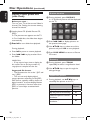
l Use . / > keys to playback another
file in the current folder.
English
Disc Operations (continued)
/ repeatedly for fast forward/
l Press backward search on the music file.
l To select another folder from current
disc, use keys to navigate back to
the root menu.
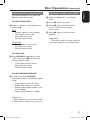
DTo stop playback, press n.
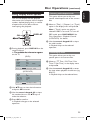
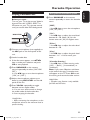
ALoad a MP3/WMA disc.
The disc reading time may exceed 30
seconds due to the complexity of the
directory/file configuration.
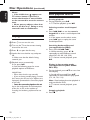
The disc menu appears on the TV.
01:42 04:40 128kbps
001/020
\MP3
-MP 3
MP3 Music 1
MP 3
MP3 Music 2
Picture 1
BUse keys to select a desired folder
and press OK to open the folder.
Helpful Hints:
– You can set to display or skip the folders
when you load a MP3/JPEG disc. Press
SETUP, then go to { Preference Page >
Mp3/Jpeg Nav }.
– Only the first session of a multi-session
CD will be played back.
– It is normal to experience an occasional
‘skip’ while listening to your MP3/WMA disc
due to poor clarity of digital contents during
internet downloading.
– If any special characters are present in
the MP3/WMA track name (ID3) or album
name, it might not be displayed correctly on
the screen because this unit does not support
the characters.
– The ID3/Meta information will not display
when the playback file is not selected.
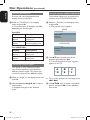
CUse keys to select a file and press
OK to start playback.
Playback starts from the selected file
and continues through the end of the
folder.
31
dvp3980K_55_eng1.indd 31
2008-03-26 10:23:19 AM