1
AZIMUTH ZERO
PELCO EXSITE IPSXM
LANGUAGE
UNIT INVERSION
ENGLISH
OFF
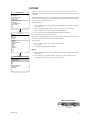
<SYSTEM INFORMATION>
<DISPLAY SETUP>
<UNIT SETTINGS>
<POSITION CALIBRATION>
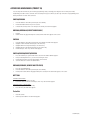
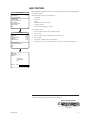
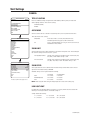
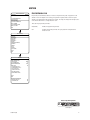
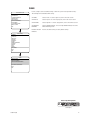
Azimuth is the pan angle from 0 to 359 degrees. Azimuth zero is the pan position you specify to be
the 0-degree point. Azimuth zero is normally set to magnetic north. Once set, azimuth and compass
readings are based on the set Azimuth Zero point.
To program azimuth zero:
RESET CAMERA
CYCLE CAMERA POWER
REBOOT SYSTEM
1.
2.
3.
EXIT
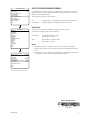
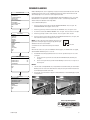
Use the joystick to position the cursor beside SET AZIMUTH ZERO.
Press Iris Open.
Follow the directions displayed on the monitor.
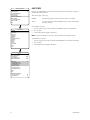
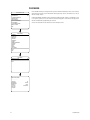
To clear azimuth zero:
1.
2.
3.
UNIT SETTINGS
<CAMERA>
<MOTION>
<POWER UP>
<LINE SYNC>
<PRESETS>
<PATTERNS>
<ZONES>
<WINDOW BLANKING>
<ALARMS>
<WIPER>
<AUX>
<CLEAR>
<PASSWORD>
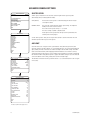
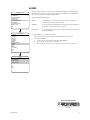
Use the joystick to position the cursor beside CLEAR AZIMUTH ZERO.
Press Iris Open.
Follow the directions displayed on the monitor.
BACK
EXIT
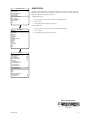
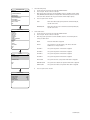
MOTION
PROPORTIONAL PAN
PARK TIME (MINUTES)
PARK ACTION
SCAN SPEED (DEG/S)
PRESET FREEZE FRAME
LIMIT STOPS
<SET MANUAL STOPS>
<CLEAR MANUAL STOPS>
<SET SCAN STOPS>
<CLEAR SCAN STOPS>
ON
0
NONE
25
AUTO
ON
<SET AZIMUTH ZERO>
<CLEAR AZIMUTH ZERO>
BACK
EXIT
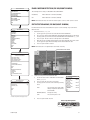
REFERENCE INFORMATION
MANUAL LIMITS SET
SCAN LIMITS SET
NO
NO
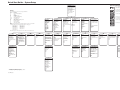
Quick Programming Guide
(See Page 9)
C1300M-B (6/05)
25