1
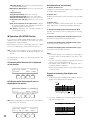
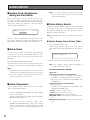
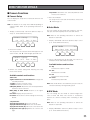
● Auto Pan Setup and Activation
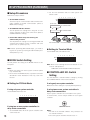
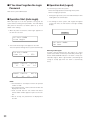
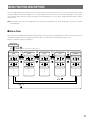
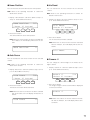
You will set up and activate the auto pan function. The camera can pan between the start and end points you will set.
To set the start and end point of auto pan
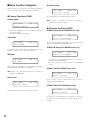
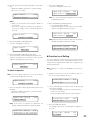
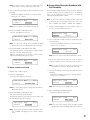
1. Display “Auto Pan” sub menu. (Refer to Step 1 to 4 of p.
51 To Recall Menu Functions.)
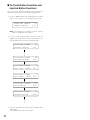
Auto Pan Setup
105
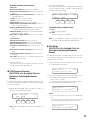
Play Rvrs Start End
F1
F2
F3
F4
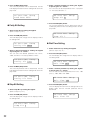
2. By moving the 3D joystick, move the camera to a point
you wish to start auto pan.
3. Press the F3 button.
The start point of auto pan will be set.
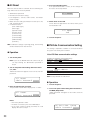
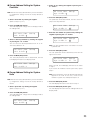
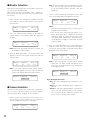
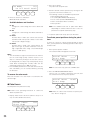
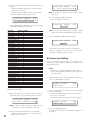
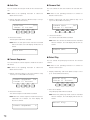
2. Press one of the F1 to F4 buttons.
The specified disk will be selected.
Available buttons and functions
F1: Nr-A
Specifies the normal or event recording area for
playback.
F2: Cp-A
Specifies the copy area for playback.
F3: Cpy1
This function is reserved for future use.
F4: Cpy2
This function is reserved for future use.
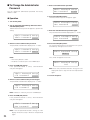
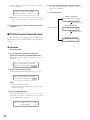
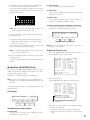
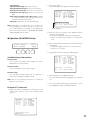
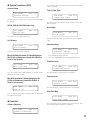
3. When you specify a disk, the search list display will
appear on the active monitor, and “Search Mode” menu
will appear on the LCD. Then, perform the search playback operation. (Refer to p. 35 Search Playback.)
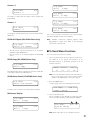
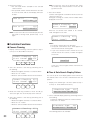
Search Mode
HD300
Thumb
Text Copy
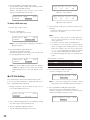
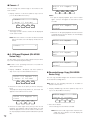
4. By moving the 3D joystick, move the camera to a point
you wish to end auto pan.
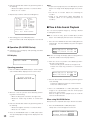
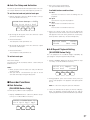
● A-B Repeat Playback Setting
(WJ-HD300 Series Only)
5. Press the F4 button.
The end point of auto pan will be set.
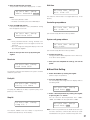
You can playback the recorded images repeatedly by
specifying the start point (A) and end point (B).
To activate auto pan
Press the F1 button.
The auto pan will be activated, and the camera will pan
between the set.
Notes:
• When you press the F2 button, the auto pan direction
will be reversed.
• Auto pan will be canceled when you pan or tilt the
selected camera by moving the 3D joystick.
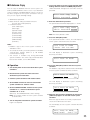
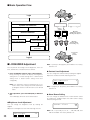
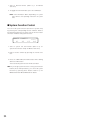
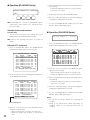
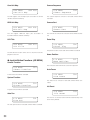
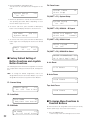
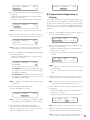
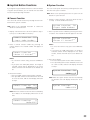
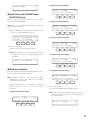
1. Display “HD300 A- B Repeat” sub menu. (Refer to Step
1 to 4 of p. 51 To Recall Menu Functions.)
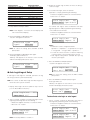
HD300 A—B Repeat 202
Start End
Cancel
F1
F2
F3
F4
2. During playback, press the F1 button at the point you
wish to start playback. The playback start point (A) will
be set.
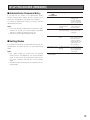
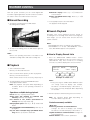
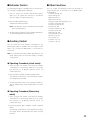
■ Recorder Functions
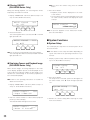
● Disk Selection
(WJ-HD300 Series Only)
Note: To cancel the start point, press the F4 button.
You will specify a disk for search playback.
3. Press the F2 button at the point you wish to end playback. The playback end point (B) will be set, and the
repeat playback will be performed between (A) and (B).
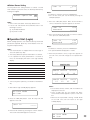
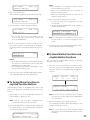
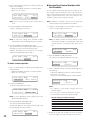
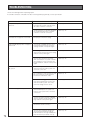
1. Display “HD300 DiskSelect” sub menu. (Refer to Step 1
to 4 of p. 51 To Recall Menu Functions.)
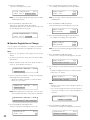
HD300 DiskSelect 201
Nr-A Cp-A Cpy1 Cpy2
F1
F2
F3
F4
57