1
Installation and Setup
Maintaining the Unit
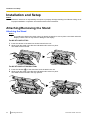
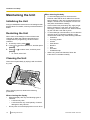
When cleaning the body
• To avoid damaging the unit, disconnect the
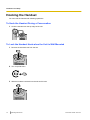
Initializing the Unit
Doing an initialization resets some or all settings to their
default values. For details, consult your administrator or
dealer.
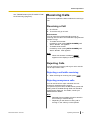
Restarting the Unit
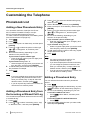
When some of the settings on the unit have been
changed via Web user interface programming or
configuration file programming, the unit must be
restarted.
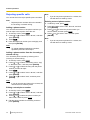
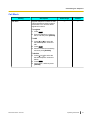
1. In stand-by mode, press Setting .
2. Press [ ] or [ ] to select "Restart", and then press
[ENTER].
3. Press [ ] or [ ] to select "Yes", and then press
[ENTER].
• To cancel, select "No".
•
•
•
Ethernet cable and all other cables from the unit
before cleaning. If the unit is powered with an AC
adaptor, disconnect the AC adaptor from the unit
and power outlet before cleaning.
If the unit becomes particularly dirty, apply a light
kitchen cleanser to a soft cloth, wring the cloth
thoroughly, and then wipe the unit. When finished,
dry the unit with a soft and dry cloth.
To avoid damage or discoloration, do not clean the
unit with the any of following materials or with
cleaners that contain any of the following materials:
– Petroleum
– Scouring powder
– Alcohol
– Paint thinner
– Benzine
– Wax
– Hot water
– Powdered soap
When using chemical cleansers, follow the
instructions on the label carefully.
Cleaning the Unit
Clean the unit periodically by wiping it with a soft and
dry cloth.
When cleaning the unit, observe the following
precautions.
When cleaning the display
• Wipe the display with only the following types of
•
76
materials:
– A soft and dry cloth.
– A soft cloth with very small quantity of neutral
detergent or ethyl alcohol.
Do not press or rub the display with too much force.
Operating Instructions
Document Version 2013-03