1
Customizing the Telephone
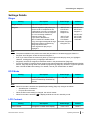
Information Display
Setting
Information Display
Description
Value Range
Default
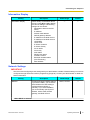
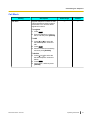
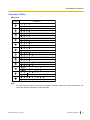
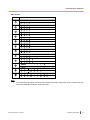
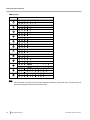
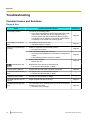
View a variety of information about
the unit. Press [ ] and [ ] to display
the various settings. The following
settings can be viewed:
• Registration status to the SIP
server
• IP address
• Subnet mask address
• Default gateway address
• IP address of the DNS server 1
• IP address of the DNS server 2
• LLDP-MED
• LLDP-Timer
• IP Phone-VLAN ID
• IP Phone-Priority
• PC-VLAN ID
• PC-Priority
• ACS status
• Display lock status
• Firmware version
• Bluetooth headset status
(KX-UT248 only)
• MAC address
—
—
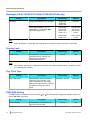
Network Settings
IMPORTANT
We recommend configuring these settings with your administrator or dealer. Network settings can also be
configured through Web user interface programming (Page 59). Contact your administrator or dealer for
further information.
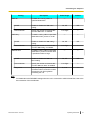
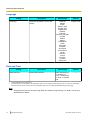
Setting
Network
Description
Value Range
Default
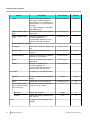
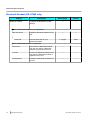
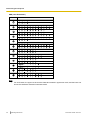
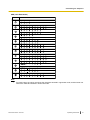
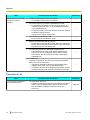
Configure the basic network settings.
If you select "DHCP", you must then
select whether the DNS setting is
configured automatically or
manually. If you select "STATIC",
you must manually specify the IP
address, subnet mask, default
gateway, and DNS servers.
DHCP, STATIC
—
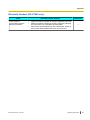
When DHCP is selected
Document Version 2013-03
Operating Instructions
45