1
3.3 Exploiting Value Proposition
3.3.1 Web Service Composition from SQL Stored Procedures
3.3.1.1 Linking/Attaching External SQL Stored Procedures
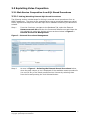
The following section includes steps for linking in external stored procedures from an
ODBC Datasource. The steps in the example below uses a connected datasource called
Demo_SQLSVR that maps to a Microsoft SQL Server database containing the Northwind
schema.
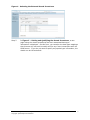
Step 1.
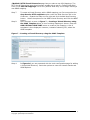
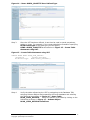
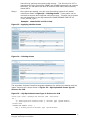
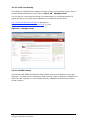
From the Conductor, navigate to the Database Tab, select the External
Datasources sub-tab and then the Connected Data Sources tab Select the
Link objects link under the Actions column as shown below in Figure 3 –
External Procedures Management.
Figure 3 – External Procedures Management
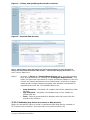
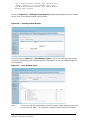
Step 4.
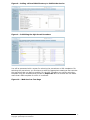
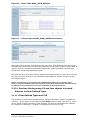
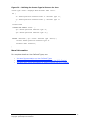
As seen in Figure 4 - Selecting the External Stored Procedures below,
when the page returns, a list is displayed of the available remote procedures.
You can link any of the listed procedures into Virtuoso by selecting them
from the list and pressing the Link Selected button.
Virtuoso 4.5 Application and Integration Reviewers Guide
Copyright ©2006 OpenLink Software
8