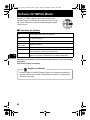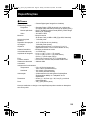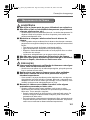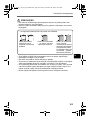
1
d4334_oai_e_basic_00_bookfile.book Page 15 Friday, November 24, 2006 9:16 AM
Menus and Settings
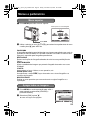
Top Menu
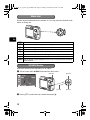
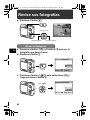
1 Press MENU to display the Top Menu.
Top Menu in shooting mode
PANORAMA
RESET
IMAGE
QUALITY SETUP
SCENE
SILENT
MODE
En
SET OK
EXIT MENU
MENU button
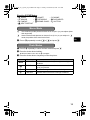
2 Use the arrow pad (O/N/X/Y) to select menu items, and press H to set
them.
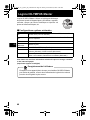
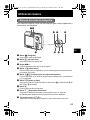
PANORAMA
Panorama shooting lets you create a panoramic picture, using the OLYMPUS
Master software from the provided CD-ROM. An Olympus xD-Picture Card is
required for panorama shooting.
RESET
Return the changed shooting functions back to default settings.
IMAGE QUALITY
Set the image quality of the picture you will shoot according to its intended
purpose.
SETUP
Set the date, time, language, and operation sound, etc.
SCENE (Scene mode)
Select the scene mode according to the subject and shooting and condition when
the f mode is selected.
SILENT MODE
Mute operational sounds that occur during shooting and playback.
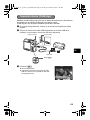
Erase All Pictures
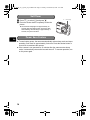
1 Press MENU in playback mode to display the Top
Menu and select [ERASE] > [ALL ERASE].
2 Select [YES], and press H.
All the pictures are erased.
ALL ERASE
CAUTION ERASING ALL
YES
NO
BACK MENU
SET OK
15