1
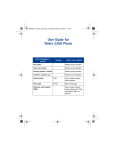
• QUICK GUIDE
Action
Description
Make a call
Enter a phone number, and press the Talk key.
Answer a call
Press the Talk key, or select Answer.
Answer call during call Press the Talk key.
End a call
Press the End key.
Decline a call
Press the End key to send the call to voice mail.
Mute a call
Select Options > Mute during a call.
Redial
Press the Talk key twice.
Adjust call volume
During a call, press the Scroll up key to increase volume or
the Scroll down key to decrease volume.
Use in-call menu
Select Options during a call.
Save name and number Enter a number, select Save, enter a name, and select OK.
Use 1-touch dialing
Press and hold a key (2–9). You must assign a key to a
number in contacts.
Look up a name
Select Contacts > Find.
Check voice mail
Press and hold the 1 key (contact your service provider for
details).
Write text messages
Select Menu > Messages > Write Message. Write the
message.
Send text messages
From the message entry screen, select Options > Send.
Enter the recipient’s number and select Send.
Note: Message service is dependent on the service provider.
Read new message
If Message received appears on the display, select Read,
highlight the message, then select Read again.
Reply to a message
While reading a message, select Options > Reply. Select
either As message or As e-mail. Write a reply, and select
Options > Send.
Press
Press a key briefly and release it.
Press and hold
Press a key, hold it for two to three seconds, and release it.
ii
Copyright © 2004 Nokia