1
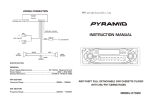
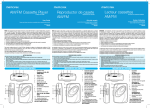
WIRING DIAGRAM
ANTENNA JACK
RED
RED
R.
RCA LINE OUT
L.
WHITE
GREEN
FRONT
SPEAKER
REAR
SPEAKER
+
+
R.
L.
R.
BLUE
B+ POWER
GREY
L.
+
3A
FUSE
+
FRONT
SPEAKER
REAR
SPEAKER
WHITE
(BLACK) GROUND
AM 540 620 750 900 1200 1600 KHz
ON/VOL
CD IN
TONE
FM 88
91 94
98
ST
TUNE
103 108 KHz
BAND
BAL
4 SPEAKERS SYSTEM
NOTE:
EJECT
ST
Speakers with a load impedance less than 4 ohms could damage this device.
If you have 2 speaker system, make sure use a speaker with 4 ohm load impedance;
If you have 4 speaker system, make sure use a speaker with 8 ohm load impedance to reduce
the distortion during high volume level.
SPECIFICATION
GENERAL
Power Supply Requirements...................DC 12Volts. Negative Ground
Dimensions (SET).................................178(W) X 111(D) X 45.5(H) mm
FM SECTION
Frequency Range........................................................88MHz - 108MHz
AM SECTION
Frequency Range.....................................................530KHz - 1700KHz
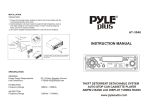
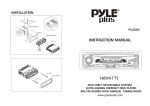
CAR STEREO WITH CASSETTE PLAYER
NCS102
LOCATION AND FUNCTION OF CONTROLS
1
7
6
11
AM 540 620 750 900 1200 1600 KHz
ON/VOL
CD IN
FM 88
91 94
98
4
ST
8. TONE BUTTON
Rotate the outer handle button to adjust the tone effect.
5
9. ST/ MO BUTTON
This operation is effective on FM reception only.
In RADIO mode, press this button to change between mono or stereo sound effect.
The ST LED indicator will light up indicating the status of stereo mode while there is
a strong signal from an FM station that is broadcasting in stereo. Mono improves the
reception of the distant stereo FM stations.
TUNE
103 108 KHz
TONE
BAND
EJECT
BAL
10. BALANCE CONTROL
Rotate the outer handle to adjust the audio output balance of left and right speaker.
ST
11. CD INPUT JACK
The car radio cassette player can be connected to a portable CD player through this
jack.
8
3
2
9
10
1. POWER ON/OFF AND VOLUME CONTROL
Rotate the VOL knob clockwise to turn the power ON; go on rotate to increase
the volume level. Rotate the VOL knob counter-clockwise to decrease the volume
level; go on rotate to turn the power off.
2. CASSETTE TAPE DOOR
In RADIO mode, insert a cassette into this slot, the tape playback starts automatically.
INSTALLATION
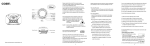
DASH BOARD
3. EJECT KEY
In TAPE mode, push this key halfway to fast forwards, and push it fully in to stop tape
playback and release cassette tape. The car radio cassette player will automatically go
into radio mode.
METAL MOUNTING STRAP
HEX NUT
CONSOLE
PLAIN WASHER
4. BAND SELECTOR BUTTON
Press the BAND button toggles AM / FM reception.
SPRING WASHER
HEX BOLT
TAPPING SCREW
5. TUNING CONTROL
Rotate this control at radio mode to select your desired radio broadcasting station
within AM/FM.
6. ANALOGUE FREQUENCY DISPLAY
HEX NUT
PLAIN WASHER
7. LED INDICATOR