1
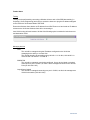
AP configuration (WNDAP330)
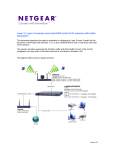
Create a new SSID
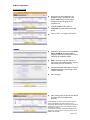
Access the AP configuration via Security,
Profile settings (by default all only the
SSID Netgear is active, whilst all the
SSIDs are assigned to VLAN 1
In the bottom of the page click on Edit to
modify the Netgear profile name and
SSID to Corporate – note how this will
reflect the settings performed on the UTM
relating to the VLAN 1 profile
Apply the changes
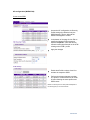
Enable both Profile numbers 2 and 3 to
activate the respective SSID.
Perform the relevant changes to assign
one profile to VLAN 20 and one to VLAN
30 also reflecting the same profiles and
SSID names
NOTE: The security level on each profile will depend on
the Security policy in use in the network
Version 2.0