1
Digital Entertainer Live EVA2000 User Manual
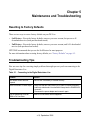
The Bookmarks folder contains anything you have bookmarked in the DE Live system, so you can
always come here to find your favorites you have marked. You can create a bookmark for favorite
folders, searches, or videos, which you can easily access in your Bookmarks list any time in the
future.
Create a Bookmark
You can create a bookmark for a folder, a search, or a video in any selection list.
To create a bookmark:
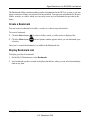
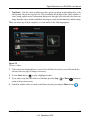
1. Click the Select button
to select a folder, search, or video item in a displayed list.
2. Click the Menu button
selection.
and an Options window appears where you can bookmark your
Once you’ve created the bookmark, it is added to the Bookmarks list.
Display Bookmark List
To display your list of bookmarks:
1. On the My Collection menu, select Bookmarks.
2. Any bookmarks you have created are displayed in this list, where you can select them and play
them at any time.
Setting Up a Video Collection
2-3
v1.0, September 2009