1
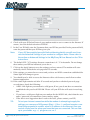
Back Panel Ports
Power jack
for AC power
adaptor
4 x RJ45 Ports for
10/100 Ethernet
LAN connection
Reset
factory
defaults
USB
Port
RJ11 for ADSL
connection to
telephone line
Rear Panel of the NB5Plus4
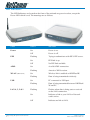
Power
Connect the Power Adaptor that comes with your package.
1, 2, 3, 4
4 x 10/100 Base-T Ethernet jack (RJ-45) to connect to your Ethernet Network card or Ethernet Hub / Switch.
Reset
To reset your ADSL Router to factory default settings. (All customised settings that you have saved will be lost!)
Please refer to the section below on how to use the
reset function.
USB
USB Port (requires Drivers from accompanying CD).
Line
Telephone jack (RJ-11) to connect to your
Telephone Wall Socket (ADSL line).
NB5Plus4W
antenna
Power jack
for AC power
adaptor
4 x RJ45 Ports for
10/100 Ethernet
LAN connection
Reset
factory
defaults
USB
Port
RJ11 for ADSL
connection to
telephone line
Rear Panel of the NB5Plus4W
YML755 Rev1
www.netcomm.com.au
NB5Plus4/W Quick Start Guide
9