1
CD Care ...................................................................................................................... 5-8
Hard Disk Drive ................................................................................................................. 5-9
Memory Modules............................................................................................................... 5-9
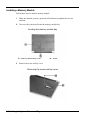
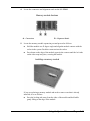
Installing a Memory Module..................................................................................... 5-10
6 Communicating with Your NEC Versa
PC Cards ............................................................................................................................ 6-2
Type II Cards .............................................................................................................. 6-2
Type II Extended Cards .............................................................................................. 6-2
Communication Cards ................................................................................................ 6-2
Storage Cards.............................................................................................................. 6-3
Other Cards ................................................................................................................. 6-3
PC Card Slots.............................................................................................................. 6-3
Inserting a PC Card..................................................................................................... 6-4
Removing a PC Card .................................................................................................. 6-4
Mini PCI LAN ................................................................................................................... 6-5
Connecting the Mini PCI LAN ................................................................................... 6-5
Internal Modem.................................................................................................................. 6-6
Connecting the Internal Modem.................................................................................. 6-6
Internet Connections .......................................................................................................... 6-7
IR Port................................................................................................................................ 6-7
Enabling/Disabling the IR Port in Windows 2000...................................................... 6-8
Using the IR Port ........................................................................................................ 6-8
7 Traveling Tips
Preparing for Travel ........................................................................................................... 7-2
Packing for Travel.............................................................................................................. 7-2
Using Power Connections .................................................................................................. 7-3
Getting Through Customs .................................................................................................. 7-3
Connecting to the Internet.................................................................................................. 7-4
Connecting Using a Modem ....................................................................................... 7-4
Connecting Using a LAN............................................................................................ 7-4
8 Using Peripheral Devices
External Monitor ................................................................................................................ 8-2
External Audio Options...................................................................................................... 8-3
USB Devices ...................................................................................................................... 8-4
9 Using Multimedia
Audio ................................................................................................................................. 9-2
Recording.................................................................................................................... 9-2
Microphone................................................................................................................. 9-3
Mixing......................................................................................................................... 9-3
Playing Back ............................................................................................................... 9-3
Using Headphones ...................................................................................................... 9-4
Using the Built-In Speaker.......................................................................................... 9-4
Using External Stereo Speakers.................................................................................. 9-4
MIDI Files................................................................................................................... 9-4
Contents v