1
BIOS Setup
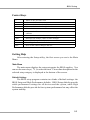
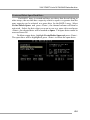
Frequency, SDRAM CAS# Latency, Row Precharge Time, RAS Pulse
Width, RAS to CAS Delay and SDRAM Bank Interleave automatically to
be determined by BIOS based on the configurations on the SPD. Selecting User allows users to configure these fields manually.
SDRAM Frequency
Use this item to configure the clock frequency of the installed SDRAM.
Settings options: 200MHz, 266MHz, 333MHz, 400MHz, Auto.
SDRAM CAS# Latency
This controls the timing delay (in clock cycles) before SDRAM starts
a read command after receiving it. Settings: Auto, 1.5, 2, 2.5, 3.0
(clocks). 2 (clocks) increases the system performance the most while 3
(clocks) provides the most stable performance.
Row Precharge Time
This item controls the number of cycles for Row Address Strobe (RAS)
to be allowed to precharge. If insufficient time is allowed for the RAS
to accumulate its charge before DRAM refresh, refreshing may be
incomplete and DRAM may fail to retain data. This item applies only
when synchronous DRAM is installed in the system. Available settings:
Auto, 2, 3, 4, 5.
RAS Pulse Width
This setting allows you to select the number of clock cycles allotted
for the RAS pulse width, according to DRAM specifications. The less
the clock cycles, the faster the DRAM performance. Settings: Auto, 6,
7, 8, 9.
RAS to CAS Delay
When DRAM is refreshed, both rows and columns are addressed
separately. This setup item allows you to determine the timing of the
transition from RAS (row address strobe) to CAS (column address
strobe). The less the clock cycles, the faster the DRAM performance.
Setting options: Auto, 2, 3, 4, 5.
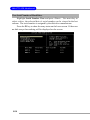
Write Recovery Cycle
You may set the write recovery cycle of DRAM. The less the clock
cycles, the less time the DRAM recovery cycle writes. Setting options:
Auto, 1T, 2T.
3-13