1
Getting connected
all DVRs were not created equal
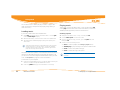
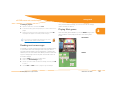
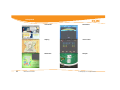
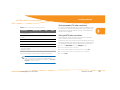
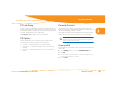
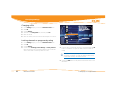
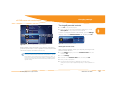
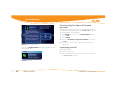
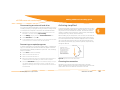
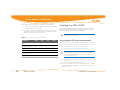
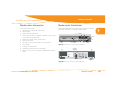
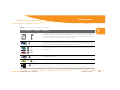
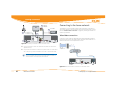
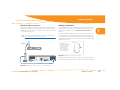
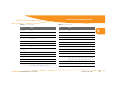
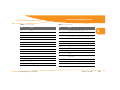
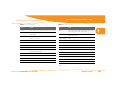
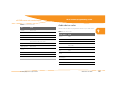
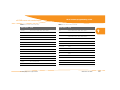
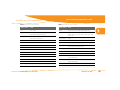
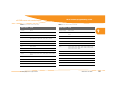
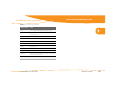
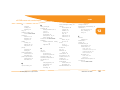
Table 4: Video cables, starting with highest quality connection
Connector shapes
Y
PB
PR
V
7
Cable type
Description
DVI-D
A digital video connection capable of displaying 480i, 480p, 720p, and 1080i video resolutions from the
media center. If 480i is not selected in HDTV Setup, video in 480i is automatically converted to 480p. If
your TV has an HDMI port but no DVI-D port, you may use video output from the media center with a DVI
to HDMI conversion cable. A separate audio connection is required.
IEEE 1394
A high-bandwidth digital connection, sometimes called FireWire®. The media center provides an MPEG 2
audio and video stream for recording or display on a digital device in the same resolution as the broadcast. No user interface graphics appear (Moxi Menu, flip bar, and so on).
Component
A three-wire analog video connection capable of displaying 480i, 480p, 720p, and 1080i video resolutions from the media center. Component is the most user-friendly HD and standard video connection for
the media center.
S-Video
An analog video connection with better quality than Composite. S-Video is capable of displaying 480i
video from the media center.
Composite or
RCA
An analog video connection. Composite supports 480i video output.
RF out
Basic analog connection supports 480i video output. (Available on some models only)
© 2006 by Digeo, Inc. All rights reserved.
Media Center User Guide
63