Transcript
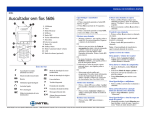
QUICK REFERENCE GUIDE MITEL 5320 IP PHONE NOTE: For more information about using other features and applications on your 5320 IP Phone, refer to 5320 IP Phone User Guide located at www.mitel.com, or contact your Administrator. SIP Users: Refer to the 5320/5330/5340 SIP User and Administrator Guide. Make a Call Lift the handset OR Press . Dial the number OR Press a Speed Call key OR Press OR Dial the prefix for external calls (e.g. 9) and the number. Answer a Call Lift the handset OR Press , and begin speaking. End a Call Press OR Replace the handset. Place a Call on Hold Display Speaker Ring/Message Indicator Mute Volume, Speaker and Mute Controls Menu Fixed Function Keys Cancel Dial Pad Redial Press . Press the flashing line key. Navigation Page Keys Hold Retrieve a Message Programmable Feature Keys and Softkeys Transfer/Conference Press Speaker Message Handset Press . The line key flashes. Replace the handset if necessary. Retrieve a Call from Hold Lift the handset OR . It flashes when a message is waiting. Follow the voice mail prompts to retrieve your message. M Mitel (design) is a registered trademark of Mitel Networks Corporation. All other products and services are the trademarks of their respective holders. © 2012, Mitel Networks Corporation. All rights reserved. Transfer a Call Press . Dial the number. Wait for an answer. Hang up OR announce the transfer and then hang up. Conference a Call Press . Dial the number. Wait for an answer. Press . Program a Speed Call Press Menu OR . Press Settings. Press Programmable Keys. Press the key you wish to program. Press Speed Call. Press Edit Info and enter the label for the Speed Call. Press Save. Press Edit Number and enter the phone number for the Speed Call. Press Save, and then press Save again. Press Close and then press Close again. Adjust Volume Levels Adjust ringer volume while the phone is ringing. Adjust handset or speaker volume while using the handset or speaker. Press repeatedly to raise the volume OR repeatedly to lower the volume. Press to mute your microphone.