1
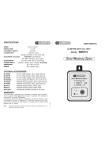
SPECIFICATIONS
Range
0.0 to 14.0 pH
Resolution
0.1 pH
Accuracy (@20°C)
±0.1 pH
Typical EMC Deviation ±0.1 pH
Calibration
Manual, at 2 points
through trimmers
pH electrode
MA73600
(replaceable)
Environment
0 to 50°C; 100% RH
Battery type
3 x 1.5V, alkaline
Battery life
more than 1500 hours
of continuous use
Dimensions
165 x 30 x 30 mm
Weight
80 g
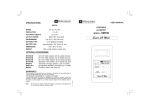
USER MANUAL
pH51
Waterproof pH-meter
ACCESSORIES
MA73600
Replaceable pH electrode
M10007B
pH 7.01 buffer solution,
20 mL sachet (25 pcs)
M10004B
pH 4.01 buffer solution,
20 mL sachet (25 pcs)
M10010B
pH 10.01 buffer solution,
20 mL sachet (25 pcs)
M10000B
Electrode rinse solution,
20 mL sachet (25 pcs)
MA9015
Electrode storage solution,
220 mL bottle
MA9016
Electrode cleaning solution,
220 mL bottle
ISTRPH51R1
06/02
This meter is in compliance with the CE directives.
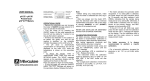
CONDITIONING:
Remove the cap and immerse the pH51 in
MA9015 storage solution for 2 hours to activate the electrode.
CALIBRATION:
Unscrew the battery compartment cap on the
top of the meter and perform one of the following two-point calibration procedure, according
to the required application:
Acid calibration for measurements below pH7:
• Immerse the electrode in pH7.01
(M10007) buffer solution.
• Allow the reading to stabilize and
with a small screwdriver turn the
“7” calibration trimmer inside the
battery compartment until the display shows "7.0".
• Rinse the electrode with tap water
and immerse it in pH4.01 (M10004)
buffer solution.
• Allow the reading to stabilize and with a
small screwdriver turn the “4” calibration trimmer until the display shows "4.0".
Alkaline calibration for measurements above pH7:
• Immerse the electrode in pH7.01 (M10007)
buffer solution.
• Allow the reading to stabilize and with a
small screwdriver turn the “7” calibration trimmer until the display shows "7.0".
• Rinse the electrode with tap water and immerse it in pH10.01 (M10010) buffer solution.
• Allow the reading to stabilize and with a
small screwdriver turn the “4” calibration trimmer until the display shows "10.0".
Replace the battery compartment cap.
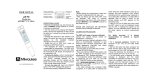
OPERATION:
• Remove the protective cap.
• Turn the pH51 on by pressing the ON key.
• Immerse the electrode in the solution to be
tested.
• Stir gently and wait for the reading
to stabilize.
• After use, rinse the electrode with
water to minimize contamination.
• Store the electrode with a few
drops of storage (MA9015) or pH7
(M10007) solution in the protective
cap.
• Always replace the protective cap after use.
NEVER USE DISTILLED OR DEIONIZED WATER FOR STORAGE PURPOSES.
ELECTRODE REPLACEMENT:
The electrode can be easily replaced
in the following way:
• Remove the protective cap.
• Unscrew the plastic ring on the
top of the electrode.
• Pull out the MA73600 pH electrode and replace it with a new
one (aligning the colored pin towards the LCD side).
• Make sure the gaskets are in place
before screwing back the ring.
BATTERY REPLACEMENT:
pH51 is supplied with BEPS (Battery Error Preventing System) which avoids any erroneous
reading due to low battery level, by switching the
meter off. To replace the batteries unscrew the
battery compartment cap and replace all three
1.5V batteries while paying attention to their polarity. Make sure the gasket is in place before
screwing back the cap.
Batteries should only be replaced in a nonhazardous area using the battery type specified in
this instruction manual.
WARRANTY:
This meter is warranted from all defects in materials and manufacturing
for a period of two years. The electrode is warranted for a period of
one year. During this period, the required repair or replacement of parts,
where the damage is not due to negligence or erroneous operation by the
user, will be effected free of charge.