1
SPECIFICATIONS:
MC110
MC120 MC122
0.0 to 14.0 pH
0.1 pH
±0.2 pH
3.5 to 7.5 pH 5.5 to 9.5 pH
active when measure is
higher/lower than selected setpoint
depending on user selection
OUTPUT POWER SOCKET
active when measure is
(for MC122 only)
higher/lower than selected setpoint (5A max)
depending on user selection
POWER DRIVERS
115VAC, 2A, 60Hz or 230VAC, 1A, 50Hz
(for MC122 only)
pH ELECTRODE
MA911B/2 (included)
ENVIRONMENT
0 to 50°C, 95% RH not condensing
POWER SUPPLY
12 VDC (included)
DIMENSIONS
148.5 x 82.5 x 32 mm
WEIGHT
MC110, MC120 160 g (meter only)
MC122 180 g
MANUAL
RANGE
RESOLUTION
ACCURACY (@25°C)
SETPOINT
ALARM
OPTIONAL ACCESSORIES:
M10004B
M10007B
M10010B
M10000B
MA9015
pH 4.01 buffer solution, 20 ml sachet (25 pcs)
pH 7.01 buffer solution, 20 ml sachet (25 pcs)
pH 10.01 buffer solution, 20 ml sachet (25 pcs)
Electrode rinse solution, 20 ml sachet (25 pcs)
Electrode storage solution, 20 ml sachet (25 pcs)
WARRANTY:
These instruments are warranted from all defects in materials and manufacturing for a
period of two years from the date of purchase. The electrode is warranted for a period
of 6 months.
If during this period, the repair or replacement of parts is required, where the damage is
not due to negligence or erroneous operation by the user, please return the parts to
either dealer or our office and the repair will be effected free of charge.
Note: We reserve the right to modify the design, construction and appearance of our products without
advance notice.
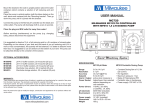
PORTABLE pH METER
MODELS:
MC110 - MC120 - MC122
OPERATION:
CALIBRATION PROCEDURE:
•
• Remove the protective cap from the electrode.
• Immerse the electrode tip into a new sachet of pH 7
calibration solution and allow the reading to stabilize.
• Adjust the pH7 calibration trimmer (on the front) to
display "7.0 pH".
• Open a new sachet of pH 4 calibration solution and
use a small quantity to rinse the electrode.
• Immerse the electrode tip into the pH 4 sachet and
allow the reading to stabilize.
• Adjust the pH4/10 calibration trimmer (on the front) to
display "4.0 pH".
• The calibration is now complete and the meter is
ready to take measurements.
• It is suggested to recalibrate the meter at least
once a month, after a prolonged stocking time
and after pH-electrode replacement.
•
•
Connect the supplied 12VDC power
adapter to the meter and to the
mains line.
Connect the pH-electrode to the
BNC socket on the bottom of the
meter.
Always remove the electrode
protective cap before taking any
measurement. If the electrode has
been left dry, soak the tip (bottom
2.5 cm) in M10000B rinse solution
for a few minutes to reactivate it
12VDC
O"
12VDC
ADAPTER
•
•
•
•
•
RELAY OUTPUT
pH
ELECTRODE
RELAY
OUTPUT
Make sure that the meter has been calibrated before taking any
measurements (see Calibration Procedure).
Immerse the tip (2.5 cm) of the pH-electrode into the sample.
Turn the instrument on by pressing the ON/OFF key.
Allow the reading to stabilize and the meter will start continuous
monitoring.
A blinking alarm will indicate when the measured pH value is higher or
lower than selected setpoint, depending on user selection.
NOTE. The output power contact (MC122 only) has no protection fuse
inside the meter. It is recommended to protected it outside, against
failure.
SETPOINT:
•
•
The setpoint can be selected by
adjusting the central front knob to the
desired value.
The selectable range is from 3.5 to
7.5 pH for MC110; from 5.5 to 9.5 pH
for MC120 and MC122.
The nature of the setpoint can be
selected by setting the switch to the
desired position (ABOVE or BELOW).
INSTALLA TION PROCEDURE:
(for MC122 only)