Transcript
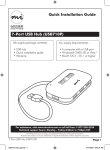
Quick Installation Guide
1
2
3
Model# USB455P
4
5
USB Power Port
Turn on your computer
Connect the A to Mini B
USB cable to the Mini
USB B port located on
the back of your USB
Hub.
Connect the 5-Port HiSpeed USB Hub to an
available USB port on
your computer
USB Power Port
provides power to
USB devices and is
NOT intended for
data transfer. The
USB Power Port Can
be utilized to charge
PDA’s and cell
phones.
The A/C power
adapter is needed for
additional power when
stacking or connecting
additional and/or USB
1.1 or 2.0 devices or
peripherals
For technical assistance visit www.microinv.com or call toll free: 1-877-550-5534.
Technical Support hours of operation: Monday - Friday 8:30am to 7:00pm E.S.T.