1
Getting
Started
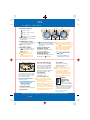
GETTING STARTED
4 Advanced
3 keyless entry/
start system*
Advanced key
must be carried
5 by driver to
operate properly.
Tip: System may not operate
correctly if vehicle is near
equipment such as wireless
pay devices located at some
gas stations, if this occurs, use
auxiliary key to lock/unlock
and start vehicle.
Advanced keyless
system customization
Your authorized Mazda Dealer can
customize your system if desired
with features such as auto-lock,
which can be programmed to
automatically lock vehicle after
driving and exiting vehicle.
1
2
For additional information
on customizable features,
see Owner’s Manual.
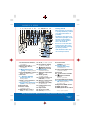
Passenger’s door request switch:
Press (6) on passenger’s door;
both doors unlock simultaneously.
Trunk request switch: Press (7)
located above license plate, only
trunk will open, doors do not
7
lock/unlock.
6
Advanced key transmitter:
Locking doors
Press
button (2) for driver’s
Driver’s/passenger’s door request
door; press again within a 3
switch: Press (6) once on either
seconds to unlock passenger’s door.
door to lock both doors.
Press and hold
button (3)
Advanced key transmitter:
for more than 1 second to
Press button (1); pressing again open trunk.
within a few seconds causes doors
Activating panic alarm
to relock and horn to beep.
Panic alarm: Press and hold
Unlocking doors/
button (4) for more than 1 second;
opening trunk
horn sounds, hazard warning
Driver’s door request switch: Press lights flash; to stop, press any
(6) to unlock driver’s door; press
remote button.
again within 3 seconds to unlock
both doors.
*Denotes optional equipment
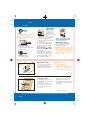
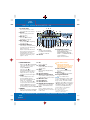
Starting engine
Press start knob
(8); when KEY
indicator (green)
illuminates on
9 8 9
instrument
cluster; turn start knob (8) to
START position to start engine.
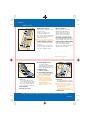
Auxiliary key operation
If advanced key cannot be used
due to a malfunction or dead
advanced key battery, use auxiliary
key (5) to lock/unlock doors,
trunk and to start vehicle.
To start vehicle: Remove start
knob cover (8) by pressing both
side release buttons (9) while
pulling; insert auxiliary key into
key cylinder and turn to start engine.
Tip: Do not place advanced key
on or around dashboard, storage
compartments such as glove
box or in open trunk, engine
LOCK
ON S
TA
RT
C
AC
PUSH
may not start or warnings
may activate.
Turning off engine
Turn start knob to ACC position
to turn engine off, push in and
turn start knob to LOCK position.
Tip: Vehicle battery may be
discharged and vehicle security
compromised if start knob is
left in ACC position.
Always put vehicle in Park (P), set
parking brake and turn start knob to
LOCK position when exiting vehicle.
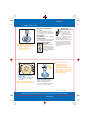
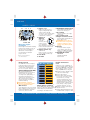
System operation warnings
KEY indicator light flashes (green)
indicates advanced key transmitter
battery power is low.
KEY indicator light illuminated
continuously (red) with warning
beep indicates system malfunction,
and auxiliary key should be used, have
vehicle inspected at an Authorized
Mazda Dealer as soon as possible.
Tip: When using advanced
keyless system, unless
reprogrammed by dealer,
system will beep as confirmation
of lock/unlock requests, system
will also beep if start knob is
left in ACC position, advanced
key has been left in vehicle or
if advanced key is removed from
vehicle while vehicle is running.
For additional system operation
warnings, see Owner’s Manual.
Replacing battery
See Owner’s Manual
Cautions on use
To avoid damage to advanced
key, do not allow any severe
impacts or contact with liquids,
do not place heavy objects on
advanced key and do not leave
advanced key exposed to direct
sunlight or high temperatures.
See Owner’s Manual for all
cautions and warnings.
Always check the Owner’s Manual for more operating information and safety features
Getting
Started