1
RD6000-E.qxd
6/18/04
9:56 AM
Page 60
RD6000
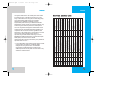
Message Status Reference
Icons
RD6000
Stores the reply number, e-mail
address, and numbers in user
data included in the received
message into your Phone Book.
You can store the received
number information in the
corresponding number list in the
Phone Book. For an e-mail
address, select the option New
Entry and Old Entry. The new email address may overwrite an
old address entry. For new
entries, an e-mail address may
be stored with the new memory
number.
Save to Template
Save the message into the
Template list.
Lock / Unlock
Lock a message so that it is not
erased if the Erase Draft or
Erase All feature is used.
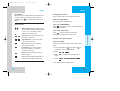
Descriptions
Sent
Messages saved in Short Message Center
(SMC) have been transmitted.
Fail
Indicates a failed message transmission.
Delivery Message has been delivered.
After transmission to message center has
occurred, messages that have not been
Cancel delivered may be canceled by transmitting
cancel message.
Multi- Indicates more than one designated recipient.
sending
Transmission is unavailable in a no service
area. Messages are pending transmission.
Pending Pending messages are transmitted
automatically when digital mode becomes
available.
Draft (Menu
)
Displays all the saved and draft messages.
1. Press Left Soft Key
2. Press
3. Select
Menu.
Messages.
Draft Message: Displays the list of messages which
have failed to write a message.
Saved Message: Displays the list of saved messages in
Inbox / Outbox.
Draft.
4. Erase / Lock pop up is displayed by pressing
Right Soft Key .
60
MENU FEATURES
Save Address
Send to
Allows you to retransmit the
selected message.
Erase
Use to delete a selected message
in the Draft.
Msg Settings (Menu
1. Press Left Soft Key
2. Press
3. Select
)
Menu.
Messages.
Msg Settings.
61