1
Bluetooth Pairing
The Decoy headset is only the beginning! Connect with
other headsets, phones, computers, speakers, and more via
Bluetooth. Never let cables slow you down again!
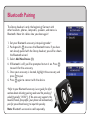
1. Set your Bluetooth accessory into pairing mode.*
2. Push up with
to access the Bluetooth menu. If you have
not already paired with the Decoy headset, you will be shown
the Bluetooth wizard.
3. Select Add New Device (1).
4. If Bluetooth is off, you’ll be prompted to turn it on. Press
to search for the accessory.
5. Once your accessory is located, highlight the accessory and
press to pair.
6. Press again to connect with the device.
*Refer to your Bluetooth accessory’s user guide for information about initiating pairing mode and the passkey if
asked (typically “0000”). If the accessory supports the
headset/hands-free profile, your phone will automatically
pair for you without having to input the passkey.
Note: Bluetooth accessories sold separately.