1
Playing Music
Feel the rhythm and rock out with your favorite songs on
Decoy! Listen to your songs anywhere, thanks to Decoy’s fully
functional music player.
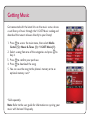
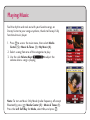
1. Press to access the main menu, then select Media
Center (5) > Music & Tones (1) > My Music (4).
2. Select a song from one of the categories to play.
3. Use the side Volume Keys
to adjust the
volume when a song is playing.
Note: To turn on Music Only Mode (radio frequency off except
Bluetooth), press > Media Center (5) > Music & Tones (1).
(
Press the Left Soft Key for Mode, select On, and press .