1
Getting Started
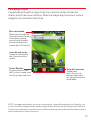
This guide will make things easy by providing you with information on
making payments, included features, services, managing your account,
and much more.
If you haven’t activated your phone, follow the instructions
in the Activation Guide.
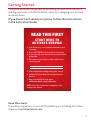
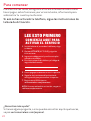
READ THIS FIRST
START HERE TO
ACTIVATE SERVICE
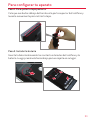
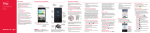
1. Install battery, turn on phone and select your
language.
2. Press ACTIVATE and listen for instructions.
3. Enter your zip code and confirm your plan when
prompted.
4. Write down your phone number and account
security code.
5. Make a payment to begin using your device.
6. Follow the Setup Wizard to customize your
device.
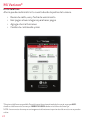
7. Register for My Verizon, go to
verizonwireless.com/myverizon.
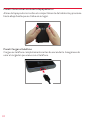
NOTE: Once the activation is complete, fully
charge your device.
Need More Help?
If you have a question, or you can’t find what you´re looking for in here,
check out verizonwireless.com.
1