1
Saving and Searching Contacts
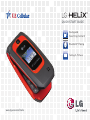
Keep your address book in the palm of your hand
with LG Helix.
Saving a Contact
1.Press the Right Soft Key for Contacts and then
the Left Soft Key to add a new contact.
2.Enter the contact’s information using the Keypad.
3. Press
to save the contact.
Searching for a Contact Using Phone Dial Search
1. Touch the key on the Keypad that corresponds to
the first letter in the contact’s name. The phone
displays the names of all relevant contacts.
2. Use the Navigation Key to highlight the contact’s
name, and press
to call.