1
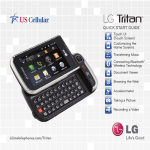
QUICK START GUIDE
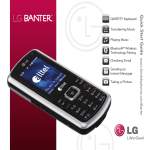
QWERTY Keyboard
Transferring Music
Playing Music
Bluetooth® Wireless
Technology Pairing
Taking a Picture
LGmobilephones.com/Banter
Getting to Know Your Phone
Speaker
Camera Lens
Speaker
Navigation Key
Bluetooth
My Menu
easyedge
Calendar
Removing the Faceplates
BACK
SM
Headset Jack
Volume
Up/Down
To remove the front plate, pull up
gently on the bottom of the plate
and lift it off. To remove the
back plate, slide the
cover up and off.
Menu/OK Key
Left Soft Key
(Message)
Right Soft Key
(Contacts)
Speakerphone
Key
Talk Key
Clear & Back Key
Camera Key
microSD™ Port
Voicemail
Key
Power/End Key
Shift Key
Lock Key*
Micro USB/Charging Port
*Press and hold this key to lock the phone.
Attaching the Faceplates
To replace the front plate, line it up with
the surface of the phone and press it
gently into place. Slide the back plate on.
QWERTY Keyboard
Left Soft Key
(Help)
Shift Key
Change capitalization:
Abc (sentence case)
ABC (ALL UPPERCASE)
abc (all lowercase)
Right Soft Key
(Top Menu)
Clear & Back Key
OK Key
Function Key
To enter alternate
characters (press twice
to lock)
Symbols Key
Space Key
Navigation Keys
Transferring Music
Expand your music library instantly. Easily transfer
music from your PC to your phone using USB
mass storage.*
1. With the slide closed and the phone unlocked,
insert a microSD card* into your phone.
2. Connect a USB data cable* between the phone
and your PC.
3. Select USB Mass Storage (2).
4. The PC will recognize the phone as a Removable
Disk and a screen will appear. If prompted,
choose to view the files using Windows® Explorer.
Drag and drop music files on your PC into the
My_Music folder.
*microSD card and USB data cable required (sold separately).
Playing Music
Make a soundtrack for your life! Your favorite songs are
always on hand with the integrated music player on this
versatile phone.
1. Insert a microSD card* containing MP3-formatted
music into your phone.
2. With the slide closed and the phone unlocked, press
the
Key to enter the main menu, and then select
Music (6).
3. Music is organized by playlist, artist, genre, and album.
Press the
Key to select All Songs (1).
4. With the song you want to hear highlighted, press the
Key to begin playing that song.
5.Use the side Volume Keys
the volume.
*microSD card required (sold separately).
to adjust
Bluetooth® Wireless Technology Pairing
Free yourself from cables, wires, and cords by taking
advantage of Bluetooth wireless technology. Enjoy stereo
sound and greater mobility with this easy-to-use feature.
1. Set your Bluetooth accessory into pairing mode.*
2. With the slide closed and the phone unlocked, press up
on the Navigation Key to access the Bluetooth menu.
3. Press the
Key to select Paired Devices (1).
4. Press the Left Soft Key for Search. If Bluetooth wireless
technology is off, you’ll be prompted to turn it on.
5.Select New Search (1).
6. Highlight the device you wish to pair with and press the
Key for Pair.
7. Press the
Key to select Always Ask (1).
8.Press the
Key once again to connect to the device.
*Refer to your Bluetooth accessory’s user manual for information
about initiating pairing mode and the passcode (if asked).
Taking a Picture
Never worry about leaving your camera at home again.
The phone’s built-in 1.3 megapixel camera lets you take
great pictures and send them to friends in a flash.
1. With the slide closed and the phone unlocked, press and
hold the
Key to access the camera viewfinder.
2. Press left or right on the Navigation Key to adjust the
brightness. Press up or down on the Navigation Key to
adjust the zoom.* Press the Right Soft Key for Options.
3. Press the
4. Press the
Key to take the picture.
Key to send the photo to someone.
*Camera setting of 960 x 1280 pixels does not support
zoom function.
Optional Accessories
Maximize your phone with these cutting-edge accessories at LGmobilephones.com/Banter.
Bluetooth Headset
Bluetooth Solar Car Kit
Bluetooth Stereo Headset
(HBM-520)
(HFB-500)
(HBS-250)
© 2009 LG Electronics, Inc. All rights reserved. LG is a registered trademark of LG Electronics,
Inc. Banter is a trademark of LG Electronics, Inc. easyedgeSM is a service mark of U.S. Cellular®.
microSD is a trademark of SanDisk. The Bluetooth® word mark and logos are registered
trademarks owned by Bluetooth SIG, Inc. and any use of such marks by LG Electronics
MobileComm, U.S.A., Inc. is under license. All other marks are proprietary to their respective
owners. All phone images are simulated. Unless otherwise specified herein, all accessories
referenced herein are sold separately.
XX%
Cert no. XXX-XXX-XXX