1
Getting to Know Your Phone
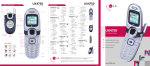
Speaker
Camera Lens
Speaker
Navigation Key
Bluetooth
My Menu
easyedge
Calendar
Removing the Faceplates
BACK
SM
Headset Jack
Volume
Up/Down
To remove the front plate, pull up
gently on the bottom of the plate
and lift it off. To remove the
back plate, slide the
cover up and off.
Menu/OK Key
Left Soft Key
(Message)
Right Soft Key
(Contacts)
Speakerphone
Key
Talk Key
Clear & Back Key
Camera Key
microSD™ Port
Voicemail
Key
Power/End Key
Shift Key
Lock Key*
Micro USB/Charging Port
*Press and hold this key to lock the phone.
Attaching the Faceplates
To replace the front plate, line it up with
the surface of the phone and press it
gently into place. Slide the back plate on.