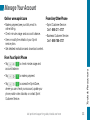
1
Add Items to Your Home Screen
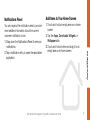
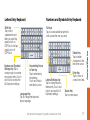
You can expand the notification area to provide
more detailed information about the current
onscreen notification icons.
1.Drag down the Notifications Panel to see your
notifications.
2.Tap a notification entry to open the associated
application.
1.Touch and hold an empty area on a home
screen.
2.Tap the Apps, Downloads, Widgets, or
Wallpapers tab.
3.Touch and hold an item and drag it to an
empty area on a Home screen.
visit sprint.com/support for guides, tutorials and more
Android Basics
Notifications Panel
7