1
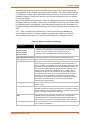
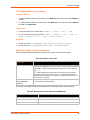
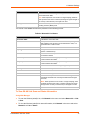
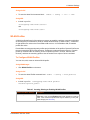
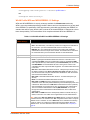
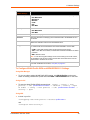
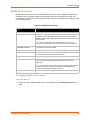
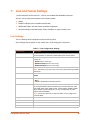
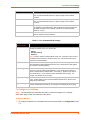
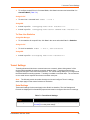
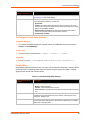
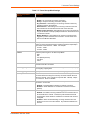
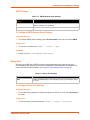
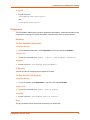
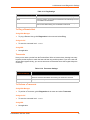
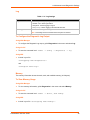
7: Line and Tunnel Settings Tunnel Accept Mode Settings (continued) Block Network Description Set whether Block Network is enabled for debugging purposes. Choices are: Password Enabled = if Enabled, incoming characters from the network will not be forwarded to the Serial Line. Instead, they will be buffered and will eventually flow off the network side. Disabled = this is the default setting; incoming characters from the network are sent on into the Serial Line. Any buffered characters are sent first. Enter a password. This password can be up to 31 characters in length and must contain only alphanumeric characters and punctuation. When set, clients must send the correct password string to the unit within 30 seconds from opening network connection in order to enable data transmission. The password sent to the unit must be terminated with one of the following: 0A (Line Feed) 00 (Null) 0D 0A (Carriage Return/Line Feed) 0D 00 (Carriage Return/Null) If, Prompt for Password is set to Enabled and a password is provided, the user will be prompted for the password upon connection. Email on Connect Select an email profile number to which an email notification will be sent upon the establishment of an accept mode tunnel. Email on Disconnect Select an email profile number to which an email notification will be sent upon the disconnection of an accept mode tunnel. To Configure Tunnel Accept Mode Settings Using Web Manager To configure the Accept Mode for a specific tunnel, click Tunnel in the menu and select Tunnel 1 -> Accept Mode. Using the CLI To enter Tunnel 1 Accept Mode command level: enable -> tunnel 1 -> accept Using XML Include in your file: <configgroup name="tunnel accept" instance="1"> Connect Mode In Connect Mode, the PremierWave XCPremierWave XNPremierWave ENEDS-MD4/8/16 continues to attempt an outgoing connection on the network, until established. If the connection attempt fails or the connection drops, then it retries after a timeout. The remote node on the network must listen for the Connect Mode’s connection. For Connect Mode to function, it must be enabled, have a remote station (node) configured, and a remote port configured (TCP or UDP). When established, Connect Mode is always on. Enter the remote station as an IP address or DNS name. The PremierWave XCPremierWave XNPremierWave ENEDS-MD4/8/16 will not make a connection unless it can resolve the address. PremierWave XN User Guide 52