1
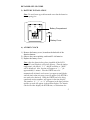
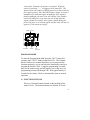
1) Using a straightedge, horizontally space at 3-15/16 of an inch
(100.58mm) three screw positions on a wall.
2) Install three mounting screws (not included) into a wall within
transmission range—leaving approximately 3/16 of an inch
(5mm) extended from the wall.
3) Place the Atomic Clock onto the screws, using the hanging
holes on the backside. Gently pull the Atomic Clock down to
lock the screws into place.
MAINTENANCE & CARE
•
•
•
•
•
Extreme temperatures, vibrations, and shock should be avoided
to prevent damage to the units.
Clean displays and units with a soft, damp cloth. Do not use
solvents or scouring agents—they may mark and damage the
displays and casings.
Do not submerge in water.
Immediately remove all low powered batteries to avoid leakage
and damage. Replace with new batteries only, and of
recommended size.
Opening the casings invalidates the warranty. Do not try to
repair the units. Contact La Crosse Technology for Repairs.
TROUBLESHOOTING
Problem: The LCD is faint.
Solution: 1) Replace the batteries.
Problem: “OFL” appears in the LCD.
Solution: 1) Move unit to an area with warmer or cooler
surrounding temperature. Current surrounding
temperatures are outside measuring range.
Problem: No reception of WWVB signal.
Solution: 1) It may help reception to face the front of the
Atomic Clock in the general direction of Ft.
Collins, Colorado.
2) Wait overnight for signal.
3) Be sure the Atomic Clock is at least 6 feet
from any electrical devices, i.e. TV sets,
12