1
KARBONN
4.
K115 USER MANUAL
Calling
4.1 Making a Call
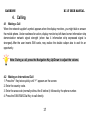
When the network supplier's symbol appears when the display monitors, you might dial or answer
the mobile phone. Under readiness for action, display monitor top left-hand corner information strip
demonstration network signal strength (when has 4 information strip expressed signal is
strongest).After the user inserts SIM cards, may realize the double caliper also to wait for an
opportunity.
Note: During a call, press the Navigation Key Up/Down to adjust the volume.
4.2 Making an International Call
1. Press the * Key twice quickly until "+" appears on the screen.
2. Enter the country code.
3. Enter the area code (normally without the 0 before it) followed by the phone number.
4. Press the SIM1/SIM2 Dial Key to call directly.
17