1
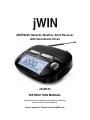
AM/FM/Weather band Radio w/ Dual Alarm Clock
V10M10_IM_EN_06022009
OPERATIONAL INSTRUCTIONS
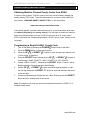
Obtaining Weather Channel/County Codes from NOAA
In order to receive alerts, JX-M133 must be set to the correct weather channel and
county code(s) (FIPS code). To get this information for your area, call the NWS toll
free number: 1-888-NWS-SAME (1-888-697-7263), or visit the website:
www.nws.noaa.gov/nwr/indexnw.htm
In the above website, search the state and county for your area and then write down
the channel (frequency) and county code(s). You may want to obtain the codes for
other areas through which you travel. JX-M133 can store up to 23 county codes
(FIPS code) under the “Programming Multiple S.A.M.E County Codes” section on the
next page.
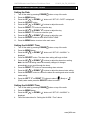
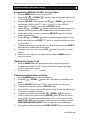
Programming a Single S.A.M.E. County Code
1.
Turn off the radio by pressing the POWER
2.
Press the MENU button to open menu options.
3.
Press the UP "
4.
“County Code” is displayed.
Press the SELECT button followed by the UP "
5.
scroll through ”SINGL COUNTY”, “MULTI COUNTY” or “ALL COUNTY”.
Choose “SINGL COUNTY”, followed by the SELECT button. ”Code 01” will be
6.
displayed and the first digit space will start blinking.
Use the UP " " or DOWN “ ” button to scroll through the digits 0-9. Input
" or DOWN "
button on top of the radio.
" buttons to scroll through menu options until
" or DOWN "
" buttons to
the first digit and press the RIGHT “>” button to save that selection and move
7.
to the next digit.
Continue programming all 6 digits this way. When finished, press the SELECT
button and your entered code will be saved.
Note: The single county code you set will automatically become the “CODE 01” of
multiple county codes.
www.jWIN.com