1
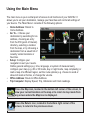
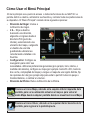
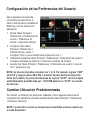
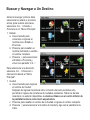
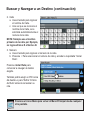
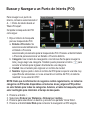
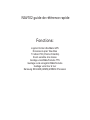
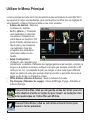
Using the Main Menu The main menu is your central point of access to all functions of your NAV102. It allows you to set your destination, manage your favorites and control all settings of your device. The “Main Menu” consists of the following options: Home Address: Return to Home Address. Go To...: Choose your destination by searching for an address, choosing an entry from the POI (point of interest) directory, selecting a location from the map, or by choosing a destination from a saved list of recently visited locations or favorites. Setup: Configure your navigation to suit your needs. Define general settings (e.g. time, language, or system of measurement), configure your map (e.g. 2D or 3D mode, day or night mode, map complexity) or load a map of a different region, set the route options (e.g. choose to avoid or allow toll roads or ferries, or change the volume. Office Address: Route to Office Address. Trip Computer: Display Speed, Trip, Odometer and Clock readings. Press the Map icon, located in the bottom left corner of the screen, to view your current location on the map or to return to map mode from any screen where the Map icon is displayed. Press the Return icon, located in the bottom right corner of the screen, to return to the previous screen.