1
Contents
User’s Guide for Server Configuration Wizard (SCW) Utility.......................... 1
1 Overview of Server Configuration Wizard .................................................... 5
Technical Details..................................................................................................................... 5
User’s Guide Layout................................................................................................................ 5
2 Quick Links (for Experienced Users of SCW) .............................................. 6
3 Installation Paths............................................................................................. 6
A. Installing Intel® Management Module (IMM) – Advanced Edition ...................................... 6
B. Installing Intel Management Module – Professional Edition ............................................... 6
C., D., E. Installing Intel Server Manager – various level of Agents (Full, Minimal, None) ..... 6
F. Not installing Intel Server Manager..................................................................................... 6
Save Configuration to Disk Option .......................................................................................... 6
Unattended Configuration – .................................................................................................... 6
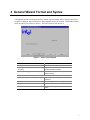
4 General Wizard Format and Syntax............................................................... 7
5 Getting Started ................................................................................................ 8
Booting the Server .................................................................................................................. 8
Server Probing ........................................................................................................................ 8
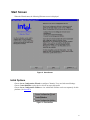
Start Screen ............................................................................................................................ 9
Initial Options .......................................................................................................................... 9
6 SCW Screens ................................................................................................. 10
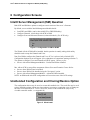
Intel® Server Management (ISM) Question .......................................................................... 10
Unattended Configuration and Cloning/Restore Option........................................................ 10
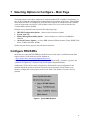
7 Selecting Options to Configure – Main Page ............................................ 11
Configure FRU/SDRs............................................................................................................ 11
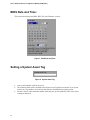
BIOS Date and Time: ............................................................................................................ 12
Setting a System Asset Tag.................................................................................................. 12
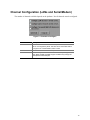
Channel Configuration (LANs and Serial/Modem) ................................................................ 13
LAN Channel Screens........................................................................................................... 14
LAN Channel, Screen 1 – Addresses........................................................................... 14
LAN Channel, Screen 2 – Server Management and SOL............................................ 16
Access Levels – Admin Level is strongly suggested............................................................. 16
LAN Channel, Screen 3 – Alerts .................................................................................. 17
LAN Alert Filters .................................................................................................................... 18
Configuring the Serial/Modem Channel ................................................................................ 19
Serial/Modem Screen 1 – Modem Setup ..................................................................... 19
Serial/Modem Screen 2 – Remote Server Management.............................................. 20
Serial/Modem Screen 3 – Alerting................................................................................ 21
Serial Alert Filters.................................................................................................................. 22
Configuring Users – Selection Screen .................................................................................. 23
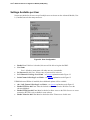
Settings Available per User .......................................................................................... 24
iii