1
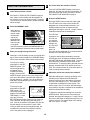
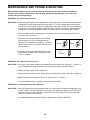
PROBLEM: The walking belt is off-center when walked on
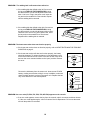
a. If the walking belt has shifted to the left, first remove
the key and UNPLUG THE POWER CORD. Using
the allen wrench, turn the left adjustment bolt clockwise 1/4 of a turn. Plug in the power cord, insert the
key and run the treadmill for a few minutes. Repeat
until the walking belt is centered.
b. If the walking belt has shifted to the right, first remove
the key and UNPLUG THE POWER CORD. Using
the allen wrench, turn the left adjustment bolt counterclockwise 1/4 of a turn. Plug in the power cord, insert
the key and run the treadmill for a few minutes.
Repeat until the walking belt is centered.
a
b
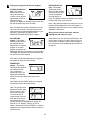
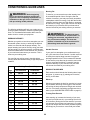
PROBLEM: The heart rate monitor does not function properly
a. If the heart rate monitor does not function properly, refer to HEART RATE MONITOR TROUBLESHOOTING on page 6.
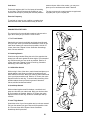
b. If the heart rate monitor still does not function properly, the battery
should be changed. To replace the battery, locate the battery cover
on the back of the sensor unit. Insert a coin into the slot in the cover
and turn the cover counterclockwise to the “open” position. Remove
the cover.
Remove the old battery from the sensor unit. Insert a new CR 2032
battery, making sure that the writing is on top. In addition, make sure
that the rubber gasket is in place in the sensor unit. Replace the battery cover and turn it to the closed position.
Battery
Rubber
Gasket
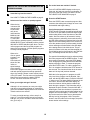
PROBLEM: An error code (E1, E20, E21, E22, E23, OR E24) appears on the console
a. If an error code appears, remove the key from the console, wait for a moment, and then reinsert
it. If the error code appears again, call our Customer Service Department. Do not use the treadmill until the problem is corrected.
19